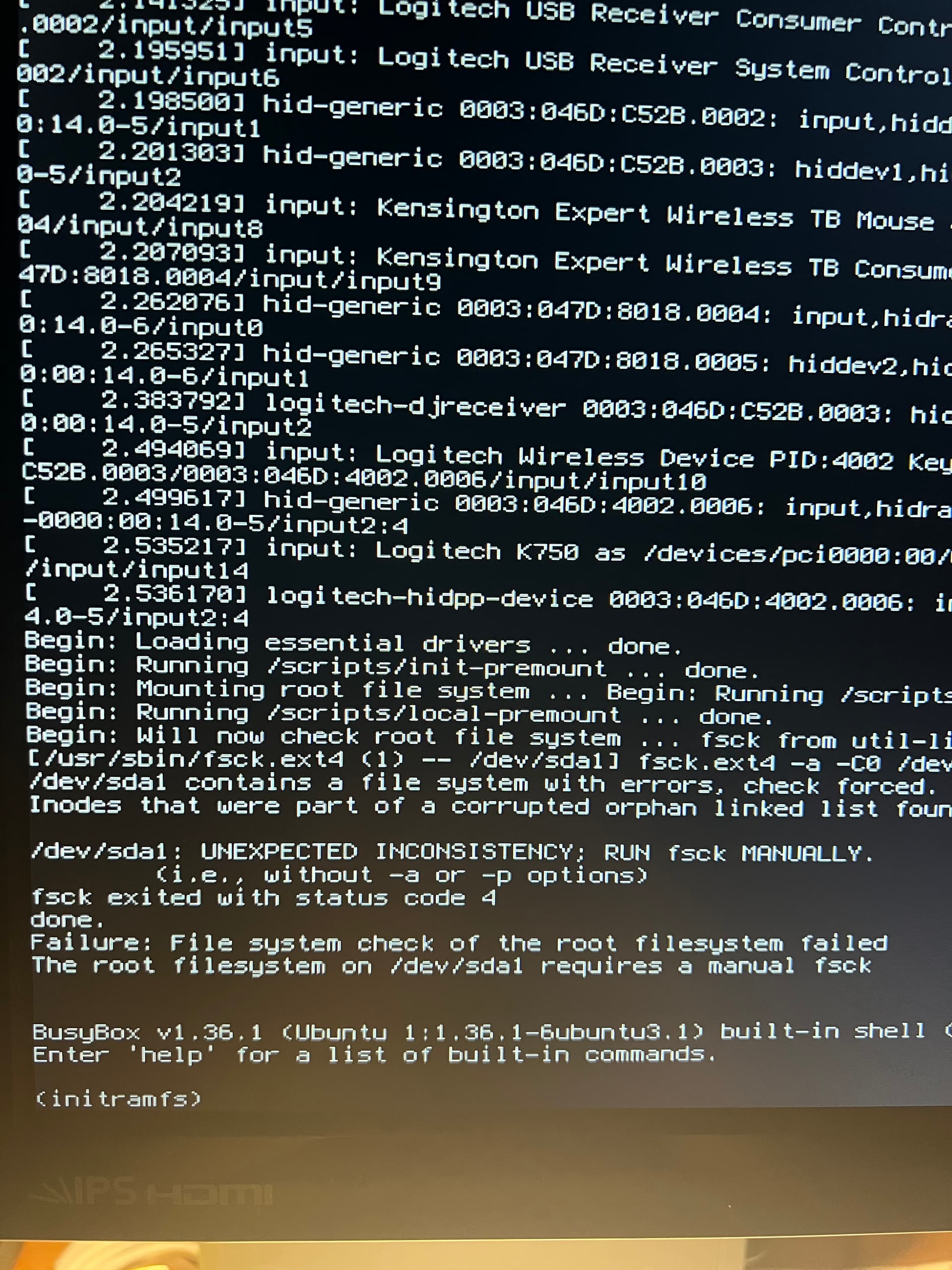
I just got the new update and applied it. Everything went fine. It rebooted and went to the desktop, I had the background and a few of my auto runs like psensor, but they took a long time to start. Then I clicked on Brave and got the spinning circle, but no launch. Then I tried a program from my desktop icon, nothing. So I tried to exit by hitting the off button on the system menu, and it wouldn't respond, so I hit reset on my computer and it went as far as the root file system check, then showed it failed.
/dev/sda1 contains a file system with errors, check forced.
Inodes that were part of a corrupted orphan linked list found.
/dev/sda1: UNEXPECTED INCONSISTENCY; RUN fsck MANUALLY.
(i.e., without -a or -p options)
fsck exited with status code 4
done.
Failure: File system check on the root filesystem failed
The root filesystem on dev/sda1 requires a manual fsck.
Any help is greatly appreciated. I'm pretty sick right now...
There came a Kernel Update. Try it with booting in the older Kernel. On the GRUB Menu, choose ''Advanced Options'' and then choose the Start Option with the 6.14 Kernel.
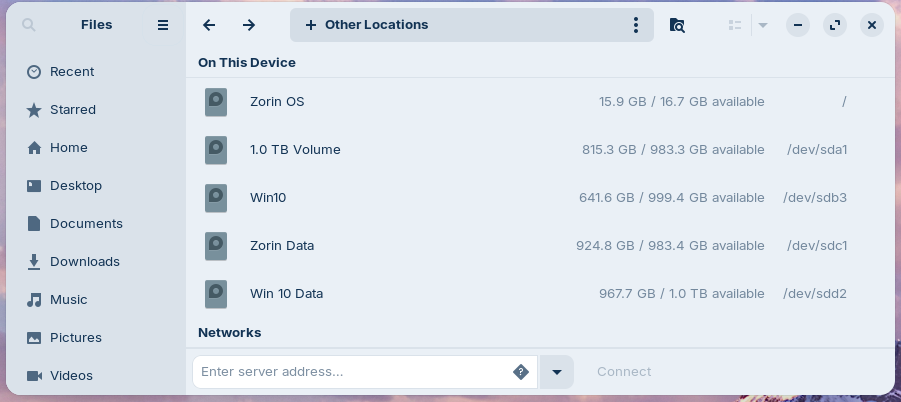
I did that before my original post, and just did it again...no joy. Fails at the same spot with both kernels. I may have to run fsck. I'm not sure how to do it from where it fails. /dev/sda1 is where my Zorin mounts. I've run fsck from the terminal (I think, in order to mount my Zorin Data drive) where I have most of my data from the programs.
No, I didn't run fsck from the terminal, it was fstab, that drive has been working fine for months. I am still a Linux newbie. From the searches I've done, it appears in my case, at the (initramfs) prompt I should enter fsck /dev/sda1. Can someone with more knowledge than me confirm that? Will there be other prompts that fsck will generate?
I found a post that shows how to do it from the Rescue "Console", I guess that would be what I'd call it...a few menus to select what you want fsck to do. Would that be the best approach?
I just don't want to go ahead and paint myself deeper into this corner by doing something I shouldn't have done.
Lastly, this is a dual boot machine, Windows 10 is on the other boot. That boots ok.
Thank you! That seemed to have fixed it. I had to select Zorin Advanced and 6.14. Looking into how to edit GRUB so that 6.14 is default and 6.17 is not the default.
Again, thank you for the help. For now I chose to edit grub. I tried to boot into 6.17 after I ran fsck and got the fsck failure again. I ran it and it corrected the error, but I'm hesitant to do anything with 6.17 for now. I'm going to purchase a new SSD and clone my system drive, then purge it. I'm not sure why upgrading the Kernel would corrupt the drive, but it seems to be happening in my case. I would think that fixing the errors would correct whatever corrupted the disk, but this proved that there must be some disk issue that booting into 6.17 causes.
It appears I'm not out of the woods yet. This morning I went to start LTSpice and it wouldn't start, but I noticed that the CPU was working at 15%. I opened System monitor and found that systemd-journald was taking most if not all that cpu resource. Then Evolution won't connect, so I can't get emails.
In the future, I recommend setting up TimeShift with at least two weekly backups if you don’t have too much space on your hard drive. It has already saved me once or twice after a bad update.
Hi Tokashi, I did set up Timeshift, but IIRC it didn't do a correct job of imaging the system drive. I think what I'm going to have to do is bite the bullet and do a reinstall of Zorin to that drive and wipe out 6 months of configuring and tweaks. I do have the Zorin OS 18 install flash drive, ready to go...what a nightmare this is going to be.
Hi zabadabadoo, I don't have a separate partition. But I am able to boot into the Try Zorin setup and see all the drives, folders, and files. I have been looking into possibly just reinstalling the kernel, 6.14, which is what is on the Zorin install disk. I have also gotten some AI responses from searches that state it is possible. There has to be some mounting of drives and system folders, and then a chroot to the system. I'm not sure of the exact procedure and have been looking for any real documentation of how to do it.
Hi Aravisian, For some reason everytime I boot into 6.14, it wants to run fsck and every time more and more errors are fixed, and nothing works on the desktop.
Thank you for clarifying what I should do to reinstall the 6.14 kernel. As I said, the procedure came from AI responses to my searches...I don't trust them all that much.
Unfortunately since I've been running fsck and it's been trying to fix more and more errors, Terminal doesn't work on the desktop. Unless I can run that command from the initramfs prompt.