I think i messed up this time xd, so i opened my laptop, like usual and i was trying to fix my steam launcher, (because i was thinking it was solved already but no :(), and while i was doing this, the "var" storage space was also apearing, and when it restarts, its just says, busybox intraframs, or something like that, so im starting to thnk that all my speed issues, all my lags and other bunch of stuff may be happening becuz i didint installed correctly the thing, so i enter my windows 10 info so here it is:
Nombre del dispositivo
DESKTOP-RMN9UPP
Procesador
11th Gen Intel(R) Core(TM) i5-1135G7 @ 2.40GHz 2.42 GHz
La entrada táctil o manuscrita no está disponible para esta pantalla
(Yes its in taco lenguage, i didint wanted to trandlate anything becuz i tried but it misspelled words and translated things that arent really words)
So, im stupid and i also deleted my windows 10, (i didint did that on purpose, i just didint understand the tutorial), so, miraculosly, i have the usb that i used to install zorin os core, and yes, i created it with rufus, as one of the ppl of my first post say so, so, i want to do a clean install, but i did that already 3 times and i dont see the point on trying it without an advice, so, plz, if someome knows how to do that, i would apreciate anything, thanks again and i hope someone answers soon
Since you deleted Windows OS, if you want to stick with Zorin OS, I would just boot the USB stick and select the option to Wipe and install.
This will allow plenty of space.
Since you have repeatedly been having trouble with flatpak, I recommend just avoiding it entirely.
Once Zorin OS is installed and you reboot into it...
Open a terminal and run:
Hey thanks man, but, its not like i dont want windows 10, (well, yes but i cant becuz in school they ask us for safe browser exam, so, im gonna try the flatpak thing, and thx for the suggestion, but i cant uninstall windows 10), anyway, if u have a video or somethin that can help, cuz i think im doing it wrong
Ah, I misunderstood when you said you had deleted it. So you mean you reinstalled it - Then you have a choice between the Something Else option and Install alongside Windows option.
Either should be safe - do you have any specific reason to need to avoid the install alongside option?
Yes i uninstalled it, but not becuz i wanted, but becuz im stupid xd, so even if i want, i cant left my laptop without a piece of bill gates os :(, so no, u didint missunderstood, im just stupid as it sounds, in other words:
My laptop is like in blank and i cant use ir becuz it has no os (except if i stick the usb)
EDIT: Im gonna install it withouth wi dows but i need to install windows before 19
Well, this needs clarity because it is a lot easier to install Windows OS first, if dual booting, then install Zorin OS after.
You can install Zorin OS, first - but this requires a bit more work in order to set grub to manage bootloading, or else Windows OS takes over and won't let you boot into Zorin OS.
I mean, i could install windows first, the problem is that as i say im a bit stupid and the only thing that saved me was my usb where i had the zorinos installation thing
Clearly, you are not. We all make mistakes - Experts make mistakes.
Learning is a process.
I do not know how to do a large number of things.
So, your first decision is: Do you need to install Windows OS - do you need it right away?
If it is Windows OS 10 or 11 and came installed on the computer, its key is saved on the motherboard, so you do not need to find a copy in order to reinstall.
just an idea, one that i have done myself.
install Zorin OS and then add the program Gnome Boxes .apt package
then install Windows 10 in Gnome Boxes as a Virtual System.
that way you can open and use Windows 10 while in Zorin OS
without having to dual boot into either operating system.
i have Windows 11 21H2 LTSC running in Gnome Boxes
for two programs that i cant get to work in Zorin
Garmin Express updater and Rufus ISO burner.
I am actually wondering if the OP has infact deleted Windows or wether it is obscured. I agree for dual-boot its easier to have Windows installed prior to installing ZorinOS.
I would run Boot Repair from the ZorinOS live USB and see what comes up. BEFORE you wipe the disk and install ZorinOS as the only OS.
You could start Zorin in Live Mode, download the Windows ISO from Microsoft and then create a Boodstick with Windows. Then install Windows first and then Zorin.
Hey, thanks a lot guys for all the help, i already installed zorin and then windows, sorry i didint followed ur advices, but i needed that thing out of the way, the bad thing is that i need to manually acces to windows trough boot manager, but thats not the real problem, idk why when i use a game (slipstream), everything works fine, but if i use it with my xbox one gamepad, the games just crashes my whole laptop idk why, and i need to do a forced shutdown.
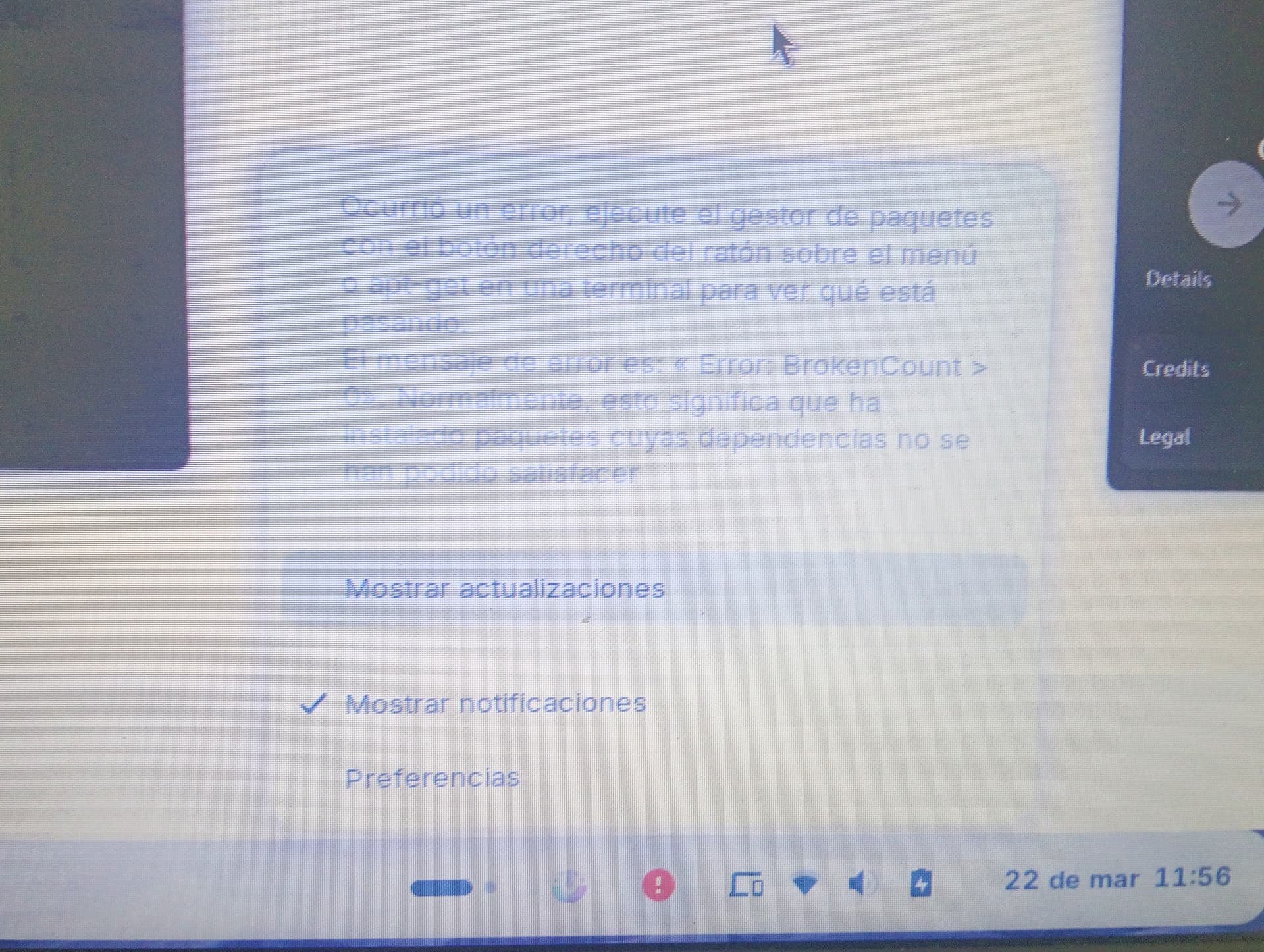
Edit: Also, WHY THE HELL I CANT USE THE SOFTWARE MANAGER D:, so, if i remember correctly, i activated some sort of thing to not allow me to install flatpaks, but i tried to install protontricks first, but i couldnt, so i tried to uninstall it, so now its in a limbo where i cant use it or see it, but i cant also uninstall it, that happened with brave browser also, but it just stopped working and then i did the same as before, and now i have a laptop where the most important appi have to do research on terminal commands now it doesent work, so i have a laptop with steam, and even with that, the game i want to play doesent work.
Also, never study somethign that has to do with psychology, it has nothing to do with my zorin problem, but i have to study for an exam and now i hate Piaget
Only to be sure, we mean the same: Do You mean Gnome Software with it's Update Function for Flatpaks or do You mean the Software Updater for updating System Packages?
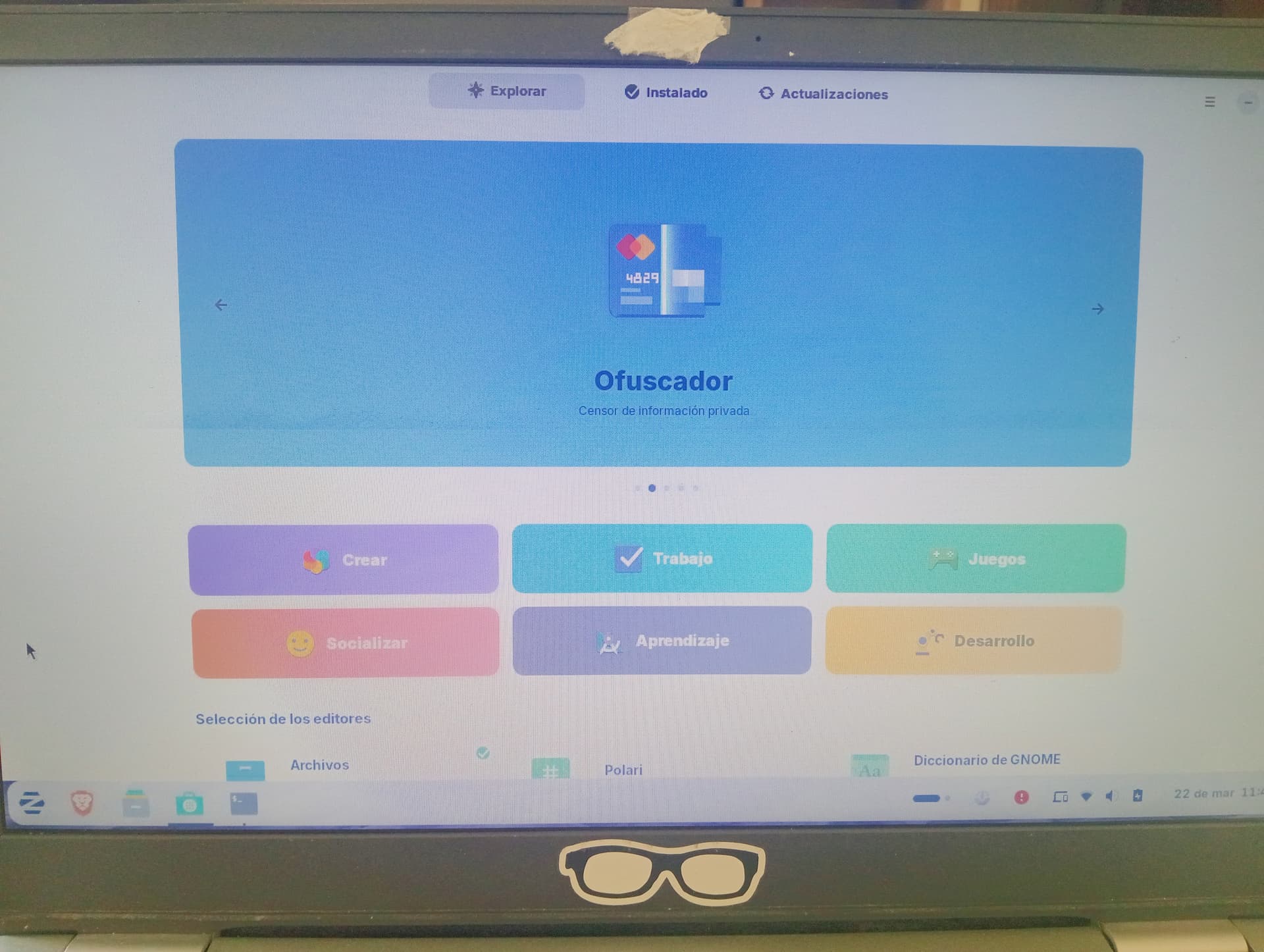
This one, i think it doesent work correctly, but i think its not that its not working, its just that some programs dont seem to install correctly, like brave browser or protontricks, (i saw, i dont remember where, but a text box that said something like "protontricks cant find the steam directory", so i think thats why it didint install correctly)
also this thing just appeared since yesterday (nevermind it dissapeared)
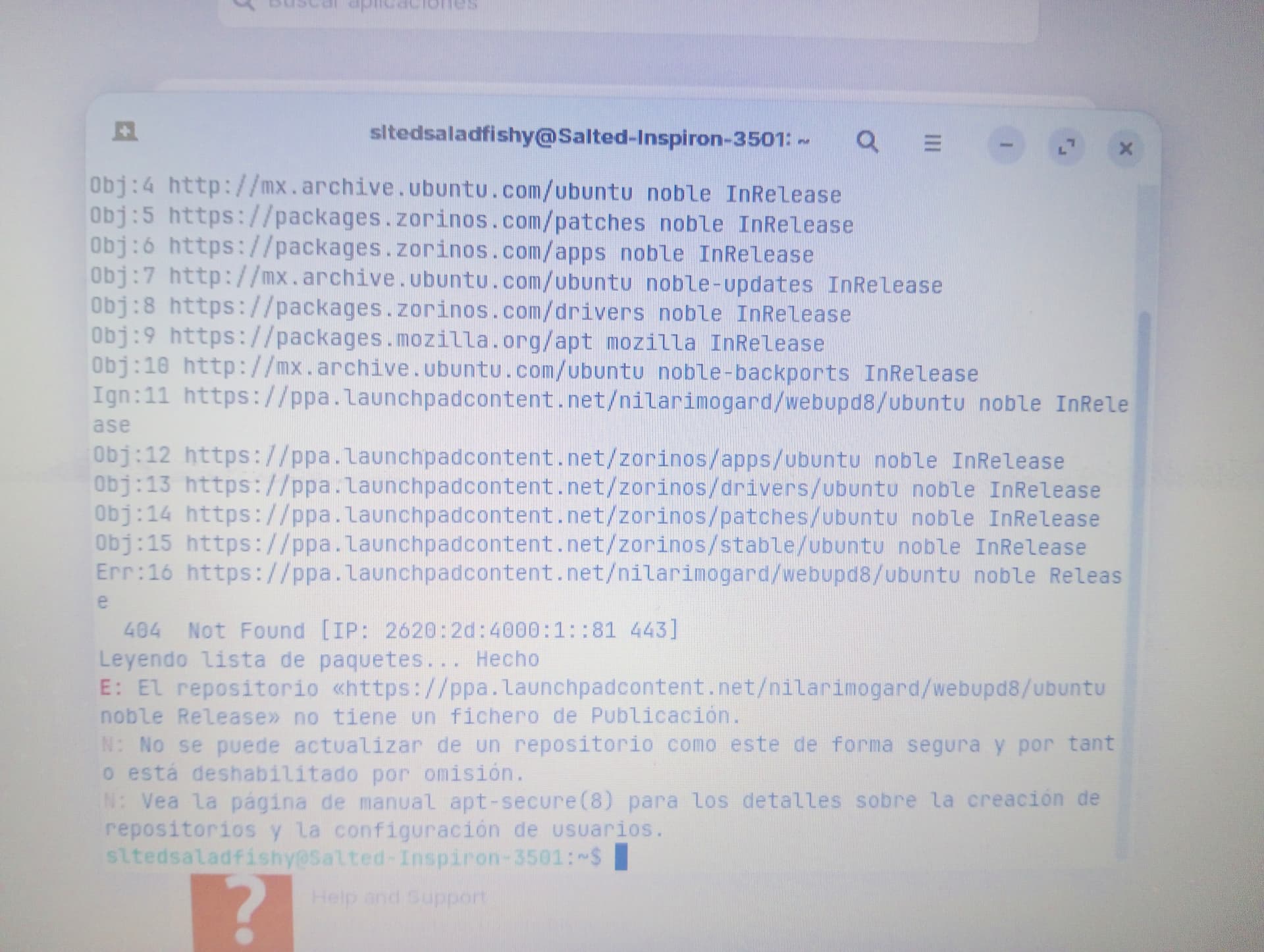
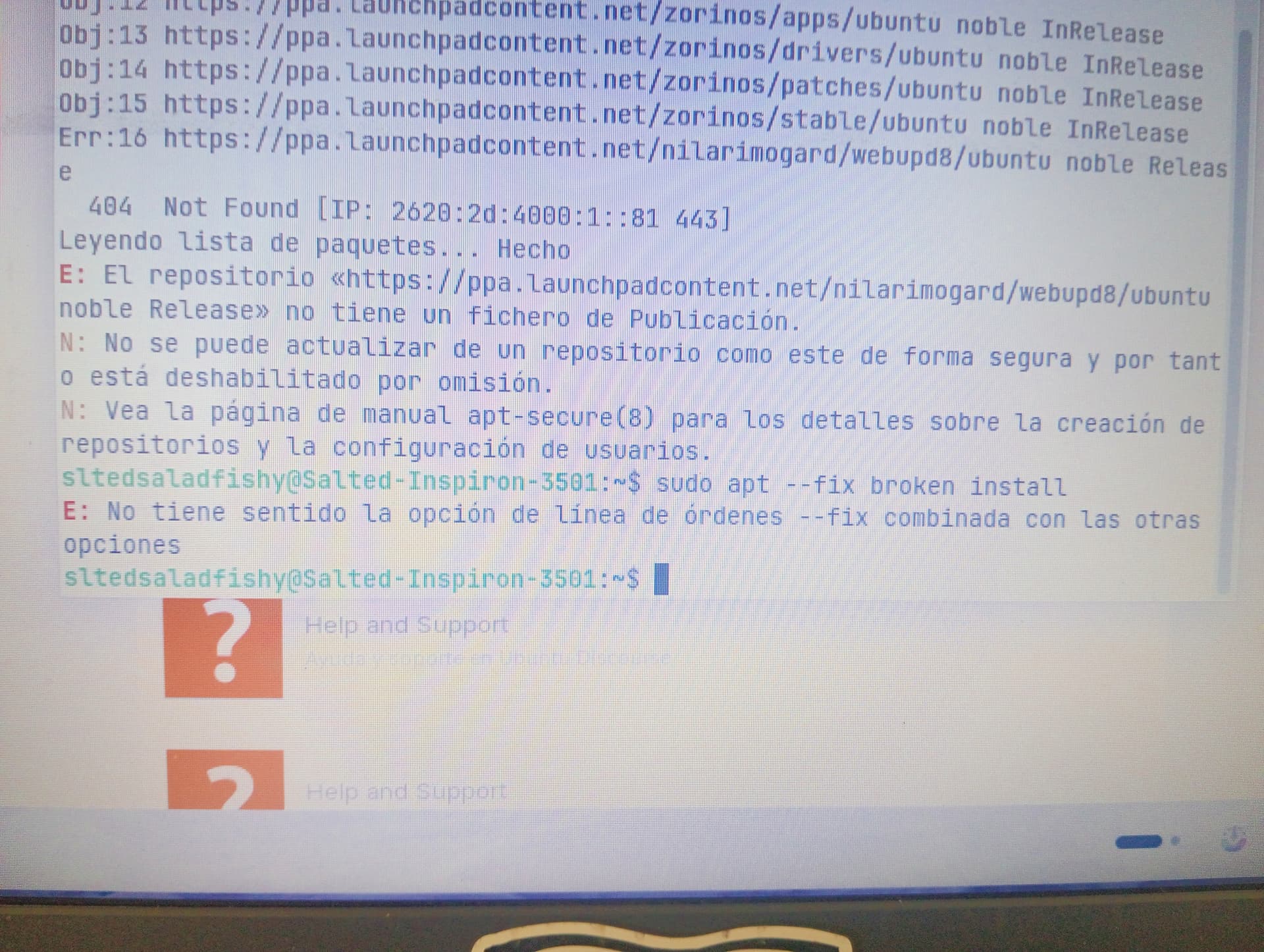
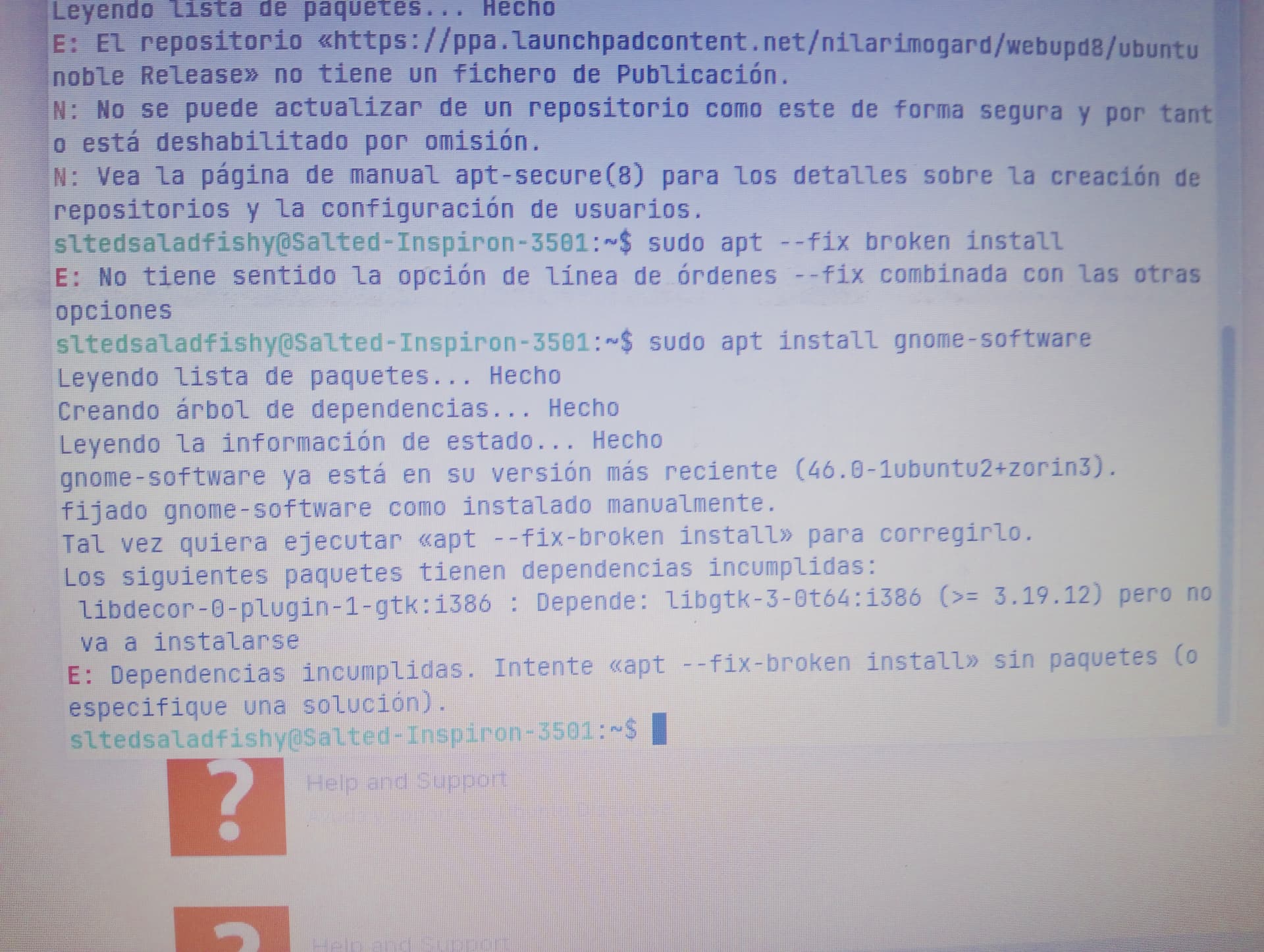
That is the broken package. The problem is it depends on a package that does not actually exist. "libgtk-3-0t64:i386" was assumed to exist, without verifying, by the maintainer and placed as a dependency.
In the years since - the maintainer has never bothered to correct this.
I remember, i think i installed something like that because a steam game (papas freezeria, also, i love that game) say that i was running a 32 bit game or something like that and sometimes it doesent work, but, ironically, the games works fine, and when i saw that i asked an ai to solve this and it told me to install some things (thats why i dont like ai, but sometimes i fell my questions are too dumb to ask here xd)
I do notice you tend to not give yourself enough credit.
Asking questions is the smart thing to do. We are not born with knowledge. Well... precious little, anyway. We are born knowing how to poop. Not much else, though.
In order to choose a path that leads to the best outcome, we must accept that asking the questions, questioning the answers - Learning - Is The Way.
And yes, that particular trouble is due to a packaging mistake that should not have happened; should have been corrected right away; And is difficult to spot at first because Trusted Packages Should Be Trusted.
Okay, this is Gnome Software. It can have it's Moments - and it doesn't need to give much Info's about what is wrong or what not. In this Cases it is good to use the Terminal to install Stuff because You will get a better Output if something is wrong. And when it works in the Terminal then it could be a Gnome Software specific Issue.
There are no dumb Questions. And this Forum exists to ask Questions. And when You have an Issue, You have an Issue. Sometimes Issues can be solved easy and sometimes there might be more complex. But only because there are easy Ways to solve a Problem doesn't mean that the Problem itself is not ''worth'' to bring up.