Not sure why it won’t reply to you lol.
That is good, it means that the module and driver are connecting to their dependencies in order to all work together. When the terminal returns to a Prompt, you will know it has finished.
After rebooting; Check your Nvidia driver:
GUI:
Software & Updates > Additional Drivers - and look that it says One proprietary driver in use - Nvidia 580
OR
Terminal:
nvidia-smi
1 Like
Yeah, let me update first in software updater lol.
Okay, it worked! Thank you so much for helping me out. also lastly which is a real steam software? Steam Or Steam Installer, because I can’t tell which one is a real one.
I prefer the debian supplied Steam; but this really is a personal choice.
In Software Store - click Sources at the top. The Zorin Repository Source is the debian
And the other source will be Flatpak. Flatpak will require system configuration, since Flatpak packages are isloated and locked out of the system.
Choose Steam and in Sources, select your source.
I do not see sources on top 
The button label may have changed...
Here is the Zorin Guide:
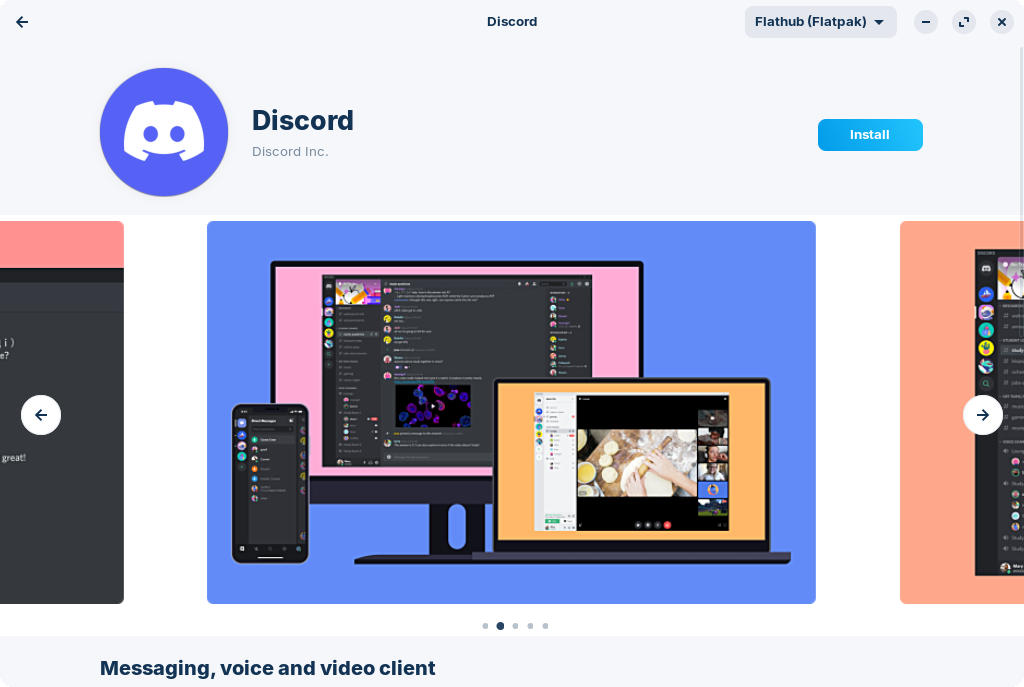
From which I lifted this screenshot. In the upper right you see a gray background with Flathub (Flatpak) on it and a drop down arrow- that is the Sources button. In this screengrab, it is set on Flatpak:
So flatpak is much safer and they won’t steal mine information, yes?
Why does Steam Permissions say: “User runtime subfolder app/com.discord.Discord” and “Legacy Windowing System” ?!??
Neither steal information. Flatpak can be considered more secure in that it is isolated from the system. To me, the flaws outweigh the pros.
This is something Flatpaks do- they note when they see other flatpak runtimes. It is not accessing or running Discord.
The Legacy Windowing System is... Misleading.
Steam cannot run on Wayland.
And you are not using Wayland. You are using X11 (Xorg).
But steam calls Xorg legacy, even though it needs it... Because on Wayland, Steam will fall back to the Xserver on Xwayland (Which is an Xorg protocol), pretending it is running on Wayland.
It's... Politics. Getting away from Windows did not free us from this kind of... marketing.
Okay, thanks. I don’t know why is there 2 different apps called: Steam, And Steam Installer lol. I guess I’ll go with Steam.
You installed Steam from Software Zorin OS, correct?
Yes, though I did
sudo apt install steam
I never use the Gnome Software Store. I only look at it in order to figure out user questions...
Ohok, also which Blender should I install? There 2 different apps: Blender (By Zorin OS, and Blender By Blender Foundation.
This is your choice based on your wants and needs. Both are safe and solid.
In time, your familiarity with the packages will grow and you will become opinionated like the rest of us.
Okay  thank you for all you ur help.
1 Like
Is Unity Hub on Software App also safe?? Just making sure lol.
Also how do I fix night shift? it only works on one monitor but not the second monitor.
Also how do I install DaVinci Resolve 19 properly? I’ve tries installing it but it won’t open it 
You can take a look at these threads for some ideas:
You could download Steam directly from the Steam Website: