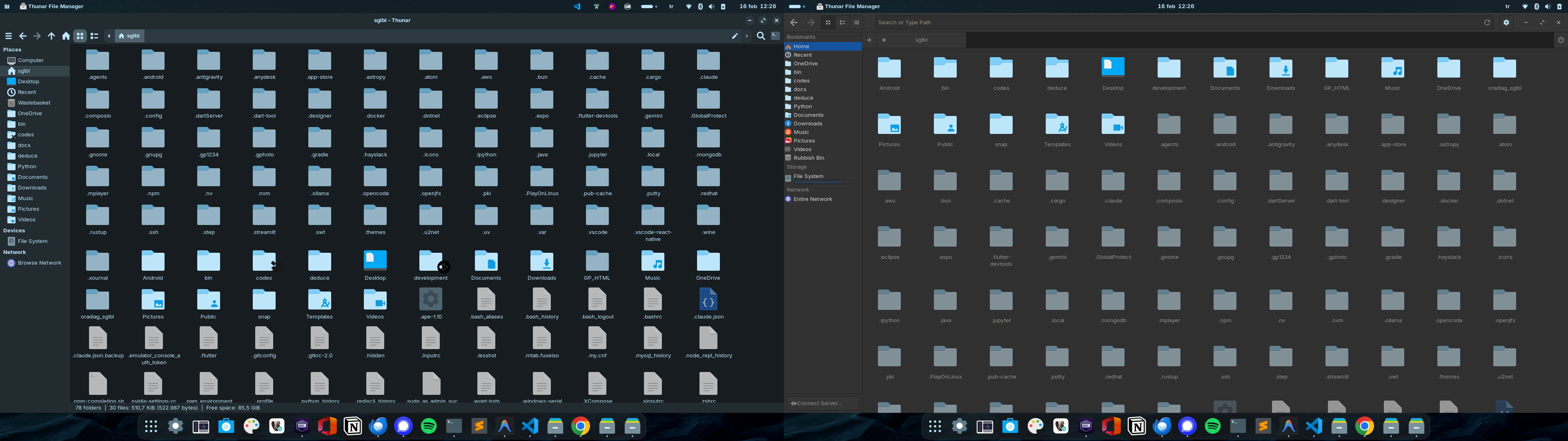
Hidden folders/files must be different color (or transparent)

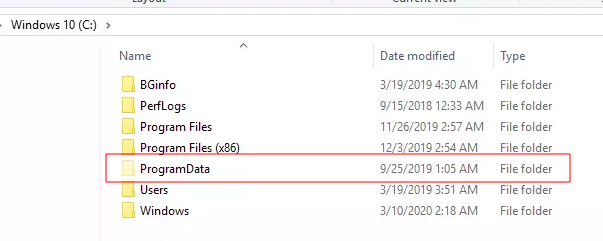
As you know windows has the feature of showing hidden items with a different color to distinguish

Is there a way to achieve same functionality on Zorin OS as well (for Nautilus, if not for Thunar/Nemo)?

I know there is this issue but it's for GNOME 49 but Zorin OS 18 has GNOME 46.

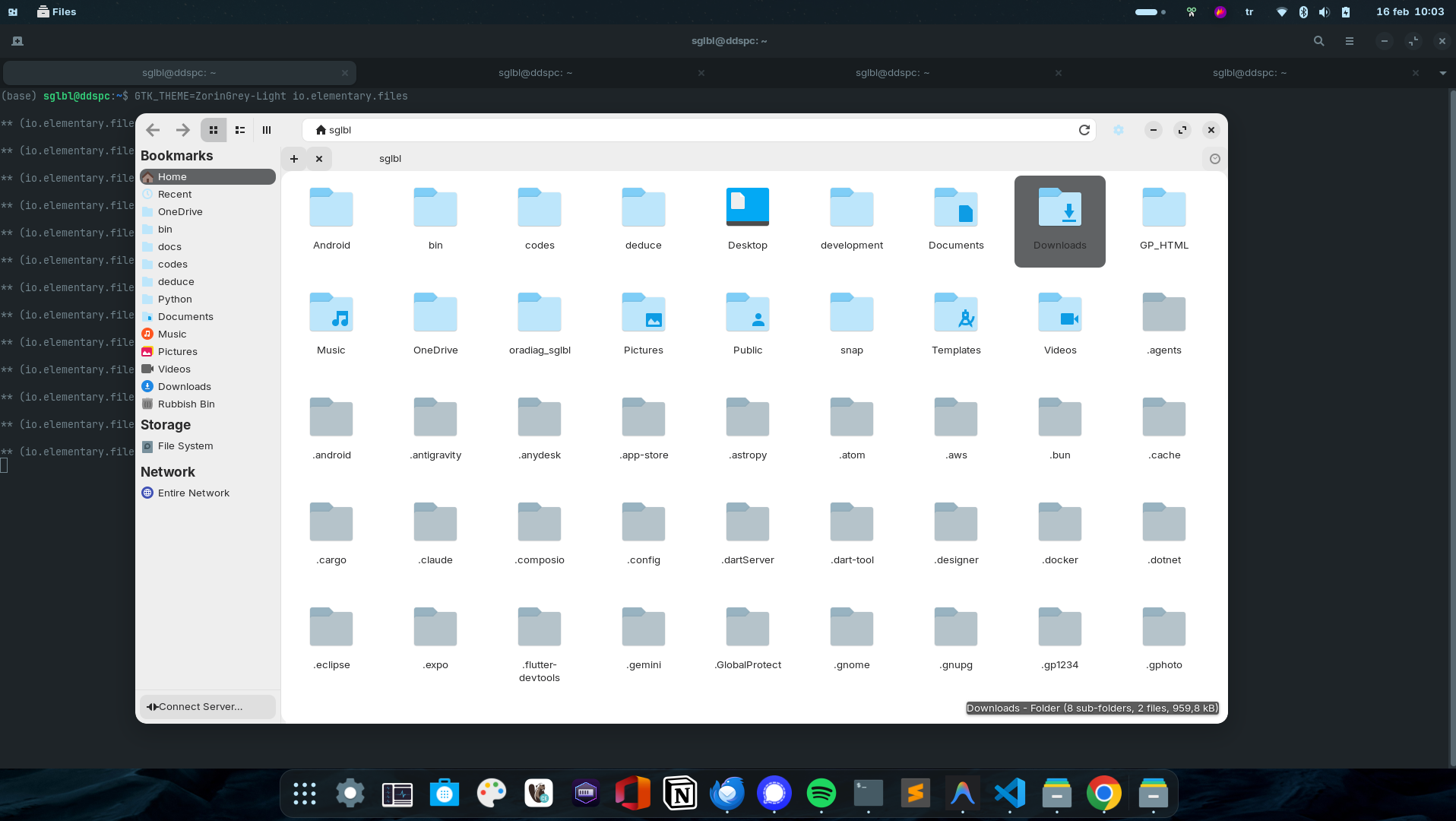
Note that I installed Pantheon File Manager (of Elementary OS):

It works nice but only for the light theme, on dark theme it has some color problems.

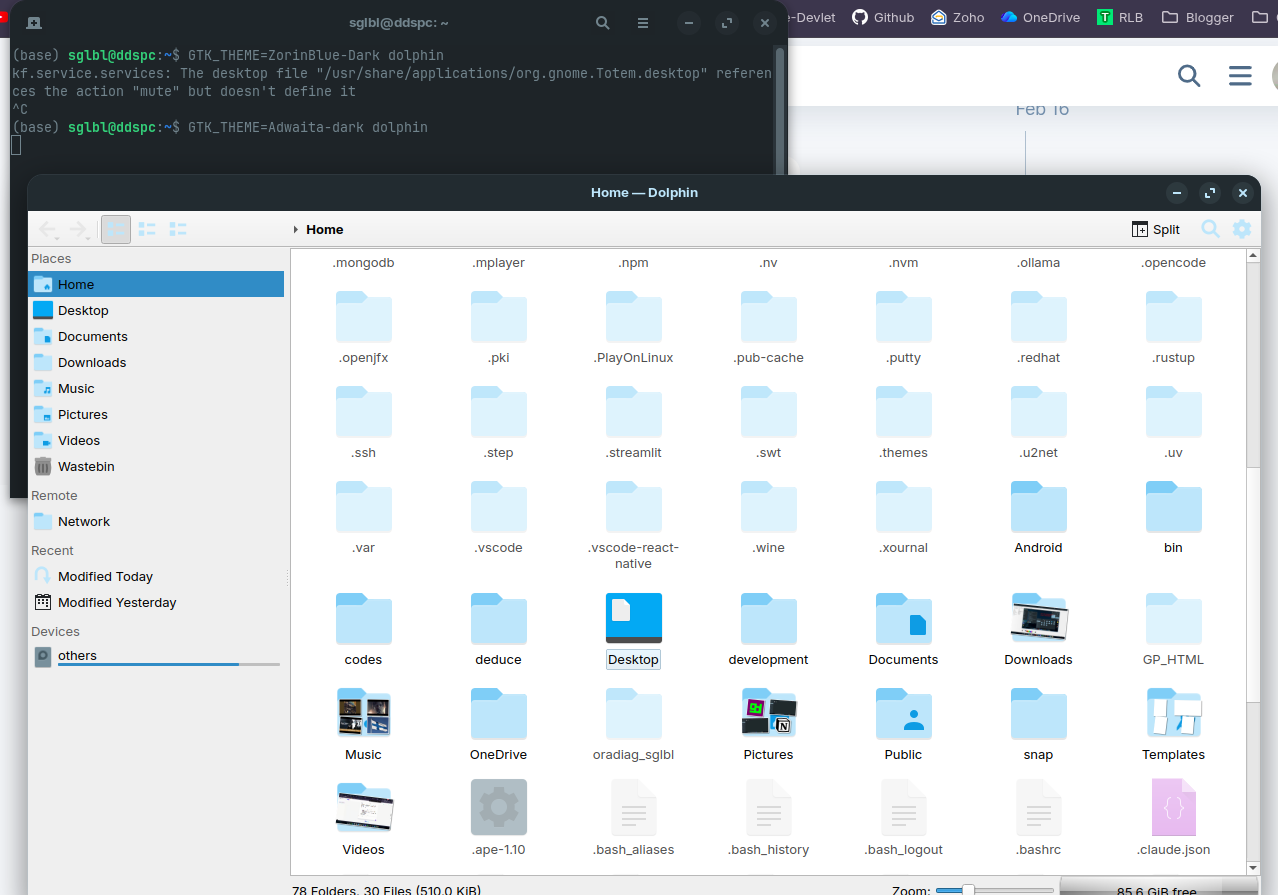
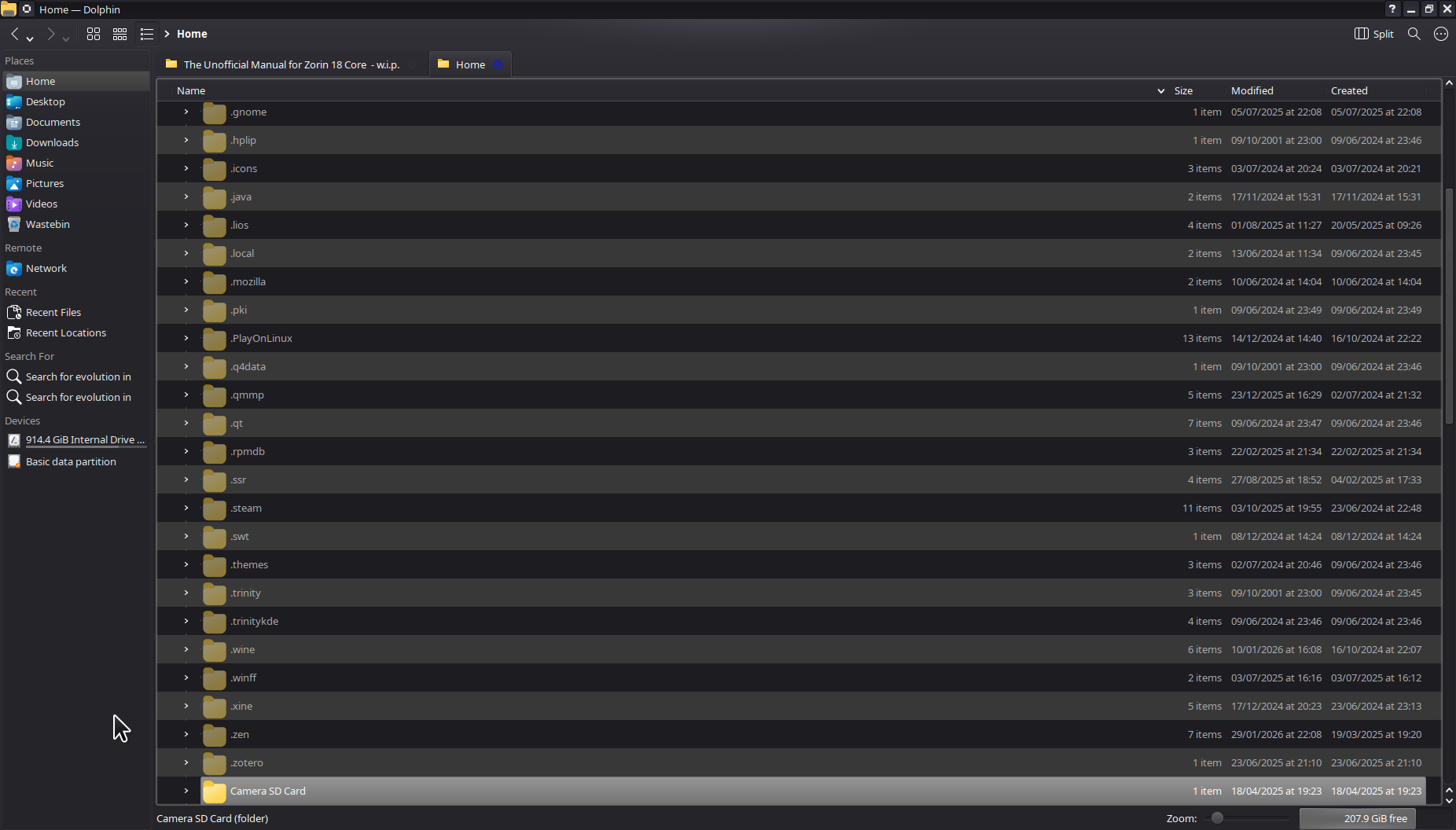
You could try Dolphin. Dolphin is KDE's file browser and it does what you ask it to do ;).

3 Likes


Dolphin doesn't respect to dark theme either.

It's becasue it's framework is QT. @Aravisian wrote somewhere how to set it up to follow GTK framework.

2 Likes

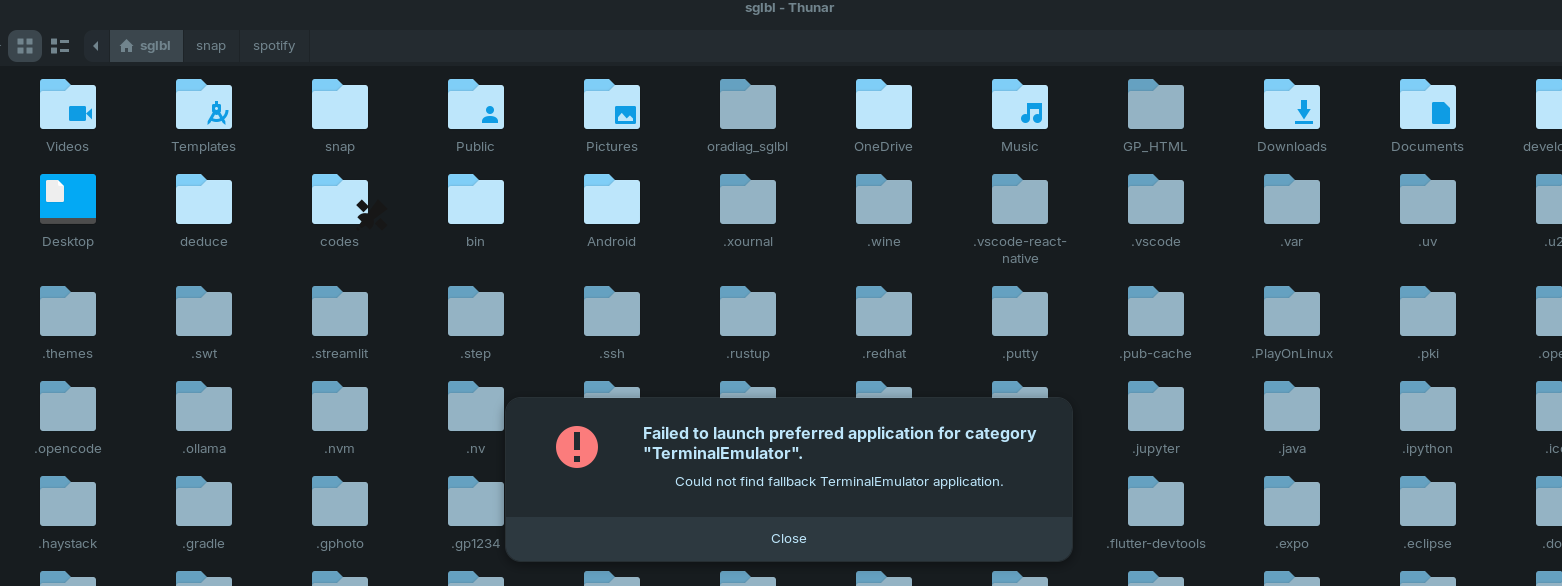
I have added the repository of elementary os at the moment and installed thunar to see how it behaves. Thunar in version 4.2 has different folder colors for hidden folders (thunar of ubuntu repo in noble is version 4.18) and works with Zorin dark theme:

Aravisian had installed XFCE 4.2 in noble so he may know it is worth a try to install thunar 4.2 in Zorin 18.

Maybe this site can help to edit it in thunar 4.18:

2 Likes

Do you mean this tutorial?

Edit: I tried it with this guide, but in /etc/profile.d was not such sh script. The guide seems to be too old to use it in noble.

I have thunar 4.20.2 and it works fine with folder colors actually.
But it has some problems such as not able to open terminal etc.

I solved that. In thunar go to tab "edit", then "custom actions" and select "open terminal here". Click on the cogwheel and change the command to
gnome-terminal --working-directory %f

Maybe keep the end of the command (I deleted it for testing and don't know how it was before), but so the terminal opens.
Maybe someone can advice what is the best command here.

3 Likes

The Indicator for a Hidden File/Folder is the . at the Beginning of the File Name. So, I guess the Thought is that this should be enough to detect the Difference. Only my Idea behind that: I don't know if this is the Intention.

2 Likes

Yes but when I have so many hidden folders and files generated by so many applications, it becomes really complicated to distinguish (IMHO)

Thanks @Forpli , I also fixed pantheon files with GTK_THEME=Adwaita-dark io.elementary.files

Side by side:

1 Like

It is applicable in noble.
If the file was not automatically created during install, just create it and add the same line.

1 Like

@Forpli I tried this tutorial:

image

But qt5ct and qt6ct application's themes are really old and look outdated. (With some of them icons were creating problems as well) So I went back to the default one.

QT display is structured such that only GTK2 is the format that can be used for appearance. What you are seeing may be due to the GTK2 portion of the theme.

I also tried it but dolphin didn't change its color to dark mode. I don't know why.

In the tutorial was not said if you have to run also qt6ct after the installation and select a theme there. Is it required?
Or do you have to make the .sh files also executable? They were not when I created them with the texteditor, nothing about that was mentioned in the guide.

The files are not intended to be executable, since they are not programs.
Since they are created in Root, they already have permissions.

Whether using qt5ct or qt6ct is dependent on if it is a QT5 app or a QT6 app.

1 Like

Yes, for example for Dolphin; I needed to change qt5 settings, not qt6. But it was also changing my other kde application KolourPaint.

Same in my case, the themes were still light. There was one dark theme but icons were dissapearing on that one

In Q4OS, guess because it is QT anyway, no issue with dark theme:

and it is KDE Plasma 5.27.5

If you have q5 and q6 apps, do you put both export commands (for q5 and q6) in the same file?

Yes, you can apply both in the file.

1 Like

Do you know where the file

thunar-icon-renderer.c

is saved which is mentioned in the link of post no.5 to increase transparency for hidden files in thunar?
The visual difference is much less noticeable in the light theme than in the dark theme, and I would like to try lowering the value of 75% to see if that makes a difference.

I'm not sure if it is the same in thunar 4.2 but then I could take a look at the file.