I have been attempting to search for this but all I can find is using gnome-tweaks or themes from the third party store, and as much as id love to browse through there until I find the perfect rose pink theme, it doesn't have a key word search bar and that really ticks me. I just need a simple way to make the accent color pink. I don't know if this is a desktop theme or if its something else entirely as those terms are still somewhat new to me. Please forgive me if this post makes zero sense.
P.S. i dont wanna use KDE plasma
Hello and welcome,
You can try this extension
2 Likes
thank you, i'll check this out and see how it works.
I tried it, and it looks absolutely beautiful, but it keeps thinking that my bar is supposed to be a top bar even though its a bottom, and when i click the "bottom bar" option, the bar disappears entirely. I'm pretty sure what's happening is that it automatically assumes the position is at the top, and thus its coding is simply designed to move it downward by a set amount of pixels. The reason this is an issue is because the "click" boxes for the icons in my bar are cloned to be at the top as well, so I couldn't close anything without moving it first, which was annoying. Is there anything you have that is designed for Zorin that just adds more theme colors?

Unfortunately, all of the themes that i would like only support cinnamon or only support some outdated gnome versions..
That, or i'm wrong and they DO support them and I just don't know, again, I'm not exactly experienced here lolz
1 Like
I know what that is like, I had to hunt for a new sound input/output quick access extension, cause everything else, is just too old for Zorin OS 18.
I wish I could laugh with you. Unfortunately, Cinnamon is based on Lite, which is typically XFCE for most distro's. If you were to install something on Ubuntu Gnome, meant for Cinnamon, breakage would result, and the space time continuum would collapse on itself, as it gets pulled into a black hole, in darkness of space. OK, now we can laugh together. 
1 Like
gulp.. well jeez, i guess ill have to stick with the purple theme until Zorin updates to add more theme colors themselves, kinda sucks considering i came to linux for customizability and even windows 10 can do custom colors, but its whatever, I like purple anyway.
1 Like
Unfortunately, Zorin doesn't offer a pink accent color that you can easily select.
When you use the Open Bar GNOME extension, it's best to first enable "Keep original GNOME top bar" in the Zorin taskbar settings (right-click on the taskbar, select Properties, then go to the Action tab).
At gnome look you can find many themes. A nice gtk theme with pink-blue accents is lavanda gtk theme
I haven't tested yet which icon theme fits best to that colors. I found no lavanda icon theme. You could try the pink papirus icon theme or a pink icon theme from Vinceliuice's other icon themes.
On the screenshot of lavanda he used the colloid icon theme:
But many third party themes are much different from the Zorin ones.
Here I have installed the Lavanda gtk theme and Colloid icon theme on Zorin 18:
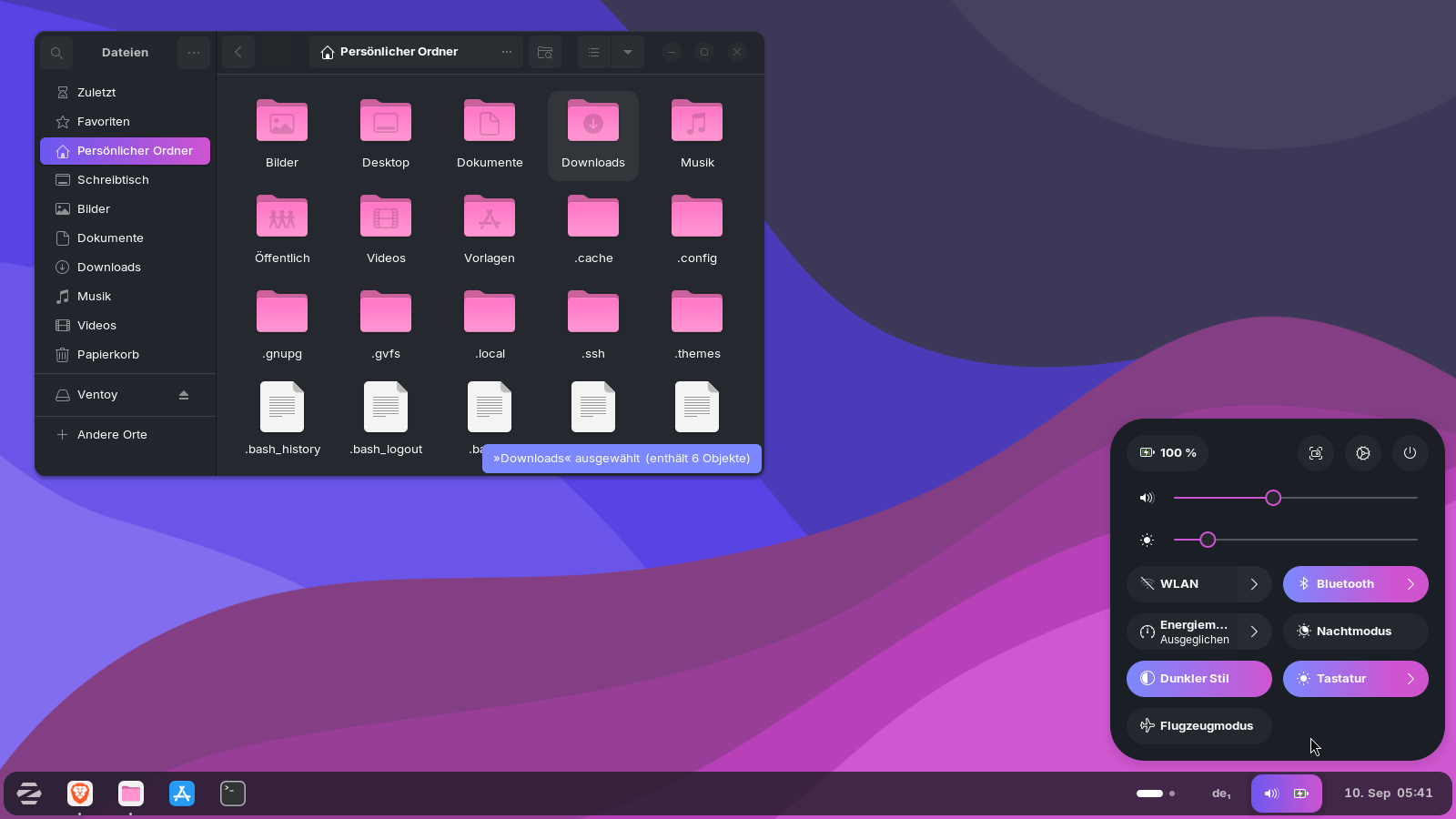

Download the code e.g. from the github links, doubleclick on the downloaded archive file to extract it, then right-click on the extracted file, select "open in terminal" and then enter
./install.sh
You'll probably have the problem that some gtk4 apps (e.g. the file manager or texteditor) don' t apply the correct dark or light theme if you have different color schemes installed. If you are sure, which one you want to keep, it is the best to remove the installed ones
./install.sh -r
and run the script again with the libadwaita option for the theme you want to use, e.g.
for the light lavanda theme in pink:
./install.sh -c light -l -t standard
for the dark lavanda theme in pink:
./install.sh -c dark -l -t standard
The installation of the icon theme is similar. Download the code, extract it and then open the terminal and run
./install.sh -t pink
You can install various color schemes. I used the dracula color scheme for my screenshots.
The command to install various pink or purple color schemes so that you can choose the one icon theme which you like best is:
./install.sh -t pink -s all
You could additionally install the purple ones to get more color tones for selection:
./install.sh -t purple -s all
After the installation, log out and in again. Then in Zorin Appearance > theme select "Others" and then for applications and shell set a lavanda theme and for icons a colloid theme.
The wallpapers you can find in the extracted folder at ~/Downloads. Right-click on the wallpaper you like > set as background image, then you have it as background image. You can save the image at another place if you want to keep it permanently.
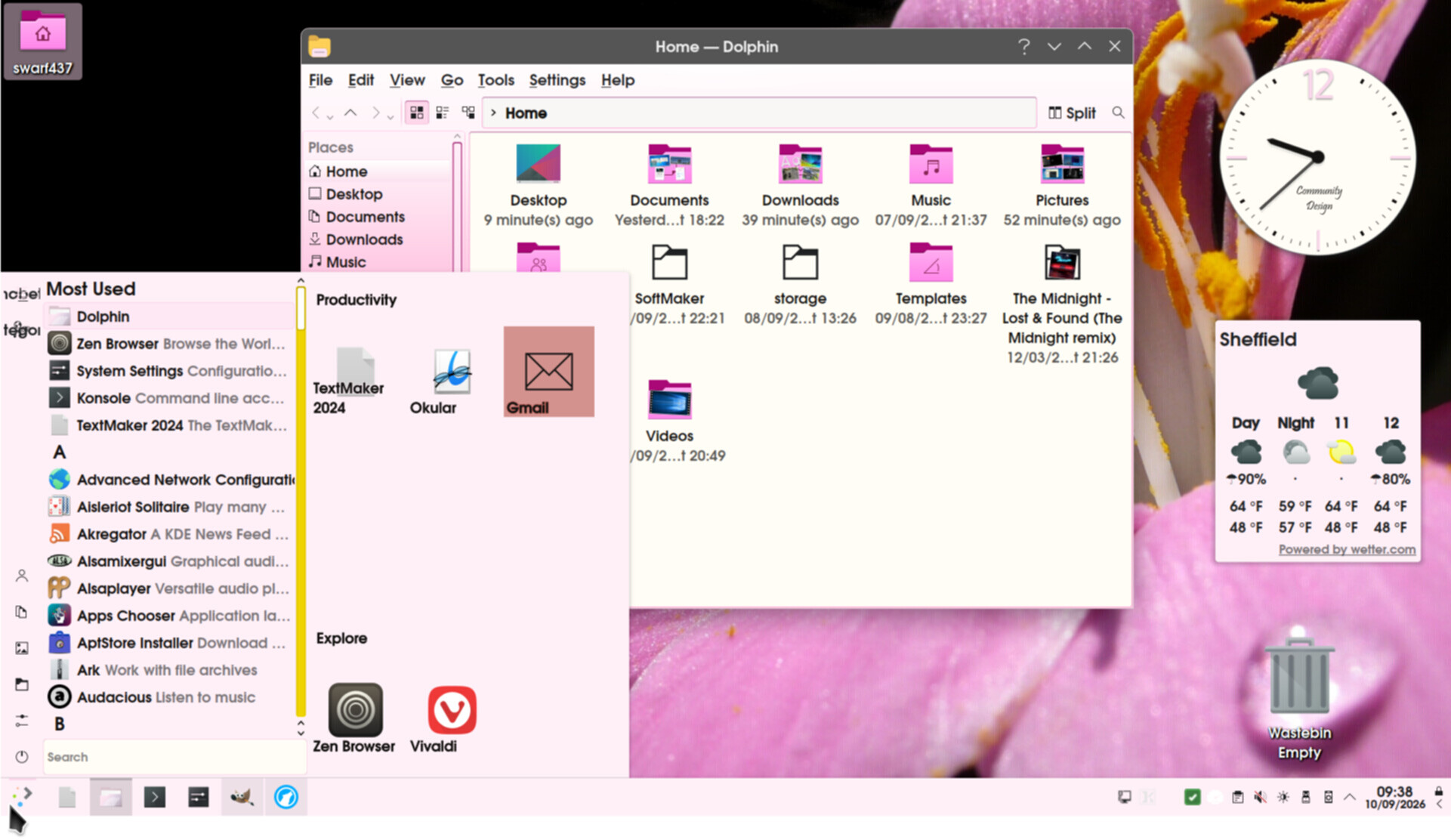
Here you see a screenshot with the Lavanda gtk dark theme and Papirus magenta icon theme.
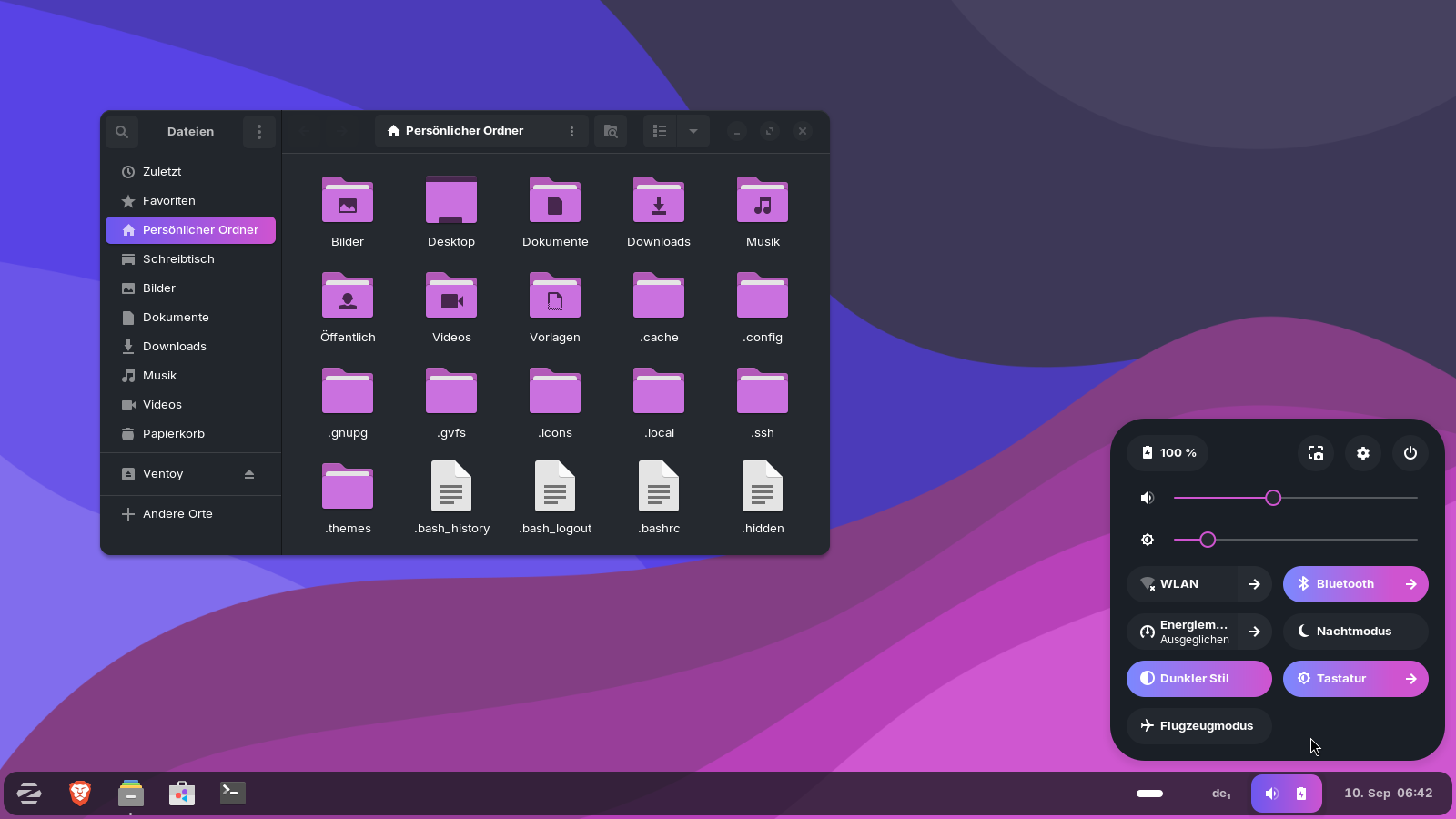
To install the papirus icon theme, press ctrl+h in your file manager to show the hidden files, then create an .icons folder in your home directory. You have already a .themes folders there when you have run the Lavanda script before.
Download the magenta icon theme from gnome-look and extract it by doubleclicking. Open the extracted papirus-icon-theme-magenta-folders and copy the three folders which are in that folder. Paste them into your new created .icons folder. It is not so good that they have the color not in the foldername. So, I myself, renamed the three folders to Papirus-Magenta, Papirus-Light-Magenta and Papirus-Dark-Magenta (that helps, if you download other Papirus icon themes which are not named to avoid that they get overwritten and to differ them).
The papirus icon theme is more similar to the Zorin icon theme and it is a really good icon theme with many icons. It tends more to purple than pink, but it fits well to the Lavanda theme. You could also test the pink icon theme of Papirus, but I personally tested both and prefered the magenta one in combination with the Lavanda gtk theme.
If you only set a pink icon theme to get pink folders in the file manager and don't choose a custom gtk theme, then you are more free and could take e.g. the pink papirus theme.
You can look e.g. at Vinceliuice's gtk themes which themes offer a pink color variant. Here I have tested Orchis gtk theme in pink in combination with the tela icon theme. Unfortunately, often there are small issues in the themes as e.g. wrong corners. The third-party shell-themes often don´t work well with the Zorin taskbar.
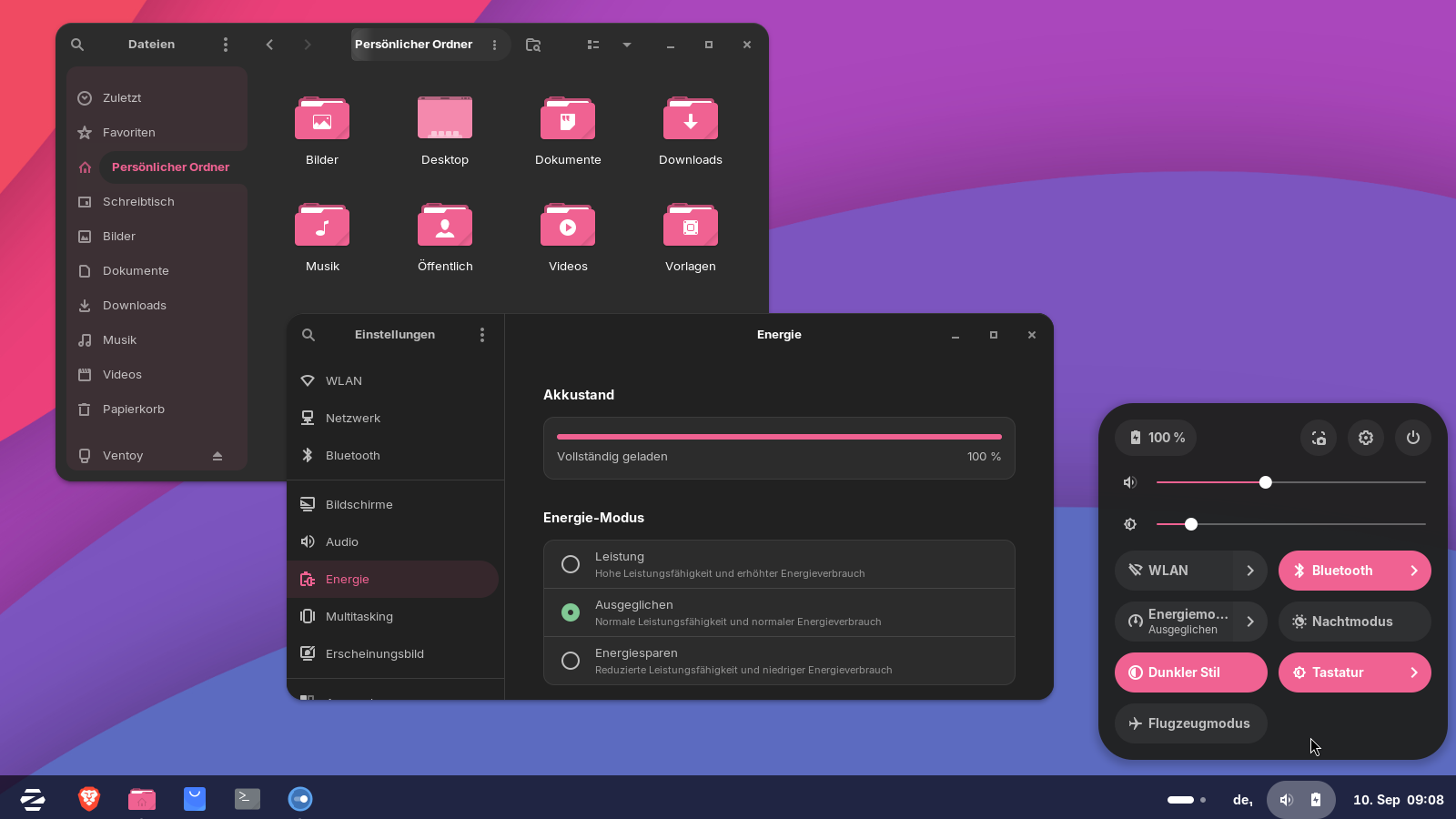
That's the Graphite pink dark gtk theme with the colloid dark pink icons:
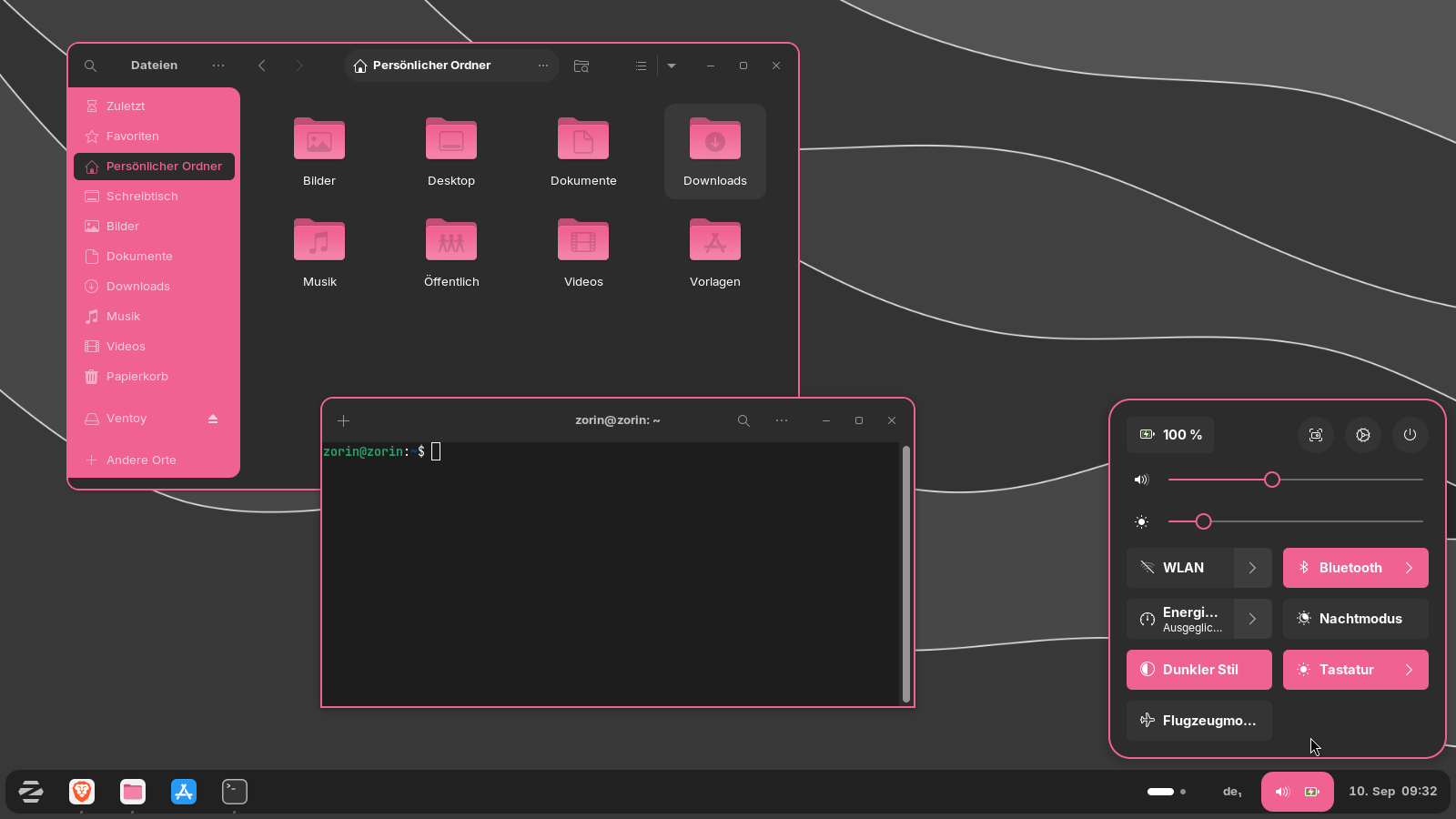
There are many variants for the gtk theme for the look of the file manager nautilus. You can also set a more decent pink shade with the --tweaks nord option. The most gtk themes are available in dark and light color variants.
1 Like
Perhaps install kde-standard (Plasma DE) and use 'Oomox'*:
Actually, scratch that, it has been incorporated in 'Themix' and should work on Gnome as Ubuntu is listed, and Zorin is a fork of Ubuntu:
[* @StarTreker nothing to do with the Ferengi!  ]
]
1 Like
@averagetexn wrote in the first post:
"P.S. i dont wanna use KDE plasma"
Oomox sounds interesting, but difficult for beginners. I haven't used it yet.
2 Likes
 .
.
Welcome to the Forum!
Do You look for a light pink Theme or a dark one?
If you like the magenta color, the yaru theme could also be an option. The installation is very easy.
sudo apt install yaru-theme-gtk yaru-theme-icon yaru-theme-gnome-shell
After the installation log out and in again, then you can select the yaru themes in Zorin appearance. To uninstall the themes
sudo apt purge yaru-theme-gtk yaru-theme-icon yaru-theme-gnome-shell
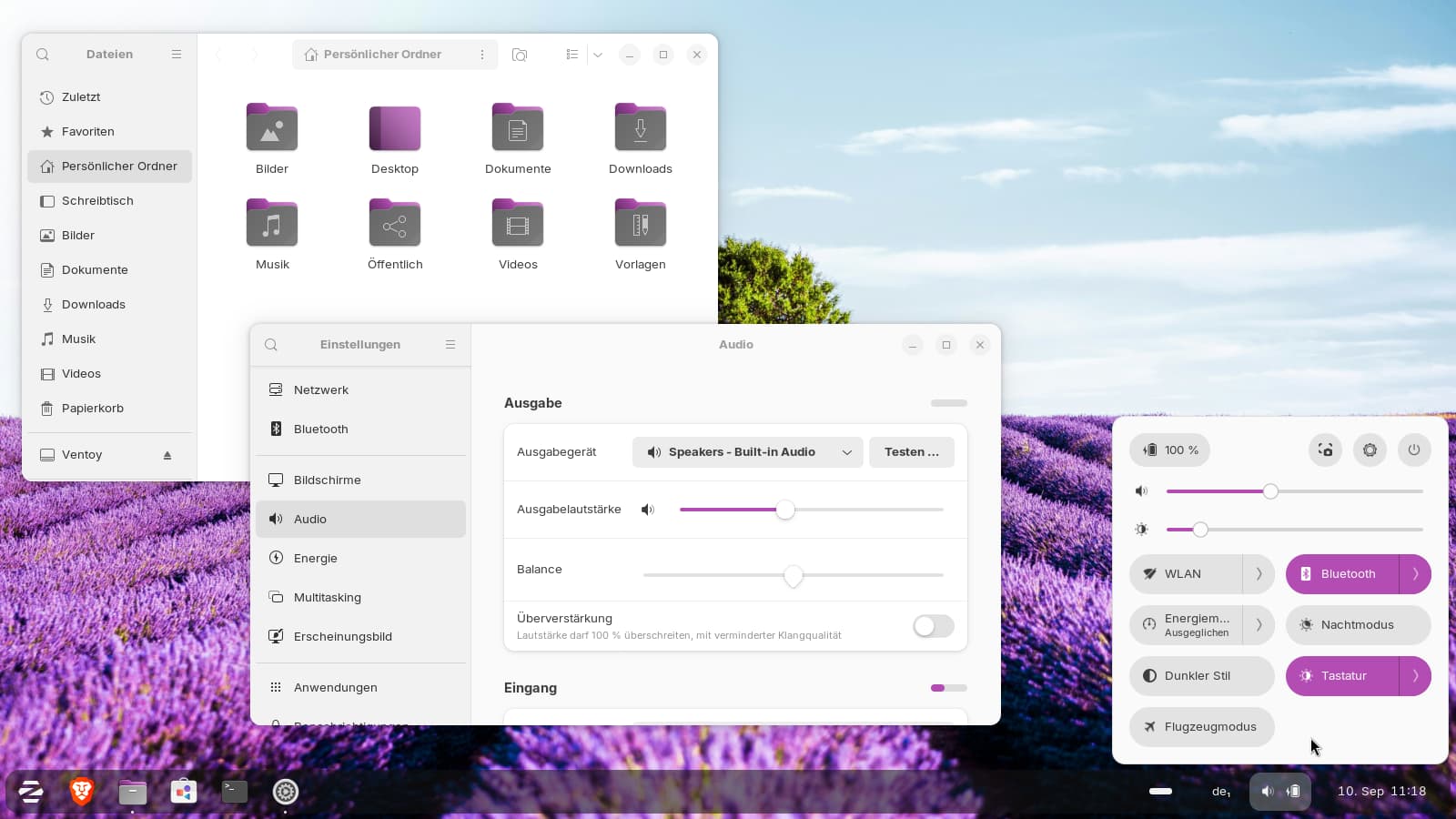
With that command you get all colors of the yaru theme. Select the magenta or magenta dark theme. The shell theme in that theme has always a dark panel. I use the yaru theme on one of my laptops because it works very well and It doesn't dim inactive windows as much as the Zorin theme. Yaru is the default theme in ubuntu.
4 Likes
with this extension you can have pink (one of colors is Hex: #DC8ADD)
2 Likes
What a pity - the extension has no support for gtk4 apps as nautilus file manager, settings app, zorin-appearance, gnome-texteditor...
1 Like
In the Description stands:
The selected Accent Color can be applied to GTK4/GTK3 apps and the Gnome Shell.
2 Likes
I tested it (version 11) but it didn't work with gtk3 and gtk4 apps, only with the shell.
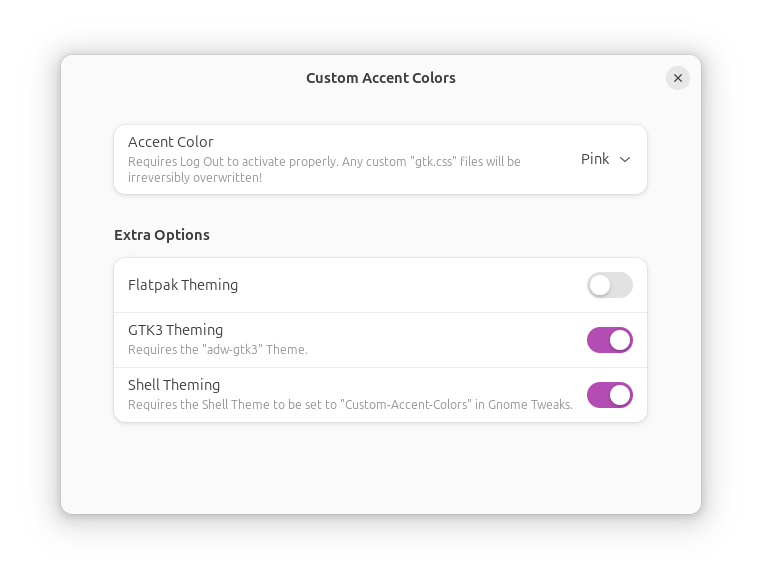
Note:
The extension overwrites any custom gtk.css files at ~/.config irreversibly as shown in the text of the extension settings! So, if you have custom gtk.css files, save them before at another place. It would be better in this case to follow Nourpon's advise and to add the lines manually.
1 Like
The easiest way is to create or modify gtk.css, in .config/gtk-3.0 and in .config/gtk-4.0 with this at the end of the files, and the same for gnome-shell.css in .themes/MyTheme/gnome-shell/
@define-color accent_color #dc8add;
@define-color accent_bg_color #c061cb;
1 Like
Now I found the culprit. I had set a Zorin theme for the applications. Because of this the extension didn't work.
I set the theme for the applications now to Adwaita theme, there the extension worked.
So, you can't use the extension to get a pink accent color for the Zorin theme.
Creating the .css files in .config and editing the gnome-shell.css didn't work with a Zorin theme in my test. It can work with Adwaita for the Applications, but I'm not sure where to edit the gnome-shell.css in Adwaita to get pink accents for the shell. It has no such file in the themes folder of Adwaita.
1 Like