Yeah you are right, I forgot Zorin theme , I don't use it since ever 
The best way is to apply a third party theme and change the value I provide, pretty easy and I'm sure it work because I use it
2 Likes
That is right because the Zorin Themes are actually Third-Party Themes that are configured.
That seems to be embedded in the Gnome desktop and behaves a bit different. The easy Way would be to create a seperate gnome-shell.css file which includes the pink Accent Color.
1 Like
light pink is preferrable
this looks perfect! which gnome shell version does current Zorin use?
nvm i probably should have read the rest
Like i said, guys, i'm okay with just waiting for Zorin to add it themselves. I'm sure it's on their to-do list.....maybe.
Cinnamon is based on Gnome. However, it uses Metacity and other elements for specific desktop widgets, which necessitates a Cinnamon theme.
If you are that desperate, if you provide a hex color for the theme you want, I can modify a Zorin Pink theme for you.
2 Likes
oh, really?? id be really happy for that! sure!!
#fa96c7 (edited, sorry!!) is the color i'd like!
Do you have to edit and compile the .gresource file to set a custom accent color in the Zorin theme?
Do third-party themes for GTK4 apps not use a .gresource file, whereas Zorin themes do?
No, you do not.
Some changes to GDM, however, may want a .gresource file.
A .gresource file is a compiled binary package of a theme, which can include the theme itself, with .css, .scss, assets, etc and other elements that a widget may need to have theming to. But they are not necessary to apply a system theme.
Gnome... is Gnome. It is even more controlling than Microsoft is.
Because of this, packaging using .gresource allows a buffer of control over the end user.
This Thread is an excellent example of it- The user wants a theme for their install on their computer. And runs into a brick wall of being told "no, you cannot have that."
I can make a system theme, no .gresource file - it will not be named Zorin-Pink, even though it will fully match the Zorin Theme but with a pink accent color.
I make no promises about what Gnome's GDM does, though...,
1 Like
How to unlock the lock of Zorin themes then to get the extension to work with gtk3 and gtk4 in Zorin theme?
The extension only has a dark shell theme, no light one. That doesn't look good with light windows.
Yes, YOU can do everything you like. You are a programmer. Others can not when they have no guides how to do it.
Edit: Okay, finally I figured it out to get the extension to work with gtk4. I removed the .libadwaita file from the gtk-4.0 folder of the Zorin theme (I had copied the ZorinBlue-Light theme before to ~/.themes and renamed it). Now the extension works with the gtk4 apps and the shell.
But the gtk3 apps don't work.
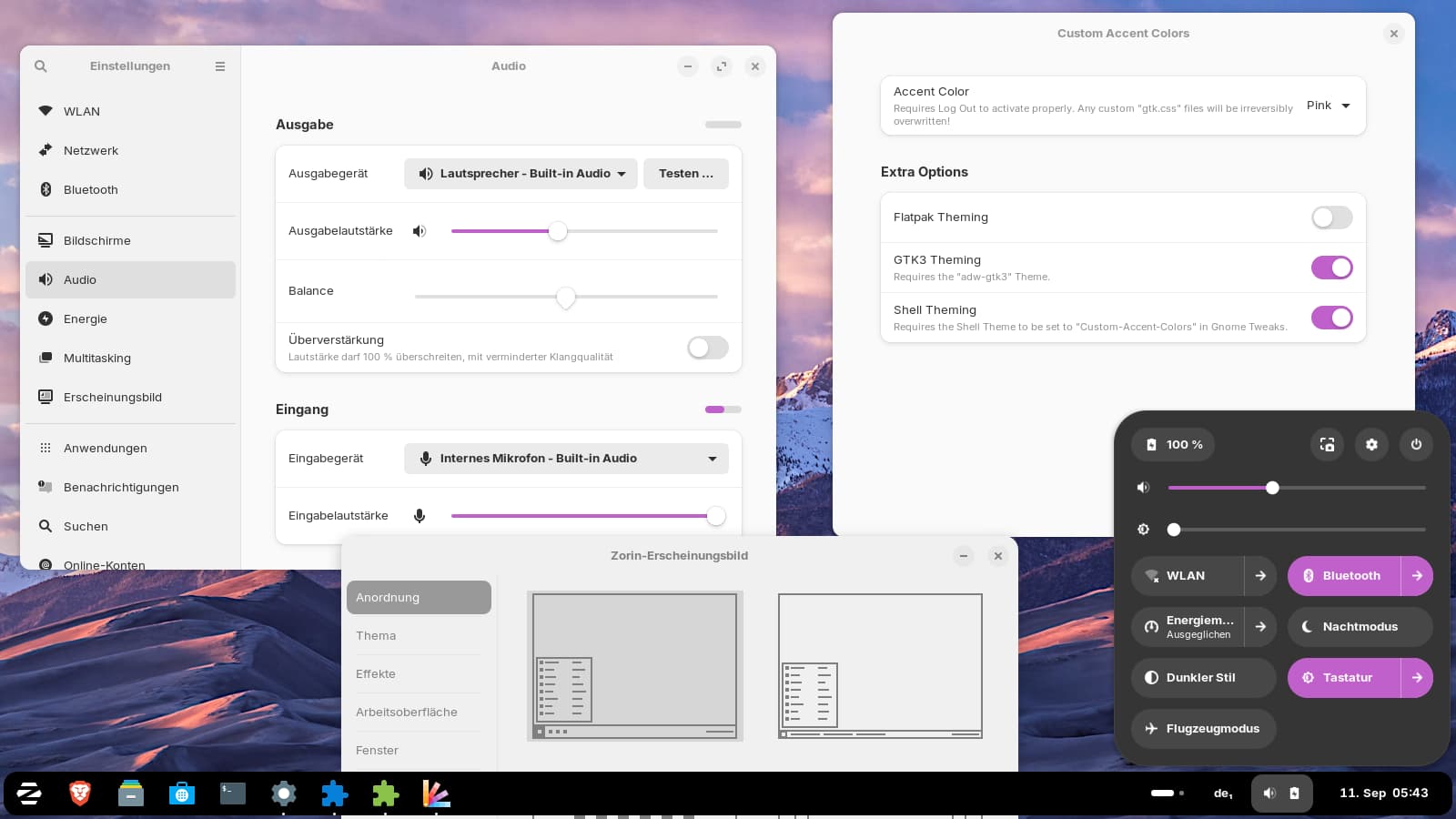
I don´t like the dark shell. I'll try it next with manually editing the .css files of the Zorin theme...
No success there. It doesn't work. No pink...nowhere.
I checked the description of the extension again. You need the adw-gtk3 package to get the gtk3 apps to work. It is a tarball which you can download from lassekongo83's github site, extract and then put the two folders to ~/.local/share/themes.
But you must set adw-gtk3 for the legacy applications in gnome-tweaks (in Zorin appearance, the adw-gtk3 theme was not shown in my test mysteriously).
With that adw-gtk3 theme, everything works: gtk3, gtk4 and shell. The normal adwaita theme which is preinstalled on Zorin, doesn't work with the gtk3 apps in the extension.
Here you see some gtk3 apps with pink accents (adw-gtk3 theme set for applications and custom-accent-colors for the shell):
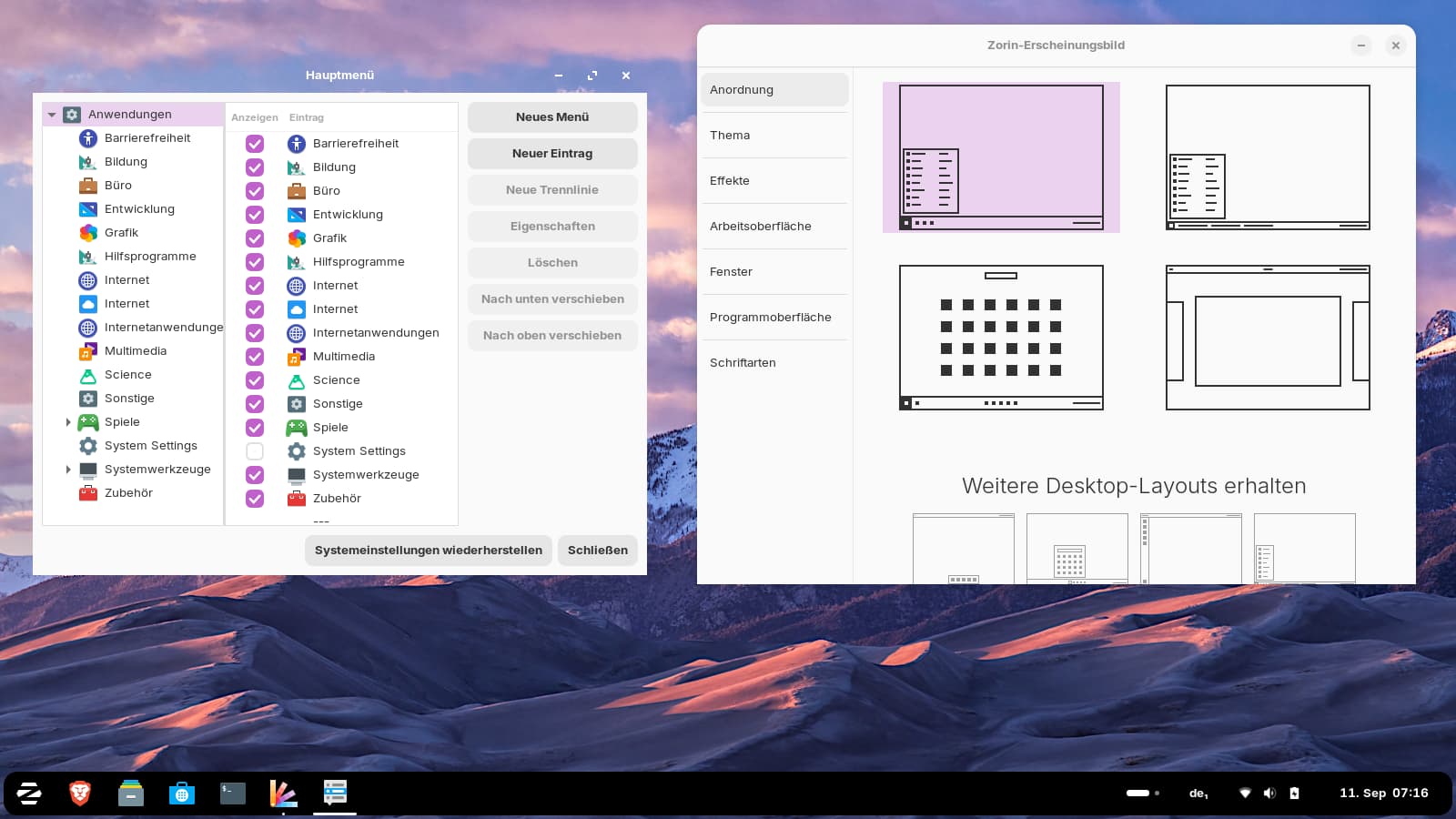
But you see, the window of alacarte (main menu) is not correct. The titlebar is transparent now...not good.
Edit: You need to download version 5.3 of adw-gtk3 if you want to use the extension in gnome 46 (Zorin 18). This version works and the windows are shown correctly then.
1 Like
Gnome 46
Then, I would suggest to take a Look at the light pink Version of the Graphite Theme:
There are 2 Options:
- The normal one
- The nord-theme one
It might be a bit overwhelimg to install it via Terminal but it works. I use it by myself, too - not the pink Version but the default one. If You want try it, I can explain You the Steps.
@averagetexn, sorry for the very long delay. Things got busy on my end.
I cannot get the test rig up with Gnome - But I have converted a theme you can use if you do not mind testing, then giving feedback.
You can download it (Named "Zenith" due to avoiding using the Zorin Name):
Once downloaded, move it to ~/.themes directory.
If the directory does not exist, just right click an open area in your home folder, click "Create new folder" and name it .themes
Then move the ZenithPink-Light.tar.gz` file into that.
Right click and select "Extract here".
You should then be able to apply the theme using normal theme selectors in settings.
(I modified a pink XFWM4 theme, included, just in case it is needed by an XFCE (Zorin Lite) user).
1 Like
alright, i had to make a new .themes folder in my home folder, but i cant seem to see the option in zorin appearance..
ah wait it was in the other area my bad
It looks great! my only complaint is that its a light pink in light mode, when what i wanted was a light pink in dark mode (probably should have specified that though.. sorry for the wording on my part!) is there a quick way to change this?
ooh the nord one looks good, hope ill be able to actually install it lol
1 Like
Also, i will say, i did just find a pink theme that i REALLY like, only issue is that i dont know if it works with current zorin, if one of you guys could tell me if it does, then id probably use it
It was last updated eight years ago, so most likely not.
Yeah... I dislike Light Themes, intensely, lol.
Not that I can walk you through, so I just cobbled together a pink-dark variant:
Can you please test that, then report any issues. There probably will be some since I cannot test actively using Gnome at the moment.
i cant seem to see it in zorin appearance even when looking at the other thing. I put it in .themes and extracted it, so ive got no clue whats happening