In relation to In my endless need to turn Zorin OS 18,1 to Windows 10, I am targetting the terminal and the "Take a screenshot" - #5 by KostisPlayz ,I wish to go after the icons as well. So could anyone here guide me into making that change?



exactly what @Ponce-De-Leon asked you, the taskbar 
Oh, I thought you meant changing how the taskbar looked besides the icon. Sorry.
But yeah that's what I mean.
That was my Taskbar. It is only a bit customized. Take a closer Look at the left Side. This is the Startmenu.
But You already have a Picture for this. So, You are prepared. There would be a couple Ways to do that. For Example with a complete Windows-like Icon Set.
I would suggest the following Way when You only want replace the Startmenu Button:
Instead of the default Zorin startmenu, You could install the Gnome Extension ArcMenu. It is the same but offers way more Option to customize. And It offers different Startmenu Layouts, too. You can find there Windows-like startmenu Layouts, too. Because of the Button, You can set up an individual Starmenu button there, too.
So, look in Gnome Software for the Extension Manager:

Install it and then open it and on the ''Installed'' Tab disable the Zorin Menu Toggle. Then go to the ''Browse'' Tab and search for arcmenu:

Look that You take the one from andrew.zaech. And when installed set it up. You can play a bit with the Settings and make it like You want to have it.
1 Like
I see two from Mathew Jakeman, will these two do the work and if yes, which do I pick? The verified one?
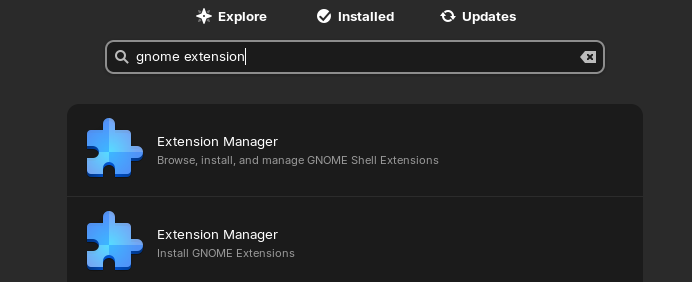
The setting for the menu button is at tab menu button > icon for menu button > select new icon > cusom icon
1 Like
No, you need the one from andrew_z.
1 Like
Where do I get it from?
You can install the gnome extension manager with
sudo apt install gnome-shell-extension-manager
Sorry, I answered to the wrong question. I thought you are asking about the extension.
In the Software store, both would work, one probably is the native .deb (apt) package and one a flatpak. I personally prefer the native Zorin apt package.
1 Like
A little late. Do I uninstall the cmd installed application?
Do you have two extension managers now? If not, keep it. You can uninstall it with the Software store or by entering
sudo apt remove gnome-shell-extension-manager
1 Like
I uninstalled the gnome extension manager and I installed the flathub version of it.
I installed ArchMenu, and what's the next step now?
Right-click on the arc menu icon in the taskbar > ArcMenu settings
to make the settings or open the extension manager > ArcMenu and click on the cog wheal icon there.
Then you can customize ArcMenu to suit your taste.
1 Like
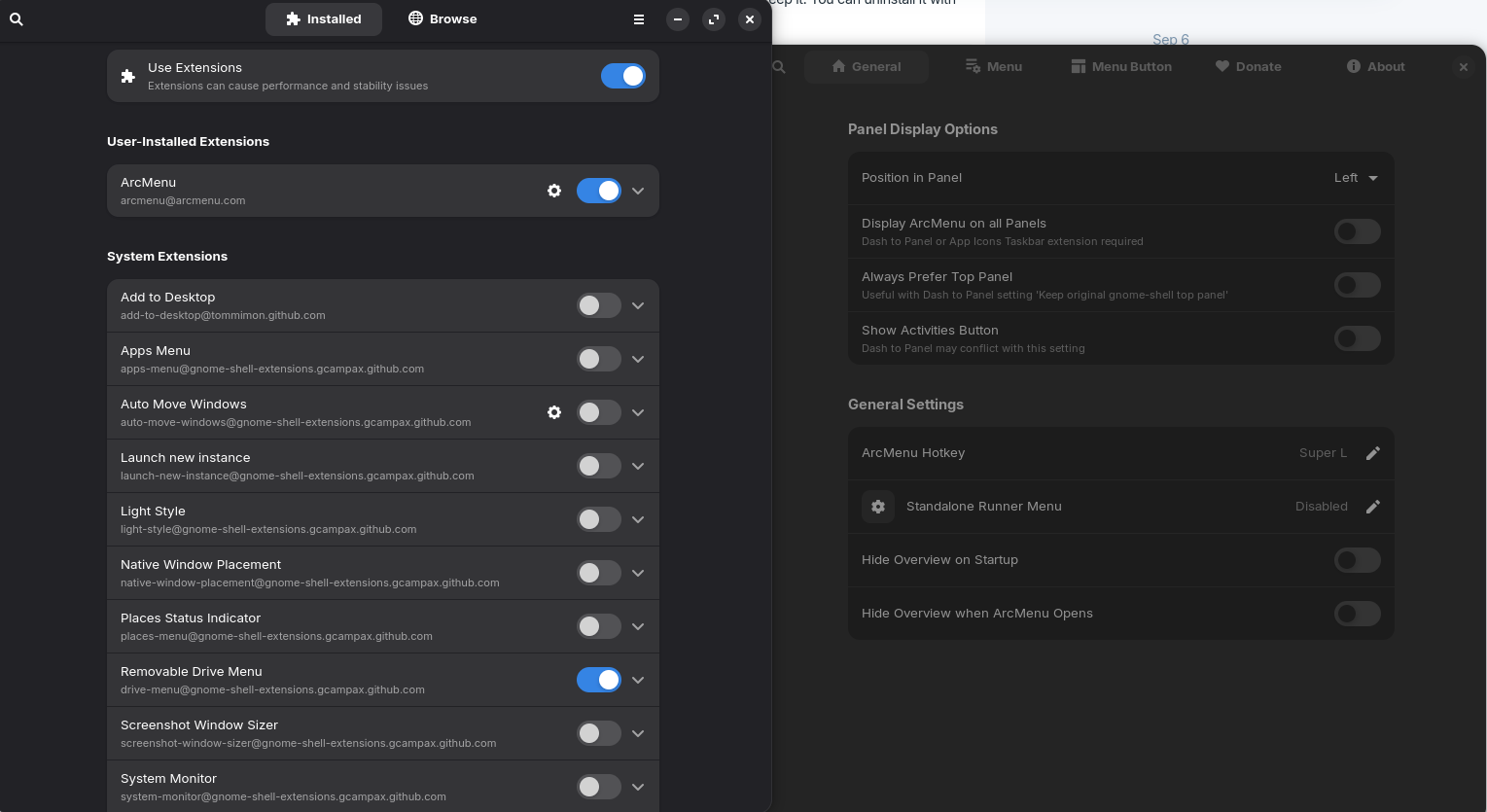

You have two start menus in the taskbar now, because one is the Zorin menu gnome extension and one the ArcMenu gnome extension. You can disable the Zorin menu in the extension manager to hide the Zorin menu.
Ok I want the Zorin menu gnome to just have the icon menu changed. That's it.
You would need to edit the code in the .json file (menuButton.js in the folder "widgets") of the Zorin menu extension and add your custom icon to the extension or replace the zorin-icon-symbolic.svg icon at /usr/share/gnome-shell/extensions/zorin-menu@zorinos.com (you need root rights to do this, and your changes can be overwritten by updates of the zorin menu extension).
Before you make changes there, I'd recommend to save a copy of the original zorin menu extension.
We showed you an alternative menu where you can easier change the icon for the menu. The Zorin start menu isn't such customizable with GUI settings as ArcMenu.
I see... Well thank you for your assistance. It seems that I will be stuck with the Zorin Icon until I get used it. 
1 Like