im new to zorin os and i need help because my gpu is to old and the only way to make it work is to install a mesa-amber driver and replace it with my normal mesa driver, can someone explain who i can do that
It is a different set of building if on Zorin OS 17 vs Zorin OS 18.
Which version of Zorin OS are you on?
If on Zorin 18, the Amber Mesa series has been removed from Noble repos.
But I believe they remain present in Zorin OS 17 (Jammy) repos. So running
sudo apt update && sudo apt install mesa-amber libgl1-amber-dri
Should be all that is needed
1 Like
This didn't work because of a error saying:
"Mesa-amber dont found"
You are on Zorin 17 Lite, yes?
Yes im in zorin os lite 17
It should be present in the repository.
Is there a typo in your terminal command? And also remember that package names in the terminal are case sensitive - it matters if you use capital letters or not.
1 Like
I also tried a simulate install on LM 21 which is also based on Jammy and got the same error that the package isn't found. I also enabled source code repository but didn't found it. A search in synaptic for "amber" doesn´t show mesa-amber.
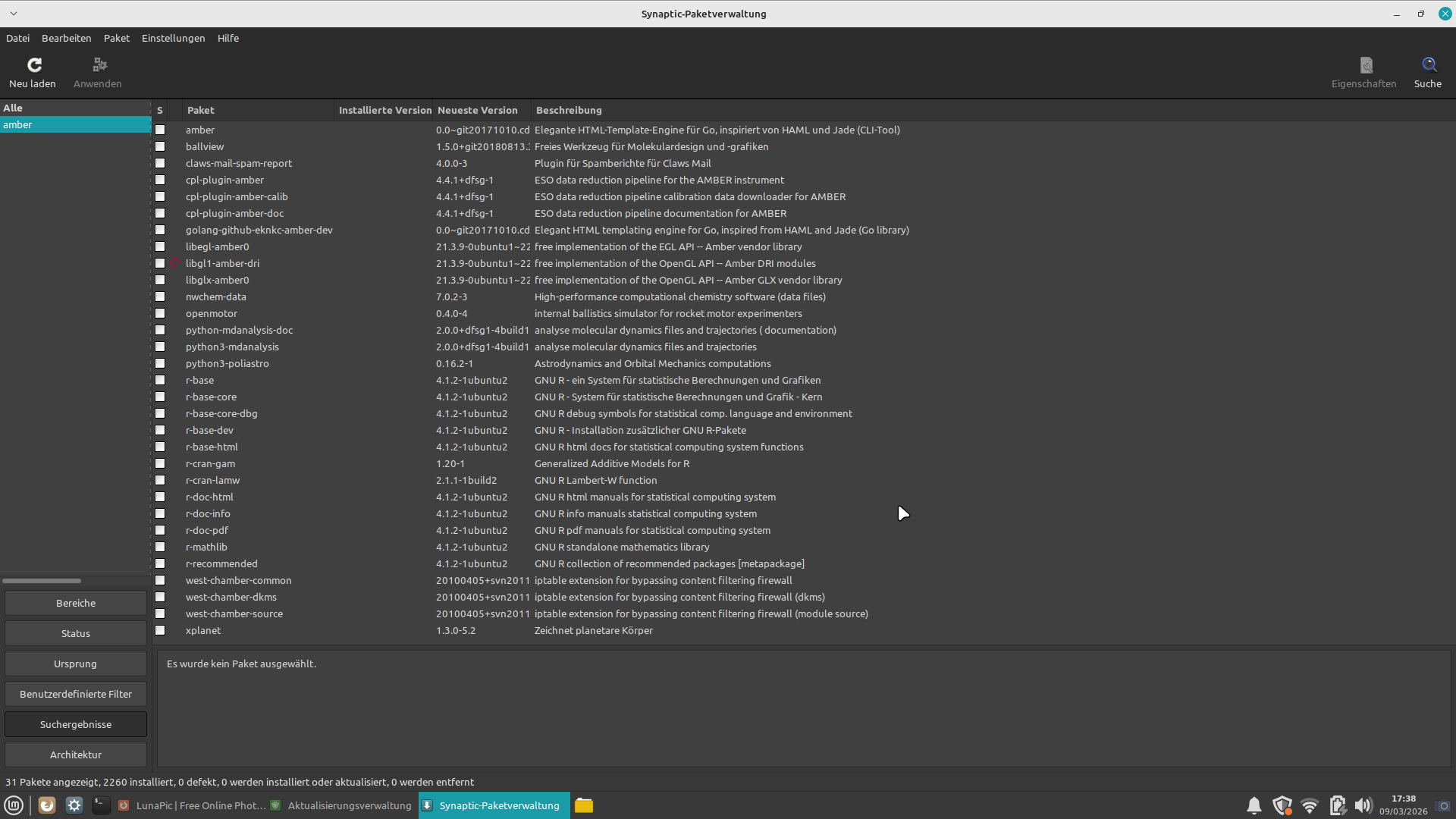
i just copy you command, so isn't a typo. also i install this and use the command but still give the same error even after renaming the package to just mesa-amber is still give the same error (i didn't typo the package btw)
I looked at pkgs.org and it seems that mesa-amber is only available for Arch and KaOS:
https://pkgs.org/search/?q=mesa-amber
The link I posted above claims it is in the Jammy Main Universe
Here is the launchpad:
Try using apt search to look for:
libgl1-amber-drilibglx-amber0libegl-amber0libglapi-amber
If they show, then:
sudo apt install libgl1-amber-dri libglx-amber0 libegl-amber0 libglapi-amber
all of them show up expect the libglapi-amber, i run the command still i run the command but without the libglapi-amber still didn't fix my problem, i might need libglapi-amber.
Amber does not replace other builds, it is a suppliment.
Try:
apt search libglapi-mesa
If that is present (Install it if not installed yet) or already installed - it answers why the package is not present - because Amber uses the standard mesa OpenGL layer.
i have libglapi-mesa installed, but there a solution to my gpu problem?
Please show what GPU you are using.
sudo lshw -C video
It is true we have been operating on an assumption about mesa-amber.
1 Like
here my gpu
3rd Gen Core processor Graphics Controller
That should be Ivy Bridge. It is after mesa-amber, which the amber was for Sandy Bridge. So, this establishes that you do not need mesa-amber.
For Ivy Bridge, you should be using i965 driver probably Iris.
Which should still be in the kernel. But... it is hard to say without knowing...
What Actual Symptoms Are You Trying To Solve?
Acceleration problem, my gpu dont accelerate and practically dont work normally, is very hard to play games for example because my gpu just dont work
Ehat is your terminal output for
glxinfo | grep "OpenGL renderer"
and also
sudo apt install mesa-utils
For your driver, let's check
lspci -k | grep -A3 VGA