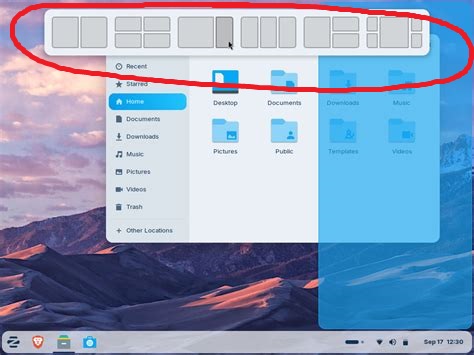
Windows had a setting to turn this off, but I don't see it here? I tried the terminal commands for remove "snap" but i guess that was for something else b/c the grid thing is still at the top.
Can you please take a screenshot to show what you mean?
Are you on Zorin 18 and do you mean the function of Zorin tiling shell? If you want to turn this off install gnome extension manager and then open gnome extension manager, go to tab "installed" and disable Zorin tiling shell. I'm not sure if there is an easier way to disable it, I'm not using Zorin 18 at the moment.
1 Like
If I'm not mistaken, isn't Snap so well integrated into the OS, that removal of it will break the OS? I thought I read a post on here where someone did that, and regretted it?

That would be Snap/Snapd, which is a package management system. By accident, you did yourself a favor. 
3 Likes
No, it is no problem to remove/disable snaps.
1 Like
No, not at all... I wipe it off my boots as soon as I walk into a fresh install.
This was it. did not know the name; with the name, i was able to find and disable it.
1 Like
It prevents Steam and Discord from operating, so no I didn't. luckily the way to re-enable it was in the same post.
OK, it must have been something else then, and I can't 100% remember what it was then. The timeframe on this was 2-weeks ago at least, could have been a little longer. A user remove a component they didn't realize was deeply integrated, and user could no longer boot the OS.
I wish I could remember exactly what that was, I could have sworn it was Snap. Maybe it was Flatpak then, or something else IDK. Gosh, I wish I could remember now, my brain is not what it once was sadly. 
Odd. I did not know Steam was available as a Snap.
Well... It does not disable them from working. But if you install apps as Snaps, then remove Snap - you can see how that would prevent what you installed as a snap from working. But you can install them as Standard packages and remove snap, too.
If you like Snaps - by all means use it.
Do you mean this thread?
The removal of all evolution packages or pulseaudio (in Zorin 18 pipewire) may be critical.
2 Likes
Thats it! Dude, you are awesome Forpli, thank you for coming to my diminished brain's rescue.  for rescuing my brain fog.
2 Likes
Hi and welcome.
Getting back to the original question I think @ShadowDemon009 was referring to the tiles grid at the top of the screen. I don't like this either as for me it impinges on desktop space, I prefer workspaces to tiling. As for turning it off I haven't found how to do that yet as I have been rushing ahead with the new manual. The w.i.p file is messed up due to me forgetting to add Page breaks. The control is via Zorin tiling shell interface.
2 Likes
You are right Swarf, this thread has gone on a mystery tour of snap/snapd and not answered the OP's question "How to turn off snap grid at top of screen?"
1 Like

3 Likes
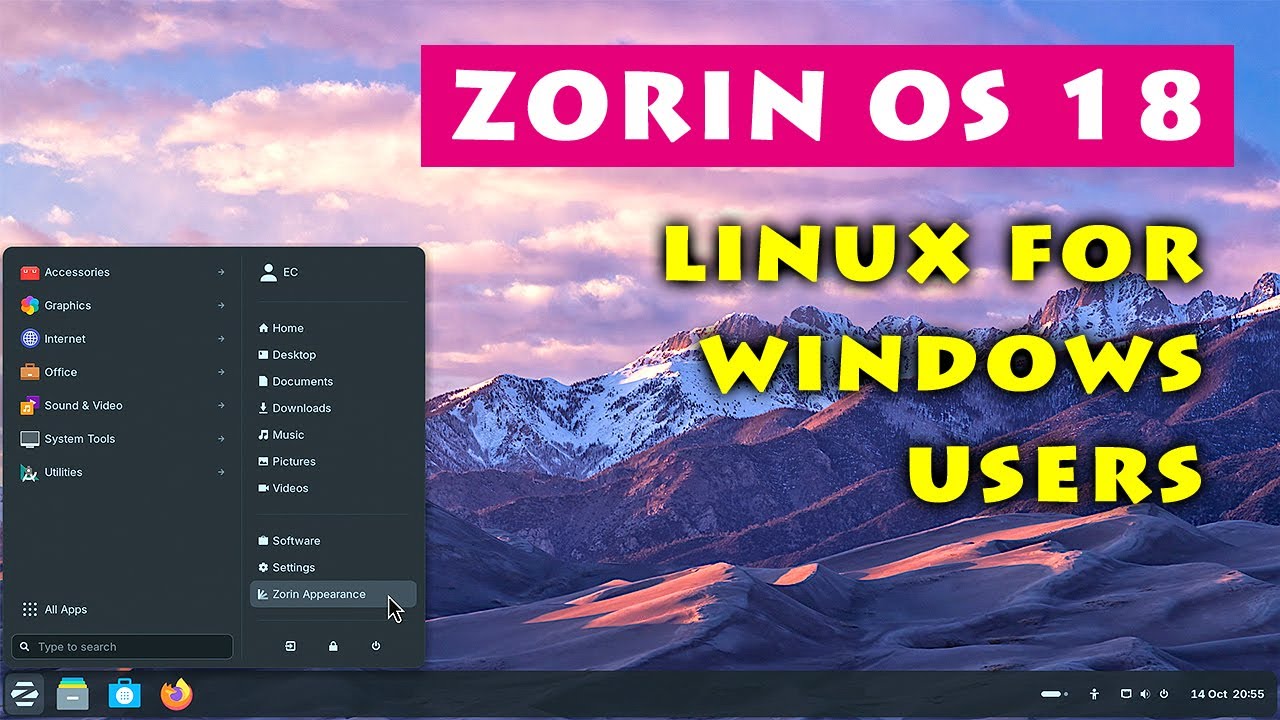
Yes I saw that in that video  , but had to search for a web image of same to edit and post here.
Good answer to the original question. I thought it may be somewhere in "Zorin Appearance" settings, but I'm on Z17.3 not Z18. Zab
Post #2 solved the problem with another method.
Good to know that it is not neccessary to install gnome extension manager to disable it.
3 Likes
This topic was automatically closed 90 days after the last reply. New replies are no longer allowed.