In the taskbar is a very small icon. Click there and enter your password to grant root access.
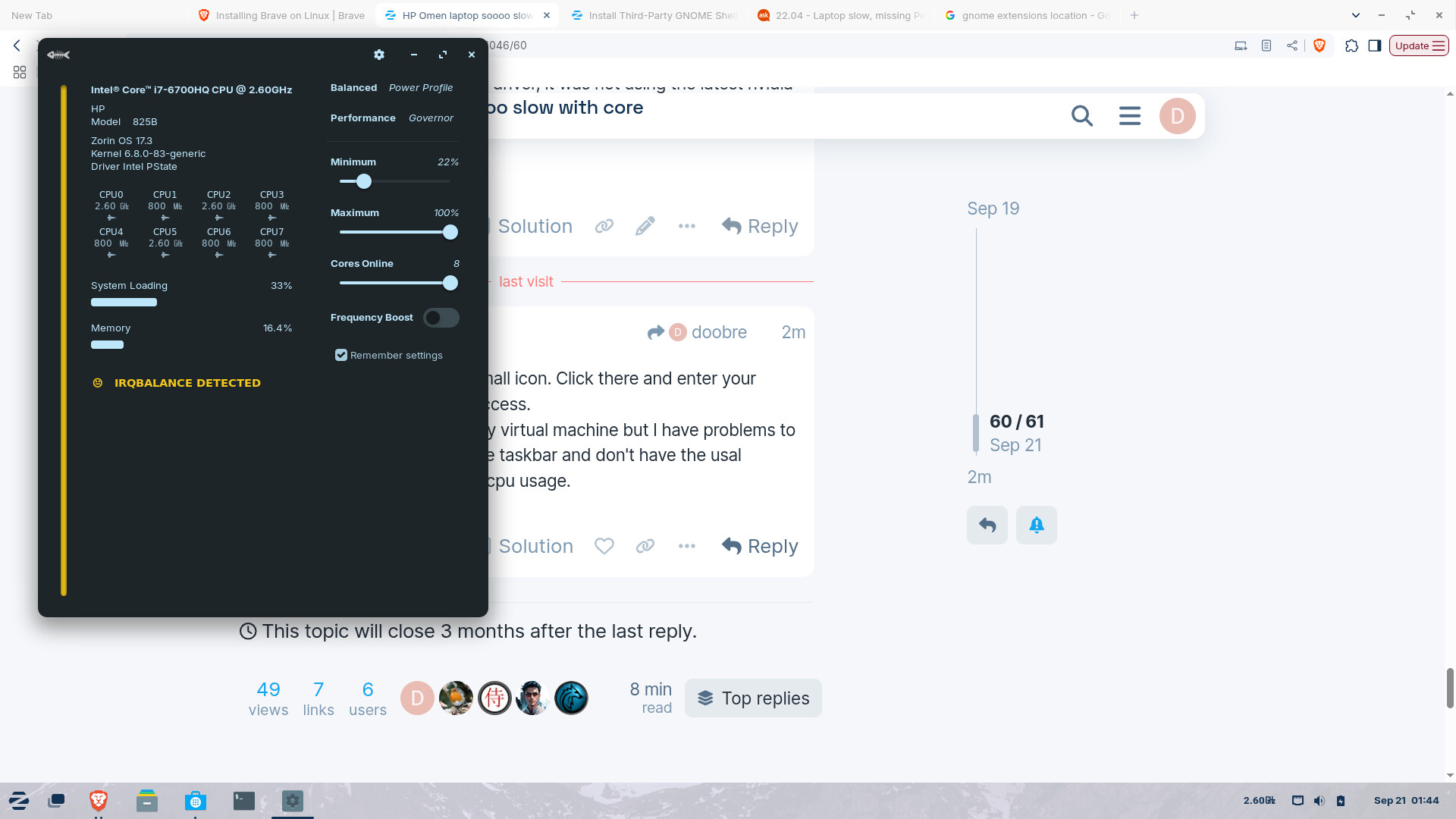
I tried the extension on my virtual machine but I have problems to open the window from the taskbar and don't have the usal settings for min and max cpu usage.
1 Like
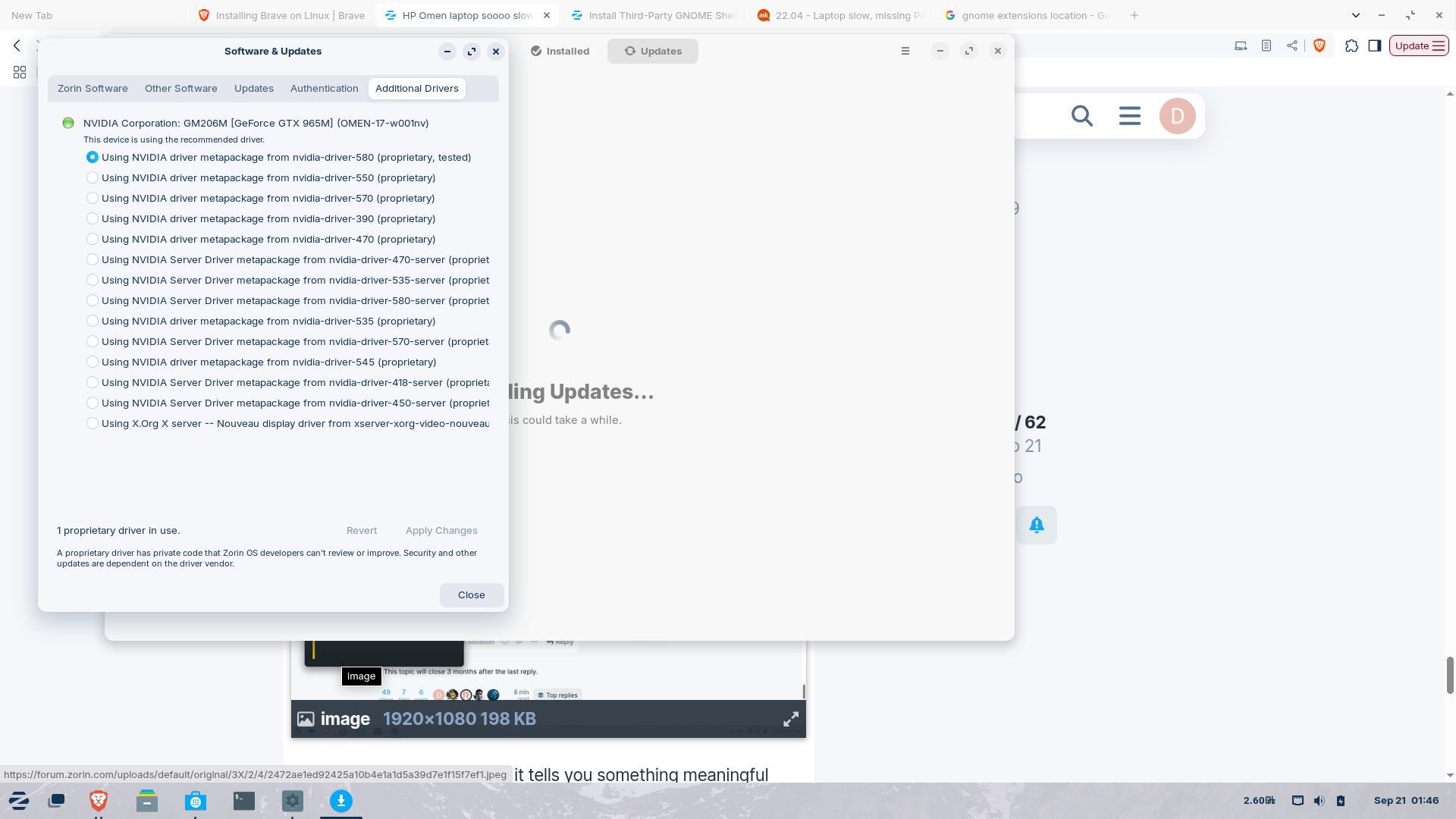
If you want you can move the minimum slider a bit higher. Or just test if your system works better now with the nvidia driver.
results now
sudo nvidia-smi
[sudo] password for zcdadmin:
Sun Sep 21 01:50:10 2025
+-----------------------------------------------------------------------------------------+
| NVIDIA-SMI 580.65.06 Driver Version: 580.65.06 CUDA Version: 13.0 |
+-----------------------------------------+------------------------+----------------------+
| GPU Name Persistence-M | Bus-Id Disp.A | Volatile Uncorr. ECC |
| Fan Temp Perf Pwr:Usage/Cap | Memory-Usage | GPU-Util Compute M. |
| | | MIG M. |
|=========================================+========================+======================|
| 0 NVIDIA GeForce GTX 965M Off | 00000000:01:00.0 Off | N/A |
| N/A 34C P8 N/A / 100W | 5MiB / 4096MiB | 0% Default |
| | | N/A |
+-----------------------------------------+------------------------+----------------------+
+-----------------------------------------------------------------------------------------+
| Processes: |
| GPU GI CI PID Type Process name GPU Memory |
| ID ID Usage |
|=========================================================================================|
| 0 N/A N/A 1455 G /usr/bin/gnome-shell 0MiB |
+-----------------------------------------------------------------------------------------+
cheers CD
Hi there, I adjusted minimum to 33%. Didn't change the speed.
the laptop performance is still not as good as it could be.
grub to login = 1m 20s
brave first time opening 1m 13s > Browser is fine after the first time opening.
OBS studio will still not open at all.
I'm installing a few apps to check.
cheers CD
everything is slow the first time it is opened..
With the cpufreq power and performance profiles selected the performance is better, as expected. Trouble is the app doesn't remember the settings.
But at least that is a way of making the 'best of it', but something seems to be dragging it down "under the hood".
Q. Brave browser doesn't appear in the software installed window. But it keeps reminding that it is 'out of date'.
cheers CD
I'm wondering if I had selected the Xorg option at login and forgot that I had. When I checked the gfx driver list in the 'Additional Drivers' software window, the Xorg driver was selected. It could have been like that from the first startup. But I can't say for sure. At first I thought that perhaps some setting was changed by installing the cpufreq app.
cheers CD
Please stay on XOrg at login, it is recommended for nvidia card users.
X11/XOrg and Wayland are display server protocols.
It is not the same as the XOrg driver Nouveau that is shown at additional drivers, which is an open source driver for nvidia cards.
You can use Xorg at login with proprietary nvidia drivers.
1 Like
A BIG THANKS to everyone here that has been such a great help and willing to assist me despite my fumbling with something that is way over my head.
And if you ever find a way to get this machine to make full use of
its power 'under the hood' from first switch on to the heaviest app like Davinci Resolve for example.
cheers to you all..... CD
1 Like
I suspect your computer runs at the lowest possible level, to prevent the system from burning, normally the fans would spin heavily and bring the temperatures down, but your system keeps noticing very high temperature and then pulls the performance down.
Someone suggested to clean the fan blades and fan exhaust from dust, because if dust prevents air to flow out.
A second possibility is to reset the BIOS settings, maybe the many installations left some settings on the wrong parameter value.
A third problem mentioned elsewhere is the false programming regarding fans and CPU temperature. Not much can be done about that.
Hi there
I did notice several posts specifically mentioning the HP Omen laptops and their poor performance 'fixes' by changing settings to do with thermal indicators etc.
I'm glad that I didn't buy this "Gaming" laptop for 'Gaming'.
cheers CD
When did you buy, for how much?
Years ago, perhaps 2013, in Dubai, can’t recall the price but on sale, cos a new version was out.
Okay, so I'm wrapping this up, I'd take a toothbrush and vacuum cleaner, try to clean the fan outlets, then reset the BIOS to default, and install Puppy Linux from 2018 or 2019.
Oki dokie thanks so much for your help, everyone is so helpful on this site.
Cheers CD
1 Like
Going back to the BIOS. Has it ever been updated since you bought the machine?
1 Like
Hi there
I just went to the HP support site, and there is an update released in 2020.
I'll install that and check,
Good suggestion!
cheers CD
Hi there
bios update made no diff.. bumma
EDIT - well at least the 'cpufreq' is much quicker to respond now. Before the bios update, it would "stop responding" whenever I made a change.
Unfortunately, brave browser takes just as long for the first opening as before. clicking the icon will show the circling icon on the mouse cursor. After about 20 seconds the cursor arrow will return to normal. And eventually the brave window open. Then there is more circling icon until the previous pages load in to their tab.
Same issue with OBS studio, and the booting up process still slow = over a minute.
cheers CD