U said a reboot would alse do
And what is a traditional package?
can i switch my gpu from prime indicator?
and do u know how to disable Secure Boot on BIOS/UEFI settings
I wanna to know can i choose the intel graphics card?
And will the performance decrease?
And if i do it will my problems be fixed and i can play any game on steam?
I just wanna to play games atleast supported games like i tried supported game on steam and it shows an error says directx11 have to be installed
To play games on Steam on Linux, Launch Steam, then in the Menubar on Steam application, click on the first option: Steam'
Then select Settings from the menu.
A popup window will appear.
At the bottom on the left side, you will see Steam Play. Select that.
On the right side, you will see Advanced with the option to check the box for Enable steam play for all other titles - Check that to ON
Run other titles with - from the drop down menu, select Proton Experimental.
This should allow you to play games on Steam on Linux.
This can vary per manufacturer. Do a google search for your make and model with the additional keywords "secure boot"
You really may need to upgrade your hardware...
1 Like
do u atleast know how to fix d3dx11 have to be installed
and will this video fix my problem Install Nvidia Driver Ubuntu 20.04 | Linux | Complete Installation & Setup | 100% Working - YouTube
what he did is searched for the latest driver to install it then he typed
sudo prime-select nvidia
then he rebooted his device and opened something called mdk
then when he logged in he typed nvidia-smi to check if its working or not
This is what I suggested above - not installing DirectX and instead, using Proton on Steam.
It might... It may be worth trying. I am not sure since I have not tested that myself.
Can you tell me how to open mdk and what to do there?
I do not understand this question. The .mdk file extension is a Windows Madoko file.
I mean when he rebooted he opened mdk
So how he did it and what he did in
Oh, I don't know...
I do not watch Instructional Videos unless I absolutely have to. I prefer to read instructions that do not drone on and on. You can skip ahead to the relevant bits easily with reading, but with a video, you are left guessing about what can be skipped and what can't.
Uh...
In short - I have not watched the video.
Can t u even watch the last part?
I just wanna know what he did in mdk and thats it
When he typed nvidia-smi it shows an error then when he rebooted he opened mdk i wanna know how to open mdk and thats it
Oh - Enroll MOK
MOK is used only if you are using Windows Dual Boot Secure Boot.
Are you using Secure Boot?
No i am not
So this part will be skipped?
When i did the process and then rebooted i can t see NVD7 in thr about i can see my intel graphics only so what happened
And it says continue using a manually installed driver
Yes.
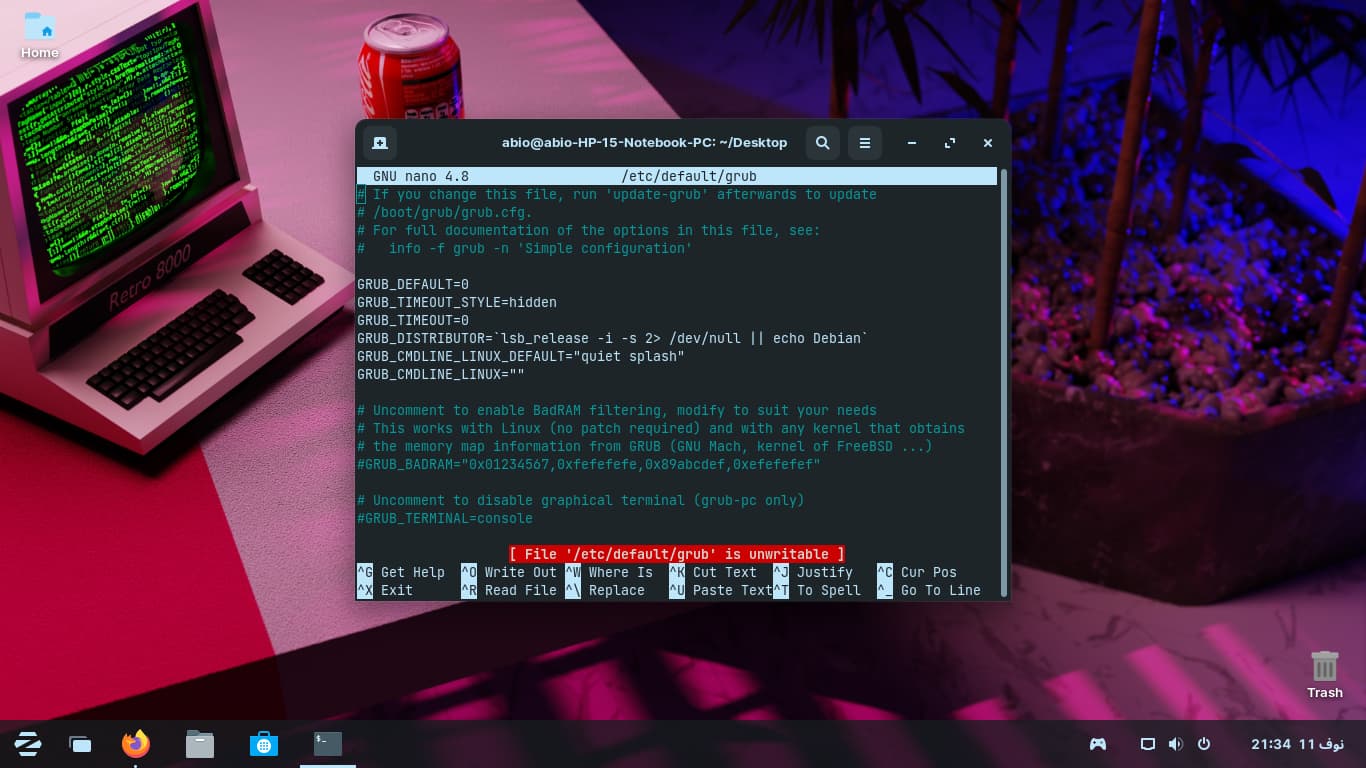
Do you have nomodeset parameter added to grub file?
It may be falling back to intel given the Nvidia Card lacking driver support, too.
Wdym with nomodeset parameter
I mean how to add it