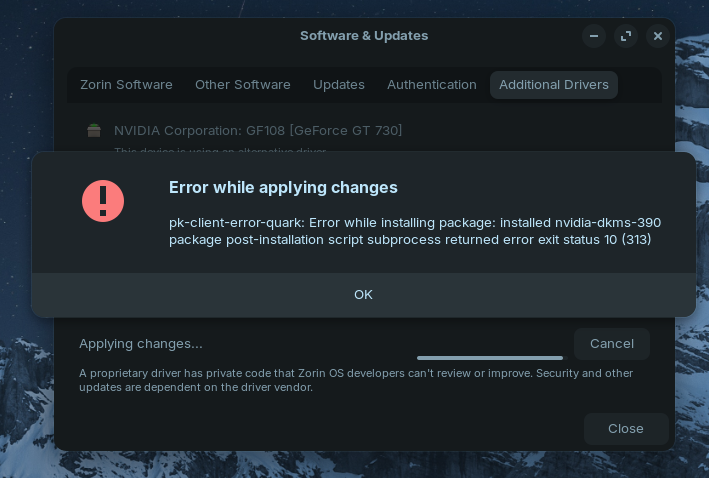
For nvidia driver 390 you need a ppa from kelebek333 or kernel 5.15 to install them. Kernel 6.8 Zorin 17 uses doesn't support nvidia 390 driver.
First method: add ppa from kelebek
To remove installed nvidia drivers enter in terminal
"sudo apt-get remove --purge '^nvidia-.*'"
Then add the kelebek repo:
"sudo add-apt-repository ppa:kelebek333/nvidia-legacy"
Install the driver:
"sudo apt update &&
sudo apt install nvidia-driver-390 nvidia-dkms-390"
(you can also enable the driver package from nvidia 390 driver at Software & Updates>additional drivers)
Second alternative method:
Install the 5.15 kernel
"sudo apt install linux-headers-5.15.0-141-generic linux-image-5.15.0-141-generic linux-modules-5.15.0-141-generic linux-modules-extra-5.15.0-141-generic"
Then reboot into this kernel (choose advanced options at grub menu when booting and search kernel 5.15 there).
Set this kernel as default:
Now remove your old nvidia drivers
"sudo apt-get remove --purge '^nvidia-.*'"
Then install the driver 390:
"sudo apt update &&
sudo apt install nvidia-driver-390 nvidia-dkms-390"
Reboot.
For your system I'd recommend Zorin lite. You would have better performance with Zorin lite than core because it needs less ressources on old computers.
If you want to try Zorin core first, please switch to Xorg because nvidia cards are not well supported in wayland that is used by default. Log out and then at loginscreen click on your username, then a gear on the screen appears. There set "Zorin desktop on Xorg".
This topic was automatically closed 90 days after the last reply. New replies are no longer allowed.