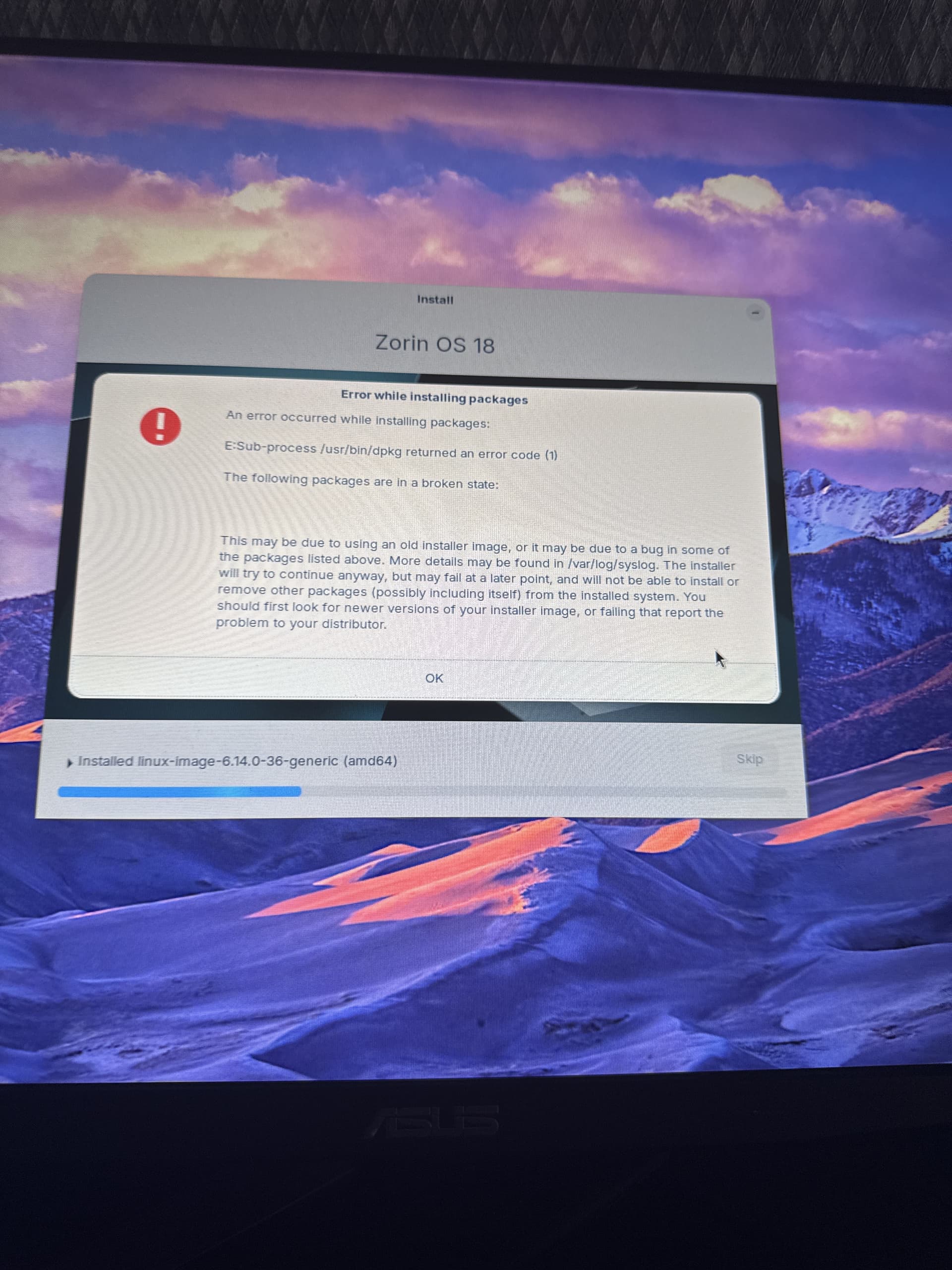
So i have made a thread in one discord server about this and the guy said to do iso checksum, i did and its all correct, i even used rufus(i used ventoy beforehand) and its still giving this error,
1 Like
Try the installation again with not installing updates, nvidia graphics drivers and third party software. You can do this afterwards.
3 Likes
Welcome to the Forum!
Beside @Forpli's Points check that in BIOS Secure Boot and Fast Boot are disabled and if Windows is still installed that Fast Start-Up in Windows is disabled.
2 Likes
after that the install program just freezes when contiuning after wifi selection
Try it with an offline installation without Internet connection.
May have to download the versin 17.3 see if that fixes the problem
I had pretty much the same issue. I installed with WiFi and updates on and it gave the same error. I did two things and it reinstalled correctly the second time. I did not connect to WiFi / did not install updates and I disabled secure boot in BIOS. (I wish I had tired each fix independently to narrow it down) When I logged in I updated the system and everything seems like its running perfectly now.
2 Likes
i downloaded with standard mode without wifi, how can i install drivers?, i updated system thru apt upgrade and the settings
Take a look at Software&Updates >Additional drivers which drivers are offered there.
I had a similar thing happening to me, and at some point in my installation attempts got the exact same error as the OP @elnarokeks - maybe this will help refine out the cause:
- Throughout this I always had the secure boot disabled. I was trying to setup a dual-boot with Win 10.
- My first install of Zorin OS was without internet. It installed fine. However, I noticed that my graphics card (NVIDIA) wasn't being used (I wanted it to work for Steam games), so I re-did the install while being connected to the internet. I tried the instructions provided here but that didn't really help.
- the next few installation attempts, while connected to the internet, mostly all led to the "error while installing packages".
- in the end, I think that I went back to installing without internet, and then installing the wifi drivers as well as the NVIDIA drivers through the System tools -> software updater menu as described here - That worked fine!
Hope this helps 
Hi there, I had the exact same error message appearing when trying to install any app, following a previous install that left some "sub-process" incomplete. The message you get appeared every time I tried to install a new app. In my case teamviewer.
If you can pick the bones out of that thread, it may be helpful to sort your problem.
My problem was fixed by completely removing all traces of the previous installation that had not completed 100%.
cheers CD
1 Like
Since the problem occurs during the installation of Zorin, it can only be fixed by making the changes mentioned above. Unfortunately, what helped you and helps to repair a broken package is not possible in the installer tool.
1 Like
This happened to me as well.
Weird, because I had no problems with the Zorin 18 Beta.
What's even weird though is, after attempting this, two drives disappeared from UEFI boot options??? I have 3 drives, my 2 TB Windows SSD, a 250 GB SSD for Zorin, and a 1 TB older disk drive... fortunately, the 2 TB Windows SSD is the one that's still available, so I can still boot my computer. 
But how would I be able to boot my Zorin drive after this?
I tried powering off my computer and the two drives aren't coming back.
How is that even possible??
1 Like
When You go in the BIOS, do You have there an ''ubuntu'' Entry in Your Boot List?
I did not - only the Windows entry was there.
I ran the install from USB again, this time without connecting to the internet, and that worked! After that, the Zorin drive showed up in boot options again.
Connected to the web after booting Zorin, and ran the system update in Zorin, without problems.
I'm up and running, and Zorin is so good! 
I'm going to give this a week or two just to make sure, but I'm pretty sure this will be the Linux that finally replaces Windows for me, after 35 years! If so, I will cough up some money for Pro.
3 Likes
Yes, this seems to be a to-go Way in the last Time. Good that it works now. I mark Your Post as Solution.
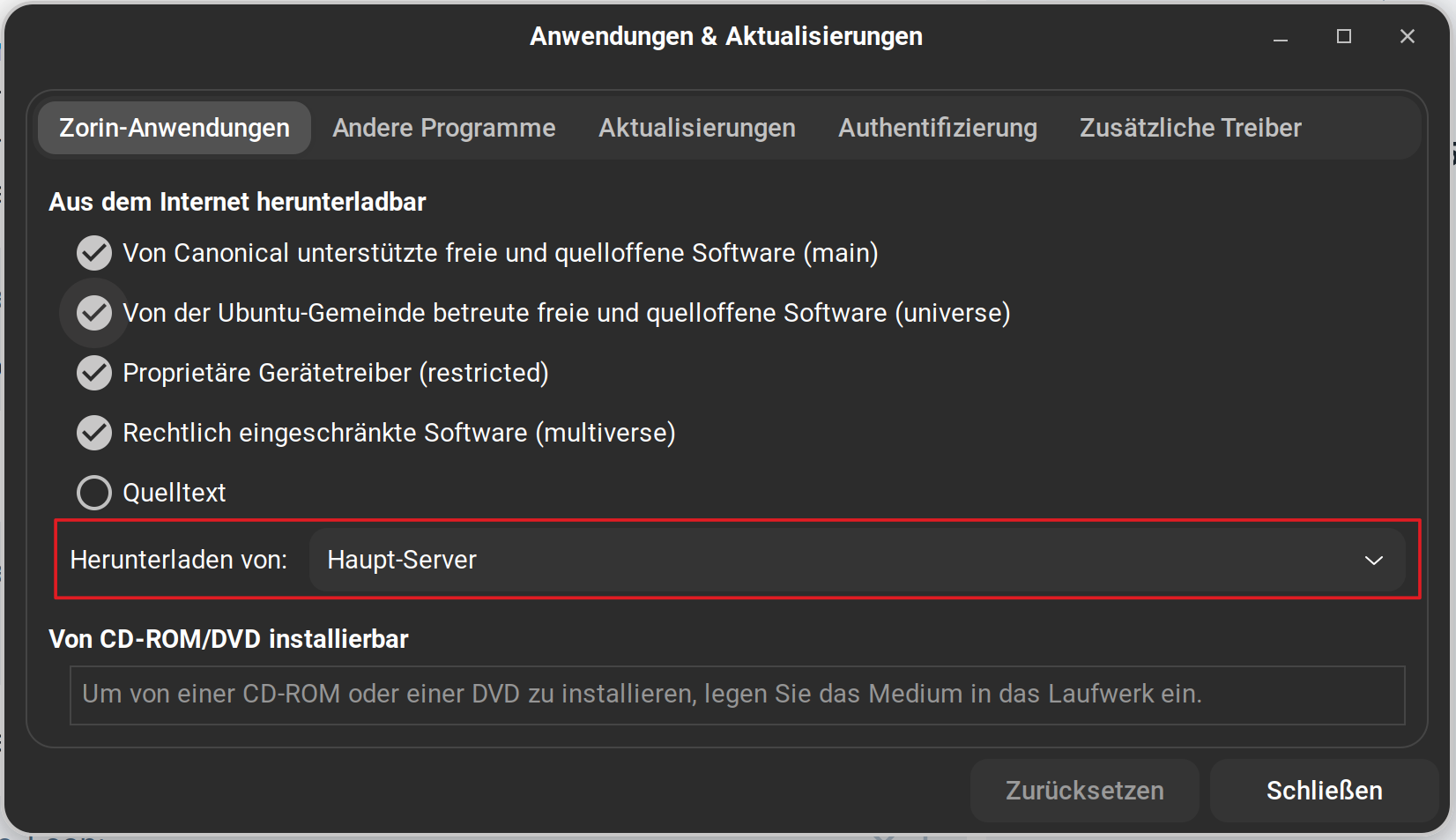
I've included this suggestion in the Unofficial Manual for Zorin 18 Core; not specifically mentioning this issue, but advising that it is probably quicker to do the install without the updates and codecs which can be installed later. The other issue is that during install, the installer recognises your locales and will point to your country server. Perhaps Team Zorin need to look at setting this to Main Server - one less post-install step would then be needed?
1 Like
The other issue is that during install, the installer recognises your locales and will point to your country server.
I'm not exactly sure what you mean by that, but I will mention something else that seemed odd during the second install:
I couldn't pick my location. There were just no options for locations, as though the location list is being fetched from the net or something?
So I manually typed in "Copenhagen" and pressed continue - but when I checked my settings after install, it had set itself to "New York". Odd. 

When You open Software & Updates and look there on the first Tab on the Left you see there an Option for the Sources:
You should be able to set up Your Location during Install manually:
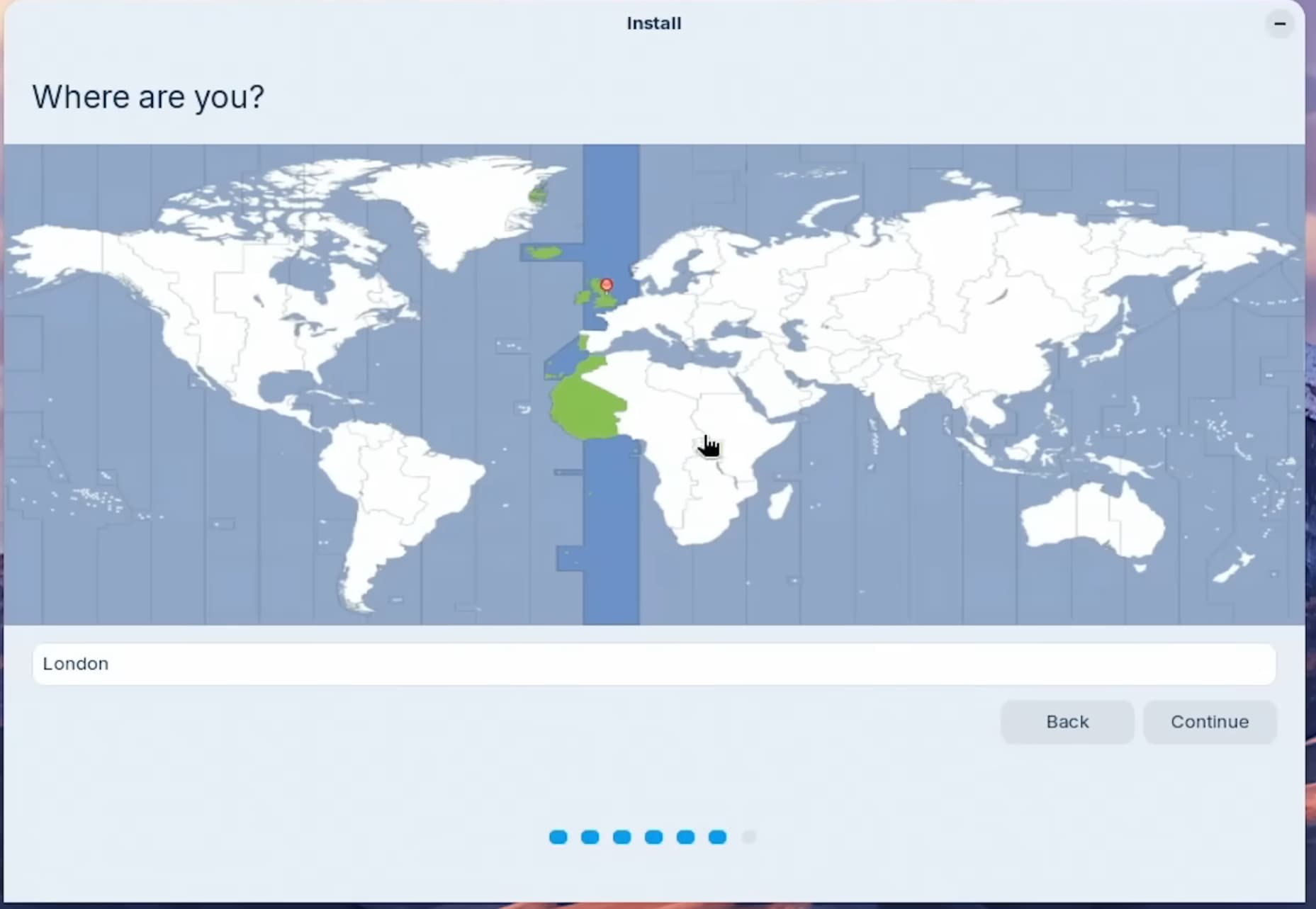
You can click on the Card on Your Country or Region to choose it. When now Your Region isn't right, You can still set that up in Settings>System and there on Region & Language and Date & Time.
That's what I'm saying, this step didn't work without an internet connection - the input didn't react at all when I typed into it, as though the country list hadn't been populated. It didn't object to me manually typing in "Copenhagen", but it also didn't work - my system was on the default "New York" location after the first boot.
Yes, that's what I did. I'm only pointing out this step of the installer didn't work.
1 Like