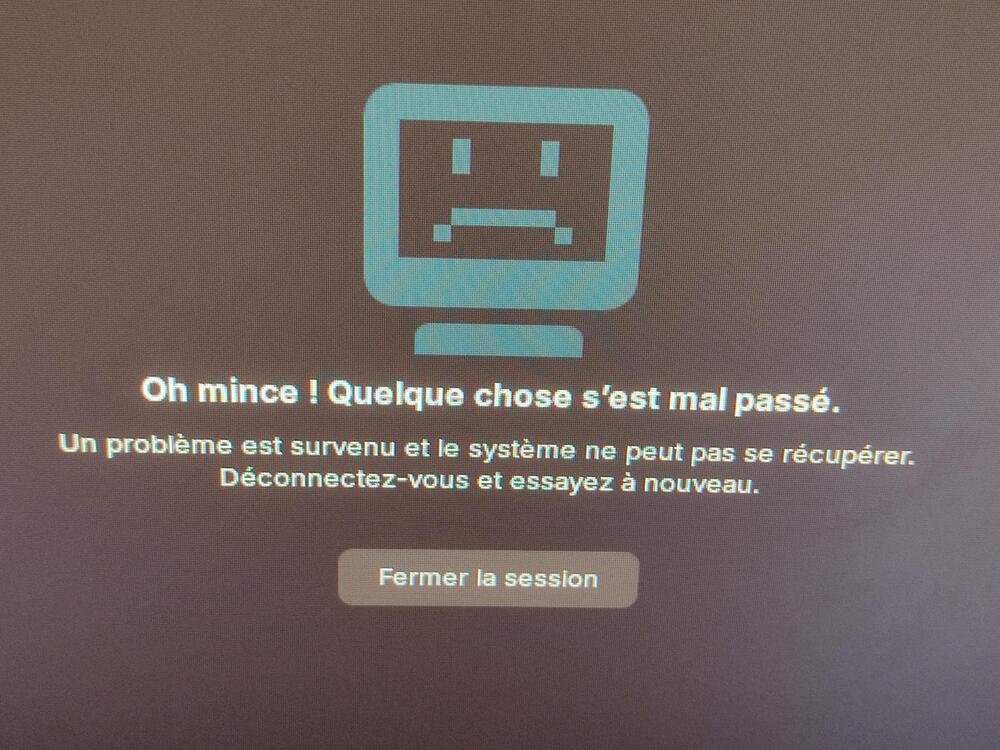
I tried several things to correct the issue, connecting to the recovery mode to try and repair things (I followed the repair process in this forum post), but nothing worked.
I also tried to create a new user in recovery mode, but the user also had the same issue.
My last test showed me something interesting : in the main login screen, I'm able to login by using the TTY (Ctrl + Alt + F2) and then launching startx.
Everything seems to work correctly, except I'm stuck with the MacOS disposition (I was using the "Windows 10" disposition).
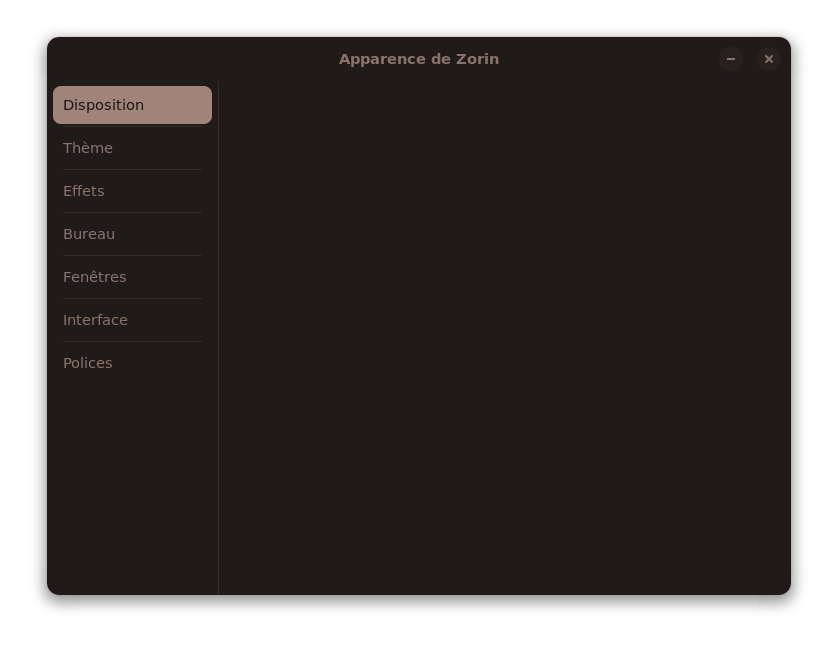
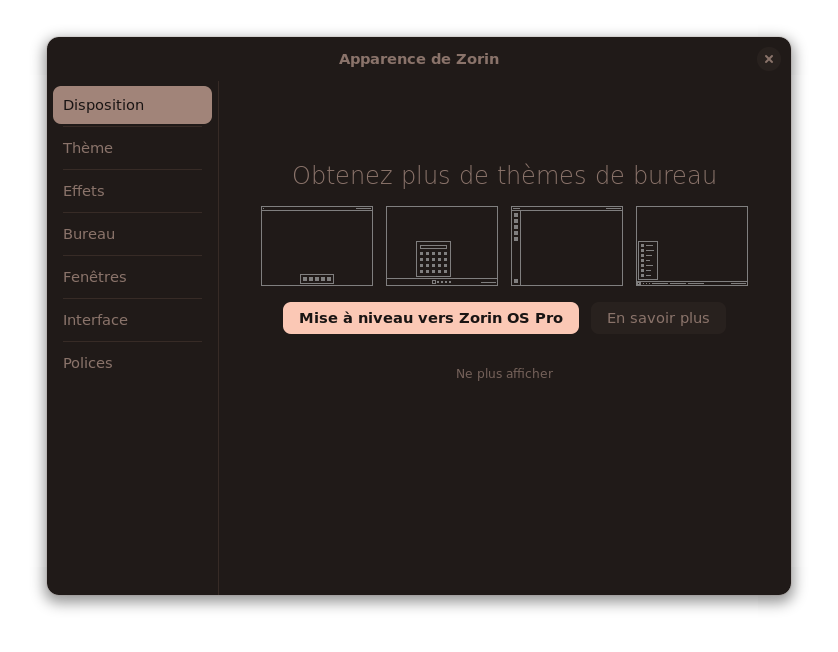
And when trying to change Zorin's appearance with the Appareance tool, I have nothing in the Disposition menu.
Not appearing on the screen (because I closed the display) was an option telling me there were more dispositions available with Zorin Pro.
It seems that an update accidentally removed the list of available dispositions. Is that a known bug ? What should I do to get the default dispositions back ?
And if the above doesn't work, could you share the terminal output when reinstalling those packages, as well as the zorin-os-desktop? Maybe there's a warning or error message somewhere in there.
@Aravisian there is no difference after your command and a reboot.
Here's the output from the two suggested commands:
sudo apt reinstall zorin-os-desktop
Lecture des listes de paquets... Fait
Construction de l'arbre des dépendances... Fait
Lecture des informations d'état... Fait
0 mis à jour, 0 nouvellement installés, 1 réinstallés, 0 à enlever et 0 non mis à jour.
Il est nécessaire de prendre 8 566 o dans les archives.
Après cette opération, 0 o d'espace disque supplémentaires seront utilisés.
Réception de :1 https://ppa.launchpadcontent.net/zorinos/stable/ubuntu jammy/main amd64 zorin-os-desktop amd64 1.6.8 [8 566 B]
8 566 o réceptionnés en 0s (49,3 ko/s)
(Lecture de la base de données... 305408 fichiers et répertoires déjà installés.)
Préparation du dépaquetage de .../zorin-os-desktop_1.6.8_amd64.deb ...
Dépaquetage de zorin-os-desktop (1.6.8) sur (1.6.8) ...
Paramétrage de zorin-os-desktop (1.6.8) ...
Lecture des listes de paquets... Fait
Construction de l'arbre des dépendances... Fait
Lecture des informations d'état... Fait
0 mis à jour, 0 nouvellement installés, 2 réinstallés, 0 à enlever et 0 non mis à jour.
Il est nécessaire de prendre 194 ko dans les archives.
Après cette opération, 0 o d'espace disque supplémentaires seront utilisés.
Réception de :1 https://ppa.launchpadcontent.net/zorinos/stable/ubuntu jammy/main amd64 zorin-appearance all 5.3.8 [189 kB]
Réception de :2 https://ppa.launchpadcontent.net/zorinos/stable/ubuntu jammy/main amd64 zorin-appearance-layouts-shell-core all 4.2 [5 606 B]
194 ko réceptionnés en 0s (562 ko/s)
(Lecture de la base de données... 305408 fichiers et répertoires déjà installés.)
Préparation du dépaquetage de .../zorin-appearance_5.3.8_all.deb ...
Dépaquetage de zorin-appearance (5.3.8) sur (5.3.8) ...
Préparation du dépaquetage de .../zorin-appearance-layouts-shell-core_4.2_all.deb ...
Dépaquetage de zorin-appearance-layouts-shell-core (4.2) sur (4.2) ...
Paramétrage de zorin-appearance (5.3.8) ...
Traitement des actions différées (« triggers ») pour mailcap (3.70+nmu1ubuntu1) ...
Traitement des actions différées (« triggers ») pour desktop-file-utils (0.26-1ubuntu3) ...
Traitement des actions différées (« triggers ») pour hicolor-icon-theme (0.17-2) ...
Traitement des actions différées (« triggers ») pour gnome-menus (3.36.0-1ubuntu3) ...
Traitement des actions différées (« triggers ») pour libglib2.0-0:amd64 (2.72.4-0ubuntu2.6) ...
Traitement des actions différées (« triggers ») pour libglib2.0-0:i386 (2.72.4-0ubuntu2.6) ...
Paramétrage de zorin-appearance-layouts-shell-core (4.2) ...
There doesn't seem to have any error. Is there something I can consult that would log the error when trying to login the "normal" way?
It's exactly like when I tried to create a new user from the root console in recovery mode : the error screen changed theme (reverting to the default white one) but the error remains.
I don't remember doing anything about a version update to do that. I just tried the commands since the error seemed close to the issue I had and I feared there was an automatic update in a half-finished status (which is not the case since I was able to verify later I was still on Core 17.3).
I just did what I always do when booting my computer, which is updating everything and go on for the day.
I finished the day with some experiments on adding an option on the file explorer's right click, but as I just added a file to ~/.local/share/nautilus/scripts, I doubt it had such an effect on the whole OS.
I do not see anything here that should have this kind of result. Yes, I know some will comment on autoremove, but the Zorin System is quite good about stable and correct dependencies, so I think we can set this aside.
This does have potential. Nautilus, as the File Manager, does a lot more integrated managing than just previewing files. And it is integrated with the Gnome Shell.
I had suggested looking in ~/.config, but maybe we need to check ~/.local
Okay, you wrote that it happened in the Morning. What did You before with it? Were there any Updates the Day before or before You have shut it down? Or did You installed any Programs?