Just starting to move from windows to Linux world thru Zorin (without any experience...), I transfered zorin 17 Lite to my desktop windows PC and then with rufus, created a bootable USB key. I installed it on my "old" laptop ASUS inspiron 16400 (Intel(R) Core (TM)2 cpu T5500 @1,66 Ghz 980 MHz & a RAM of 1.0 GO.
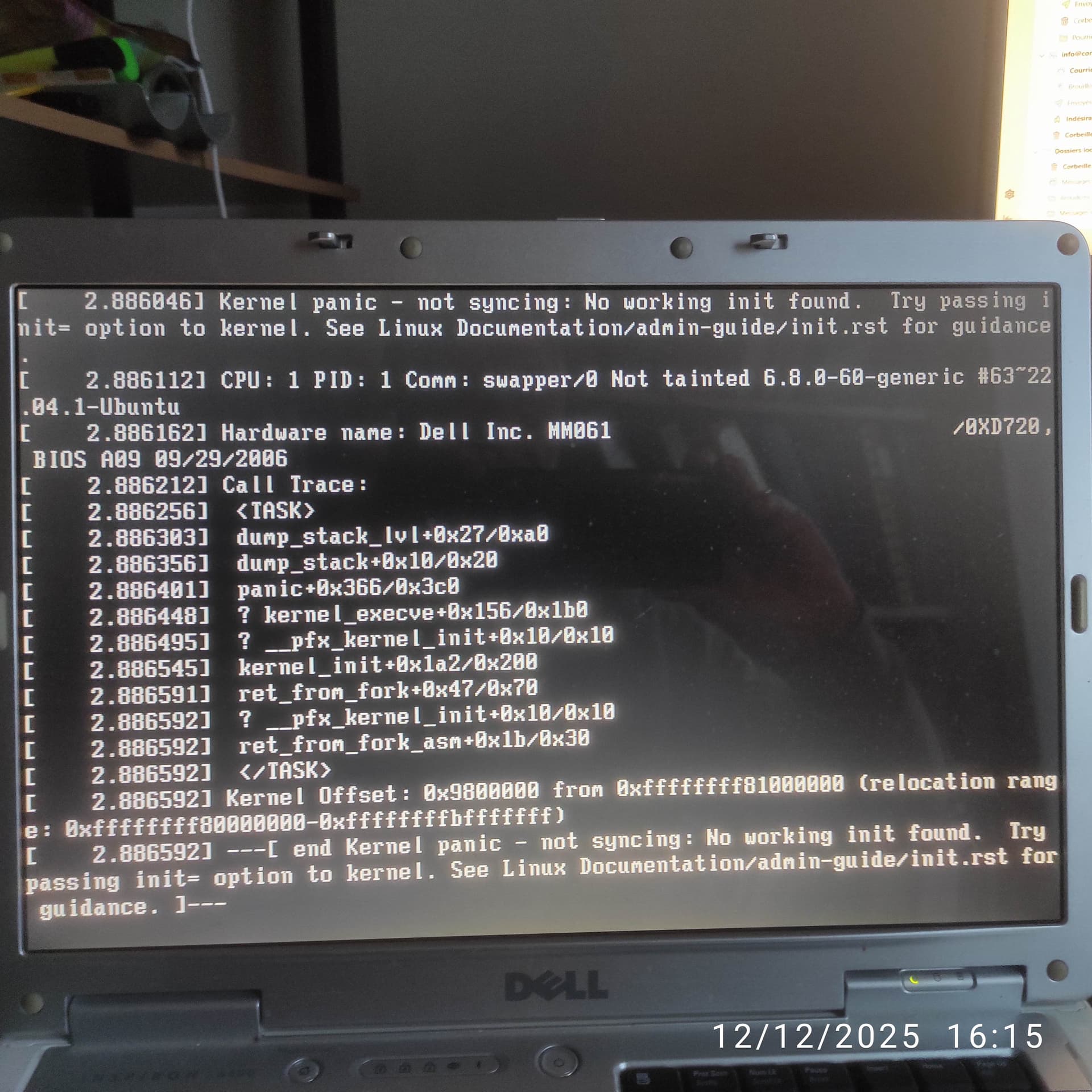
Unfortunately, loading my laptop (windows xp) and using F12 to change boot device to the USB key, it does not succeed.
Does somebody can help me to solve this issue?
Thanks in advance,
Accurate.
From a practical look at your specs, with the 6.8 kernel on a legacy MBR 1 gig of RAM and Intel Core Duo... That is a combination for initialization failures, OOM failures and kernel panic.
The late kernel would have ACPI tables that are well past that machine. Plus a processor much slower than the standards of today, trying to init modern computing on 1 gigabyte of RAM, this result makes sense.
Zorin OS 17 Lite is still supported. Your choice was a wise one.
Your first option is to try a faster slimmer lightweight distro. I believe that Antix would work reasonably well, thought it would take some getting used to as it is pretty barebones.
If open to hardware checks - you could increase your RAM. Even as little as 2 Gigabytes would likely be enough to get it up and running.
But even if the OS had fully installed, I suspect slowness and freezing would haunt the install.
But Wait! Windows OS was on it:
Summary
Windows OS comes in Editions, too. They are just not often mentioned.
Windows OS Lite is real, just not labeled. Manufacturers install a slimmed down and optimized "Lite" edition of Windows on machines that need it, then sell it as "Has Windows."
Plus, it is likely that it had Windows OS of the era, when that machine was newer.
1 Like
Welcome to the Forum!
When Your BIOS is in Legacy Mode, choose in Rufus on the ''Partition Sheme'' Option MBR. If it is in UEFI choose GPT.
That are really limited Valuse. Especially the RAM. And the Hardware is relatively old. So, I could imagine that the Kernel is too new for it.
Maybe try it with miniOS. It needs only low RAM Usage. But with the Kernel it could be difficult. But it could be worth a Try I guess.
One thing to consider is whether your computer is 32 or 64bits. ZorinOS unfortunately only works for 64 bits it seems: 32-bit Version of Zorin OS - Zorin Help
This can help you to figure out whether your computer is one or the other: https://superuser.com/questions/94173/tell-the-version-of-windows-xp-64-bits-or-32-bits
(I have had a similar problem recently with a Thinkpad X200s running on XP and I think our only solution is to use a different Linux distribution that still supports 32 bit computers, but I'm not sure what the best one would be)
1 Like
Thank you all for your replies and suggestions. Unfortunately, I don't think I shall be able to upgrade my PC 
I shall try to use GPT as option for "partition team". Who knows...
I thoink my PC is a 64 bits but will check it as recommended by Leonos.
Any way, I shall try to move to unix world... Performance itself is not an issue as my first goal is to get experience with the Unix/Linux world. Any other idea is welcomed ...
I just check my processor and it is a 32 bits processor. If well understood, the Zorin OS 15.3 Lite is the latest version working on 32 bits. I presume it is not available for download.
1 Like
Zorin 15 is no more supported with updates. If you don't connect to internet that's no problem. But if you want to use internet it would be better to choose a lightweight distribution which offers 32 bit and is still supported.
Probably you need to install in mbr partition scheme and not gpt with such an old computer.
2 Likes
Thanks a lot for your info. It is not to use on Internet but just to familiarise myself to Unix/linux. My "professional" PC is currently running windows 11 but... for how long? If I can, I'll move in the future to unix world... 
1 Like
Thanks a lot for the link. I shall try it.
So, do you all have recommendations for which Linux distribution to use on a 32-bits computer, one that would be as similar as possible to Zorin OS in its ease-of-use and similarity to Windows, and still properly supported?
Debian, really, becomes the Go-To option.
There is also LMDE; Linux Mint Debian Addition.
I retain my support of MX Linux, based on AntiX.
And going further into the weeds, you find Puppy Linux or Porteus. I would not consider these last three options (AntiX, Puppy and Porteus) to be user friendly for a Windows Migrant.
1 Like
You could try the 32 bit version of Q4OS (https://q4os.org/dnt04.html) however I would recommend upping the RAM to the 2GB maximum. If you want any sort of decent perfomance I would recommend replacing the hard drive with a small SDD. I have found used 128GB SSDs on ebay for about $20 CAD.
How much RAM do you have?
Thank you very much to all of you. I succeeded to install Zorin OS 15.3 lite on my "old" Dell inspiron laptop. Now, I can start to familiarise myself to this new software...
3 Likes
This topic was automatically closed 90 days after the last reply. New replies are no longer allowed.