In ZorinOS 18 Pro, Mouse Cursor Theme Issue

I have a problem where when I have the mouse cursor theme set to White Glass, it reverts to adwaita temporarily whenever I mouse over the dash.

Here's how it should look:

Here's how it looks when I mouse over:

This also happens on the entire zorin menu when I mouse over that.

Anyone know how to prevent this? Is it just an issue with some cursor theme packs and not others?

This seems consistent across cursor themes for some reason, even on other areas like the applications menu or while dragging a window. Funny enough, on Xorg the icon set doesn't seem to change at all.

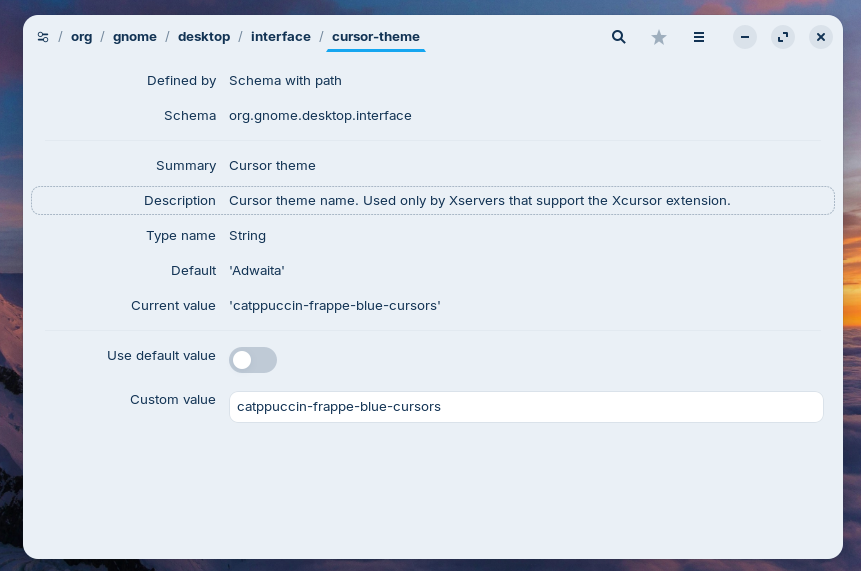
Editing directly through dconf-editor doesn't seem to make any difference either, and interestingly the message here says that it only works on Xserver:

I guess that has something to do with it, or maybe it's a GTK4 thing.

1 Like

It is a LibAdwaita thing, enforcing Gnomes Human Interface Guidelines.

1 Like

Ah, right. I forgot that customizing things is a non-human trait.

Where did You put the Cursor Theme? In the home Path or the usr Path? Because You go to the Taskbar, which is a Gnome Extension, the Cursor could fall back to the default when Your Cursor Theme is saved in the home Path.

this cursor theme was included in Zorin 18 Pro by default. Where does it put that?

I see that the solution seems to have been found. Can we inform the Zorin team that they have misplaced these files by default?

On each copy of Zorin OS 18 I have checked... The Cursor Icon theme is in /usr/share/icons and not in the Home Folder.

2 Likes

I did end up checking and found that the cursor files I'm using are indeed in the right location. There's got to be some other reason for this issue.

This is not yet resolved...

I can confirm this Behavior. I tested Redglass, too and it behaves the same. Maybe it is a Thing with the Cursor Themes itself and that it is intended to act like this ... but I can't imagine why it should.

I'm not sure if there is something wrong. In live session of Zorin 18 I wanted to set redglass as cursor theme and it didn't work at all.

whiteglass and redglass need a default cursor to be defined. For whiteglass, use the terminal, cd to:

/usr/share/icons/whiteglass/cursors

and run the command:

sudo ln -s left_ptr default

Now it will remain unchanged over the panel. Do the same for redglass.

5 Likes

Thank you very much Topaz, that worked!

Unfortunately, your fix is also not working for me - perhaps I need to restart. I'll report back if it does work next time I do that.

Assuming that it is now just an issue on my side - thanks, I think I can see why this would be the case - it's an unusual cursor style choice, and so it simply doesn't have the same level of support as the more common styles like Adwaita, correct?

I tried again, on my system with Zorin 18 core it worked that the cursor had white color when it moved over taskbar or Zorin menu. I tested it with XOrg and Wayland. I'm not sure if it is a problem of Zorin pro. But let's try again:
Enter in terminal:

cd /usr/share/icons/whiteglass/cursors

Press return, then

sudo ln -s left_ptr default
1 Like

Thanks for reporting this workaround!

We've since fixed this issue for all Zorin OS 18 users in a recent software update.

3 Likes

I tried that. But it only works partially for me. I installed my own theme (tidy). The static pointer works. But when I start Firefox from the Dash, for example, the spinning wheel from the Adwaita theme appears, not the one from tidy.

Welcome to the Forum!

Did You put Your Cursor Theme to /usr/share/icons or did You use the home Path? If You used the home Path, put it instead in the usr Path and delete it from the home Path. Then reboot.


1 Like

It worked. Thank you very much!

1 Like