Is there a way for me install Sober to my external hard drive instead of my built in SSD
My HDD is much larger to my SSD and i plan to store games in that
Is there a way for me install Sober to my external hard drive instead of my built in SSD
My HDD is much larger to my SSD and i plan to store games in that
As I recall Steam has a setting to choose where you want to install your games. From there, you are prompted to choose the location that you want. To find out exactly where your external drive is, launch a terminal window and run the command:
lsblk -f
This should return something like this:
NAME        FSTYPE FSVER LABEL      UUID                                 FSAVAIL FSUSE% MOUNTPOINTS
sda
└─sda1      ext4   1.0   PLAYGROUND febc6cb7-142e-4ba7-b05e-7b0fea87c9b9  743.4G    14% /media/zenzen/PLAYGROUND
nvme0n1
├─nvme0n1p1 vfat   FAT32            69F5-E121                             479.9M     1% /boot/efi
├─nvme0n1p2 ext4   1.0              d36c279a-20ba-44a3-a3b1-f18b8917797f   40.4G    65% /
└─nvme0n1p3 ext4   1.0              a9c0a86c-8d78-4166-8f2c-980553918563   35.4G    56% /home
In my case I have one external 1 TB drive plugged in which appears in my sidebar as "PLAYGROUND". From this output, I can see it's there, and all the way to the right it says it's mounted at /media/zenzen/PLAYGROUND. That's the location you want to select when prompted for it.
To navigate to the /media directory, choose "Other Locations" on the sidebar and then "Computer". Or, just press Ctrl+L to focus the address bar and type this location manually.
Am i supposed to install Sober on steam? I cant find it
On Steam, you can open the Settings from Steam on the menubar.
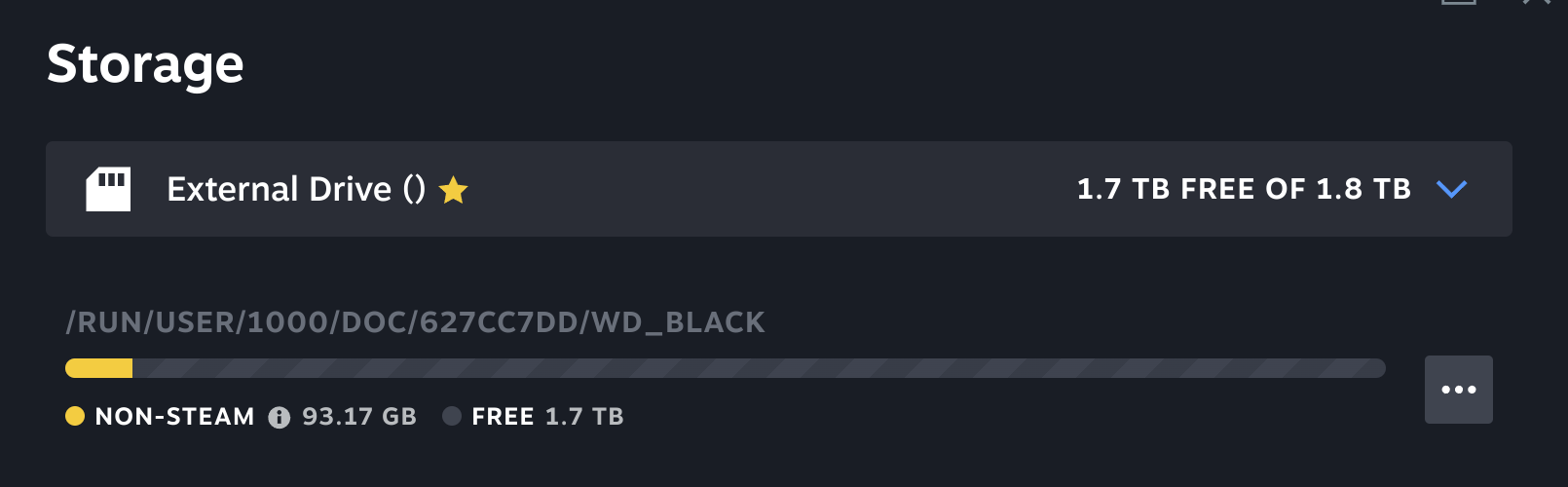
Then click Storage. Select Add Drive from the drop down menu that is showing your current storage location.
Once selected; you can click the three dots icon to set that location as default.
I must point out that storing on HDD rather than SSD can result in slower recall.
I just did that, Will Sober be automatically installed on my external HDD after that?
I use Steam, and the answer is yes. Once you make a storage drive default, it will always install on that drive. Additionally, you can move any games already installed on one drive, to the other drive.
I also agree that your doing your gaming a real disservice, by storing your games on an HDD, instead of an SSD.
This is the way I role...


hehe thats nice. I guess ill be installing Sober from the Software app and it will be stored automatically on my External HDD. Also how can i move osu to my external hard drive
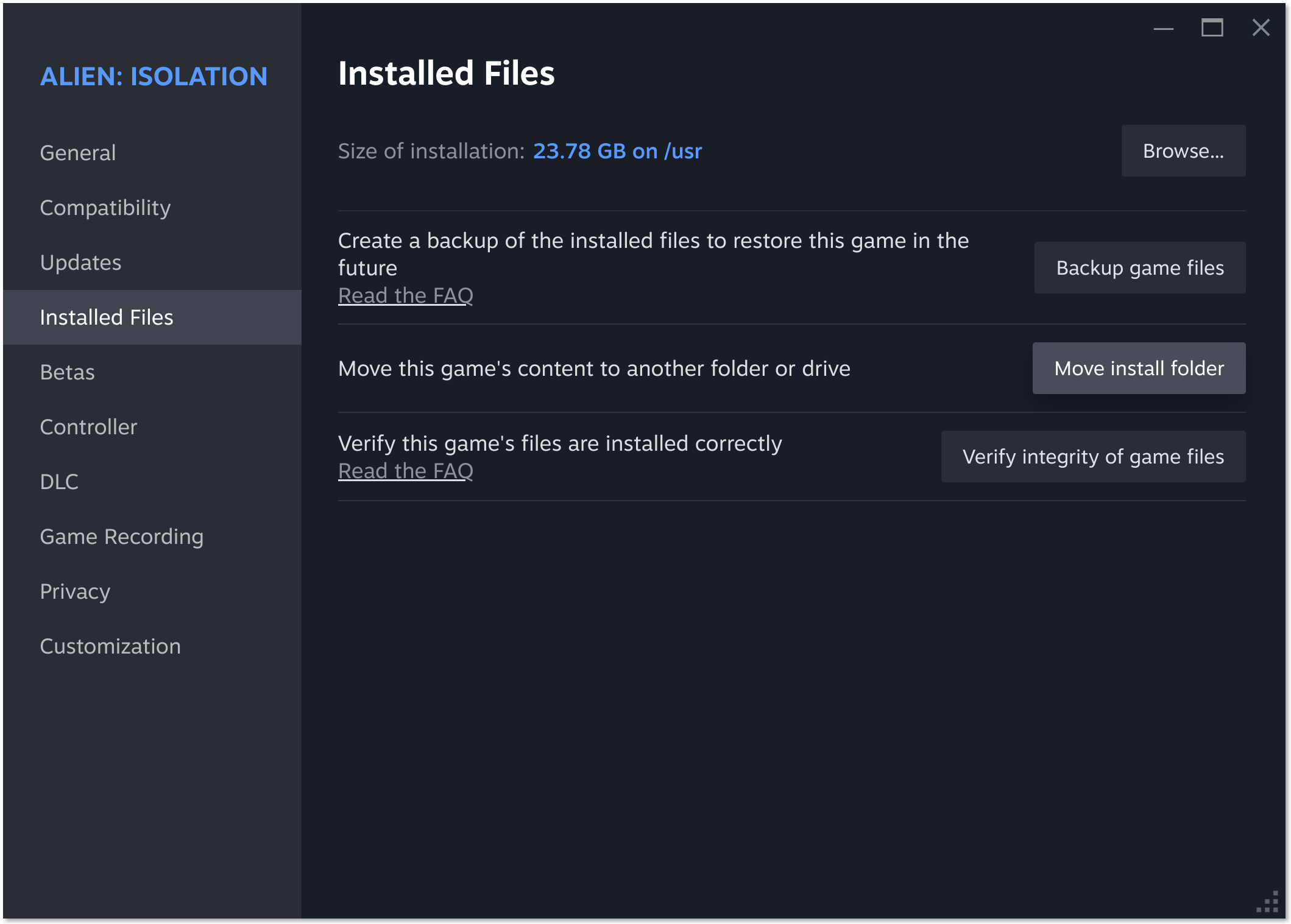
In the Steam APP, right click the game you want to move from the list, go to properties. From there, click on installed files, then click the move install folder button.
Wait, osu can only be installed through their site. You cant install them on Steam so i have no way of doing that.
If i add osu as a non Steam Game on my Steam library. I wont get that option
You can download the appimage of osu to play it on Linux. Take a look at your older thread about osu.
How can i install that osu to external hard drive,i could download the appimage but it wouldn't be stored on the external hdd. Also it seems like Sober wasn't installed on my external hard drive after setting the external hard drive as default on steam
I think you can just copy the downloaded appimage file from osu and paste it to a storage location of your choice.
This is correct. AppImages don't install; they're the entire software in a single file, so you just put it where you want it. With Osu though, most of the space is going to be taken up by the beatmaps and music data, not the game, and it's been more than ten years since I've played Osu, so I'm not sure how one loads those. If no one offers a clear answer to that today, I'll take a look over the weekend.
You mentioned you were installing Sober from the software app, so I assume you mean Zorin's own. Your Steam settings won't have any effect on the software app. I think people offering help didn't understand that it wasn't a Steam game. If you really want it on your external HDD, it may be possible to move it by hand and symlink it, but I wouldn't recommend it if you're not familiar. Perhaps someone can walk you through that, but they'd likely have to install Sober for themselves to get directory names.
In the flatpak documentation >Adding a custom installation
there is described that flatpaks can be installed on external drive. But it looks complicated, I haven't done this yet.
I'm not sure if it will work when only sober is stored on the external drive and other flatpaks not because flatpaks share runtimes.
Oh i see, i see. I wanted to move Sober (or any games) on my external HDD because its one of the things that takes up space. But it dosen't matter anymore, I can just play Roblox on my Windows Boot thats totally fine by me(although i noticed its much slower there).
Anyway, the osu appimage is on my external hdd now and everythings seem to be fine i can't find osu on my built in SSD so thats good.
In osu I can import beatmaps and skins through:
settings > maintenance > import files, and then just go to where the downloaded osk, osz file location and choose them. I can't just click on the osk, osz files and will be automatically imported, but again thats totally fine by me.
I've looked into it. It did seemed complicated, i could barely read/understand any command line, so i wont be doing that for now. Thanks
This topic was automatically closed 90 days after the last reply. New replies are no longer allowed.