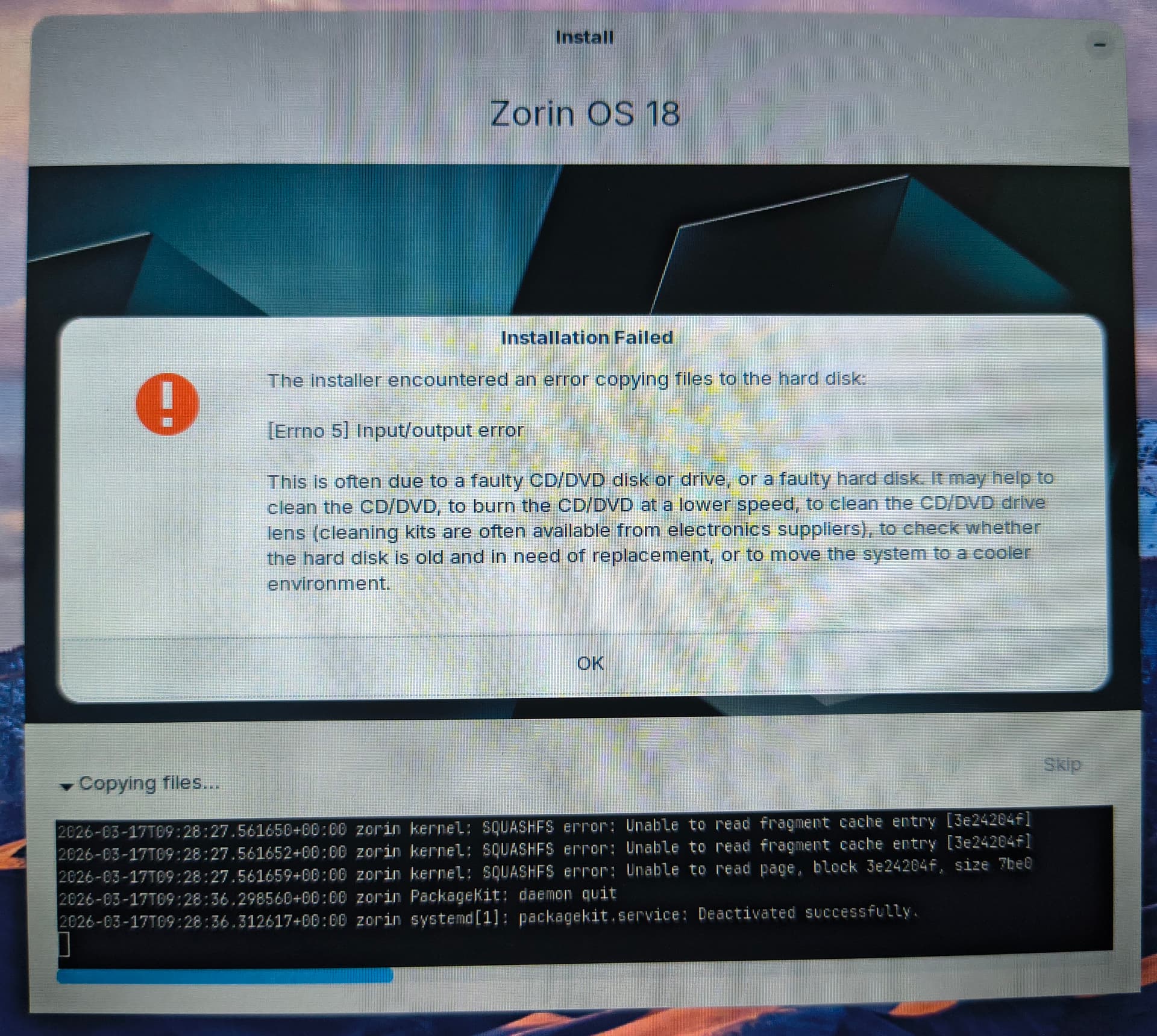
WiFi works on the live session but installer can't connect to the internet so I continued without the internet
I also tested installing Zorin OS 17, but I get the same error.
The same USB drive works fine when installing other Linux distributions.
I'm performing manual partitioning since I can't erase my entire SSD. Created EFI system partition (512mb), Linux swap 4gb, and root / partition ext4 (90gb).
Does anyone know what might be causing this or what else I could try?
Did You take a Look there if there are maybe Stuff that You could try?
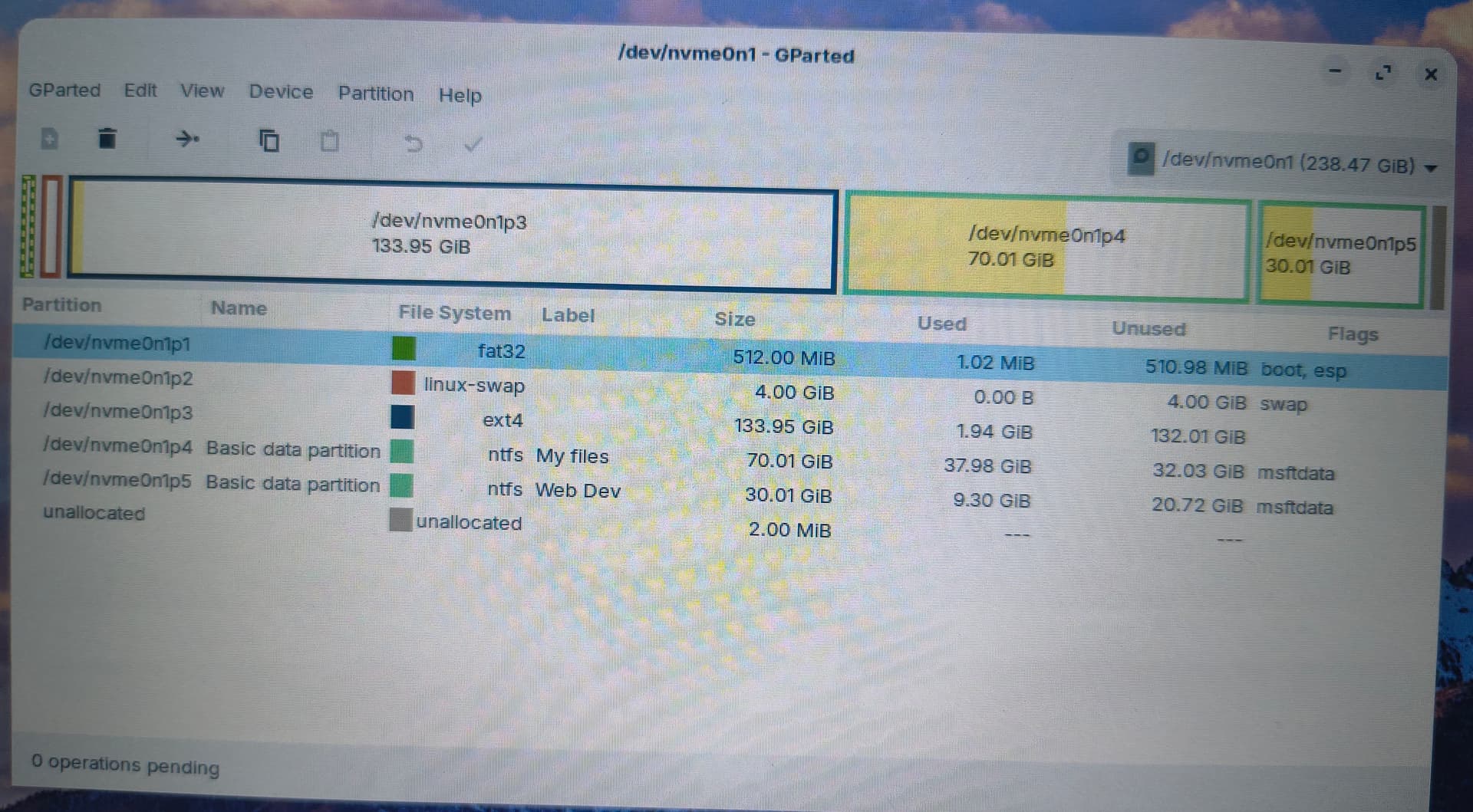
Can you explain wht You mean with ''I can't erase my entire SSD''? When you start Zorin form the Bootstick in Live Mode and open there GParted aren't You able to wipe the Partitions? Could You maybe post a Screenshot of the Partitions in GParted?
There are multiple options like "Erase disk and install Zorin Os" and "Something else". So i choose the "Something else" option since I have other partitions for my files.
I have experience with installing Linux with manual partitioning since I've been using Linux for a few years and testing many distro. But still I might be wrong. So here is a pic
Okay, p1 seems to be the EFI Partiton, then a Swap Partition and p3 will be the System Partition.
Is there a Reason why You want an extra Swap Partition? How much RAM do You have?
Besides that, I would suggest the Following Way to set the Partitons up during the Installation:
Take p3 and set it up with Mount Point / and ext4 File Format. Under ''Device for boot loader installation'' choose ''Windows Boot Manager''. Then the Boot Stuff will land in p1.
Alternatively, You could create a seperate EFI-Partition if You don't want the Zorin Boot Stuff in the Windows Boot Loader Partition. Take something like 300mb's from Your free Disk Space and set it up as EFI Parition.
As a workaround, I created a small partition on my SSD and made it bootable using Universal USB Installer (v2.0.0.1). I then booted the installer directly from that partition, and the installation completed successfully.
It seems there may be some issue when installing Zorin OS from certain USB devices. My SD card (used through a card reader) works fine for installing other Linux distributions, but Zorin OS repeatedly failed when booting from it.
During installation, the installer interface could not connect to Wi-Fi, but since Wi-Fi was already connected in the live session, the installer was still able to download packages such as language packs.