Moving from Windows to Zorin. Finding a few issues iwht these flatpak/snap installs. They seam like a good idea thats a bad idea.
So on Windows dumped my 15 years of work emails into folders into a network drive, then in Zorin installed Thunderbird from the Software ap, set up my accounts, all good. The tried to copy the folders from my Windows Thunderbird. "Not enough free space". Ah, its snap or flatpak installed. So uninstalled Thunderbird, and went looking for a apt install, but this seams complicated. I downloaded and unpacked the file, but after that there's doesnt seam to be a installer. There are some instructions at Install Thunderbird on Linux | Thunderbird Help, is this really the process I need to go through?
I had the same problem installing Steam. All looked good, until I went to install Fallout 4, and got a "Not enough free space". I worked out I needed to uninstall the flatpak Steam, and install the proper Steam, then it worked. I dont get this flatpak/snap thing at all, maybe it will make sense later.
Indeed, there are pros and cons in having more choices, one of them being the learning curve. Add that on top of learning a new unfamiliar system, and it can be quite frustrating.
You can follow those instructions if you feel up for it, but as the section title says this is for advanced users. I disagree that it is all that advanced, but advanced enough for me to recommend taking another route.
EDIT: see below.
Instead, you can just install Thunderbird from the default repositories available to Zorin OS.
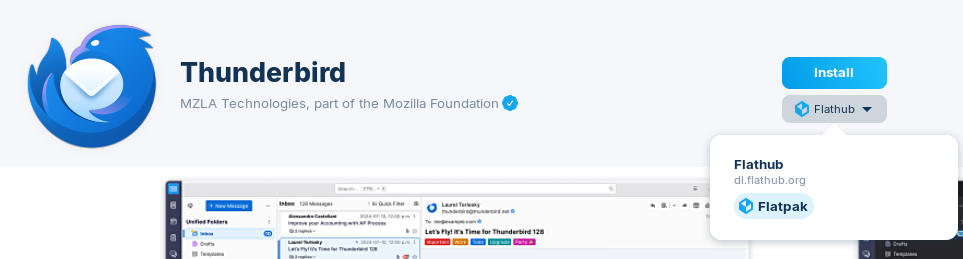
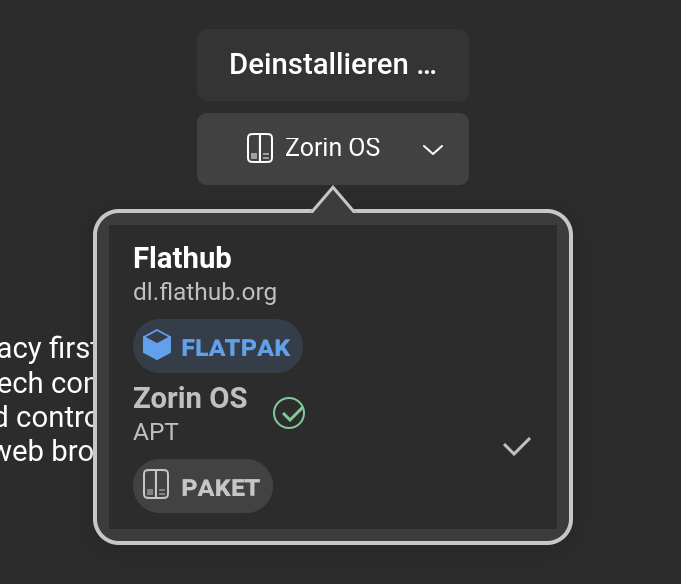
To install that, you'll see in the Software store multiple entries for Thunderbird (for the various package formats available). Under the install button there's a dropdown to choose the source, even though in this case there's only one option for each entry:
Do you know if it has been changed now so that thunderbird is not installed as snap when using "sudo apt install thunderbird" or the Zorin package? I'm not sure what's about thunderbird. For firefox it has been changed recently in Zorin 18.
@Forpli and @zenzen: On Zorin 18 Thunderbird with apt install or when using the Software Center will be installed as Snap Package. So, the easiest Way would be to add the mozillateam PPA if Snap or Flatpak aren't an Option.
Arrgh. Is that another Canonical devious source redirect apt to snap?
If true, I wonder if ZorinOS devs could reverse the redirect in Z18, as they have done for Firefox apt from Software store. Tagging @AZorin@zorink.
I am glad I have stayed on Z17.3, as apt's are apt's not shunted unsuspected to snaps.
You're right, it looks like Thunderbird is also now being pushed as the Snap version... I thought this would've been addressed in Zorin OS 18
@JaQ Do not follow my advice from my previous post. It's better to follow the instructions that you linked to. It may seem scary because of the terminal commands, but just follow the instructions slowly and enter them one at the time. If you do run into any errors, stop and post them here.
Yes, this comes from Canonical. It is the same like with Firefox. On Ubuntu 22.04 Firefox went to Snap-only but Thunderbird was available as .deb Package. But with Ubuntu 24.04 they made that for Thunderbird, too.
I find it a bit sad that Mozilla doesn't offer Thunderbird over their own Repo. I know that Thunderbird stands a bit besides and isn't so in Mozilla like Firefox itself. But the Repo exists; so, they could use it.
OK, with the default snap install, is ther a way to increase the size of this sandbox. My windows install needed about 14 gig to store the emails ( work stuff ). Can the snap thing be adjusted in size?
It's one of those things where having more options comes at the cost of more complexity. I wish Zorin OS settled on using native Debian packages as the default option everywhere. That would simplify things and solve a lot of issues.
Here's a short story of Linux' package ecosystem:
Mmm, well I don't know for sure about this one as I don't personally use neither Snaps myself but I wouldn't expect this to be a problem. Are you running out of space already?
Flatpak packages will share dependencies, Snap packages will not.
If you seek to avoid bloat or minimize how much space is used: Avoid Snaps at all cost.
Snaps operate by mounting its files, not by running from a directory, so there is no way of adjusting the size of the packages.
In Windows, move all emails ( incoming, sent, archives, etc ) into the Local Folder section, creating folders to keep it neat. Then save the user folder on a shared resource.
In Zorin/Linux, install Thunderbird flatpak edition. Open it, create accounts, close it.
Copy the old folders to a local temp folder like /tmp/oldemail, so they are local, seams to matter. I only needed the sub folders in that Local Folder folder, eg OldMail.sbd.
Use rsync to copy folders into the Zorin Thunderbird user mail folders. eg -
rsync -a --progress /tmp/emailtemp/* "/home/glenn/.var/app/org.mozilla.Thunderbird/.thunderbird/rso43gzn.default-esr/Mail/Local Folders/"
Open Thunderbird, and your folders are there. Then just drag them back into the Inbox, sent, etc for your accounts.