I am trying to install Zorin OS 18 Core on my refurbished DELL XPS 8930 with Windows 11 I just bought secondhand. I've followed the Install Zorin OS guide but am stuck at "Boot from the USB Install Drive".
Here is my device information:
| Device name | DESKTOP-NEFS87M |
|---|---|
| Processor | Intel(R) Core(TM) i7-9700 CPU @ 3.00GHz (3.00 GHz) |
| Installed RAM | 16.0 GB (15.8 GB usable) |
| Device ID | B91756A4-9A19-47C7-B52E-81501D00F549 |
| Product ID | 00325-81382-09098-AAOEM |
| System type | 64-bit operating system, x64-based processor |
| Pen and touch | No pen or touch input is available for this display |
The seller told me that the GPU is an Nvidia GTX 1050ti.
This is the monitor I am using: onn 24" FHD (1920 x 1080p) 100hz Office Monitor with 6.07 ft HDMI Cable, Black - Walmart.com
Balena etcher did not work, so instead I used Rufus, here's a screenshot of the settings I used:
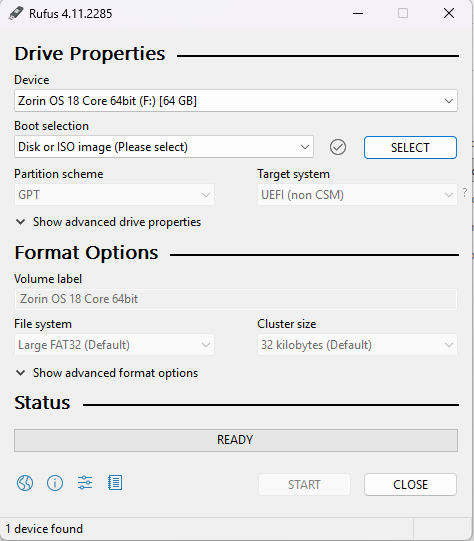
I followed this guide: Flashing Zorin OS using Rufus - Tutorials & Guides - Zorin Forum
When I shut down my computer, turn it back on and press F12 my monitor stays black but the light on its power button flashes blue. The screen just stays black so I can't access the UEFI settings or disable secure boot.
I did some searching online and also tried to access the UEFI settings by going to Settings, then Windows Update-> Advanced Options -> Recovery -> Advanced startup -> Restart now. When I did this, I got the same black screen with blue flashing light.
I also checked the integrity of my iso file using Quickhash and saw that the checksums matched.