In the menu editor in Zorin 18.1 Core are shown two invalid .desktop files.
Can I remove them or are the programs required? What to do with that files to avoid the errors? The programs seem not to be installed.
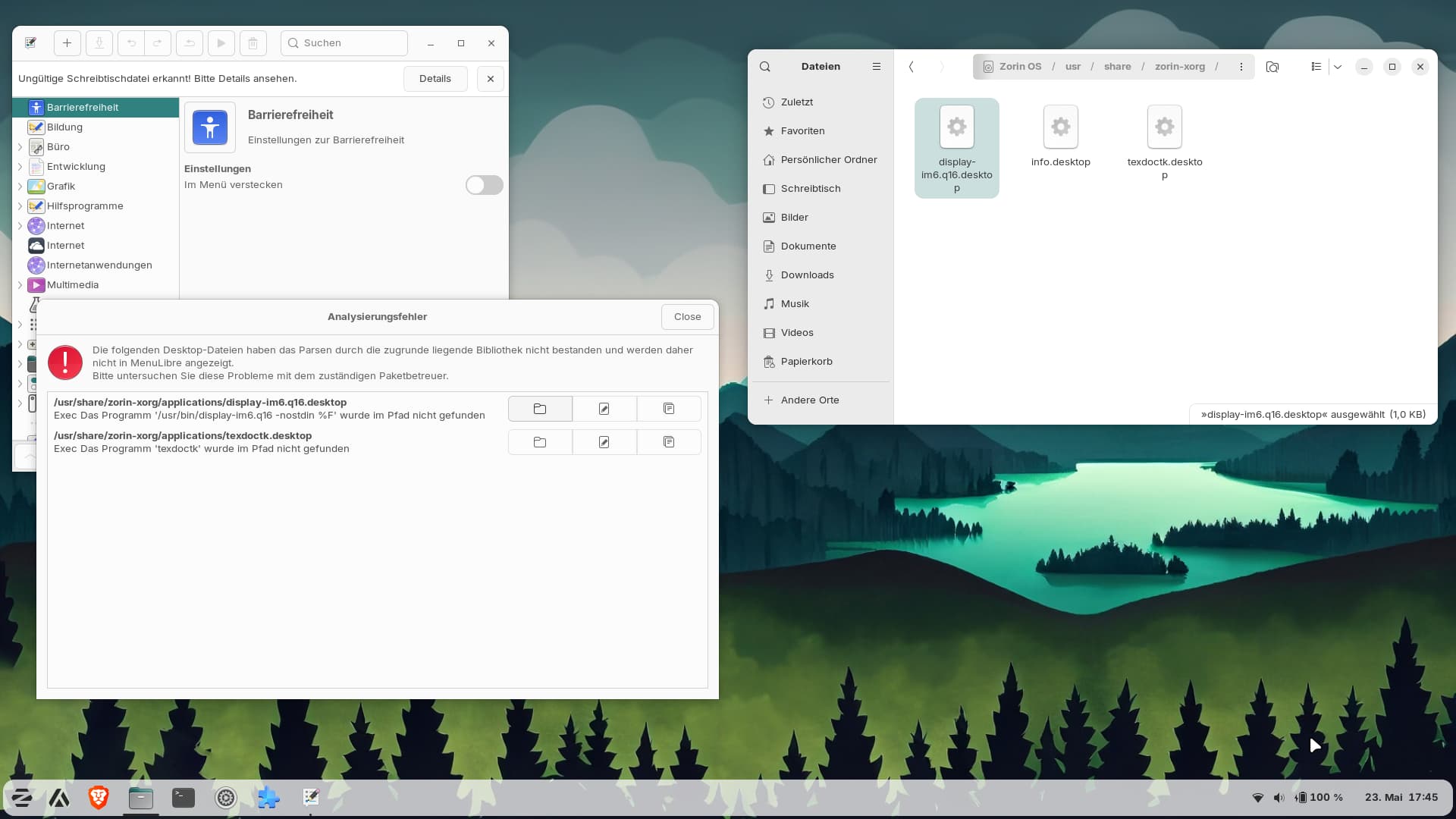
If I were you I would just rename the as .bak at the end of the file, and see if you have some errors during few days, after that you can remove them or just backup them in another folder
1 Like
Okay, I'll do that. I had already thought of that, in case they're needed after all.
1 Like
Did You checked what the Content of the Files is?
That are the .desktop files:
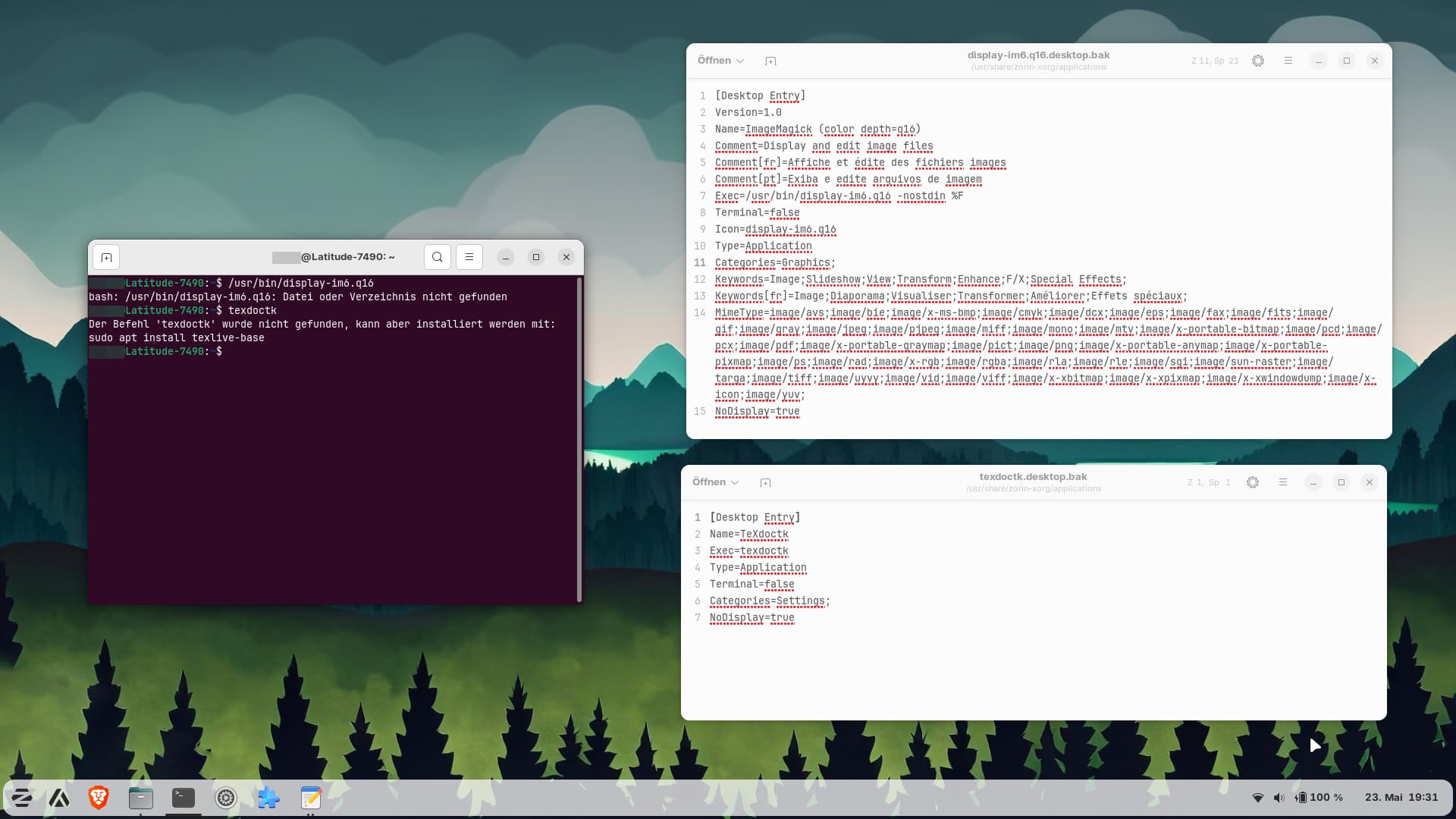
The one above has a exec line where the path doesn´t exist and the one below uses a command which shows that it is not installed.
I've installed imagemagick now and got not errors for the new .desktop file.
The texdoctk problem seems to be a bit older and the package you need to install is big...
Unfortunately, I'm currently dealing with some more serious issues. The entire desktop has frozen twice today and I had to make a hard shutdown, and five minutes ago, after putting it to suspend, all I got was a black screen...In Zorin 18.1 live session that laptop had worked really well..
I will not ask you to do the basis control, but what about that
- List Previous Boots
Use the following command to see a list of previous boot sessions:
journalctl --list-boots
- View Specific Boot Logs
After identifying the boot ID from the list, you can view the logs for that specific boot by executing:
journalctl -b #
Replace # with the boot ID you want to investigate.
1 Like
The ImmaMagick Thing ... could be a Dependency Thing. So, the Entry is maybe only a Dummy. So, You could let it where it is.
Here are some of the normal logs. I don´t unterstand to read them. Do they show a problem?
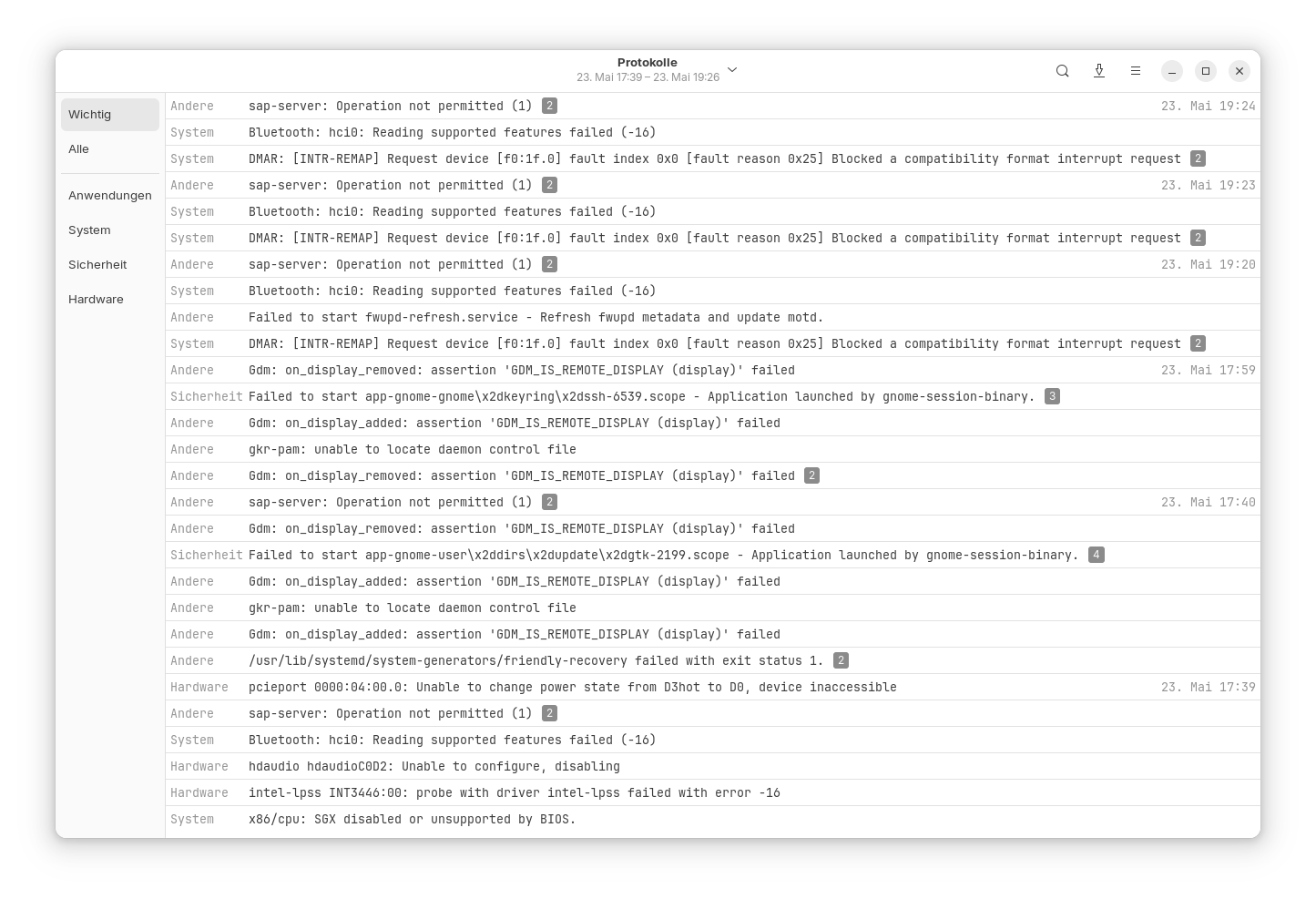
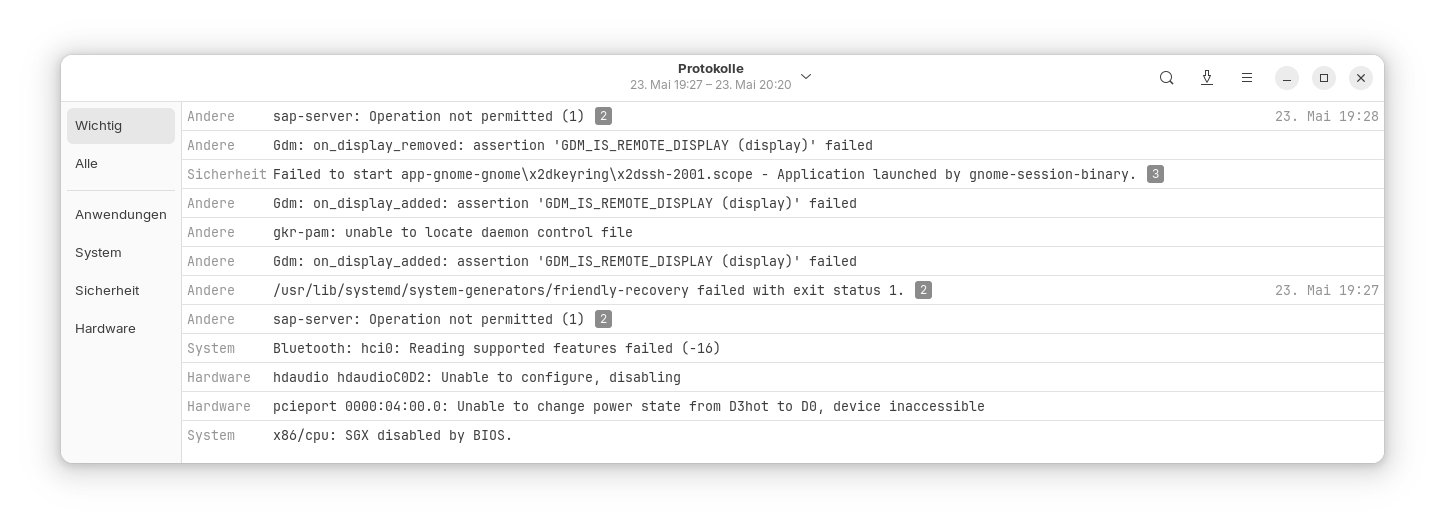
I'm wondering if this has anything to do with the Yaru GTK theme, which I installed via the Ubuntu repository using apt and which is currently set as the theme.
Since then, Brave’s search bar has also been acting strangely and no longer works properly. I have now completely removed the Yaru theme.
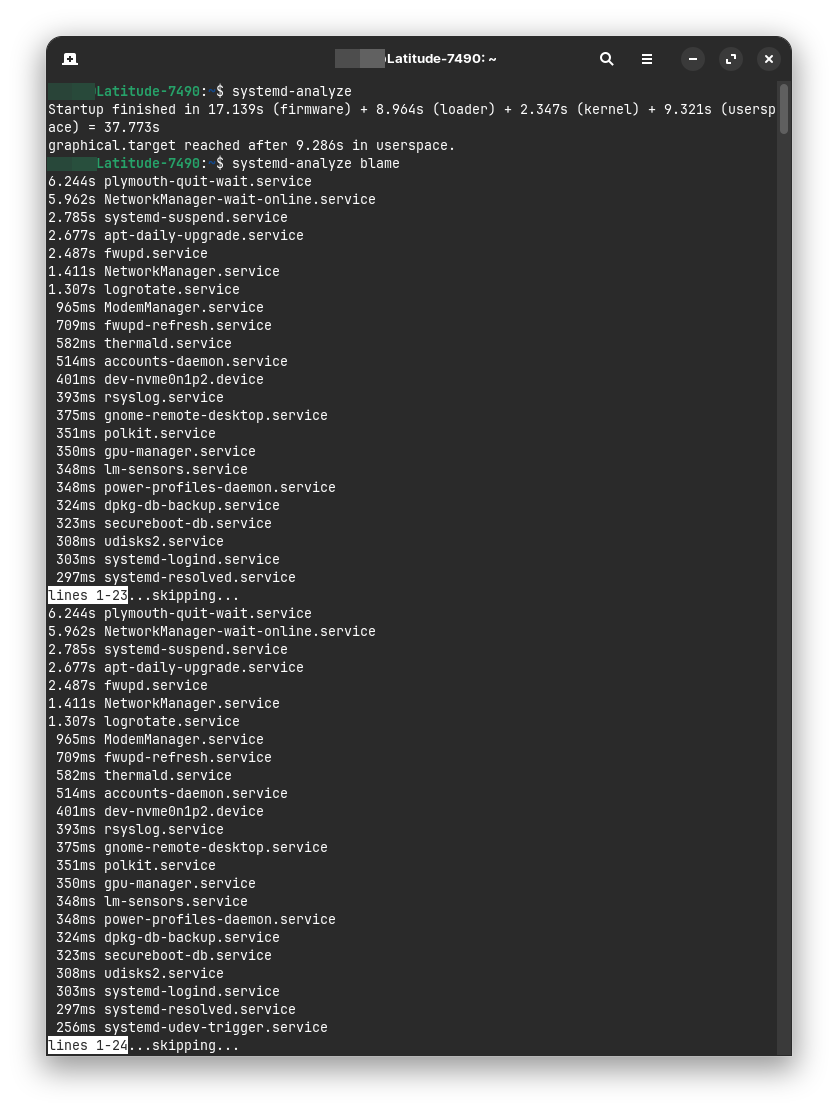
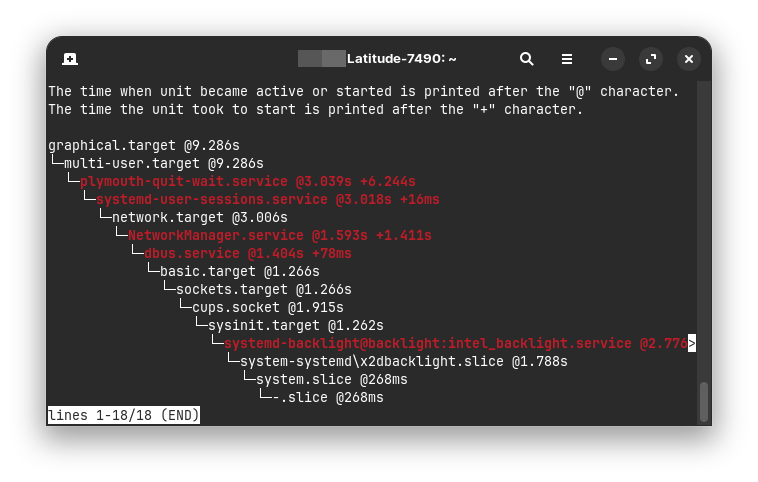
However, I’ve also noticed that this Dell takes longer to boot than my old Dell laptop with Zorin 17 Lite (38 seconds vs. 31 seconds). Although the old Dell Latitude E6430 is six years older and only has an i3 and a SATA SSD, it boots faster than the Dell Latitude 7490 with an i5 and NVMe.
Under Windows, I constantly had the feeling that the hard drive was somehow going to sleep and taking a break during operation. I had hoped that these issues would resolve themselves with the removal of Windows and a fresh OS installation. But maybe the device, which I bought used, has a flaw. The usual (basic and fast) tests on RAM and the hard drive show no serious error messages. And few times in Windows the entire drive was filled with something that makes nearly no storage space left. I don´t know what causes that.
Maybe something in the BIOS is set incorrectly?
In any case, I've already limited the log size to 200 M in my new Zorin 18. I hope that the updates or logs don't fill the entire drive like in Windows.
I think your problem is more a disk problem than a software problem, HDD or SSD ?
for the theme I would suggest you to make sure there is no specific version for Gnome 46 because I faced a problem with my actual theme, I was happy to use the newer version but there was many graphical nonsense, so I dig in the Github theme and found an older version working perfectly with my Gnome version...
For the slow start you need to watch this
systemd-analyze
systemd-analyze blame
systemd-analyze critical-chain
They are just orphaned .desktop files and nothing at all to worry about. Removing them is totally safe, too.
1 Like
The drive is an NVMe.
On github there is only the source code for the yaru theme. Can yaru only be installed with apt?
For your boot you can disable some services but first do that
sudo systemctl disable NetworkManager-wait-online.service
sudo systemctl mask NetworkManager-wait-online.service
After that some services are usefull or not depending of you
iI you don't use fwupd (firmware updates), for my part I will never have new firmware for my old computer, remove the app
sudo apt purge fwupd
After that you can search on the web what services can be disable or not
Keep in mind you need to think of dependencies if you disable a service.
systemctl list-dependencies --reverse service-name.service
if you "play" carefully with some services it make this possible (11 year old laptop)
Startup finished in 2.010s (firmware) + 2.712s (loader) + 2.524s (kernel) + 9.046s (userspace) = 16.294s
graphical.target reached after 9.015s in userspace.
For your theme, sorry but I never added a theme with apt, I'm pretty old school and prefer manual copy
Would you compile it? I've never done that with themes. I downloaded the yaru theme but it can't be used as it is now, I think. There is a file with meson built.
I never did, but if you installed it from apt it's supposed to be the right version
sudo apt list "yaru"
[sudo] Mot de passe de tof :
En train de lister... Fait
yaru-cinnamon-theme-gtk/noble,noble 24.04.3 all
yaru-cinnamon-theme-icon/noble,noble 24.04.3 all
yaru-theme-gnome-shell/noble,noble 24.04.2-0ubuntu1 all
yaru-theme-gtk/noble,noble 24.04.2-0ubuntu1 all
yaru-theme-icon/noble,noble 24.04.2-0ubuntu1 all
yaru-theme-sound/noble,noble 24.04.2-0ubuntu1 all
yaru-theme-unity/noble,noble 24.04.2-0ubuntu1 all
sudo apt install yaru-theme-gnome-shell yaru-theme-gtk yaru-theme-icon yaru-theme-sound
but I'm not sure it can match with Zorin desktop, they made many internal tweaks for it.
After that you can search what css key is a problem with brave (your example), and others visual bug you encounter
I also thought it should work on ubuntu 24 when yaru is installed from the noble repos, because it is the ubuntu default theme. I'm not sure if yaru makes the troubles or something else. But yesterday morning with other themes from vinceliuice and Zorin there were neither problems with entering something in brave nor with suspend.
Perhaps I'll try it again. I had all those yaru themes installed, except for the sound theme.
What happens when I disable and mask the NetworkManager wait service? Do I have wlan then automatically after boot?
yes you will have your connection don't worry, I have it 
and all is reversible...
1 Like
After disabling and masking that service the boot is not faster now, but slower. Hm, strange... I`ll undo that.
OK, I also see your firmware startup is slow, maybe you can disable some useless services in your bios, secure boot also if you don't have dual boot and/or nvidia gpu, search if you can upgrade your bios
Do you know if yaru also needs the empty .libadwaita file? Can it only added with a terminal command? Nautilus or other file manager launched as root don't have templates to create an empty document. I tried yesterday and clicked on create empty file and named it .libadwaita but it was not shown. Perhaps that broke something. At the moment yaru runs well, also in brave.