Is my old PC able to run Linux/Zorin?

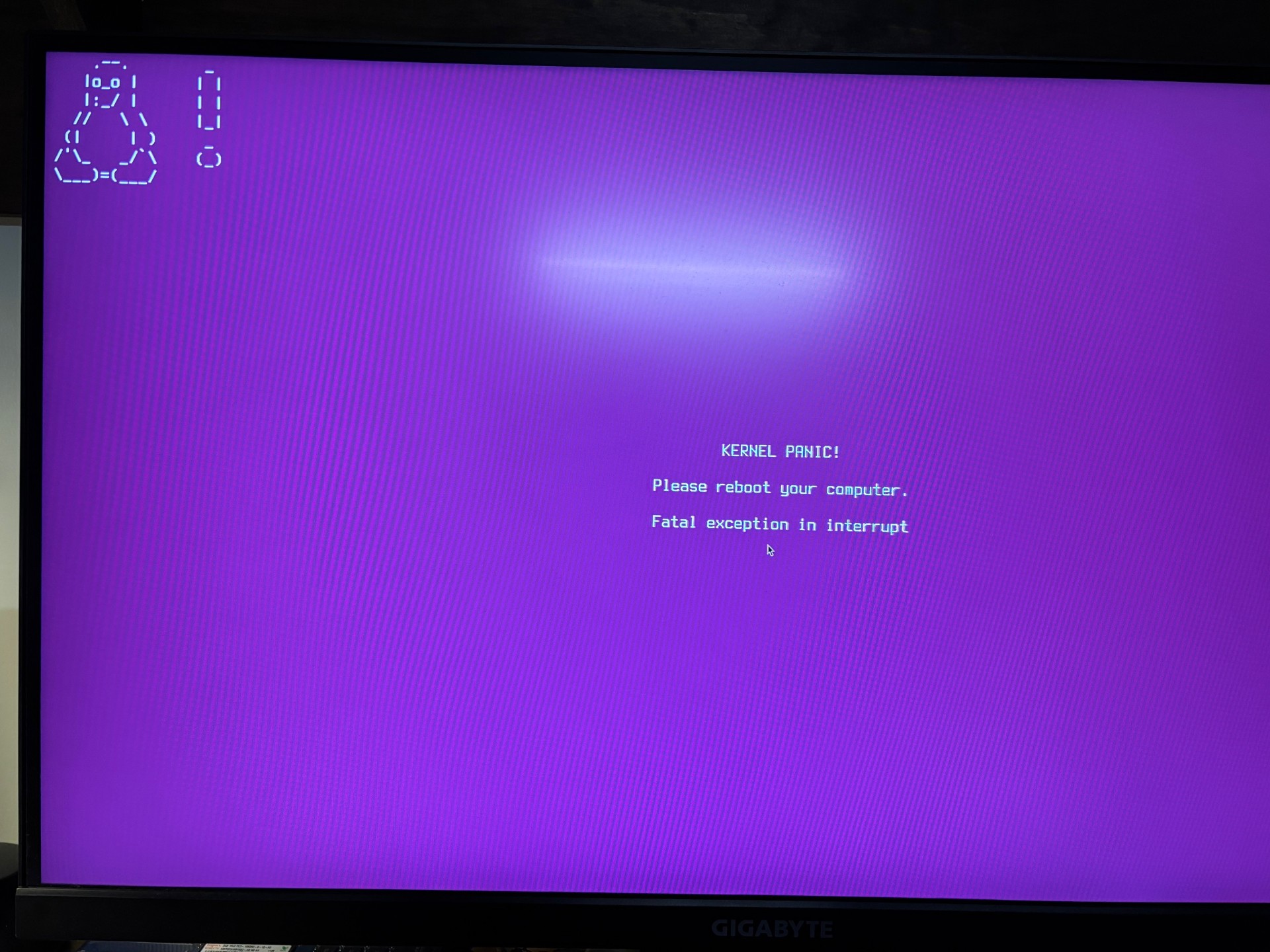
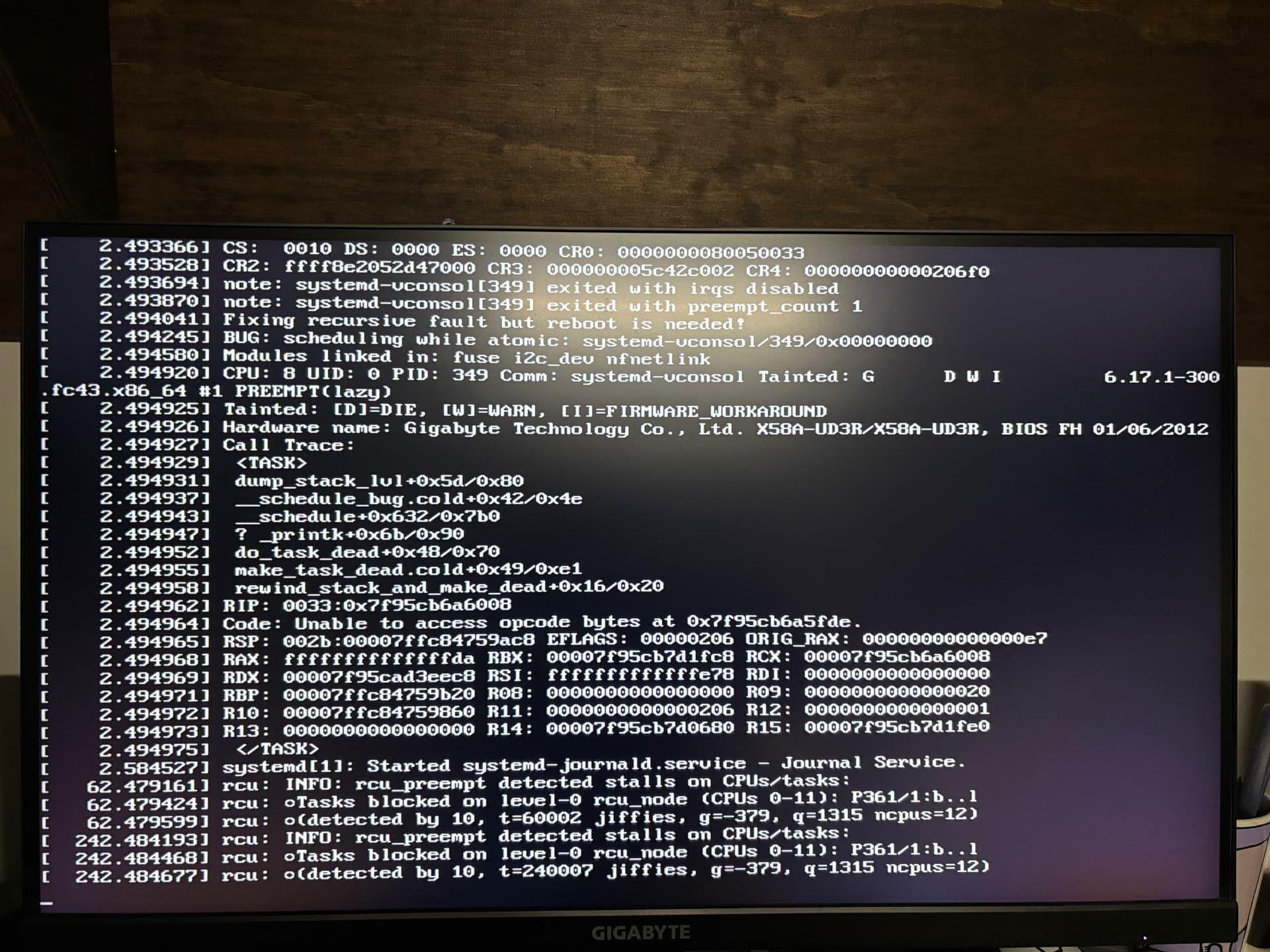
I have tried many times to install Zorin 18 (and Mint) and I have gotten it installed but it has been terribly unstable. Crashes randomly and very close to every time I reboot it will crash (kernel panic, or land on the grub menu).

I have read posts with very similar problem all the fixes I have found haven't helped out in my case.

I am an experienced Windows user but I am brand new to Linux.

My question is: Should Linux/Zorin be able to run reliably on my hardware?

Intel Core i7 970 (socket 1366 LGA)
Gigabyte X58A-UD3R (BIOS version FH <- latest stable version)
24 GB DDR3 (triple channel, 666MHz)
AMD Radeon RX 5700 XT, 8 GB (Saphire)
MSI A750GL PCIES, 750 Watt power supply

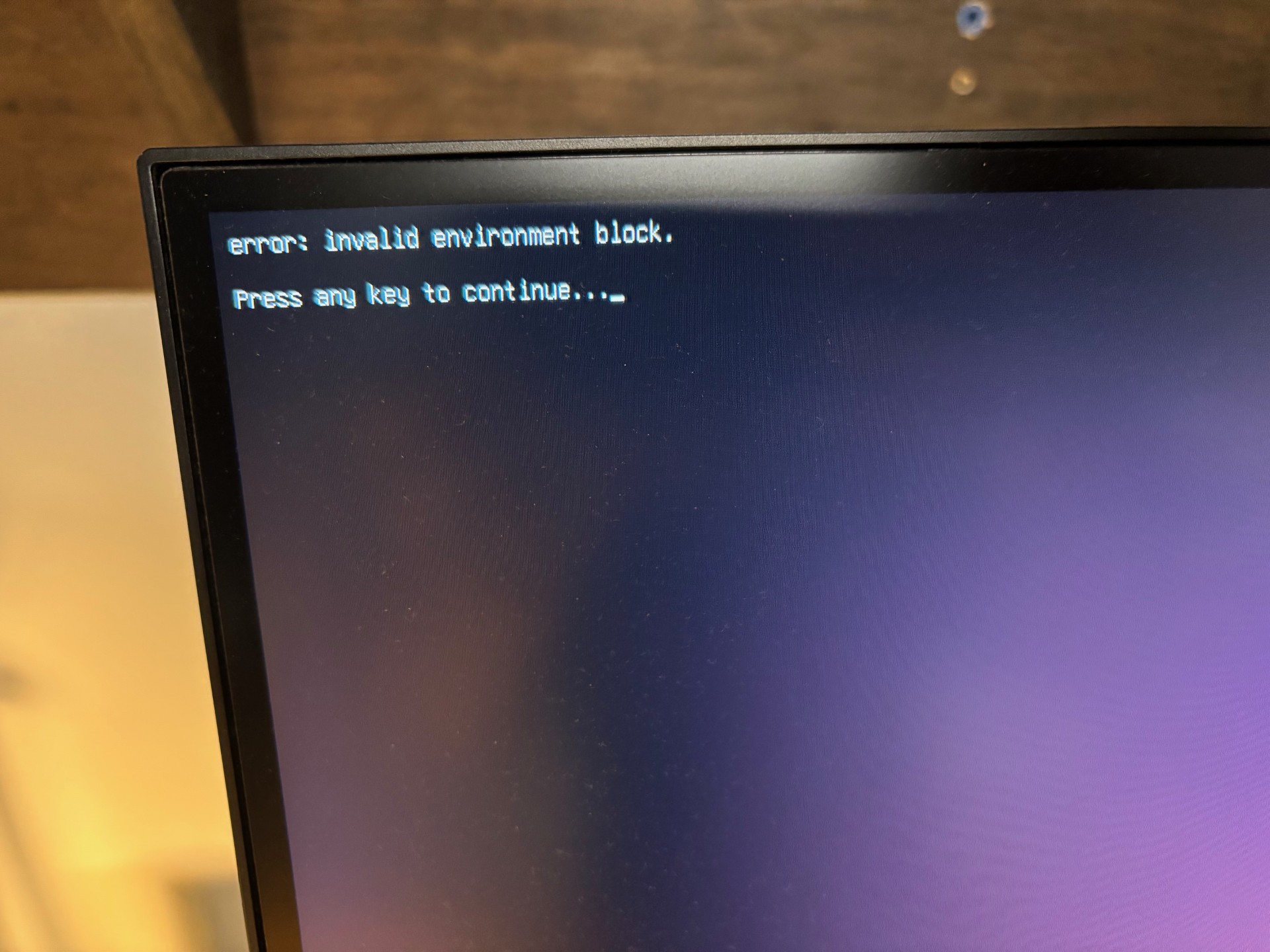
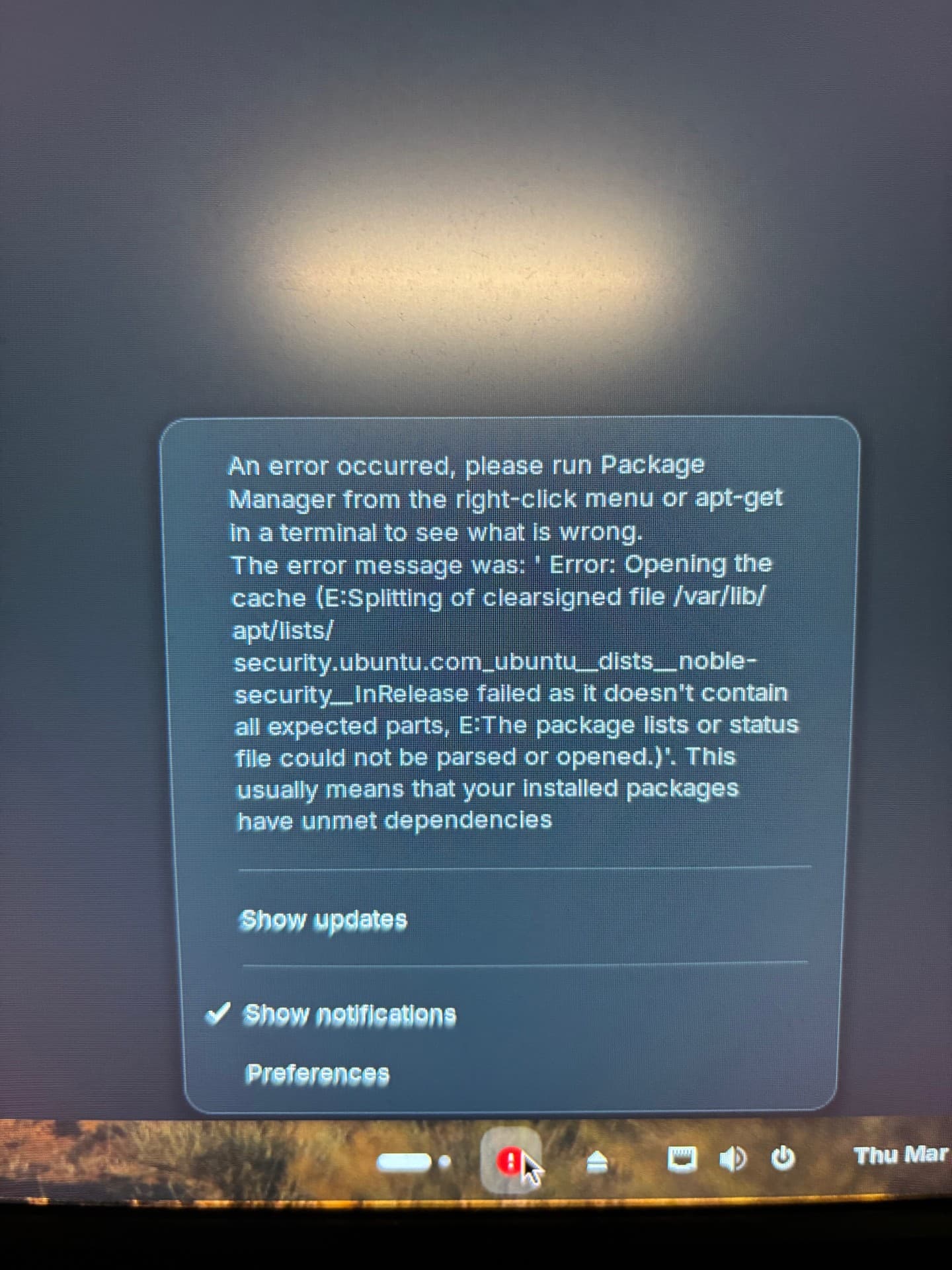
Sometimes I would get errors during the install, but it was able to continue and boot into Zorin.
Sometimes the install would complete with no errors and boot into Zorin.
All times it would be very unstable and would hard crash or fail to reboot.

When Zorin was able to boot it could run for hours. And it would run very well. I even installed Steam and played some games and they ran as well as in Windows. (the game I played most was Conan Exiles)

I'm looking for help because despite my trouble, I really like Zorin and I would like to find a way to get it running.

When I looked in /var/crash/ I found find nothing. No folders, no files.

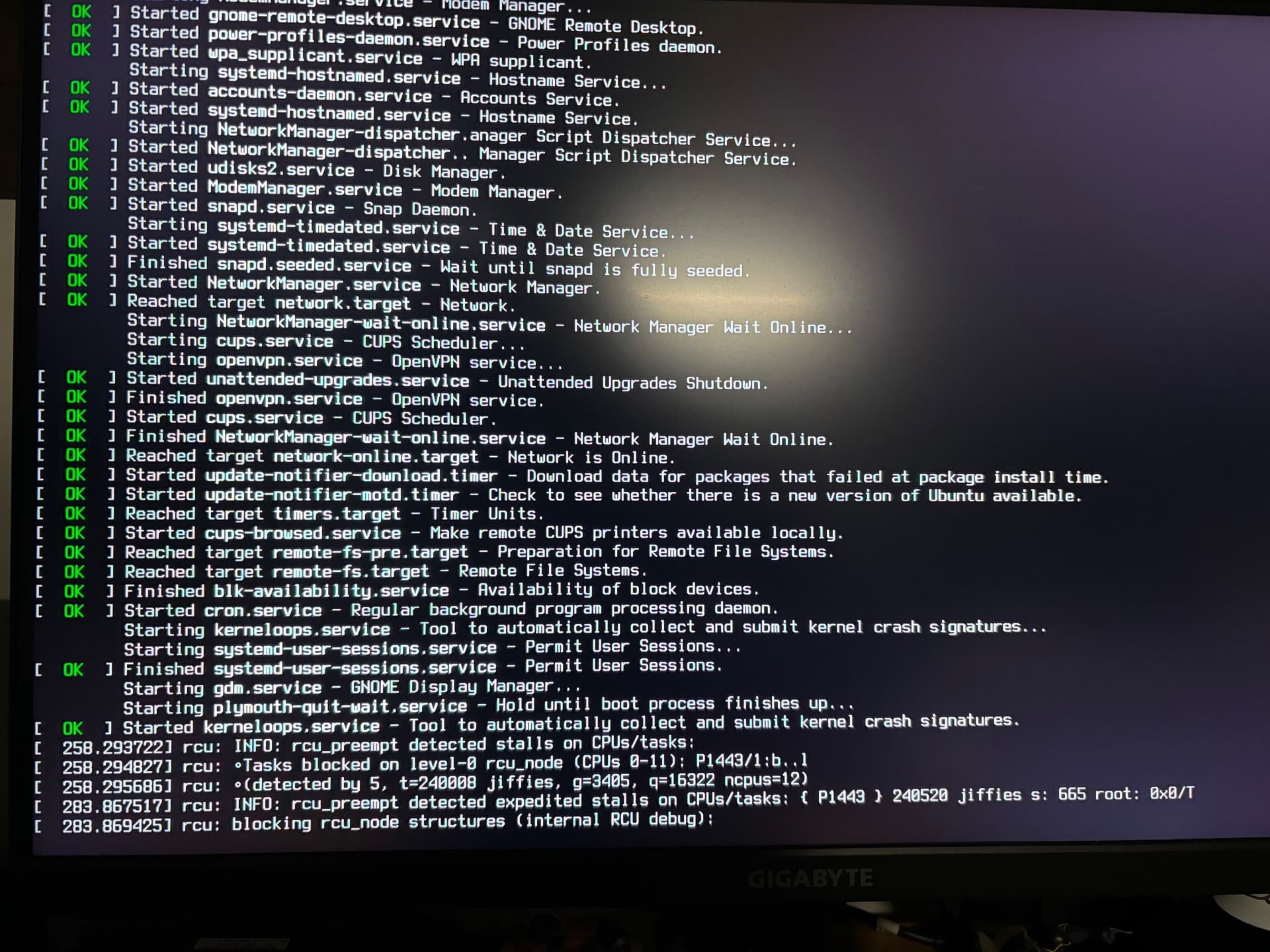
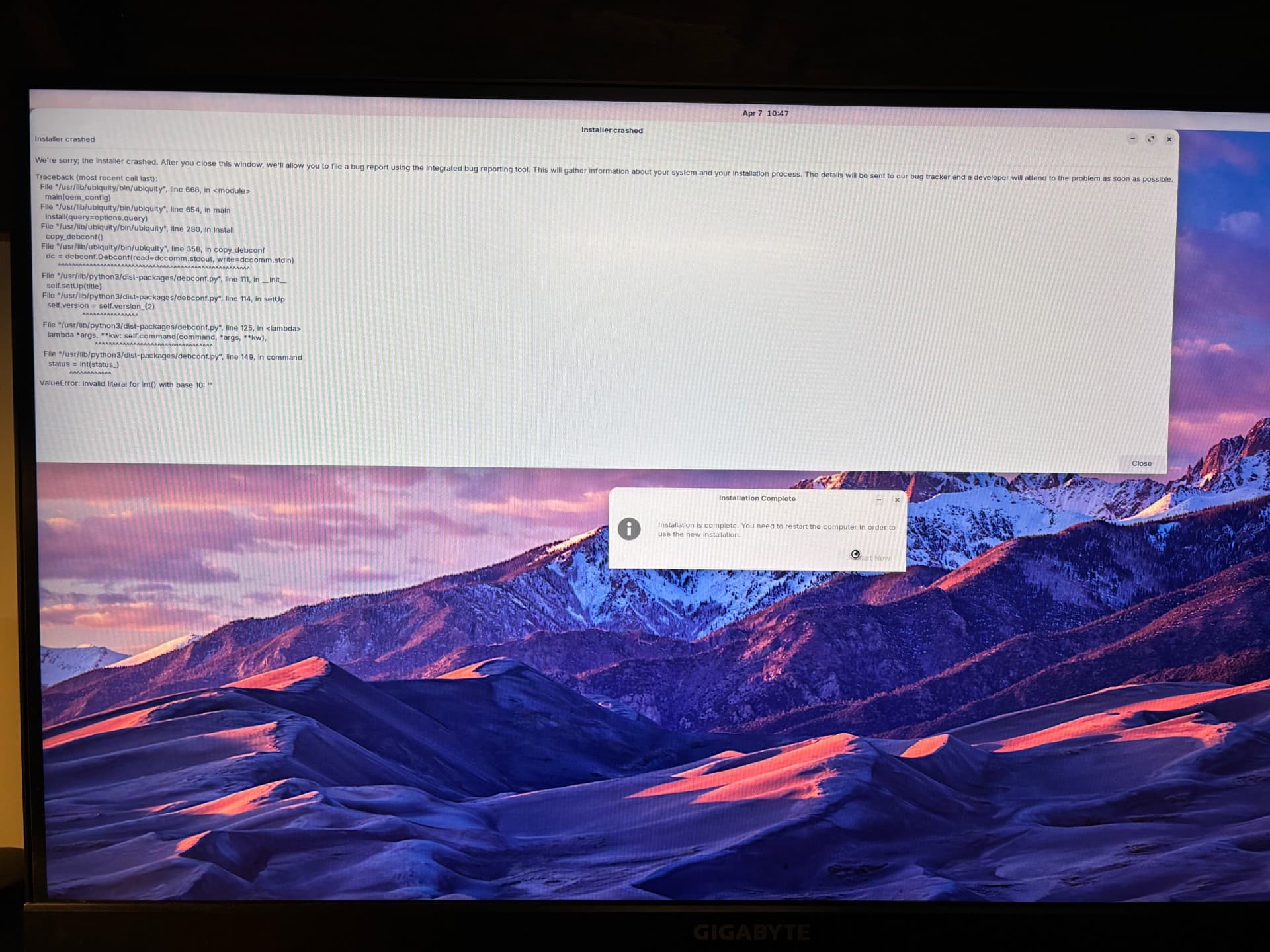
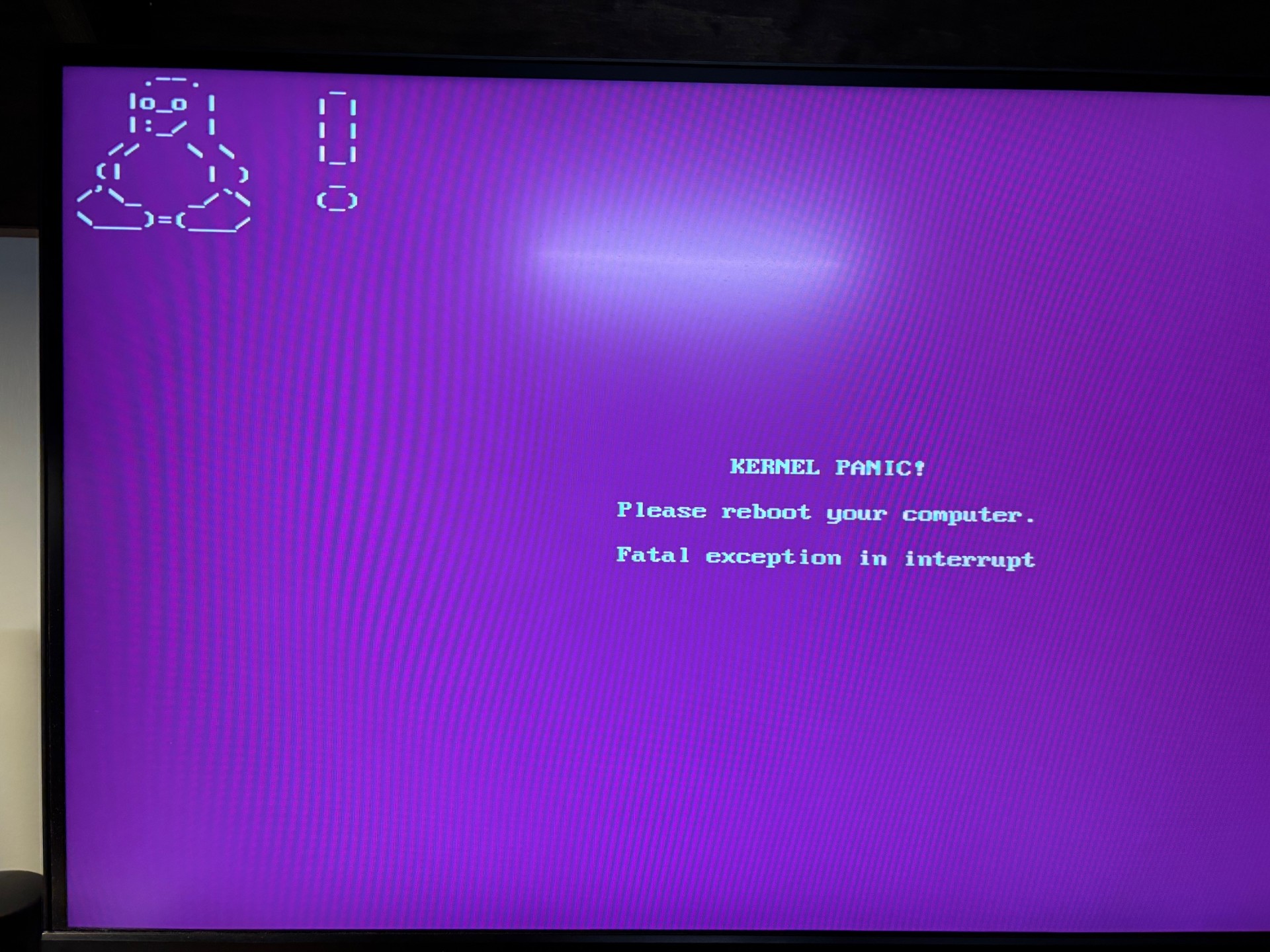
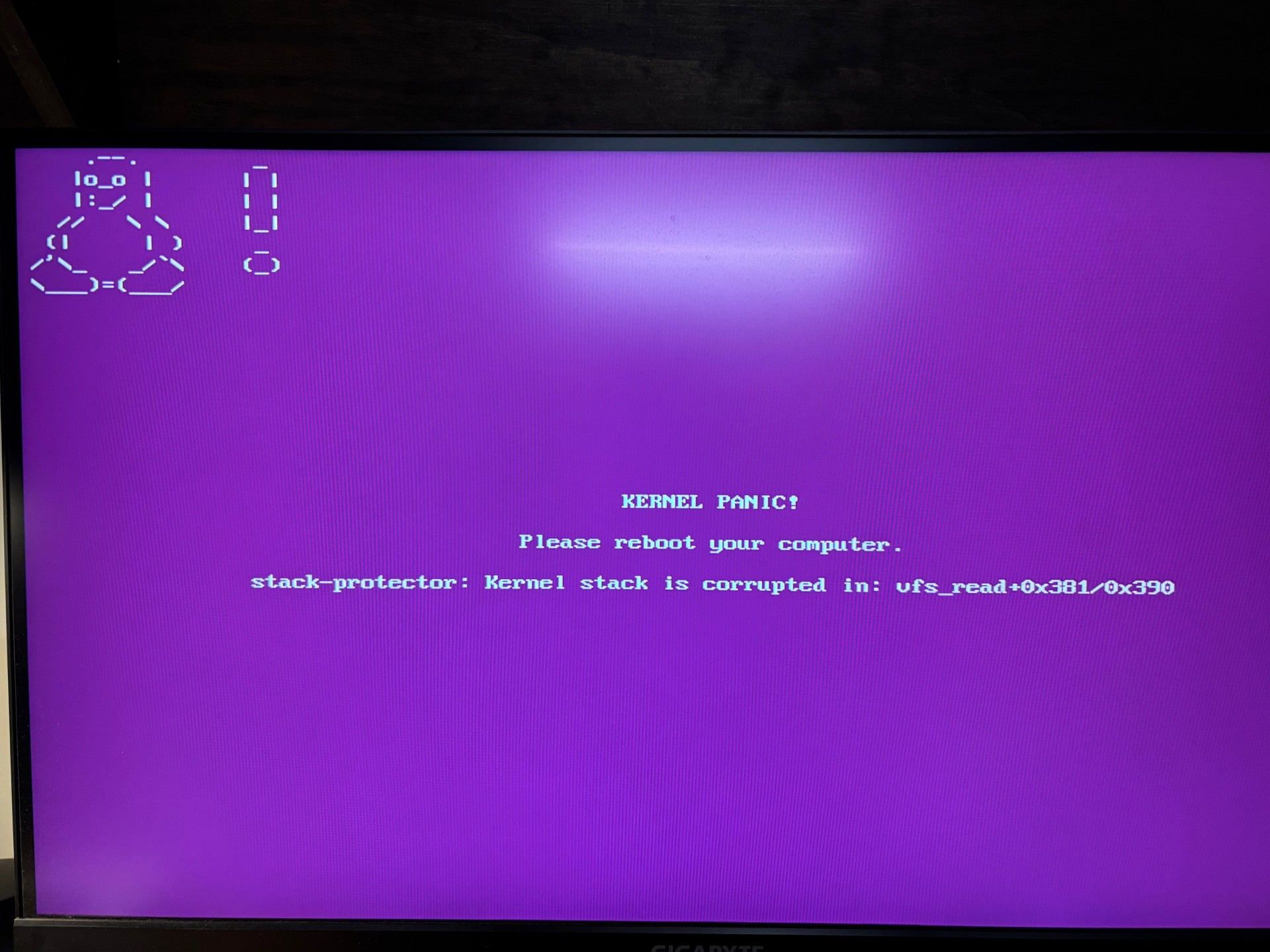
Unfortunately, I wasn't thinking about forum help while working on installing Zorin. I don't have all the error I encountered but I will attach some screen shots.

Here are some things I checked/tried:

I updated my motherboard BIOS to latest version (FH).
My motherboard does not have secure boot.
I set my BIOS to AHCI (My windows install is using IDE).
I pulled out my windows Sata SSD, and installed a different Sata SSD for Zorin.
No dual boot.
After failed attempts to install Zorin, I have tried wiping the SSD (deleted partitions) for the next attempt.
I have re-created my USB Zorin installer, tried different USB stick and different USB ports.
I even burned Zorin to DVD and tried installing from my DVD drive.
I have tried two different SSD drives (both 1 TB, WD SA500 [NAS Drive] and WD Blue).

All attempt were the same experience. Maybe it would install and when it did it ran great... except it would hard crash (kernel panic) after a short time, or long time, and rebooting and powering off would most times result in a crash.

My attempt with Mint (mint cinamon) were identical. Because Zorin and Mint are both Ubuntu based I then tried Fedora. With Fedora, even with a SDD with deleted partitions or the SDD freshly formatted with ext4, the installer could never see my SSD.

When I put my SSD with Windows installed (and change the BIOS back to IDE, Windows 10 runs well and I do not have any problems.

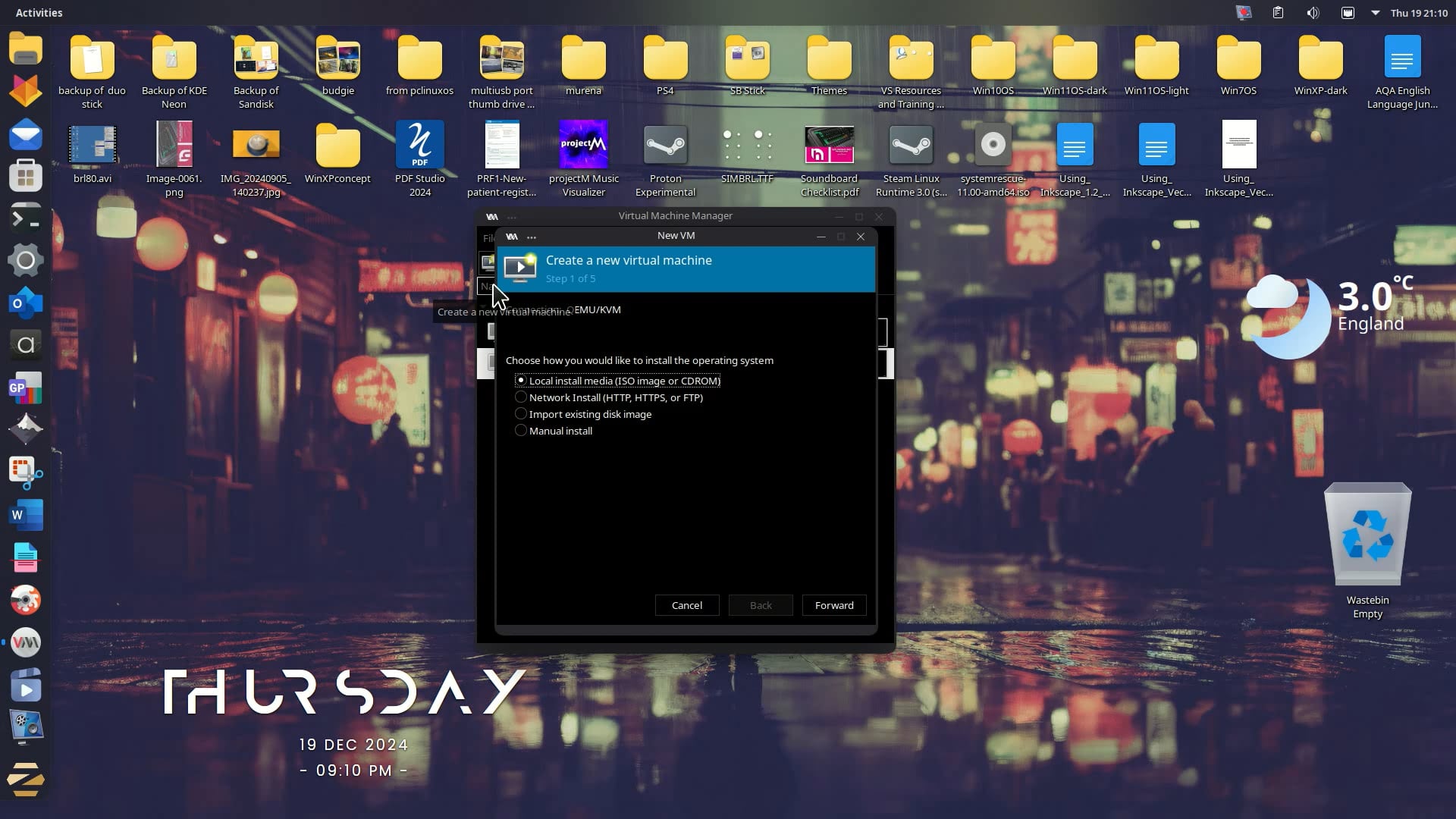
Have you tried to test run Zorin before the installation?
Well, I see it was running sometimes but not always and not stable

I see, you used ext4 for the new partition, which is the recommended default filesystem.

Have you tried:

My Zorin 17.3 was running on a Intel i5 laptop, with 8 GB RAM, graphic onboard.
Therefore, I would say your system should be fine.

They say:

(absolute) Minimum hardware specifications
CPU: 1 GHz Dual Core – Intel/AMD 64-bit processor
RAM: 2 GB
Storage: 15 GB (Core), 35 GB (Education), or 45 GB (Pro)
Display: 800 × 600 resolution

Hi Cars10,
Thanks for the reply!
Yes, I did verify that my downloaded ISO was healthy.
And I notice that the install always checks the files before installing. I never skipped this step,

I would give Zorin 17.3 a try. I am aware that it reaches EOL next April but you might have a more stable experience.
Additionally, have you tried running 18 on xorg instead of Wayland?
At login, select user name and a cog appears lower right. Click on it and select 'Zorin on xorg' then login and see if things improve.

Hi @swarfendor437

That's an important detail that I forgot to mention.

Yes, I did try xorg(x11) and Wayland. Both had the same issues. It seemed to make no difference.

I was actually thinking about waiting until next Ubuntu with Kernel 7.0 that is coming around the end of April. And hoping that moving forward might help.

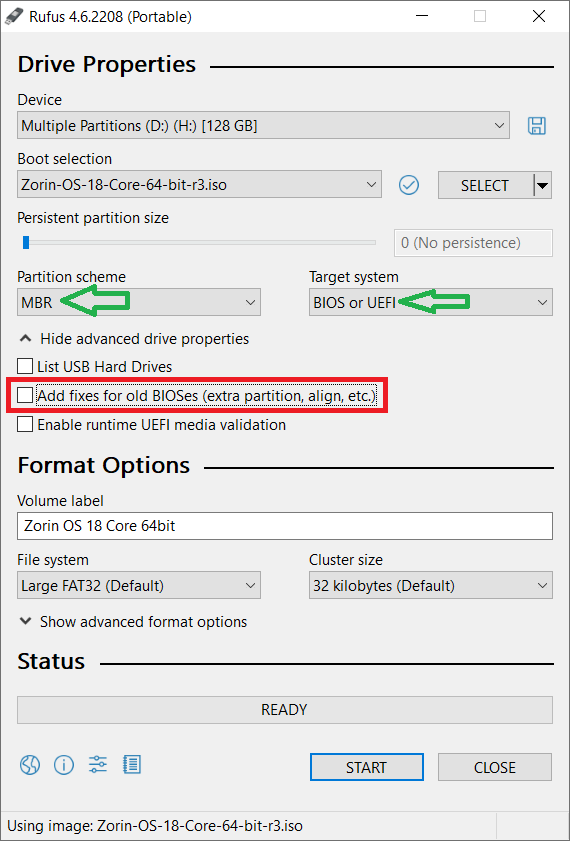
I'm seeing you're running a 970 CPU. That's a chip from 2010, so we're going on 16 years old. I would assume your motherboard is running BIOS, rather than UEFI? Just wanting to confirm that, but if it is, you'll most likely need to create a bootable USB that explicitly sets up the USB for BIOS rather than newer UEFI setups (using a tool like Rufus can help you do this).

I'm not at home to get a screenshot myself, but you would need to set the Target system to BIOS and the partition scheme (most likely) to MBR, rather than GPT. You could double check what your partition scheme is by going to Disk Management in windows, then right clicking your drive and selecting Properties (at least, this SHOULD be where it is). It should either have the drive as GPT or MBR (and given the age, i'm assuming MBR).

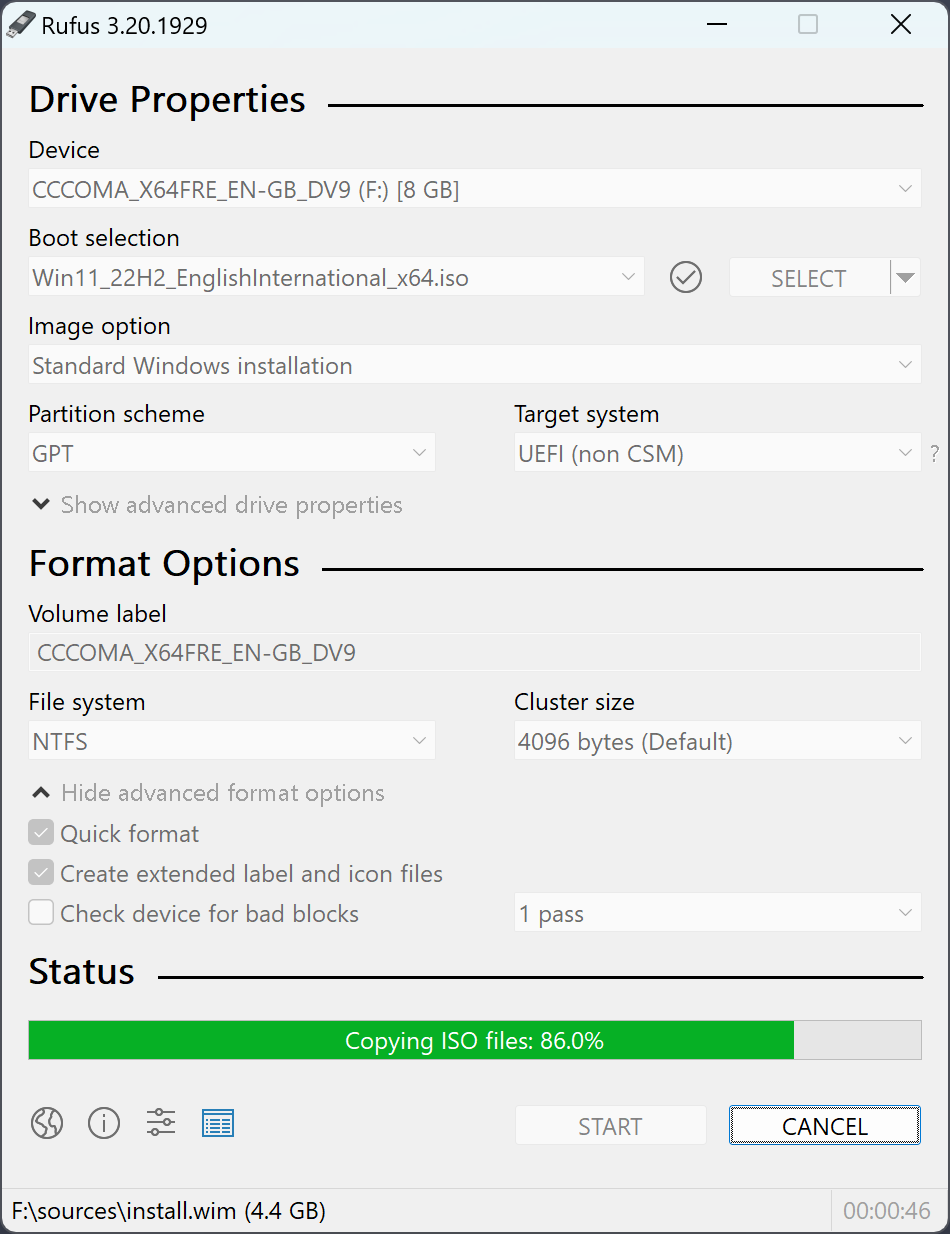
I did use Rufus to create the bootable USB for Zorin.
I did have the partition scheme set to MBR and the Target system to BIOS or UEFI.
*You're right it is a BIOS and not UEFI.

Windows Disk Management shows the USB Volumes are MBR.

This time I looked a little closer and for the first time notice 'advanced drive properties'. Where I found "add fixes for old BIOSes. I'm not sure if this applies to me but it seems reasonable. Worth trying with this option checked 'on'?

You could try that option, but I think that's generally used for old ( pre 2000s ) BIOSes, and doesn't always do much anyway. It wouldn't hurt to try though.
Another thought could be to try and older version of Linux that's running an older kernel, just to see if maybe the kernel versioning may be causing an issue here

Have you ever updated the BIOS?

In terms of a different OS I would definitely give Q4OS a try - I have installed it on a PC I built in 2006 with an MSI motherboard with a single Athlon64 processor, 2 Gb RAM maxed out, and a 512 Mb AGP 8x EVGA silent cooled graphics card. It also has something called LookSwitcher, a third party piece of Software which saves you from searching for Global Themes. I think it uses Kernel 6.1 and Aquarius release is good until mid-2028.

1 Like

Though old, all your specs tell me the computer should run GnuLinux just fine.
The various issues you show, however, suggest hardware faults.

Have you tested your RAM?
You can use MemTest from the LiveUSB.

Also, Fedora did not even see your SSD, Windows ran only in IDE - these suggest a SATA failure.

3 Likes

I think the Problem could be that the Kernel might be simply too new for Your CPU. You should try an older one. Another Point could be the RAM. You wrote ''triple channel''. Does that mean, You have 3 RAM Bar's?

@Ponce-De-Leon
No, Triple Channel kits do exist:

I also got that impression from the error messages and their random appearance.. maybe some 'bad sectors' on the RAM or disk, MemTest would help with that!

2 Likes

Lots of great comments and ideas here. Thanks all!

It feels like this must be the issue.

I didn't test the RAM from the USB boot previously.
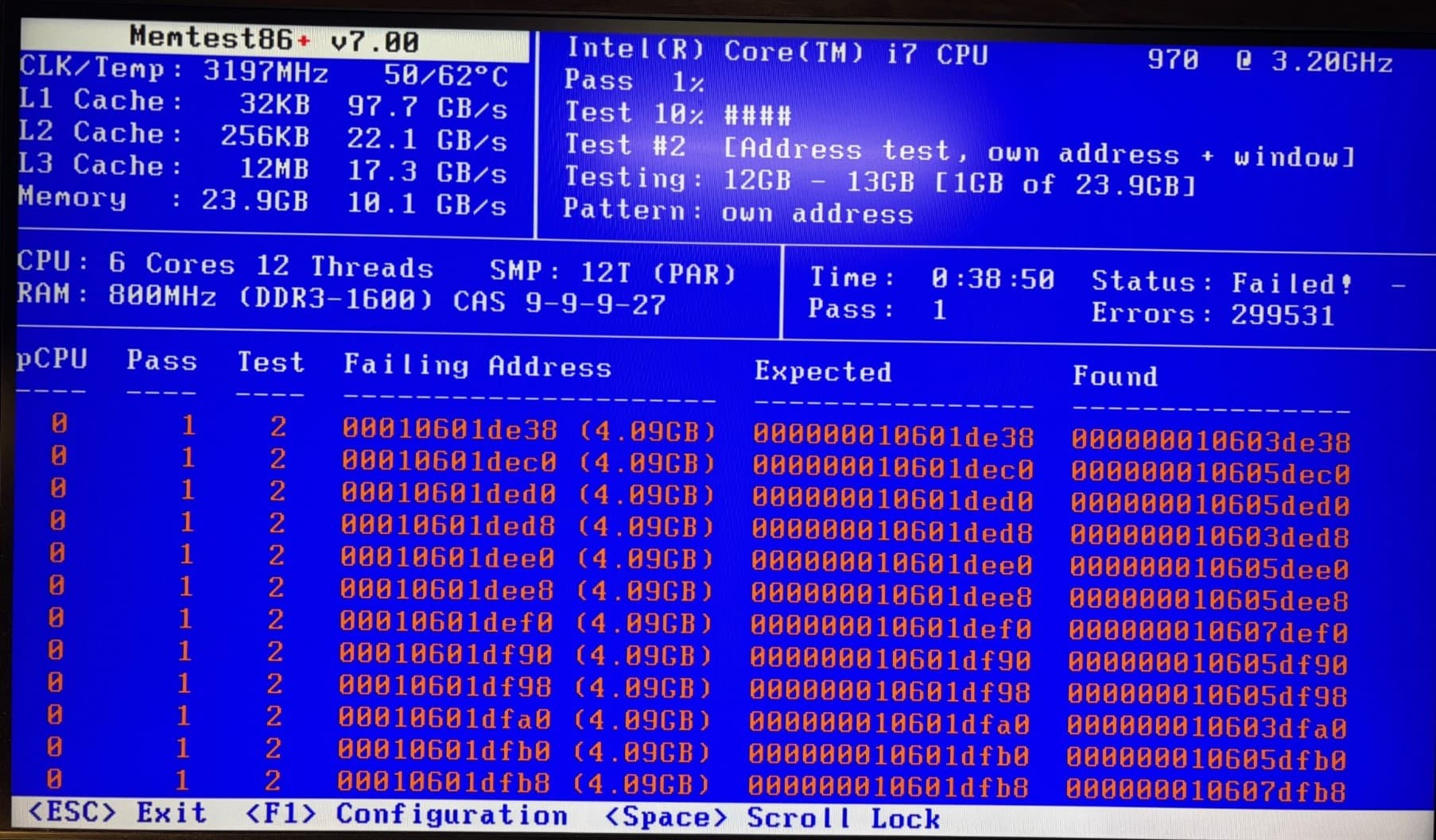
But I did tonight and there were tons of errors.

Status Failed!
Pass 1
Fail 299531

CPU: 6 Cores, 12 Threads, SMP: 12T (PAR)
RAM: 800 MHz, (DDR3-1600) CAS 9-9-9-27

I don't know why Windows 10 has never had an issue but it looks like the timing is not right for Linux.

My RAM is kingston hyperx genesis 9905403-437 .A01LF

And from a google search it looks like it should be set as the following:

Tested Latency: 9-9-9-27 (CAS-tRCD-tRP-tRAS)
Voltage: 1.65V
Speed: DDR3-1600 (PC3-12800)

RAM timing and changing voltage is not something I have tried before.
I looked in the BIOS there are a whole bunch of settings for this.

1 Like

Yes, sir ...

1 Like

Here is a Reddit post with similar issues. Although different RAM.
No problems with Win10 but well Linux (Mint)

1 Like

That is interesting. I have Corsair sticks in my motherboard but thankfully not had a problem.

When I was a self-employed IT Contractor the lead frontline technician was always commenting on how bad Kingston memory was.

It's a bit naff that RAM is being sold when faulty.

Did You checked in BIOS XMP Profile Setting? When You activate this a Preset with Speed, Timings and Voltage will be active. So, You don't have to tinker manually.

It looks like you may have found the source of your issues with the faulty RAM. While memory is quite expensive right now, it's mostly the DDR4 and above. It looks like your PC has DDR3, which was pretty cheap last I checked. 8-16 GB would likely be sufficient for daily use.

To your original question, while the hardware is old, it should run Linux just fine (unless of course there are hardware failures occurring). I have a similar computer from the same generation of Intel processors and it runs Mint (the i7-970 is still a decent CPU). Cinnamon is a bit slow, anything with GNOME is very slow a bit unstable. But Mint XFCE works well. It doesn't run like a new computer, but it makes a good backup if my main pc goes down.