If there is a reasonably simple way to do the following, any help would be appreciated.
I am not personally partial to the built in "System Monitor" and prefer to use "Mission Center", and am aware that there are alternates that others may prefer.
My inquiry is that since I prefer to "Right Click" on the taskbar to access this, is there a simple way that I could replace "System Monitor" in the right click menu with my preference rather than having to access menus or adding another icon to desktop or taskbar?
Attempted this solution to no avail. I initially attempted to replace just the command as suggested, however, upon doing so, the menu option for System Monitor disappeared all together. After returning the command to the original, it reappeared in the menu list again. Added an additional menu item just for Mission Center, but it still doesn't show up....
Here is the current script with System Monitor working, and Mission Center not
I think cmd is trying to run that (Which, I would have put the same thing you did, just so you know) as one command, including the white space.
Let's try breaking it apart:
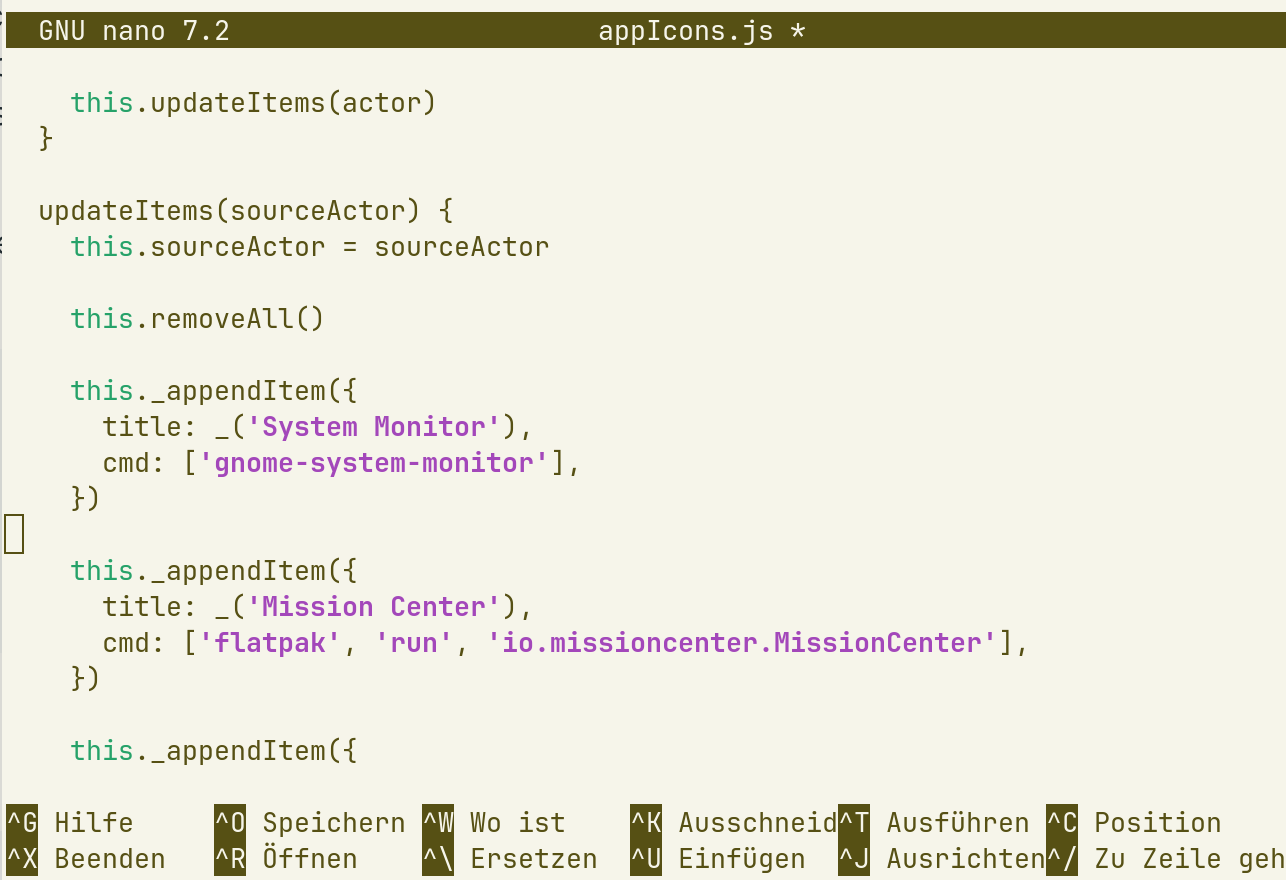
Tried to get it work, but did anywhere a mistake?
After editing the appIcons.js as you can see on the photo did a reboot, but afterwards with right click on the taskbar still appears only the "Systemmonitor", the mission center is not visible.
The mission center was installed over flatbak within the software store.
Thanks for any idea!
That looks right for me. And you have saved the file and you use Zorin taskbar? Or do you have replaced Zorin taskbar with dash to panel?
Does the MissionCenter work when you launch it from terminal with
flatpak run io.missioncenter.MissionCenter
When I tested it yesterday with the splitted flatpak command, it worked for me, but I had replaced the gnome-system-monitor with the Mission center and not added it. But actually, that should make no difference, I think.
Yes, did save the file appIcons.js and verified now again looking into it's changed content. It is saved as seen on the photo.
I use the Zorin taskbar below but additional the Gnome bar above.
First I had the appIcons.js changed overwriting the System Monitor with Mission Center entries, but did not work either. But I will try that again.
flatpak run io.missioncenter.MissionCenter
opens the mission center.