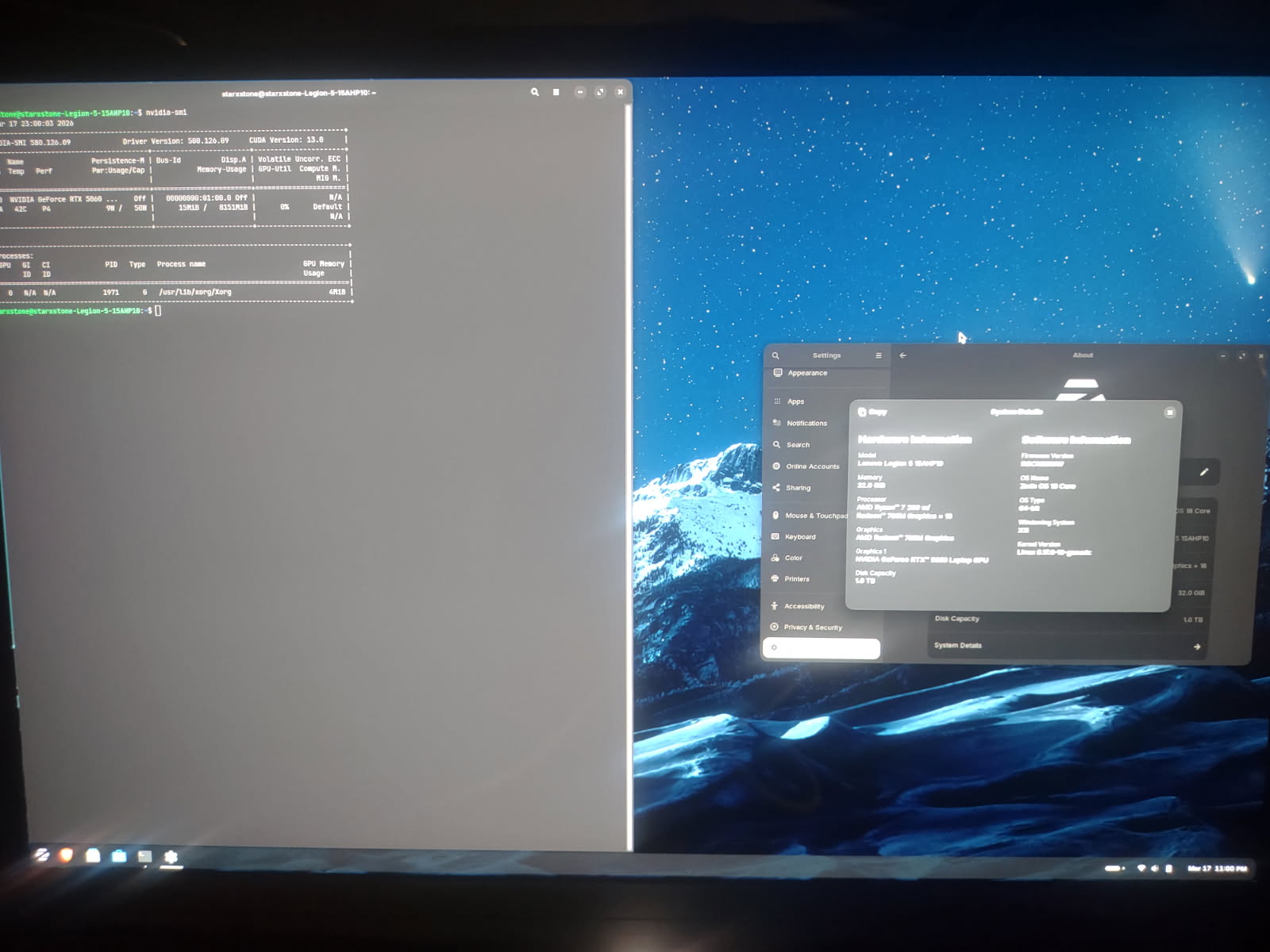
I tried this method twice on 6.17 and I'm honestly shocked 6.18 won't work with Nvidia 5060. Before someone else says it, I was getting 6.18 instances but everytime I received one it crashed on boot up and I found out it was an incompatibility issue with the driver. So, yes... Unfortunately I cannot claim ZorinOS 6.18 works with Nvidia as I originally thought.
As I stated, I have tried this twice and anyone else with a 5060 should follow these steps carefully. It's actually very easy once you follow them over the various factors I did that caused more problems than they were worth:
Grab a flash boot using bfetcher of ZorinOS
Install Zorin from flash (the option without modern graphics)
HAVE AN INTERNET CONNECTION and finish the boot installation process <-this was where I was getting most of my struggles because I have limited Internet
BEFORE you do >anything< else on your new instance you need to make sure Secure Boot is off in bios - Switchable Graphics is on - Xorg Zorin Desktop is chosen on e you click on your sign on name and click the cog at the lower right hand corner - hit the windows key and type term to find terminal - type
[sudo apt install nvidia-driver-580-open nvidia-settings]
let that install and reboot.
Verify with Nvidia-smi in the terminal after reboot and login.
If you followed everything directly to u should match my screenshot here: