Kernel Panic Unable to mount root fs - also can't boot into Grub

I'm getting the following error when I try to boot Zorin:

Kernel Panic
Please reboot your computer.
VFS: unable to mount root fs on unkown-block(0,0)

Running Zorin 18.1 (and I think Kernel 6.17)

Last time my Zorin was able to boot I saw an error about an update. I rebooted thinking I would just try the update again. But the computer was no longer able to boot. Because I wasn't expecting this, i don't have details about this update error message.

From doing some reading it looks like the fix is to boot into Grub Menu, select Advanced Options and then boot from a previous Kernel.

But I am not able to get into the Grub Menu. I have tried:

Tapping Shift while booting.
Tapping Esc while booting.
Holding Shift While booting.
Holding Esc while booting.

What is the correct way to Enter the Grub Menu?

My hardware
Intel i7 970
gigabyte x58a-ud3r Rev 2
24 GB DDR 3 RAM

I was able to boot into a live USB. I tried the utility called... system restore/boot repair? I forget the exact name. The default restore option gave me this message:
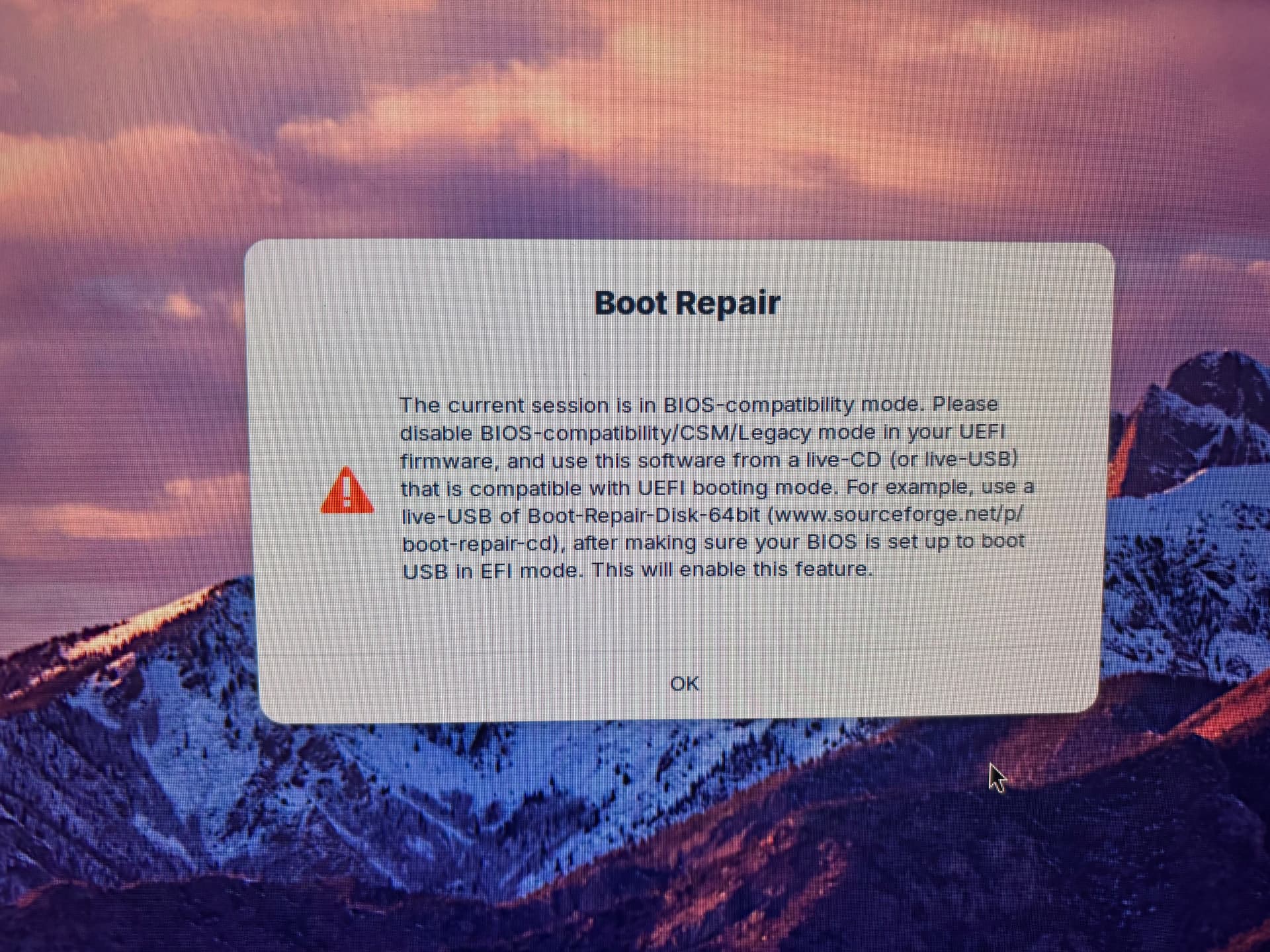
My Motherboard is old and is not UEIF. It's an old BIOS. Quick boot is off, and I think there is no secure boot option. I'm not sure how to address the above error.

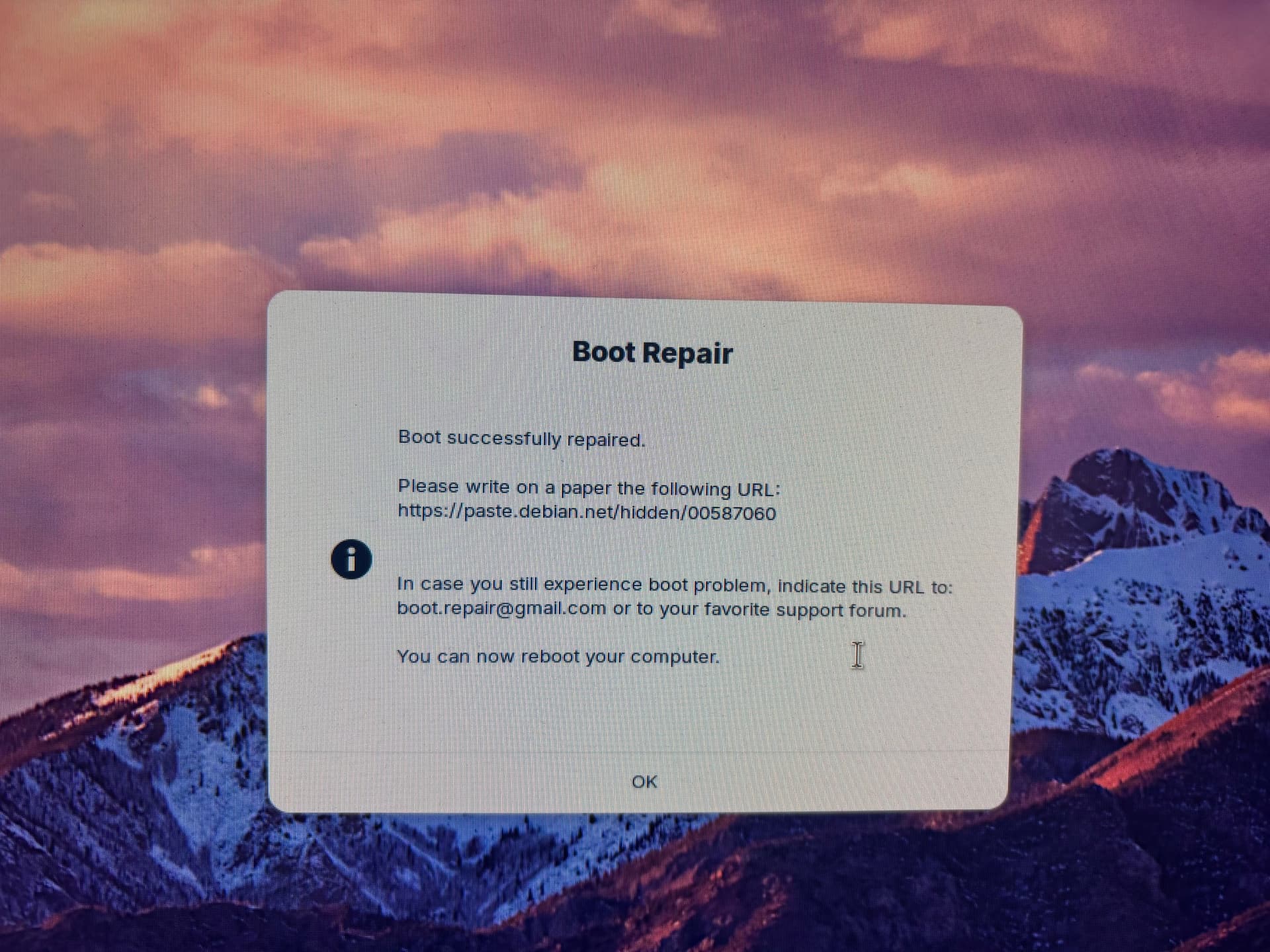
I boot back into live USB and this time I add the option to repair the MBR. This appeared to complete but I still cannot boot.
Back in April 2026 when I install Zorin I had trouble because of bad RAM. I tried to test my RAM again (just in case) and I noticed that I am now getting this same Kernel Panic error when I try to boot from a USB stick.

I was thinking (as a last resort) to re-install Zorin over top of my current install as a possible fix. (can this be done?)
But if I can't even boot to USB. I'm not sure what I can do.

I'm going to remove half my RAM and see if I still get the Kernel Panic error. And then try again by swappig in the removed RAM. To see if I'm having a RAM issue again.

Does anyone have any ideas of what I should be looking at?
I suspect it is the latest kernel, more likely than a return of RAM issues during a time when many users are getting the same symptoms after the 7.0 kernel upgrade.

Try tapping tab key furiously the moment you see the Motherboard splash screen.
If that fails after several attempts, try the esc key again - maybe the timing was off.

And this is a known issue: If a users grub file has the grub timeout set to ) seconds... they may not be able to tap the tab or esc key in time to squeeze it into that brief moment the grub menu option flickers into being.
I really wish guides on the internet Did Not advise setting that to Zero for "faster boot times".

With your old hardware with legacy BIOS it could be the left shift key. So also try that again to show grub. Press it very often and fast.

I missed seeing this:

If it is Legacy Boot: try holding the left shift key down - it has to be the left shift key.

Thanks for the tips!

I've been trying real hard to tap left Shift and I cannot get into grub.
Also tried the same with TAB.

I was tapping those keys (only one during a attempt) like a mad man.

I have 3 other PCs running Zorin and I checked and all had Grub set to 0 seconds.
I changed all to 5 seconds.

But my main PC is the problem. I booted into Zorin with a live USB and from there I tried to set the grub menu to something other than 0.

But I'm not sure if I'm accessing the Live Boot OS or my hard drive install.

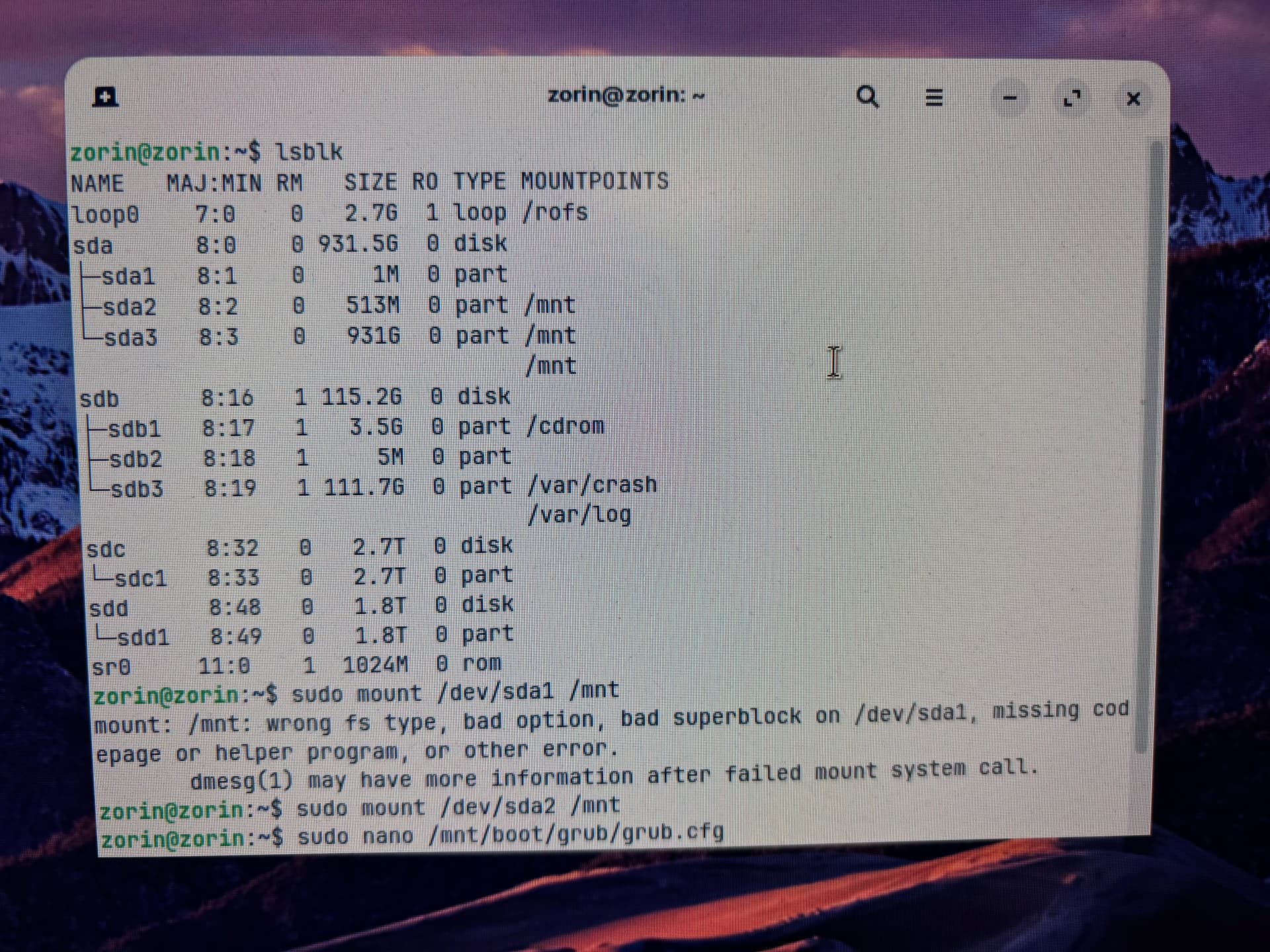
I mounted sda3 thinking that might be the drive I want. Is it?

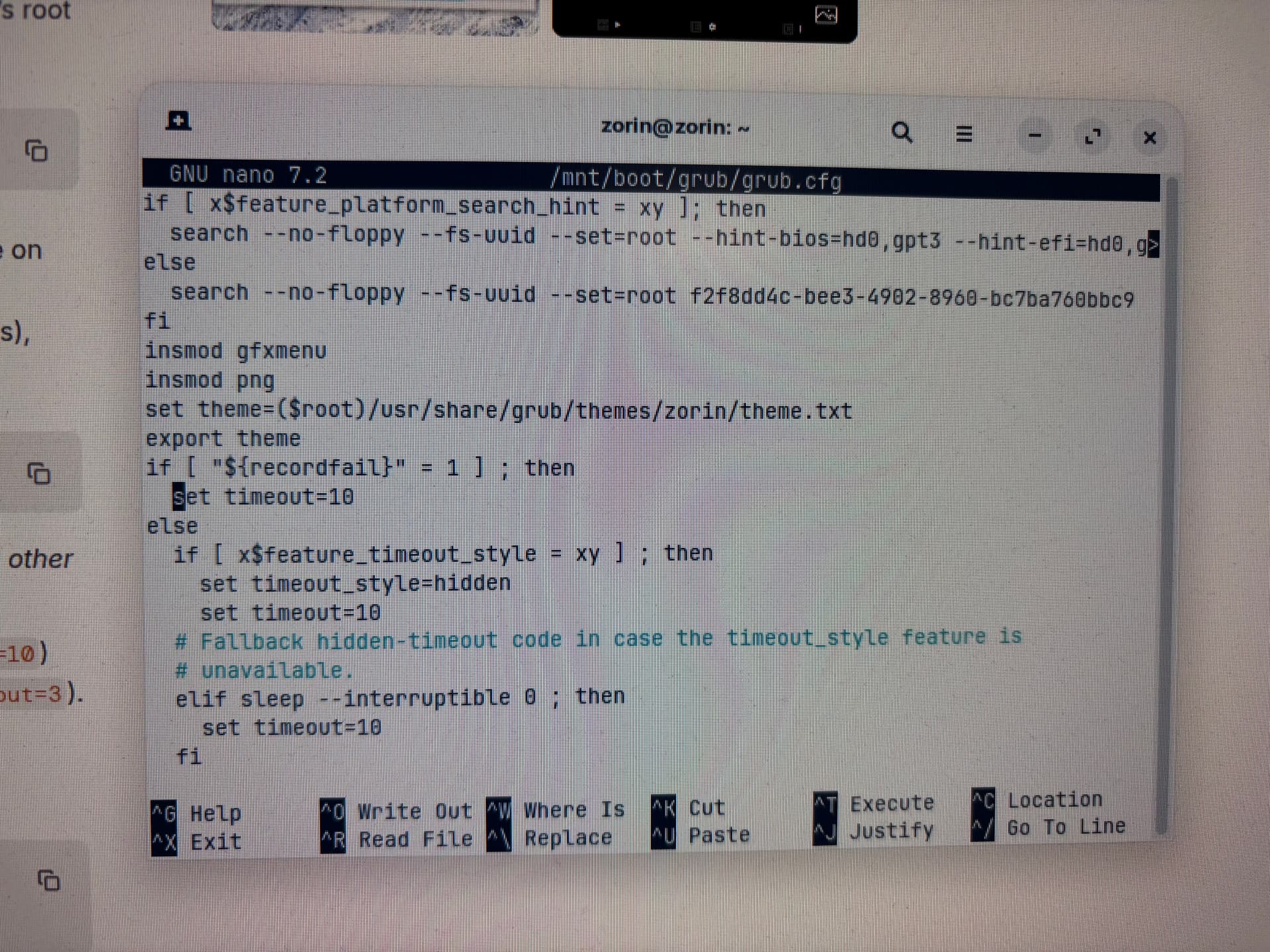
What I found was already set to 10 seconds. Did I look at the wrong Grub Config file?

If I need to, can I re-install Zorin 18 again over my current install to fix this issue?
Will I have the option to not format? What will happen to my installed programs and data?

I'm most concerned about my game save files (from gog.com managed with Heroic Games Launcher).

At any point, did you try holding Left Shift Key down?
With the Left shift key - it is Hold
With tab or esc - tap.

What you are showing is grub.cfg in /boot, not the grub file in /etc/default

With your Zorin Drive mounted, change the /etc/default/grub file - you can set the timeout to greater than five seconds, but while you are at it, you can set it to boot directly into the working kernel, too.

Mount the installed Zorin partition.
Mount the required virtual filesystems.
Chroot into the installation.

grep "^menuentry '" /boot/grub/grub.cfg

This will show you what kernel options you have.

If you have the -35 or the -40.

grub-set-default "Advanced options for Zorin>Ubuntu, with Linux 6.17.0-35-generic"
update-grub

Ok, I'm in over my head. I don't know the Linux file system well and I am having trouble identifying my root (installed on the hard drive).
And I'm having trouble mounting the required partitions so that I can make these changes.

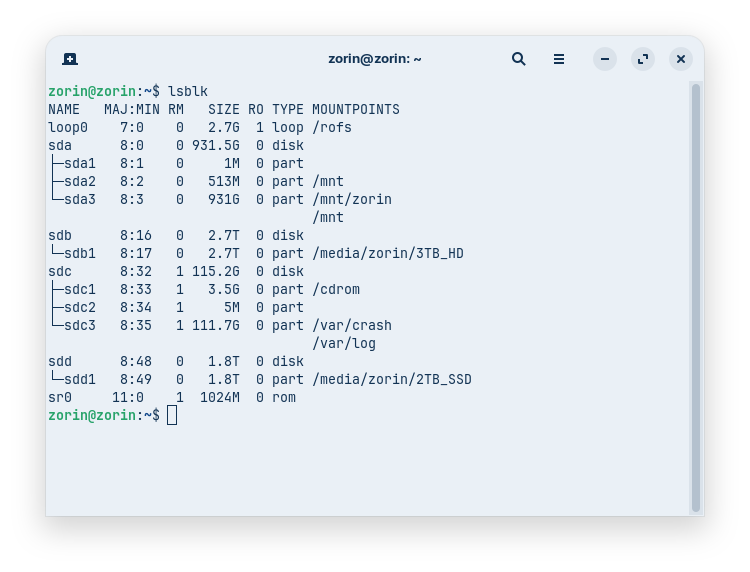
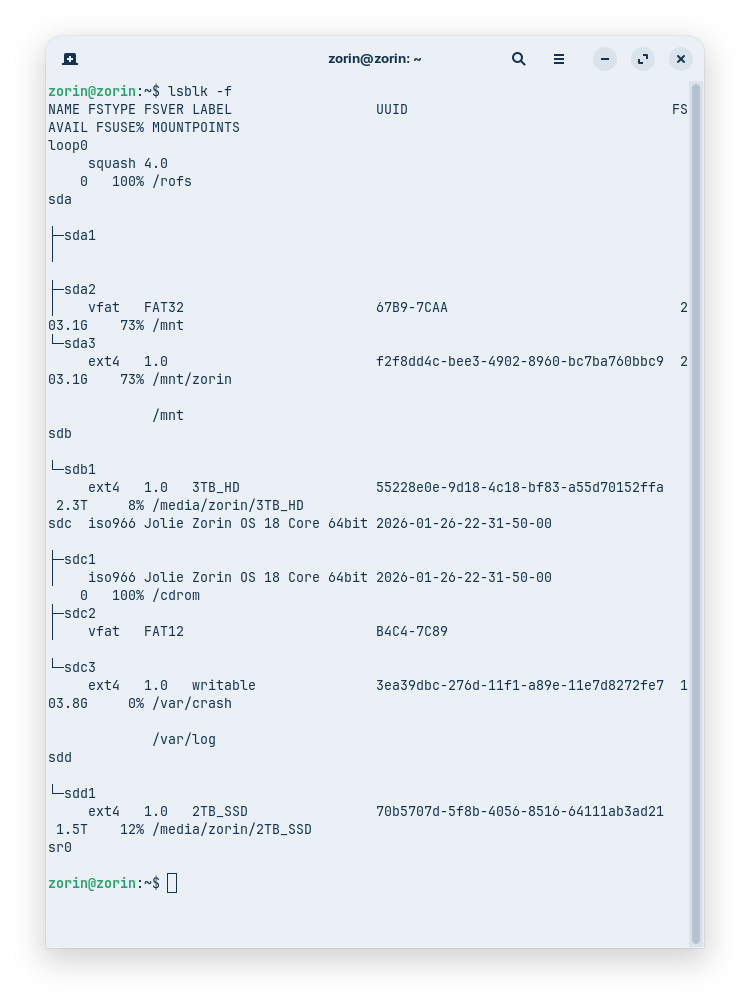
I am able to list my partitions:

I tried but I was not able to do the following:

Mount the installed Zorin partition.
Mount the required virtual filesystems.
Chroot into the installation.

I did hold the left shift down while booting. This did not work. I tried a bunch of times.

I'm wondering why you here have commands with efi in the path, and in my thread with the guide for legacy BIOS not. Is it EFI here?

Any direct answer to that would just be an excuse for my lack of paying attention (twice).
I am glad you are on the ball. I move too fast, think too fast, sometimes.

I deleted the post since it cannot apply and only mislead - and we can redirect to

Maybe yours was correct; I'm just asking because the device is very old, so I suspect it has a legacy BIOS. But I'm not very good at reading terminal outputs of partitions. There is a 513 MB FAT32 partition sda2. However, I haven't seen "EFI" mentioned anywhere so far.

When I had an issue not seeing GRUB menu when testing Zorin 18 I ran boot repair which then made the changes to show GRUB and it assigned a 10 second timeout.

@Hein99 What I would advise if you want to reinstall is download Ventoy2disk and create a fresh Ventoy but don't choose GPT creation (which tends to be chosen for EFI systems) but the other option.

You suspect correctly:

You even reminded me and after a brief time, I forget and fell back into habit that most systems are EFI.

1 Like

Hi all,
Thanks very much for your efforts!

Using /dev/sda3

I was able to do the following without error:

sudo mount /dev/sda2 /mnt

sudo mount --bind /dev /mnt/dev

sudo mount --bind /proc /mnt/proc

sudo mount --bind /sys /mnt/sys

sudo chroot /mnt

But the nano line:
sudo nano /etc/default/grub

Gave me the error: unable to allocate pty: No such device

I do have a Ventoy USB that I setup previously. But I don't recall if I selected GPT or MBR.
Are you saying a fresh install with MBR should work better on my hardware?
Can this be done without losing the data on my hard drive?

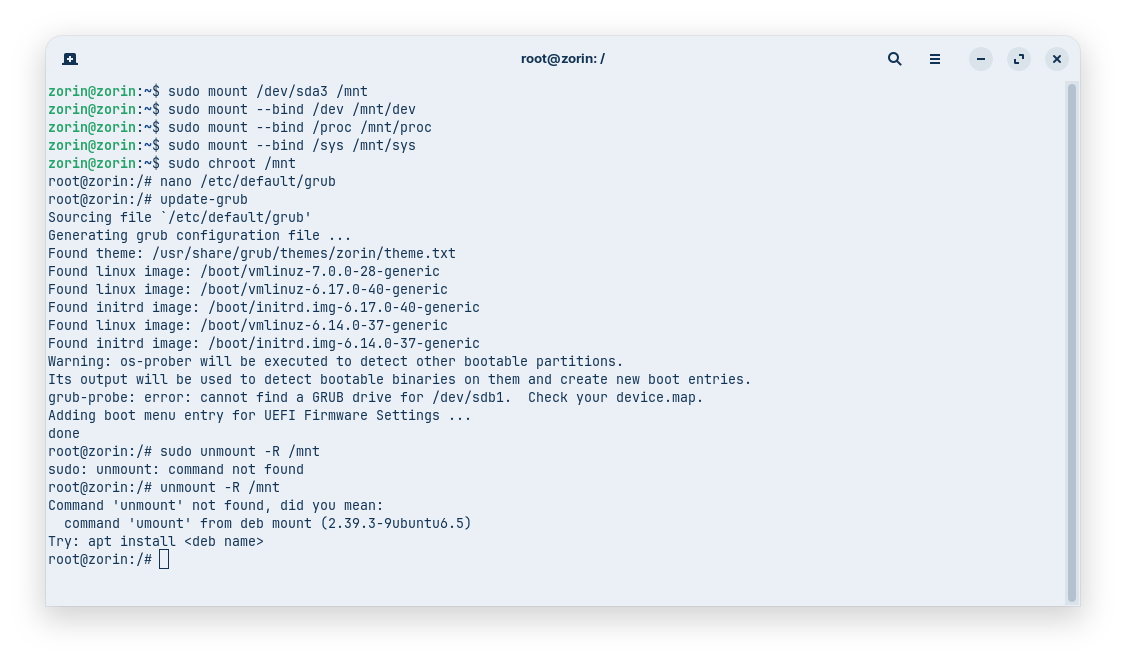
OK, running the command with:

nano /etc/default/grub

did work.

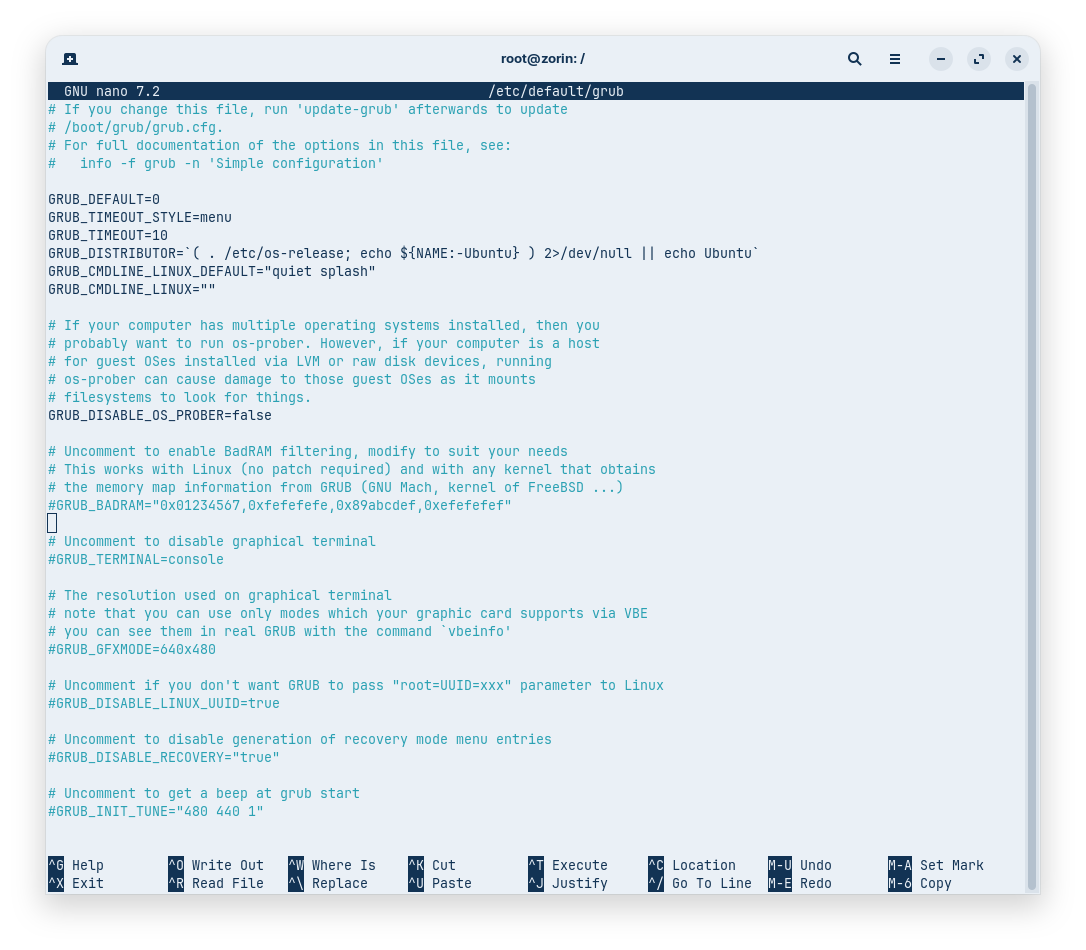
I got into Grub, but I can see that it's already set to:

GRUB_TIMEOUT=10

And the terminal title does say root@zorin: /

Maybe I'll see Grub this time when I reboot?

Okay, the grub file looks good.
Save the file:
Press ctrl+o to save, enter to confirm and ctrl+x to quit nano editor.

update-grub
exit

Unmount and reboot:

sudo umount -R /mnt
sudo reboot

Remove the usb drive when the computer is down.

1 Like

I reboot and I was expecting to see Grub show up for 10 seconds allowing me to start it. I didn't. I ended up on the Kernel Panic screen.

I rebooted again and this time I was tapping left Shift fast to see if that was still needed. Still nothing, ended up on the Kernel Panic screen.

Does it look like I need to re-install? What's the best way to preserver my zorin environment?

I have a USB ready with Zorin and a Ventoy USB.
Which is better for this situation?

@swarfendor437 Are you saying I need to re-setup Ventoy to be sure it's using MBR?

I don't think I updated Grub.
I will try these steps again.

Updating grub is important. Without it, the changes are not applied.

This time I was able to update grub, but unmounting failed:

I'm going to reboot and see what happens.