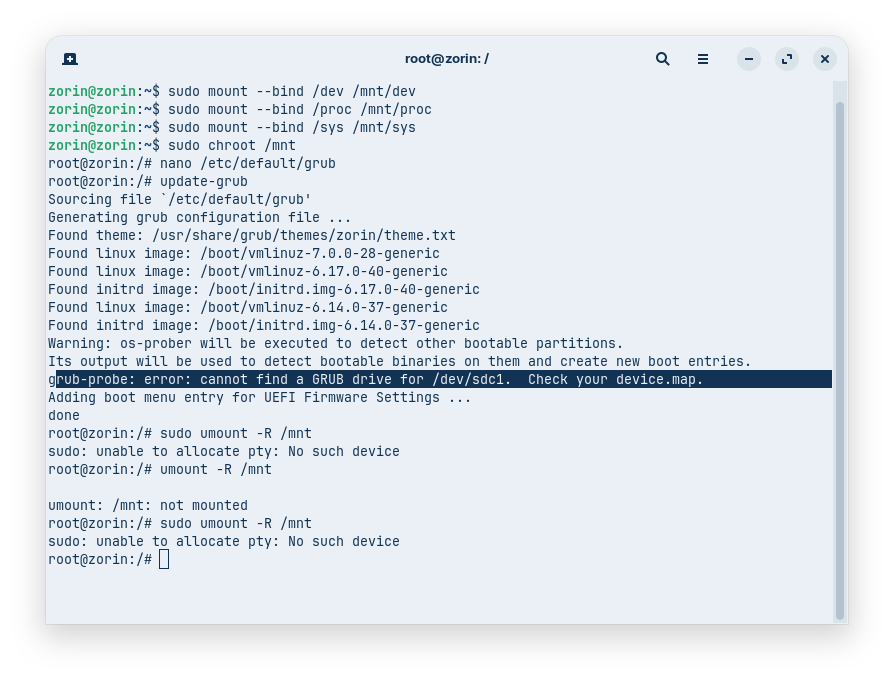
Ah, oops. Since already in chroot, this removes the need for sudo. Using it caused that error.
So just nano /etc/default/grub after entering chroot.
2 Likes
There is a typo. Just umount, not unmount
It is very important to unmount the virtual filesystems before you reboot!!
2 Likes
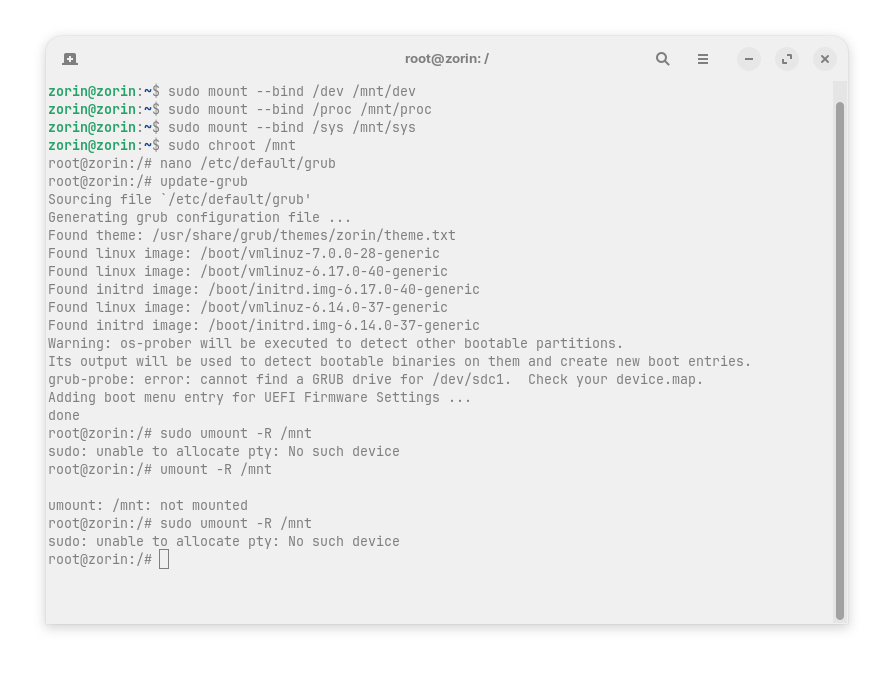
You forgot the exit command.
Thank you!
I though Exit meant, leave the Grub shell.
I did Exit this time and now umount worked.
Going to reboot now and see what happens.
1 Like
What is on your drive /dev/sdc? Is it a drive with datas only?
With the exitcommand you leave chroot.
OK, I'm still in same situation.
Even after editing Grub timeout to 10 seconds, I still can't get into grub on boot.
I always get the kernel panic.
It really could just be my inexperience with Linux.
But I do want to move forward.
What is the best way to re-install?
Can I save my environment? If not, I think I can survive that, but I would like to be able to save my data (like save game files).
Should I run the Zorin install from a Zorin USB, or is it better to use Ventoy?
Using a Live USB of Zorin OS, you should be able to access that drive and transfer any data you want to save onto a separate storage drive.
Ventoy is a means of using a LiveUSB without using a directed burner - So the end result is the same. You can burn a LiveUSB Or Zorin OS, or install Ventoy on a Live USB, plop the Zorin OS .iso onto it - and boot to the same thing.
I recommend Ventoy for its features and stability. But, it really is just your preference.
1 Like
Thanks to all of you!
You really worked hard to help me recover. And even though I wasn't able to revert to an older Kernel I have now re-installed without formatting.
And I see most of my data (like Documents and stuff). I had to re-install Firefox, but once done my bookmarks were there. And I have to re-install Steam and Heroic Launcher and a few others, but this is an OK recovery.
Grub has the timeout set to 10 seconds (I didn't set it, this is what I found):
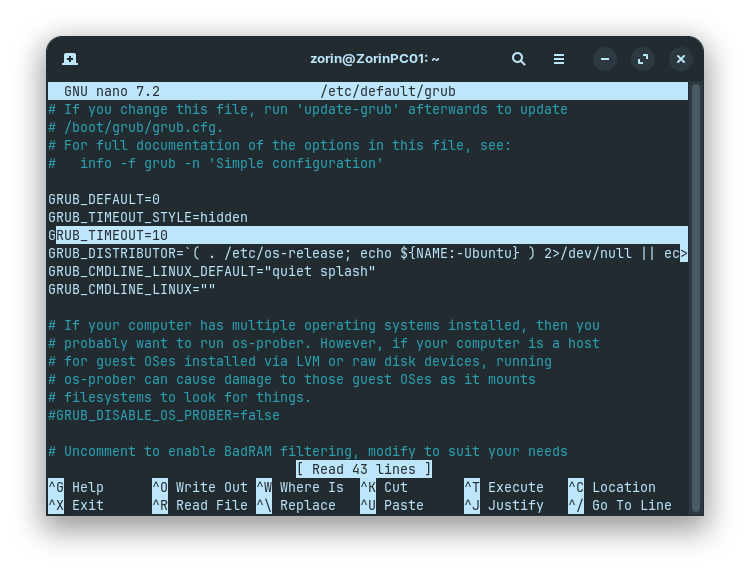
but I haven't tested it yet.
My games won't run, but I think that's because I'm on an older Proton now (and kernel).
How do I update without getting back to where I was with the Kernel Panic?
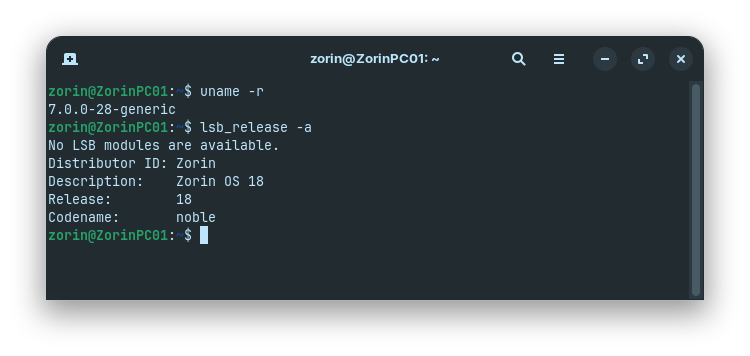
Looks like I'm on Zorin 18 and not 18.1.
Your uname -r shows you on 7.0 kernel. If you were on the 5.15 kernel, I might suspect it. But no... Just proton. Don't worry about the kernel in this case.
sudo apt update && sudo apt full-upgrade
Thank you @Aravisian
This worked. My kernel is still 7.0 but Zorin is now 18.1 and my games are running just like before.
This was Trial by Fire for me, but I'm getting some real hands on experience.
While my Zorin will boot and run well, I tested Grub and I still cannot get into it.
When I reboot and tap Left Shift i'll end up at a black screen and then the PC is frozen.
Is there a way to repair Grub?
Let's return to this:
sudo nano/etc/default/grub
Change: GRUB_TIMEOUT_STYLE=menu instead of hidden.
ctl+o, enter, ctl+x
Then,
sudo update-grub
And see if it appears at loading instead of staying hidden...
I did as you detailed. Changed hidden to menu.
saved, exited grub, then updated grub.
rebooted and I did not see the grub menu appear.
But after POST boot and before I saw the Zorin splash screen, I did notice a black screen that lasted for about 10 seconds. This might just be coincidence.
I had hopes. But sadly, am not surprised.
After Ubuntu 22.04, changes were made that allows bypassing the Grub File within the system.
And the reasons why are ugly. I will not get into it here.
Due to that Ugly Personal Ambition - us end users are affected. The Grub Menu is the gateway to the recovery menu and other graphical fixes.
What we can try next:
Add this line:
GRUB_RECORDFAIL_TIMEOUT=10
and... arrow key down to
#GRUB_DISABLE_OS_PROBER=false and remove the hashtag at the front:
It will be: GRUB_DISABLE_OS_PROBER=false
Overwrite, save as current config, then eXit again... then
sudo update-grub
And test.
If still no good... the next step is to check if the file is being overridden:
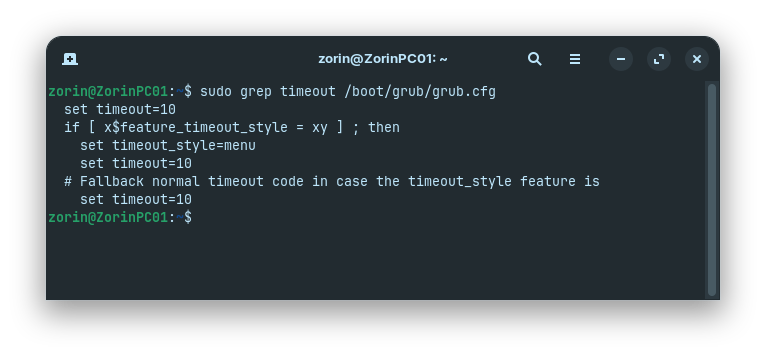
sudo grep timeout /boot/grub/grub.cfg
If that says hidden- it is taking over your configuration, for you.
I made the changes and updated grub.
Rebooted and I did not see the Grub menu.
I looked at Grub again and my changes look to still be there:
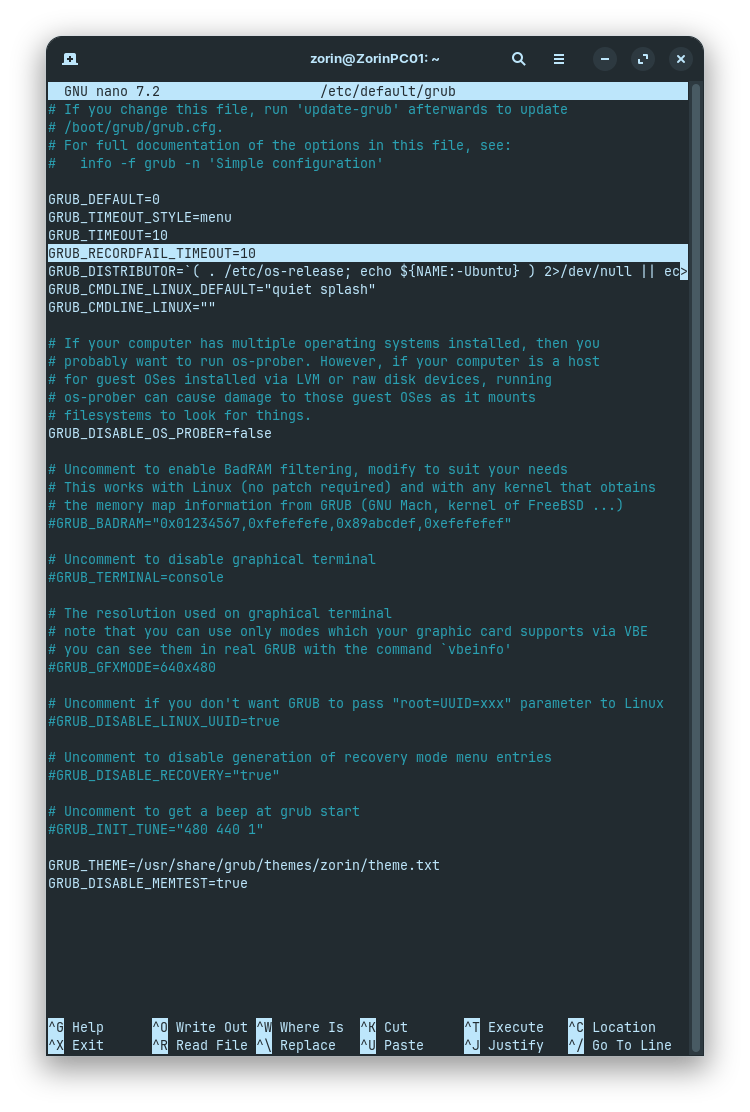
When I run "sudo grep timeout /boot/grub/grub.cfg" I don't see anything about hidden:
What is your output for
>sudo efibootmgr -v
Nothing to see here. Move along.
Move along...
Does this command work with legacy BIOS?
The hardware is
Gigabyte X58A-UD3R Rev 2
Damnit!
Is this that Same Thread?
There's two of them with nearly the same title!
I shake my fist at thee.
Can you please post the terminal output of
sudo grub-install /dev/sda
Because, if those values in grub file and grub.cfg are accurate, on MBR, it really should show the menu. There is no EFI variable to override it.
And... these files are the ones on your boot system, not the LiveUSB, correct?
1 Like