I'm running Zorin 18 and have recently installed IndiPDF. I've tried to make it the default program for PDF files but have had no luck. Any suggestions on how to have IndiPDF open the pdf file when I double click on the file?
As which package format is the app installed?
You could try it with the .deb package from their website. Download the .deb file and then doubleclick to install it.
https://downloads.indomitusgroup.com/indipdf/indiPDF_1.1.0_amd64.deb
Other package formats than apt/.deb packages are often difficult to set as default.
If you have the flatpak installed please remove it first before you install the .deb package.
2 Likes
Make a Right-Click on a PDF File and choose ''Open with ...'' and in the opening window choose the Program and activate the Toggle at the Bottom:
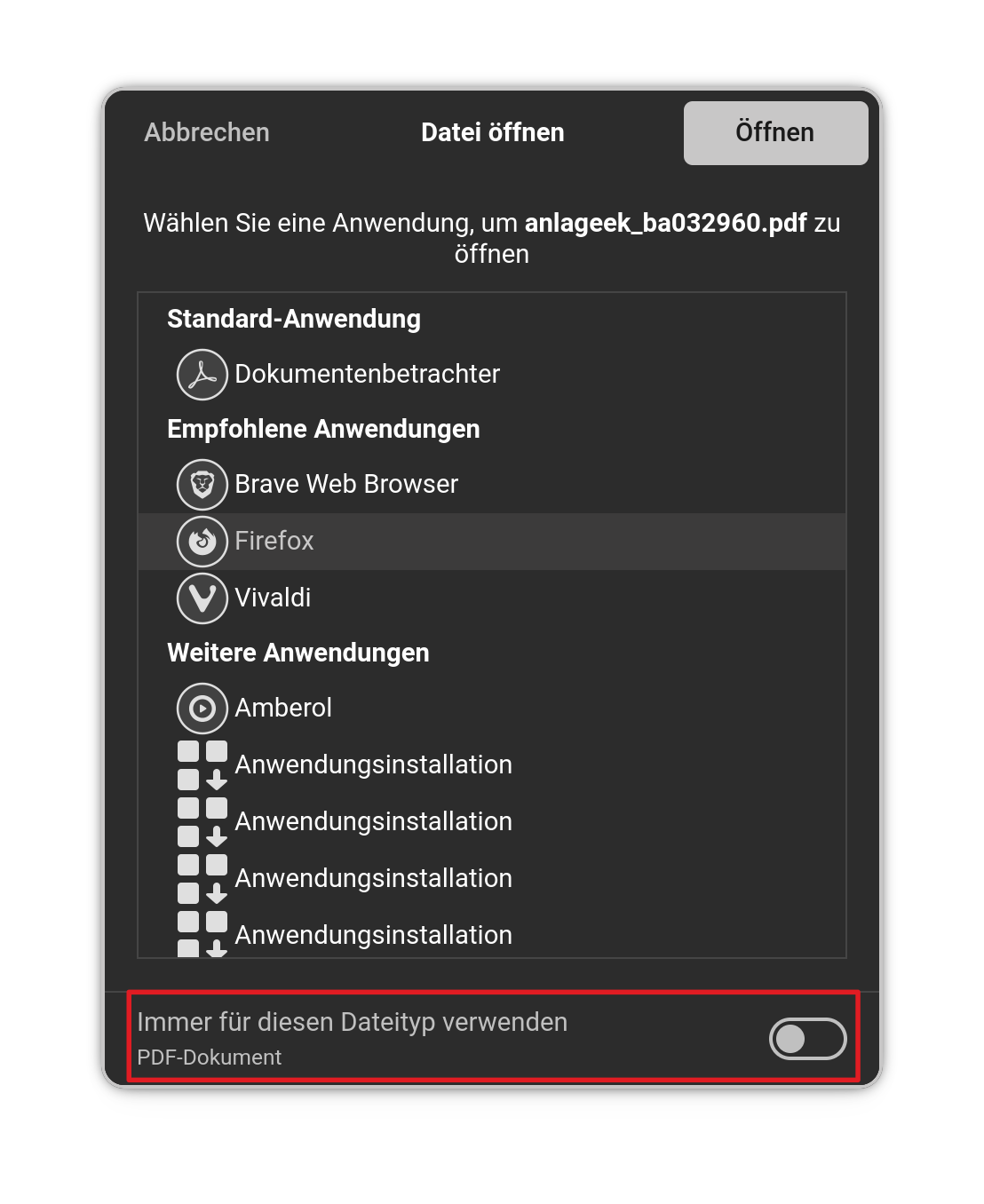
3 Likes
Thank you for your response. However, I don't have the toggle at the bottom.
Tried your suggestion.
IndiPDF does not appear in the list of other applications to open pdf files. It was there with the flathub version, however i could not select it as default app.
Flatpak/flathub is known for problems, do as forpli suggested and install the deb version. Later right clicking to a pdf file and selecting open with and making it default would be easy
1 Like
I have done that but on right click, I get "Open with other application" and IndiPDF does not appear in the list after installing the deb file. Also, the option to select an application as default doen't appear in that window. When I scroll down through the list, IndiPDF isn't listed.
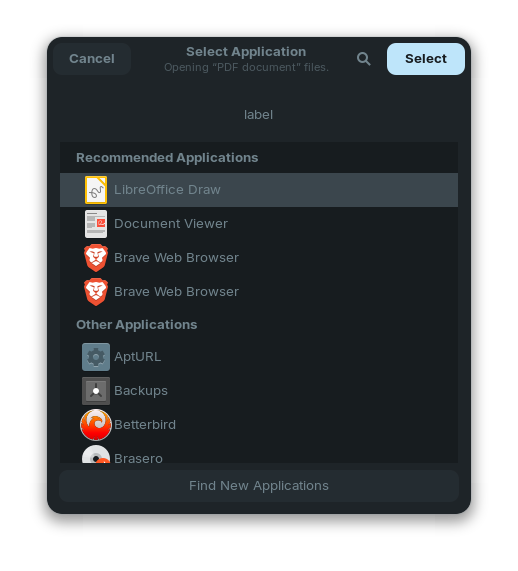
What is on ''Other Applications''?
1 Like
There a list of all or most other applications, however IndiPDF isn't one of them.
You wrote, You have installed the .deb Version of it, yes? Open the Terminal and type apt list indipdf and check if it is installed.
1 Like
Thanks. Will do that. Although I have opened a file from IndiPDF since installing the Deb file.
When I typed in apt list IndiPDF, all I got was:
Listing... Done
Maybe my Package Name wasn't right. But when You already used it, it is obviously installed.
1 Like
It's definitely installed but I still can't set it as default PDF handler. 
I just downloaded indiPDF to test it for you.
And you are completely right that GNOME's default file manager Nautilus doesn't show it.
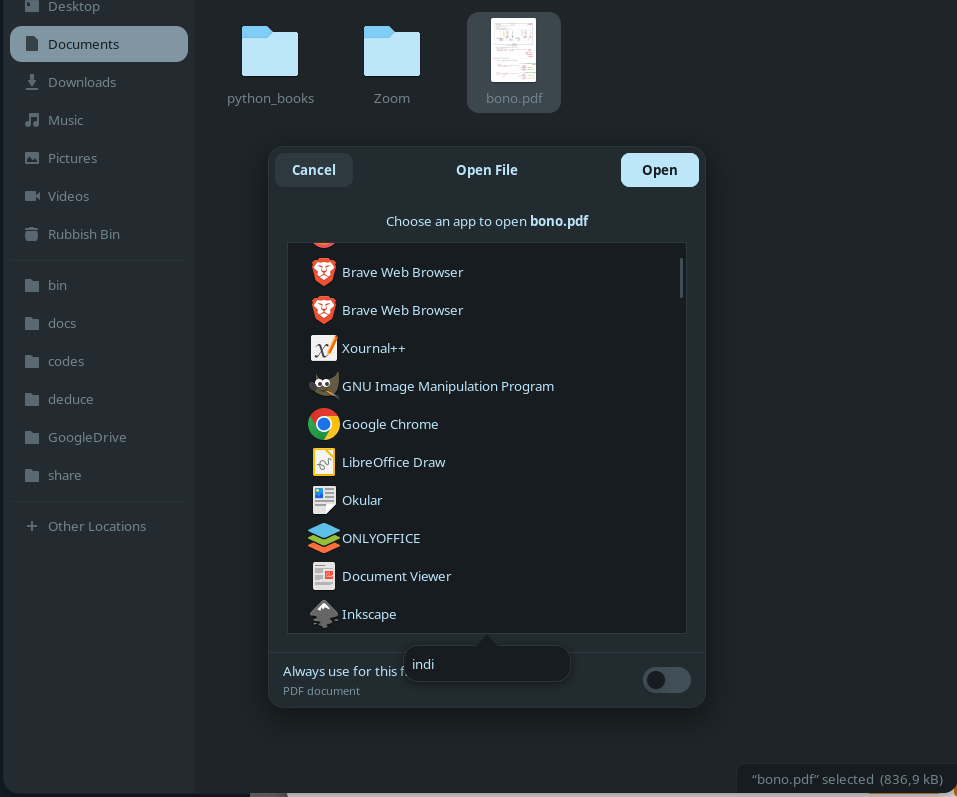
Since Nautilus sucks like always, I tried with Dolphin File Manager and it shows it.
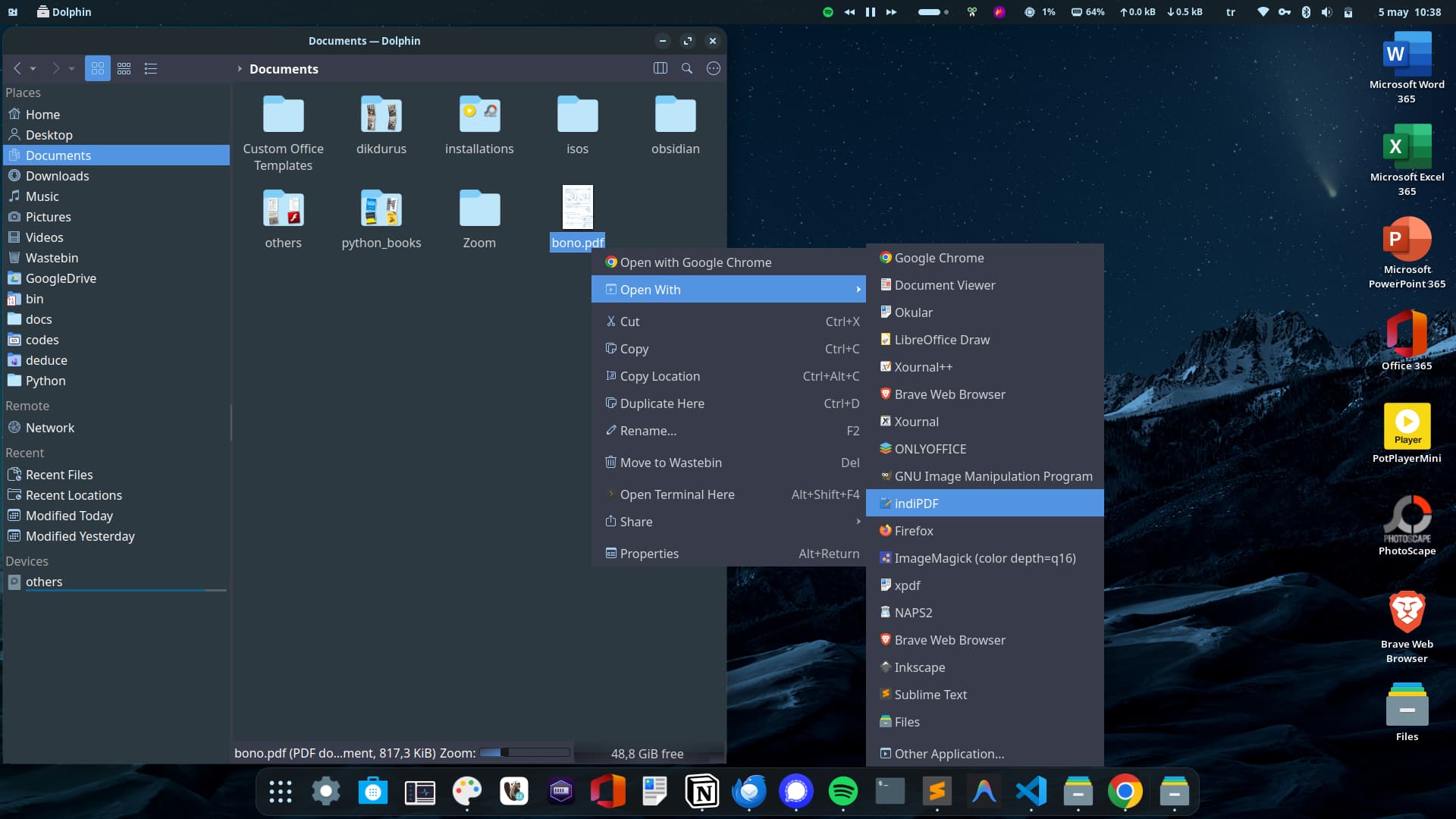
As I said here, maybe you can try with Dolphin File Manager (or consider other pdf annotation apps such as Okular/OnlyOffice/Xournal..)
2 Likes
what you can try, edit ~/.config/mimeapps.list and in [Default Applications] section search and replace, application/pdf=***** by application/pdf=indiPDF.desktop, or create it
2 Likes
I tried it with Nemo file manager, and it shows indiPDF as Dolphin, too.
In my test in a Zorin 18.1 Core live session there was no ~/.config/mimeapps.list, so I edited
/usr/share/applications/zorin-mimeapps.list
and added application/pdf=indiPDF.desktop there, then indiPDF was set as default application for PDF.
Addition: It would be better to just create that file ~/.config/mimeapps.list, if no one exists and write into the file
[Default Applications]
application/pdf=indiPDF.desktop

[Added Associations]
application/pdf=indiPDF.desktop;
Instead of editing a mimeapps.list file, you can also use the terminal command
xdg-mime default indiPDF.desktop application/pdf
This command creates an entry for indiPDF at ~/.config/mimeapps.list to set it as default PDF application.
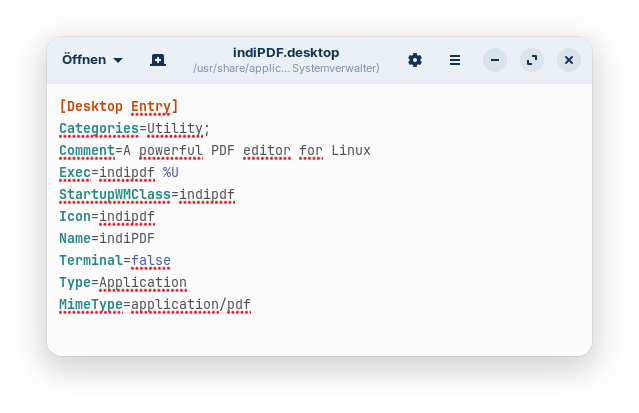
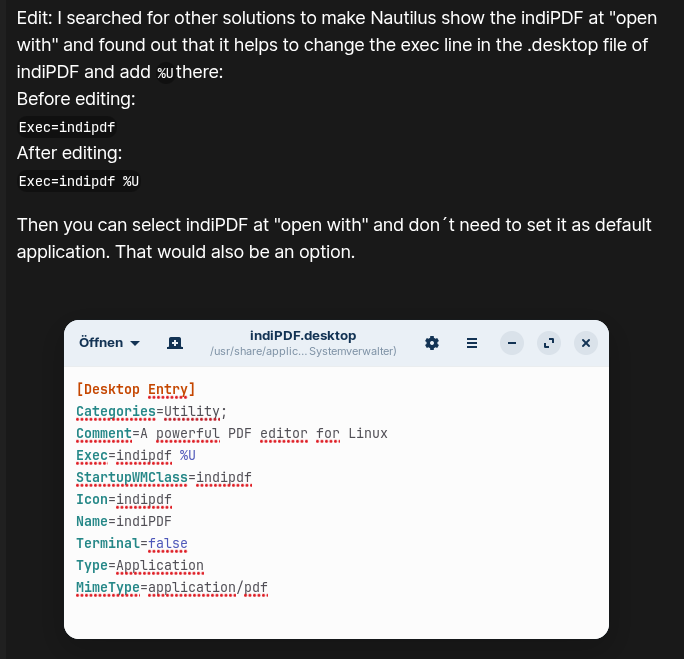
Edit: I searched for other solutions to make Nautilus show the indiPDF at "open with" and found out that it helps to change the exec line in the .desktop file of indiPDF and add %Uthere:
Before editing:
Exec=indipdf
After editing:
Exec=indipdf %U
Then you can select indiPDF at "open with" and don´t need to set it as default application. That would also be an option.
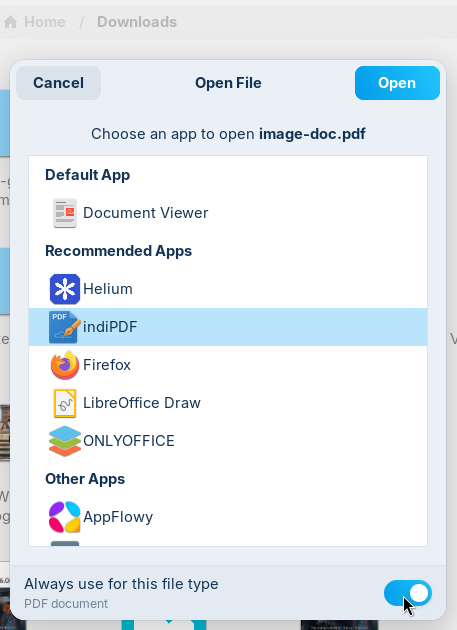
Now you see it in the list at recommended applications in Nautilus:
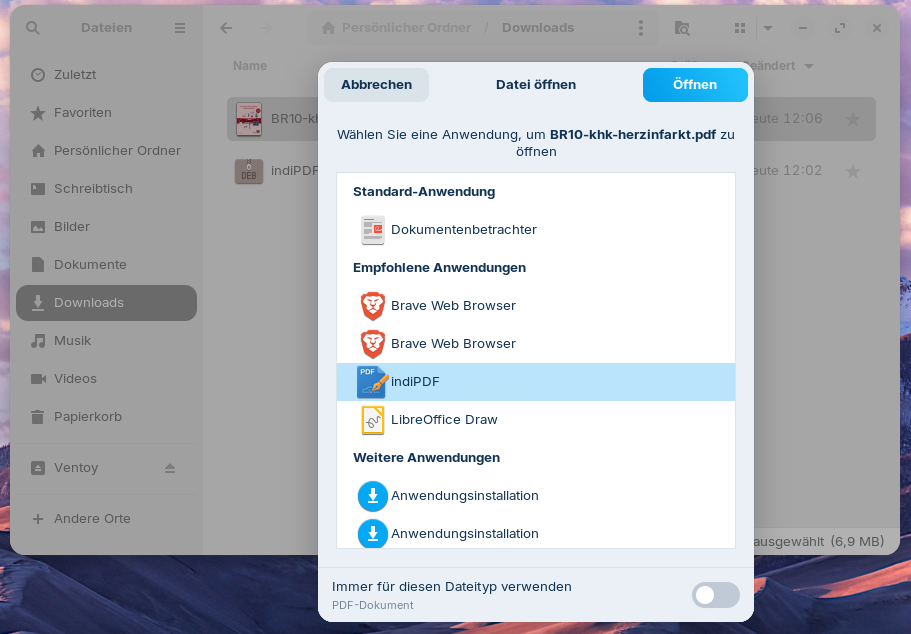
If you like, you can turn the slider to always use that app. This will create an entry for indiPDF at ~/.config/mimeapps.list.
Can someone please tell me why the program appears now in the list and whether %U is the correct parameter? It also works with %f or %u. How do you know what placeholder parameter to use? Why do Nemo, Dolphin and Thunar offer the app in the list, but Nautilus not by default? Does nautilus need an addition like %U to work?
2 Likes
Not always, from my personal usage I can say that it should not be an issue. Currently have set 3 flatpak apps - Loupe as default the image viewer, Cine as the the default video player and Ptyxs as the default terminal.
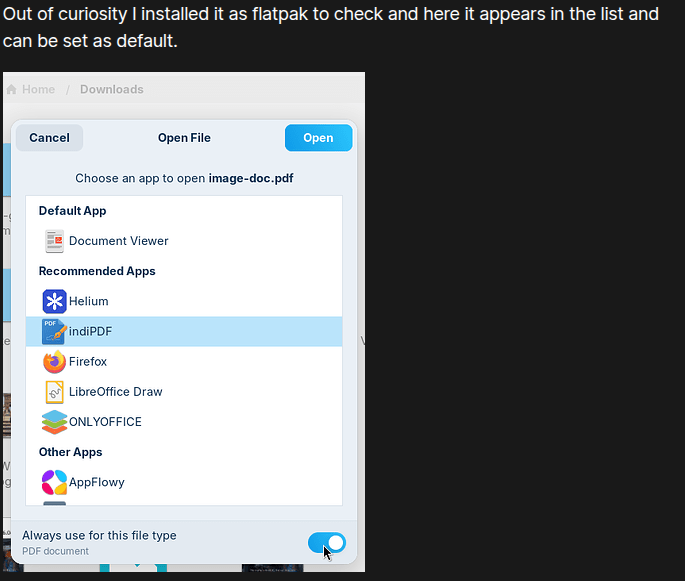
Out of curiosity I installed it as flatpak to check and here it appears in the list and can be set as default.
Stop pointing finger to Flatpaks whenever there is an app related issue, until its fully confirmed that issue is actually with app's flatpak packaging 
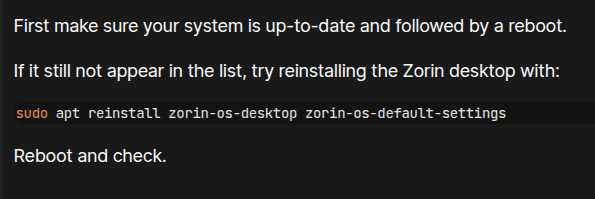
First make sure your system is up-to-date and followed by a reboot.
If it still not appear in the list, try reinstalling the Zorin desktop with:
sudo apt reinstall zorin-os-desktop zorin-os-default-settings
Reboot and check.
2 Likes
I cannot find the indiPDF.desktop file to edit it.
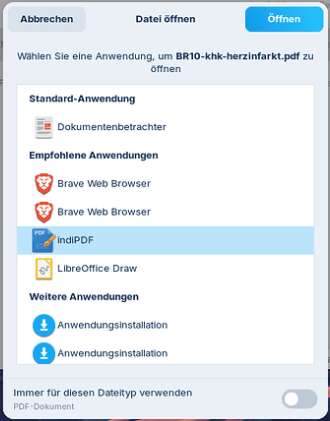
When I right click on a file, I don't get the "Open With" option. I get "Open With Other Application" and this is the screen I get:
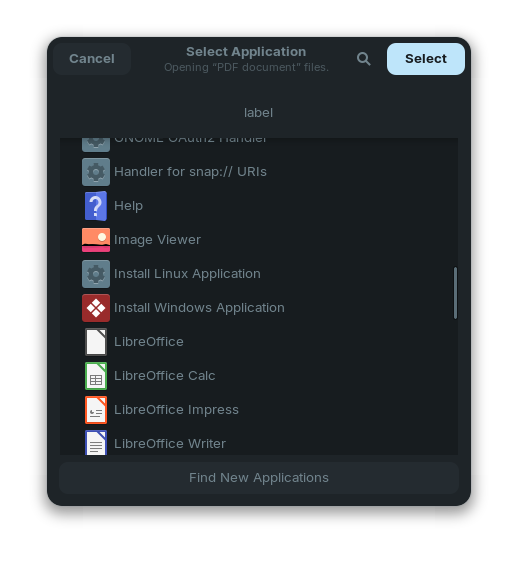
As you can see, it still does not list indiPDF.