I was looking at a checkbox while working on some media files yesterday that said I could share the folder with my home network. Curious I checked the box.
It sent a warning (notice) that for it to work I have to install WINDOWS Network something something. Say it ain't so. 
Why doesn't it default to a Linux way to share a Linux folder with 3 other Linux machines?
Can You post a Screenshot of it?
With a title like "My Heart Is Broken," I thought you installed something Windows, and it destroyed your OS, as its happened to me before back in 2021, I will never forget that. That incident through me into a spiraling depression.

2 Likes

And when You click on ''Install service'' what does it show You?
I remember uninstalling it because I was not happy with M$. From all 4 computers.
You mean this Service Thing?
Forgive my memory it's bad. One was either samba or maybe SMB?
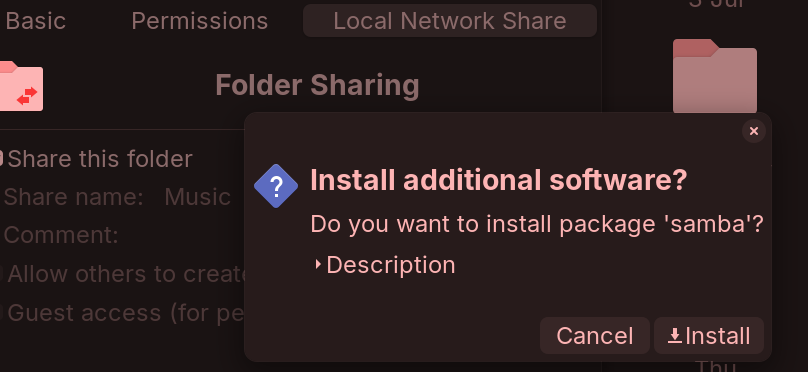
Samba is required, yes. This is not something that Linux can control... As that is the file sharing service used for Windows as decreed by Microsoft.
Samba implements SMB/CIFS, the native Windows file-sharing protocol.
If your entire home network was comprised of GnuLinux using machines, you would not need Samba.
1 Like
Nothing here but 4 computers running Zorin OS 17.3 and whatever runs my smart tvs.
In that case, file sharing only needs NFS.
sudo apt install nfs-kernel-server
You would need to configure /etc/exports and then fstab to mount your other machines.
If your curiosity is not yet sated, you can use Avahi for an all Linux network
sudo systemctl status avahi-daemon
I suspect that the application you launched assumes you are trying to connect to a Windows Network.
Which... makes sense given Zorin OS's aim for Windows OS migrants.
1 Like
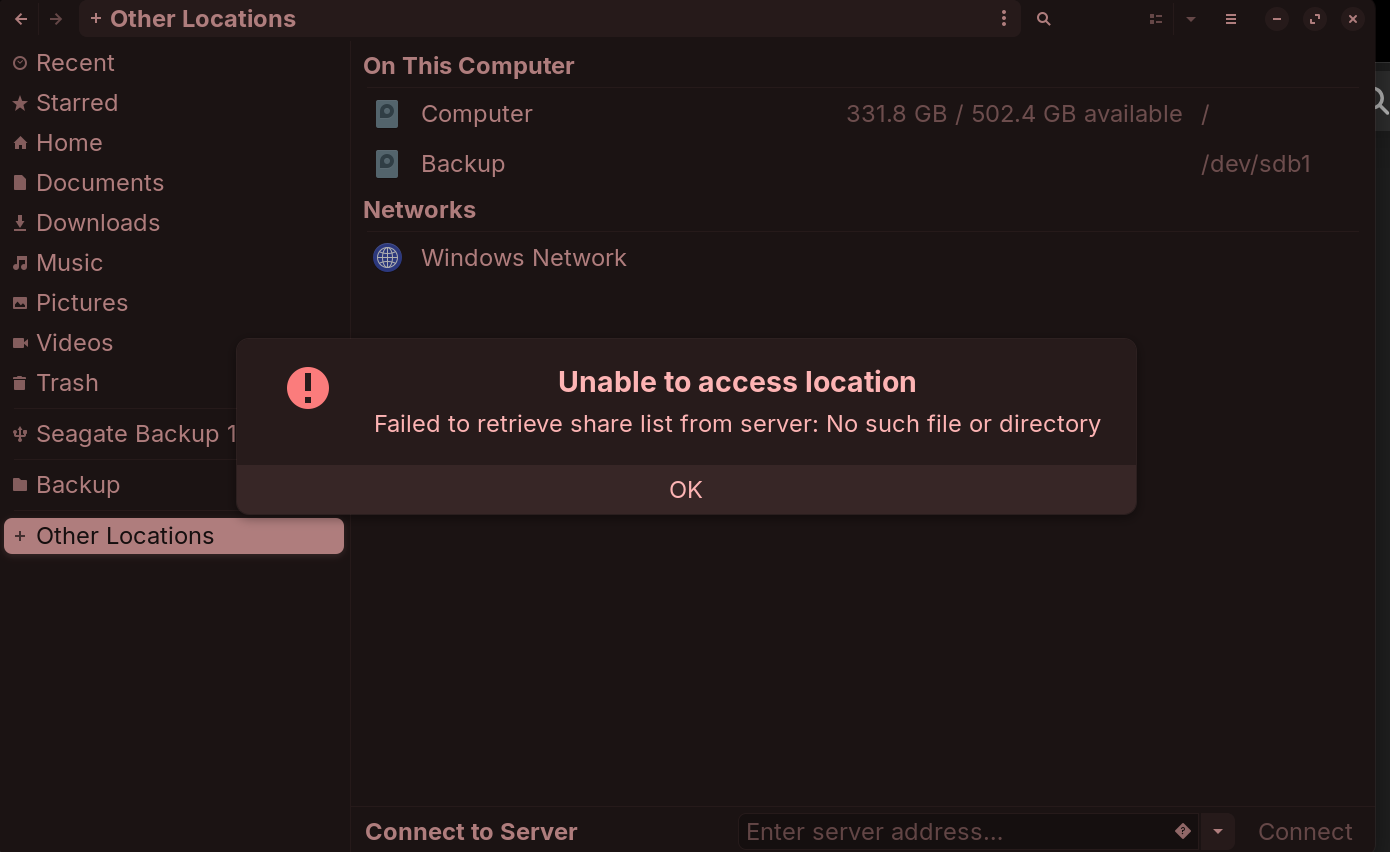
Just try open it with windows maybe?? 
You can use NFS instead, although I don't know of any way of configuring this via a graphical interface. I wrote this little guide that might help:
1 Like
Thanks I bookmarked your post so once the updater starts giving out 18 I can come back to it.
1 Like
Linux also runs your smart TVs most likely. 
1 Like
This topic was automatically closed 90 days after the last reply. New replies are no longer allowed.