I fixed the bug, if you want to try I pushed the new version on Github 
1 Like
Okay, I will try it and report back.
new version right now because the right click was not logical
now it work like that
The logic _get_target_dir(): 1 folder selected → it work in Selected file or nothing → it work in self._path
Terminal → opens in the targeted folder New folder/file → created in the targeted folder AND navigate() to that folder to see the result directly
It works now correctly.
1 Like
thank you for the feedback
I has been good to see how well you and @Ponce-De-Leon have been collaborating as developer/tester for this software. 
2 Likes
thank you
1 Like
Well, I can't deny that it is in my own Interest, too that this works well because I want to use it, hahaha!
1 Like
you have right to be demanding, and for my part I need guinea pig, hahaha!
1 Like
NEW
F3— open from any Nautilus window, starts in the current Nautilus folder- ⊞ Grid view — Large icons (48px) with filename, toggle button in toolbar
1 Like
NEW again
detect the nautilus files view and apply it to Dual Panel (grid or list)
1 Like
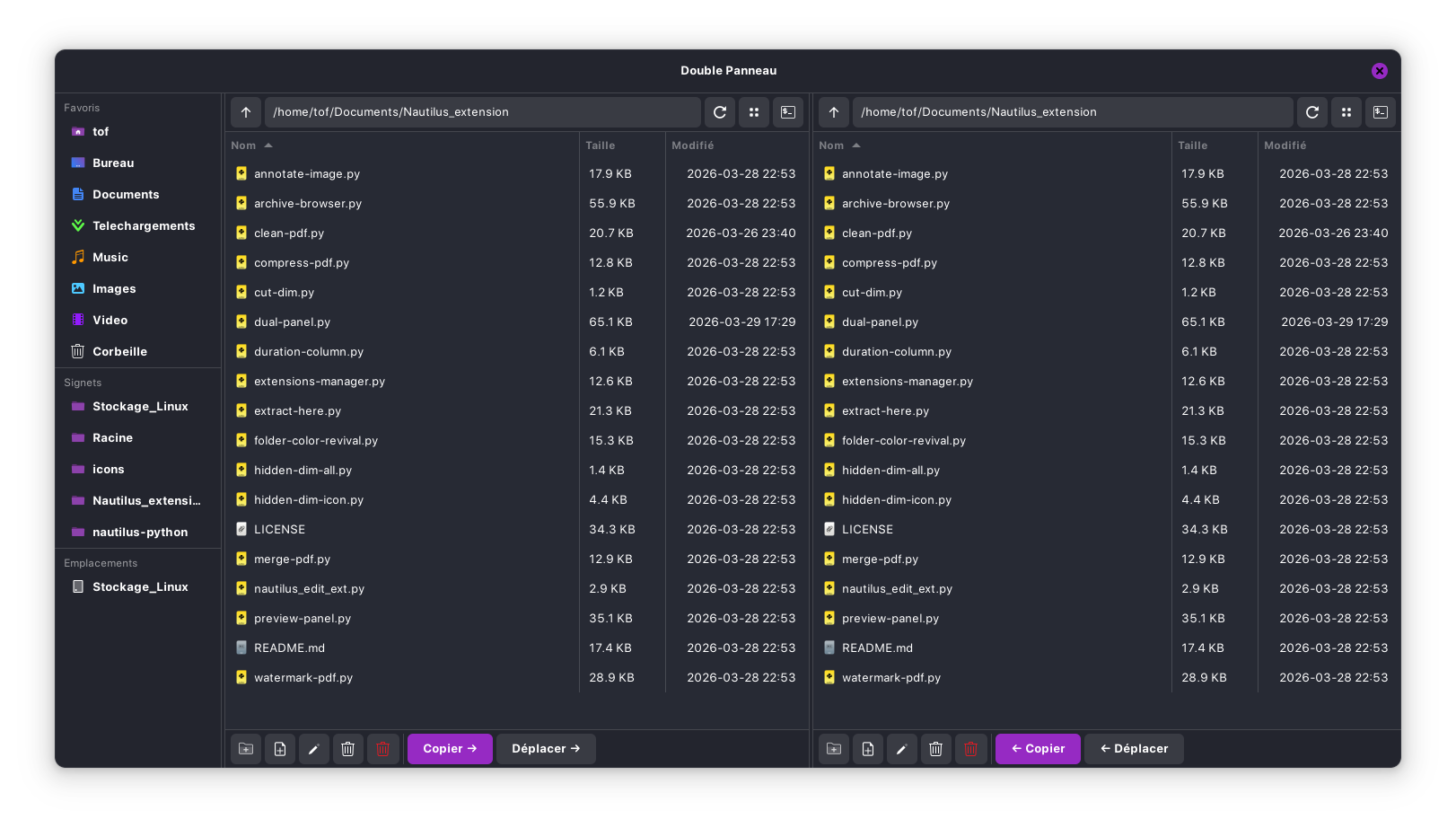
I tried it and I really like the Grid View. One Thing about: You can switch between it - and I like that You can do that seperately for each Site. Wouldn't You have that already implemented, I would have definetely asked for that.
The Thing is: When is close the Window and open it again it falls back to default. Would it be possible to keep the Change? I mean when I would use Grid View for the left Side and List View for the right Side that the Setup is use will be ''saved'' so when I open the Dual Panel again that it directly is on that and not falls back to Default? It is of Course not a big Thing to press the Button again. But I thought it could be a nice Idea.
Another optical Thing: You have these thin Lines for seperating Stuff. But there is none at the Top. I mean like this (of Couse thinner and not read, hahaha!):

Than you for the feed back.
For the view I will not change it because dual panel take Nautilus view status to open it in the same view, and it's really complicated to change this kind of stuff, and also separate the 2 panel with different view, sorry.
For the little line you mean this

you can take the new version on my Github
1 Like
Okay, but it looks nice with this Line. But is no big Issue when it isn't there.
for now that's the final release, and il like this line now 
1 Like
A Question: Could You make in the Dual Panel View the hidden Files dimmed?
1 Like
Hello, it's done and it work, it the the "hidden-dim-icon" or "hidden-dim-all" are installed in extensions, it detect and act like nautilus, you can take the new version
2 Likes
Okay, I tried it and it works without a Problem.
1 Like
thank you for the feedback and for the suggestion, it's more consistent now...
1 Like