Nautilus extension Dual Panel

:card_index_dividers: Dual Panel — dual-panel.py

A full-featured dual-panel file manager window launched from Nautilus — with sidebar, grid view, smart right-click and context-aware actions.

Triggers:

  • F3 — open from any Nautilus window, starts in the current Nautilus folder
  • Right-click on a folder → Open in Dual Panel
  • Right-click on background → Open in Dual Panel

Layout:

  • Left sidebar — Nautilus-style: Favorites (XDG), Bookmarks (~/.config/gtk-3.0/bookmarks), Mounted volumes (GIO)
  • Left panel — source panel
  • Right panel — destination panel

Views (independent per panel):

  • :clipboard: List view — Name · Size · Modified · Permissions columns with sortable header
  • Grid view — Large icons (48px) with filename, toggle button in toolbar

File operations:

  • Copy → / ← Copy between panels (with rsync progress bar)
  • Move → / ← Move between panels (with rsync progress bar)
  • Drag & Drop between panels and from/to Nautilus
  • New folder / New file — created inside selected folder if one is selected
  • Rename (F2)
  • Delete to trash (Delete), Permanent delete (Shift+Delete)
  • Open terminal — opens in selected folder if one is selected

Right-click context menu:

  • Direct right-click on any file or folder — no pre-selection needed
  • Smart menu: shows file actions only when a file/folder is selected, always shows New folder, New file, Terminal

Keyboard shortcuts:

Key Action
F3 Open Dual Panel (current folder)
F2 Rename selected
Delete Move to trash
Shift+Delete Delete permanently
Ctrl+C Copy to other panel
Ctrl+X Move to other panel
Ctrl+N New folder
BackSpace Go to parent folder
Escape Close window

Languages: French :france: · English :united_kingdom: · German :germany:

Dependencies: python3-nautilus python3-gi gir1.2-adw-1

3 Likes

That is a nice Feature what some People will really like and have missed.

One Thing: I would think it might be good to have Your Nautilus Extensions bundled in one Thread - so all is on one Place. So, maybe it is good to move this here to the other Thread? But when You want keep it seperated, it is fine. It's only a Suggestion.

1 Like

you are right, I made a bundled for all included this one, but this one is peculiar for me, it took me a lot of work :wink:

1 Like

Well, then we can let it seperated.

I already have tried it because I was very curious about it. It worked so far. But I have one Question: Does this come from You?


If not, I guess it might be from the Them, I use.

Another Thing: I have found in the Script the Part with the Translations and made one for German. Could You add that? Because I have no Idea how to do that. I have it made this Way but not added it yet:

if _lang.startswith("de"):
    T = {
    	"menu_label":    "Im Dual Panel Modus öffnen",
        "title":         "Dual Panel",
        "copy":          "Kopieren →",
        "copy_left":     "← Kopieren",
        "move":          "Verschieben →",
        "move_left":     "← Verschieben",
        "new_folder":    "Neuer Ordner",
        "new_file":      "Neue Datei",
        "rename":        "Umbenennen",
        "delete":        "Löschen",
        "refresh":       "Neu Laden",
        "go_up":         "Vorheriger Ordner",
        "col_name":      "Name",
        "col_size":      "Größe",
        "col_date":      "Verändert",
        "col_perms":     "Eigenschaften",
        "confirm_del":   "{name} löschen?",
        "confirm_del2":  "{n} Objekte löschen?",
        "confirm_move":  "{name} nach {dst} verschieben?",
        "confirm_move2": "{n} Objekte nach {dst} verschieben?",
        "err_title":     "Fehler",
        "new_folder_name": "Neuer Ordner",
        "new_file_name":   "Neu.txt",
        "enter_name":    "Name:",
        "cancel":        "Abbrechen",
        "ok":            "OK",
        "delete_ok":     "Löschen",
        "open_terminal":  "In Terminal öffnen",
        "delete_perm":    "Dauerhaft Löschen",
        "confirm_perm":   "{name} wirklich dauerhaft löschen? Das kann nicht rückgängig gemacht werden!",
        "confirm_perm2":  "{n} Objekte wirklich dauerhaft löschen? Das kann nicht rückgängig gemacht werden!",
        "context_open":   "Öffnen",
        "context_copy":   "In anderes Panel kopieren",
        "context_move":   "In anderes Panel verschieben",
        "context_rename": "Umbenennen",
        "context_delete": "In Papierkorb verschieben",
        "context_delete_perm": "Dauerhaft Löschen",
        "context_new_folder":  "Neuer Ordner",
        "context_new_file":    "Neue Datei",
        "context_terminal":    "In Terminal öffnen",
    }

I don't know if I can simply copy that between Your French and English Output this Way or how I have to handle the Beginning with the Language.

it come from scrollbar, try the new one i pushed on Github, I made a translation for this extension in German just for you :smiley:

1 Like

You could also take a look at Krusader installable via Synaptic Package Manager. Brief look in a video I made here.

It has quite extensive backend settings too, covered in the Unofficial Manual for Zorin 18 Core

Nice, Thank You!

does it work now ?

1 Like

The Translation works, yes.

1 Like

hello, Big update of the dual panel for those who want to test

1 Like

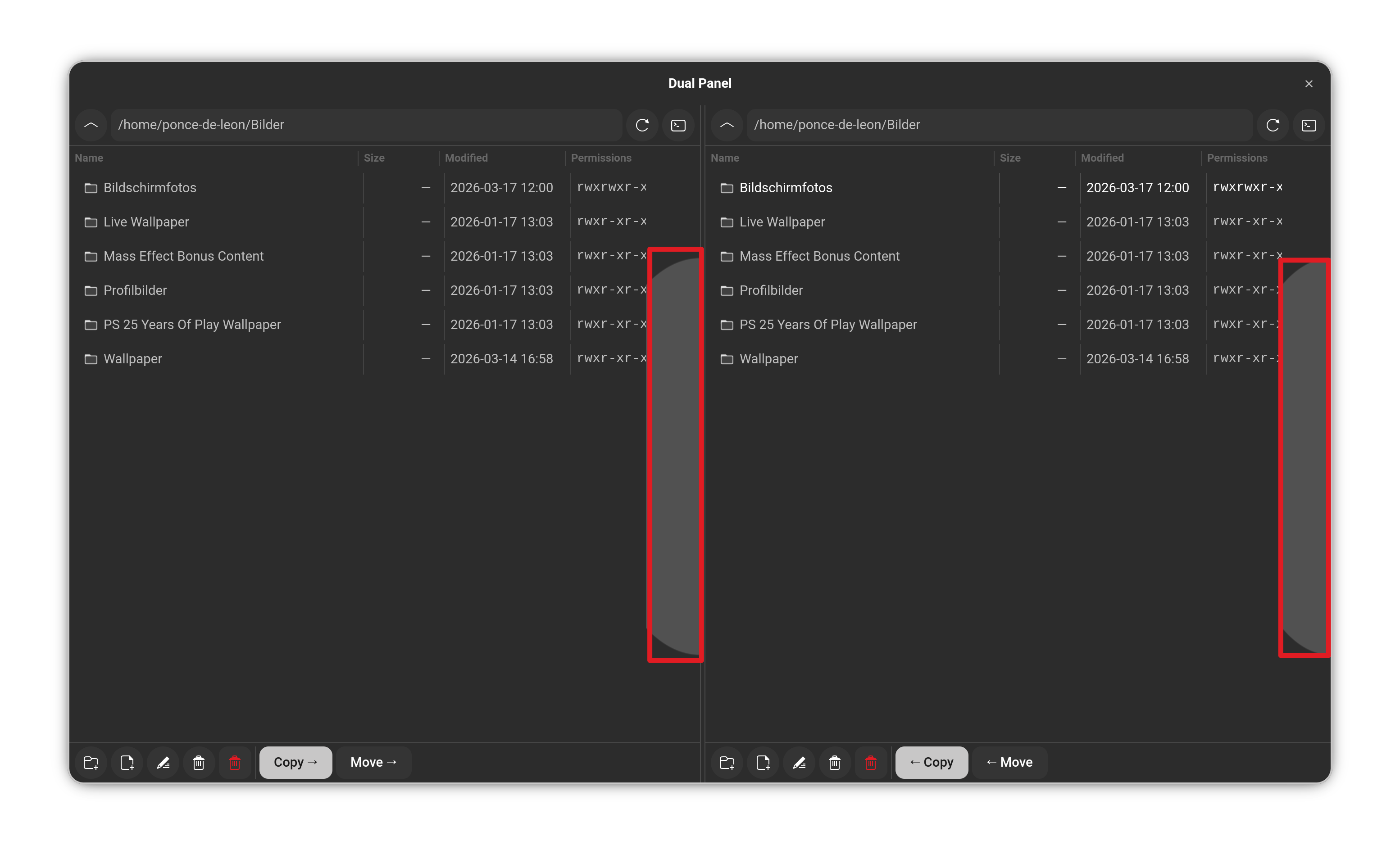
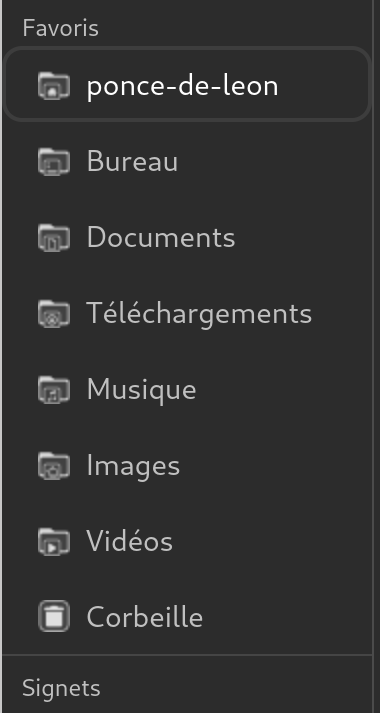
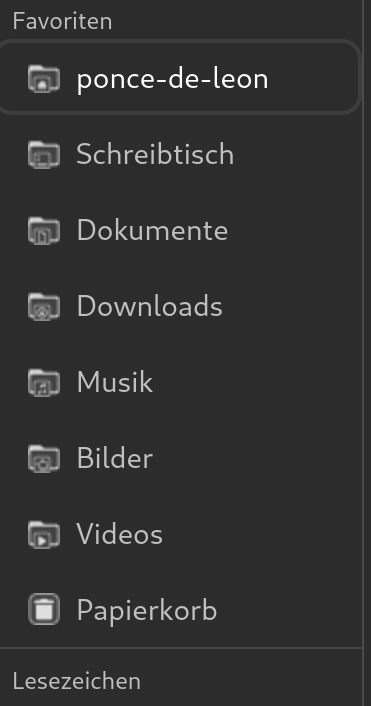
I have it in Use and it runs fine so far. The only little Issue is that Your new implemented Sidebar is in French:

oh sorry i will take a look at this and come back to you

1 Like

I pushed another version with German, try it and tell me :wink:

1 Like

I will report back.

1 Like

Okay, I tested it and it works fine!

1 Like

cool, I'm glad it work

1 Like

Forgot to mentioned that this weird Side Thing what I have shown above is gone, too.

yeah it was a scrollbar display bug from my side...

1 Like

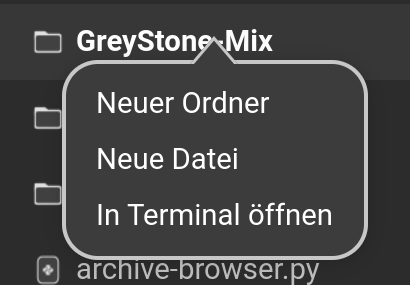
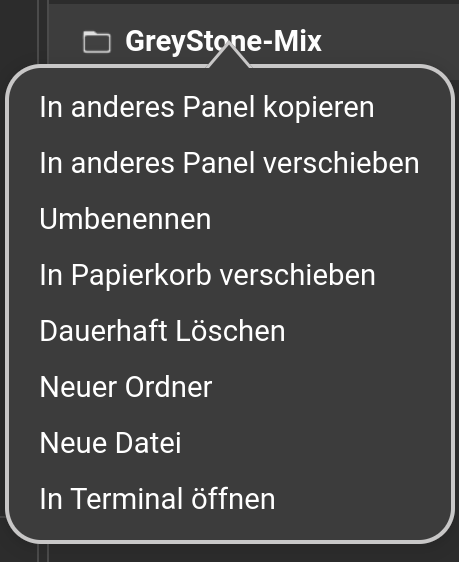
For this one here, I found a little Bug. When I make a Right-Click on a File or folder, I get the Right-click Menu but not the right one. I get the one when I click on an empty Space.

I have the Left-Click first on a File/Folder and then the Right-Click works with getting the Right-Click Menu. A direct Right-Click doesn't work.

Without Left Click:

With Left Click first:

I'm going to see that, thank you for reporting

1 Like