Hi there,
I am completely new to Zorin and to Linux in general, I installed Zorin a few days ago and I have a little problem, not a big deal but just enough to be anoying : Once in a while (from a few seconds to hole minutes) My screen flashes and my Laptop does the "Windows USB'ish connect/disconnect sound". I tried solve this with Claude AI but nothing it made me do has worked so far (I totally reversed everything it made me do after seeing that it had not solved my problem so what it was doesn't matter here). I don't think I can add media here but I filmed my laptop doing it IRL so here is a Google Drive Link that contains the video :
If you don't wanna click on it (which I understand, first rule of Internet is not click any random link you see), heres the infos I was able to get in the console :
first one when monitoring via the "sudo dmesg --follow" command I get this :
[ 1081.010653] Lockdown: systemd-logind: hibernation is restricted; see man kernel_lockdown.7
second one is when monitoring with the "sudo journalctl -f" command, I get this :
mai 03 15:59:39 Sisyphe rtkit-daemon[1279]: Successfully made thread 2004 of process 1971 owned by '1000' high priority at nice level 0.
mai 03 15:59:39 Sisyphe rtkit-daemon[1279]: Supervising 8 threads of 5 processes of 1 users.
mai 03 15:59:39 Sisyphe rtkit-daemon[1279]: Supervising 7 threads of 4 processes of 1 users.
mai 03 15:59:39 Sisyphe rtkit-daemon[1279]: Supervising 7 threads of 4 processes of 1 users.
mai 03 15:59:39 Sisyphe rtkit-daemon[1279]: Successfully made thread 2004 of process 1971 owned by '1000' RT at priority 20.
mai 03 15:59:39 Sisyphe rtkit-daemon[1279]: Supervising 8 threads of 5 processes of 1 users.
mai 03 15:59:39 Sisyphe gnome-shell[1971]: [tilingshell] [DefaultMenu] updateMonitorName: monitor=0, x=0, y=0
mai 03 15:59:39 Sisyphe gnome-shell[1971]: [tilingshell] [DefaultMenu] updateMonitorName: monitorsDetails=
mai 03 15:59:39 Sisyphe gnome-shell[1971]: [tilingshell] [DefaultMenu] updateMonitorName: no match found for monitor 0
mai 03 15:59:39 Sisyphe kernel: Lockdown: systemd-logind: hibernation is restricted; see man kernel_lockdown.7
mai 03 15:59:39 Sisyphe gnome-shell[1971]: [tilingshell] [TilingManager 0] new work area for monitor 0: 0 0 1920x1152
mai 03 15:59:39 Sisyphe rtkit-daemon[1279]: Successfully made thread 2004 of process 1971 owned by '1000' high priority at nice level 0.
mai 03 15:59:39 Sisyphe rtkit-daemon[1279]: Supervising 8 threads of 5 processes of 1 users.
mai 03 15:59:39 Sisyphe rtkit-daemon[1279]: Supervising 7 threads of 4 processes of 1 users.
mai 03 15:59:39 Sisyphe rtkit-daemon[1279]: Supervising 7 threads of 4 processes of 1 users.
mai 03 15:59:39 Sisyphe rtkit-daemon[1279]: Successfully made thread 2004 of process 1971 owned by '1000' RT at priority 20.
mai 03 15:59:39 Sisyphe rtkit-daemon[1279]: Supervising 8 threads of 5 processes of 1 users.
mai 03 15:59:39 Sisyphe gnome-shell[1971]: [tilingshell] [TilingManager 0] new work area for monitor 0: 0 0 1920x1148
Those lines always appear at the exact moment the screen flashes and the USB'ish sound rings.
complementary infos :
I am on a brand new Asus Vivobook Laptop
I installed Zorin on single boot, hadn't kept nothing else on the computer.
I've set up the Secure Boot when first installing Zorin
Any explanation and/or help will be much appreciated
What graphics does your Asus Vivobook Laptop have?
Are you using Wayland (default) or X11 windowing?
It is possible that as your laptop is brand new, you may need to install a later linux kernel than the one included with Z18. Tell us the spec of the laptop or the model number so we can determine the hardware you have.
In the meantime, find some useful pre-installation advice here: Before you install
Hi, thanks for your reply !
my laptop's specs are :
CPU : AMD Ryzen™ AI 7 350 Processor 2.0GHz (24MB Cache, up to 5.0GHz, 8 cores, 16 Threads); AMD XDNA™ NPU up to 50TOPS
GPU : AMD Radeon Chipset
Memory : 16GB DDR5
I don't know about Wayland/X11 windowing, where can I see that ?
If you need more infos, the model is the Asus Vivobook 16 (M1607)
When you take a screenshot with third party apps, GNOME (the desktop environment that Zorin uses) on Wayland (so-called new and secure (!) windowing system) forces it to show flashlight and voice. Maybe it's a similar problem.
To fix: Log out - Select user - from right bottom gear button select the Zorin on xorg (x11). This will restart your windowsing system on x11 and if it's related it might fix your issue.
Ah AMD not Nvidia graphics, so graphics driver should be via kernel not via proprietary driver installation. Also you should be OK with Wayland or X11 windowing, but I suggest you try X11 and see if it cures the flashing.
To switch to X11, logout.
From the login screen click on username field as to login (but dont yet).
You should see a gearwheel icon bottom right on screen.
Click that and choose the X11 option (not the default Wayland option.
Login and test.
EDIT: @sglbl has suggested the same thing re X11, whilst I was typing.
I had the same problem, also on a Ryzen laptop. I never found a solution, but following advice here I started X11 instead of Wayland and the problem stopped. Unfortunately that also caused the loss of gestures, a function which I discovered by accident. The sound is not Zorin-specific - I've tried a couple of other Ubuntu distros and it happens with them too. Annoying...
I tried what you and @sglbl said, worked for the screen flash, didn't work for the sound thing... I used journalctl to see if the pop-up lines have changed, now when the sound comes out I get this :
mai 03 16:50:00 Sisyphe /usr/libexec/gdm-x-session[7878]: (II) AMDGPU(0): EDID vendor "BOE", prod id 3092
mai 03 16:50:00 Sisyphe /usr/libexec/gdm-x-session[7878]: (II) AMDGPU(0): Using hsync ranges from config file
mai 03 16:50:00 Sisyphe /usr/libexec/gdm-x-session[7878]: (II) AMDGPU(0): Using vrefresh ranges from config file
mai 03 16:50:00 Sisyphe /usr/libexec/gdm-x-session[7878]: (II) AMDGPU(0): Printing DDC gathered Modelines:
mai 03 16:50:00 Sisyphe /usr/libexec/gdm-x-session[7878]: (II) AMDGPU(0): Modeline "1920x1200"x0.0 154.76 1920 1968 2000 2080 1200 1203 1209 1240 +hsync -vsync (74.4 kHz eP)
mai 03 16:50:00 Sisyphe /usr/libexec/gdm-x-session[7878]: (II) AMDGPU(0): Modeline "1920x1200"x0.0 123.81 1920 1968 2000 2080 1200 1203 1209 1240 +hsync -vsync (59.5 kHz e)
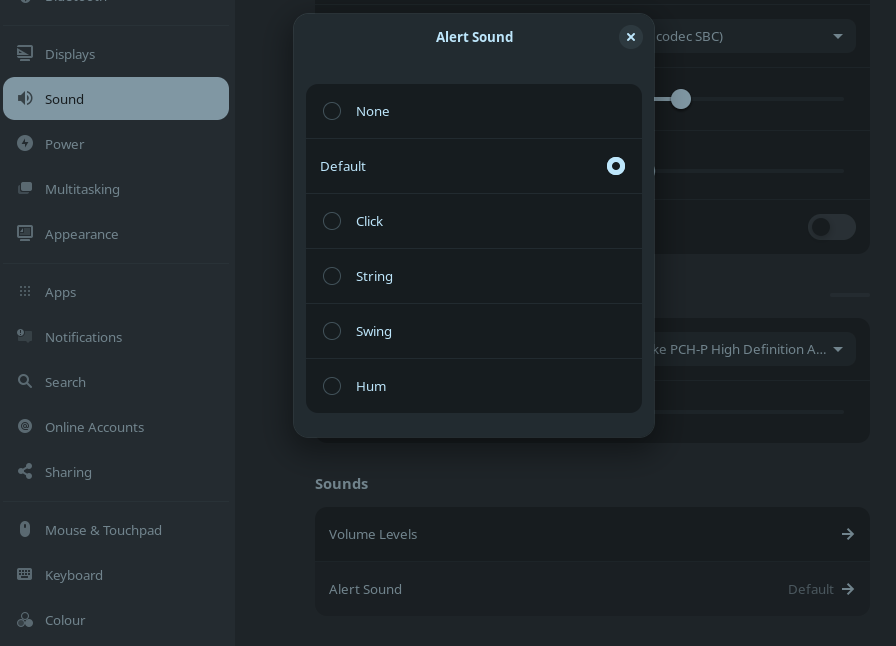
Or write this on terminal: gsettings set org.gnome.desktop.sound event-sounds false
If it doesn't solve the voice issue it might be sth like ACPI power management cycling a device or Panel Self Refresh. So you can just paste this sentence to chatgpt and follow its suggestion for disabling that.
Gonna try those two options, keep you updated on the outcome.
I would like to understand what I did. Could you explain to me what does switching to X11 affects ? Like in my everyday use ? Is there things that I cannot do because of that ? What could be the cause of the sounds/flashing ? Since I Switched off the alert sounds, will I never have sound for any alert (for example will I never receive sound alter for Zorin Connect ?)
I know this isn't directed at me (though I appreciate the advice) but the sound is only half of the problem. The flashing that Jakkade suffers from is the other half, and is at its most annoying when I open the Zorin main menu and, before I can choose an option, the flash refreshes the screen and kills the menu. Switching off the sound (which I have done for every notification on every app) doesn't cure that.
I'm not sure to whom you're directing your questions, but I'll respond a little.
Apart from losing the flash & sound, the only difference that I've noticed in X11 is gestures, specifically the two-finger swipe right to return to the previous screen and swipe left to go forward to the next screen. Not a huge deal - a two-finger tap gives me a mini-menu with a back button right beside the cursor. I hope this is useful info for people who haven't discovered these options yet.
X11/Xorg and Wayland are Display Protocols. X11 is an older one but more reliable. Wayland is a newer one but can have Issues. If You have Issues or not depends a bit what Hardware You have, how well Wayland is implemented in the System/Desktop Environment, Drivers and Software.
Because Zorin uses an older Gnome Version the Wayland Implementation is behind. When You now on Zorin switch to X11/Xorg, You shouldn't lose anything. There would be theoretically a Security thing what makes Wayland a bit more secure but this is a ... relative Problem. As long as You be cautious what You install and from where You take it like You should in general, this is okay.