New kernel installation errors linux-image-6.8.0-137-generic

Errors installing new kernel linux-image-6.8.0-137-generic

I'm currently using 6.8.0-136, but I can't update to 137 due to a process error:

"dpkg: error processing package linux-image-6.8.0-137-generic (--configure):
"The subprocess installed package linux-image-6.8.0-137-generic post-installation script returned error status 1."
"Errors occurred processing:
linux-image-6.8.0-137-generic
E: Subprocess /usr/bin/dpkg returned an error code (1)

I've already tried: "sudo dpkg --configure -a" and "sudo apt install -f"
Any ideas?

And then...it always tells me I need to reboot to install the updates.
Obviously, I can't remove the new kernel, even with the package manager.

post other more detailed news:

error: syntax error.
error: Incorrect command.
error: syntax error.
Syntax error on line 289
Syntax errors are detected in generated GRUB config file.
Ensure that there are no errors in /etc/default/grub
and /etc/grub.d/* files or please file a bug report with
/boot/grub/grub.cfg.new file attached.
run-parts: /etc/kernel/postinst.d/zz-update-grub exited with return code 1
dpkg: error processing package linux-image-6.8.0-137-generic (--configure):
The subprocess installed package linux-image-6.8.0-137-generic post-installation script returned error status 1
Errors occurred while processing:
linux-image-6.8.0-137-generic
E: Subprocess /usr/bin/dpkg returned an error code (1)

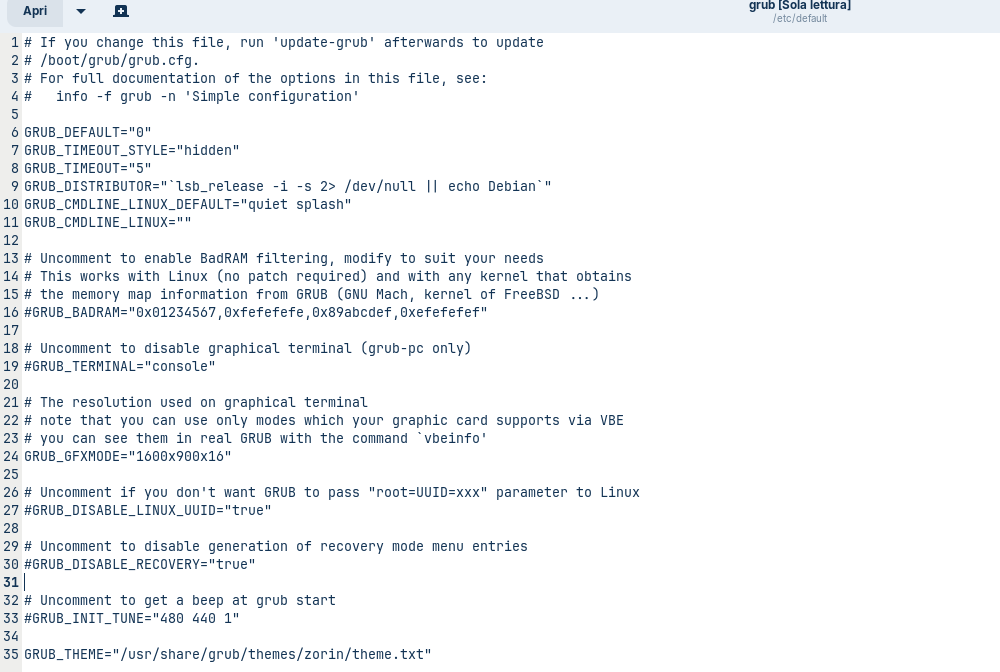
It shows an Error in the grub File. Can You check the File in /etc/default/grub and post the Content of it here?

Also, You could install the Kernel manually with the Command:

sudo apt install linux-headers-6.8.0-137-generic linux-image-6.8.0-137-generic linux-modules-6.8.0-137-generic linux-modules-extra-6.8.0-137-generic

If you change this file, run 'update-grub' afterwards to update

/boot/grub/grub.cfg.

For full documentation of the options in this file, see:

info -f grub -n 'Simple configuration'

GRUB_DEFAULT="0"
GRUB_TIMEOUT_STYLE="hidden"
GRUB_TIMEOUT="5"
GRUB_DISTRIBUTOR="lsb_release -i -s 2> /dev/null || echo Debian"
GRUB_CMDLINE_LINUX_DEFAULT="quiet splash"
GRUB_CMDLINE_LINUX=""

Uncomment to enable BadRAM filtering, modify to suit your needs

This works with Linux (no patch required) and with any kernel that obtains

the memory map information from GRUB (GNU Mach, kernel of FreeBSD ...)

#GRUB_BADRAM="0x01234567,0xfefefefe,0x89abcdef,0xefefefef"

Uncomment to disable graphical terminal (grub-pc only)

#GRUB_TERMINAL="console"

The resolution used on graphical terminal

note that you can use only modes which your graphic card supports via VBE

you can see them in real GRUB with the command `vbeinfo'

GRUB_GFXMODE="1600x900x16"

Uncomment if you don't want GRUB to pass "root=UUID=xxx" parameter to Linux

#GRUB_DISABLE_LINUX_UUID="true"

Uncomment to disable generation of recovery mode menu entries

#GRUB_DISABLE_RECOVERY="true"

Uncomment to get a beep at grub start

#GRUB_INIT_TUNE="480 440 1"

GRUB_THEME="/usr/share/grub/themes/zorin/theme.txt"

This is the Zorin OS grub file.

But I usually dual boot with Mint that is the first OS, and that's where the grub is updated with Costomizer. If you also need the same file that's in Mint, here it is:

If you change this file, run 'update-grub' afterwards to update

/boot/grub/grub.cfg.

For full documentation of the options in this file, see:

info -f grub -n 'Simple configuration'

GRUB_DEFAULT="0"
GRUB_TIMEOUT_STYLE="hidden"
GRUB_TIMEOUT="5"
GRUB_DISTRIBUTOR="( . /etc/os-release; echo ${NAME:-Ubuntu} ) 2>/dev/null || echo Ubuntu"
GRUB_CMDLINE_LINUX_DEFAULT="quiet splash"
GRUB_CMDLINE_LINUX="quiet splash"

If your computer has multiple operating systems installed, then you

probably want to run os-prober. However, if your computer is a host

for guest OSes installed via LVM or raw disk devices, running

os-prober can cause damage to those guest OSes as it mounts

filesystems to look for things.

GRUB_DISABLE_OS_PROBER="false"

Uncomment to enable BadRAM filtering, modify to suit your needs

This works with Linux (no patch required) and with any kernel that obtains

the memory map information from GRUB (GNU Mach, kernel of FreeBSD ...)

#GRUB_BADRAM="0x01234567,0xfefefefe,0x89abcdef,0xefefefef"

Uncomment to disable graphical terminal

#GRUB_TERMINAL="console"

The resolution used on graphical terminal

note that you can use only modes which your graphic card supports via VBE

you can see them in real GRUB with the command `vbeinfo'

GRUB_GFXMODE="1600x900x16"

Uncomment if you don't want GRUB to pass "root=UUID=xxx" parameter to Linux

#GRUB_DISABLE_LINUX_UUID="true"

Uncomment to disable generation of recovery mode menu entries

#GRUB_DISABLE_RECOVERY="true"

Uncomment to get a beep at grub start

#GRUB_INIT_TUNE="480 440 1"

export GRUB_COLOR_NORMAL="light-gray/black"
export GRUB_COLOR_HIGHLIGHT="magenta/black"
GRUB_THEME="/boot/grub/themes/linuxmint/theme.txt"
So, You use the GRUB Menu from Linux Mint, yes? And for that, You used GRUB Customizer ... That can make Issues. When You want customize GRUB, I would recommend to use a GRUB Theme and add that manually.

Let's try for now the Following:

Type in Zorin in the Terminal sudo update-grub and then boot into Mint and type there sudo update-grub too.

Then go back to Zorin and use this Command:

When done, repeat the above with sudo update-grub in both Systems.

1 Like

I would never set GRUB to hidden. It saves having to stab the appropriate key to get a menu up should you need the recovery option.

1 Like

Hm, on my system, with a dual-boot setup using only one hard drive, "hidden" was set by default in the GRUB file, but the GRUB menu was displayed. I'm not quite sure, but I remember, when I noticed this once, I was surprised.
I read that scripts at /etc/grub.d as e.g. /etc/grub.d/30_os-prober, overwrite the settings at /etc/default/grub.
In the script 30_os-prober is a part:

adjust_timeout () {
  if [ "$quick_boot" = 1 ] && [ "x${found_other_os}" != "x" ]; then
    cat << EOF
set timeout_style=menu
if [ "\${timeout}" = 0 ]; then
  set timeout=10
fi

I think these lines overwrite it. OS-prober is enabled automatically when you choose the automatic installation of Zorin alongside Windows (or another OS).

Yes, the grub file is often overridden by other files. Sadly, the new default is to hide Grub, but if dual booting, showing it is necessary so the user can select which OS to boot - So the default "hidden" setting in Grub File will be ignored.

2 Likes

And not just for dual-booting. I waa helping a user remotely with Zorin 17 and the old realtek issue reared its head after months of trouble free network issues.

After a lot of toing and froing discovered they were no longer using the recommended solution of using a usb to ethernet dongle but that was reporting limited connectivity also.

After going back to the onboard ethernet and dropping back to kernel 6.8 we started to make some progress.
There were multiple kernel entries and the prime one in use was the surface pro 1 variant which I remembered from a long time ago.

GRUB was showing various kernels which had sufacepro2, surfacepro3 and surfacepro4 variants. These got deleted by moi and I had to put a hold on kernel 6.19.

Once network was stable was able to do a full-upgrade via TeamViewer (I want to migrate to rustdesk but you need a separate server or a vm, I need to work out how to do this), user is finally on 6.18 surfacepro1 kernel.

They also had numerous ethernet connection entries. Dropping from Etherner connection number 9 to 7 seemed to rectify the connection issue (there was no number 8, that was taken up by an entry for the Verizon router. The user told me she had had some connectivity before contacting me in desperation after Verizon sent her an A.I. generated script on how to resolve her connectivity issues which she typed into a document.

Nothing doing. I followed your instructions, first on Zorin and then on Mint.
The grub update on Mint it's ok.

On Zorin, it always returns this:
"errore: syntax error.
errore: Incorrect command.
errore: syntax error.
Errore di sintassi alla riga 286
Syntax errors are detected in generated GRUB config file.
Ensure that there are no errors in /etc/default/grub
and /etc/grub.d/ files or please file a bug report with*
/boot/grub/grub.cfg.new file attached."

Hmm ... interesting. Above was:

and now it is:

Could You check in the GRUB File Line 286 and post the Content here please?

if you refer to Zorin's "etc/default/grub" file it only gets to line 35 not 286

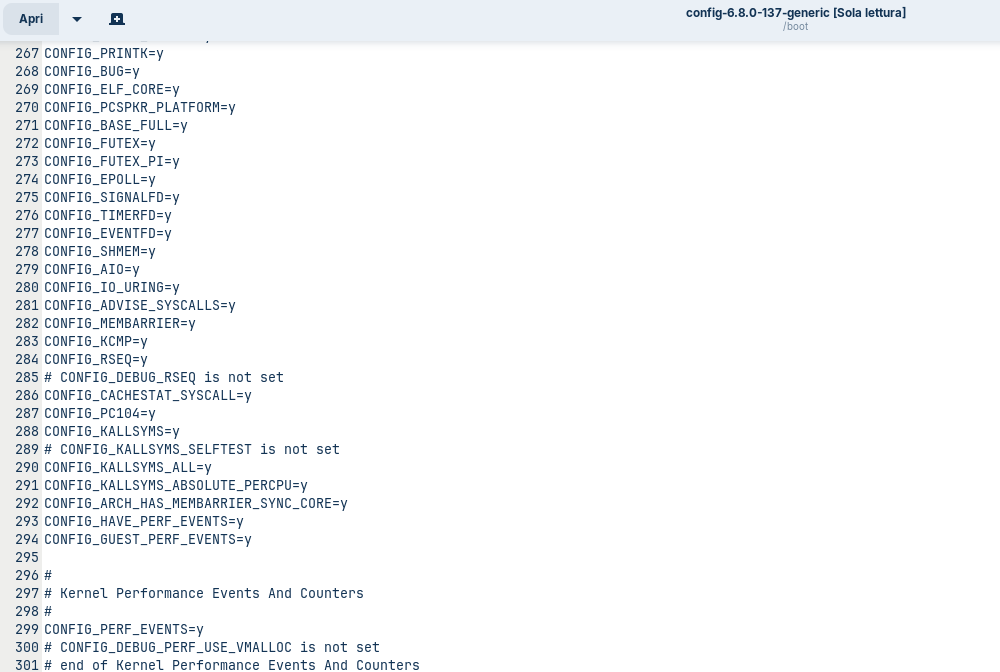
this is the "boot" file of kernel 137, still in Zorin, if it's of interest:

Sorry to get off topic here but I am confused... I thought the new kernel was 7.0.0-28-generic that was released last month? What is this 6.8 new kernel???

1 Like

The 7.0 is on the HWE (HardWare Enablement) line of kernels.

The 6.8 is on the GA (General Availability) line.

3 Likes

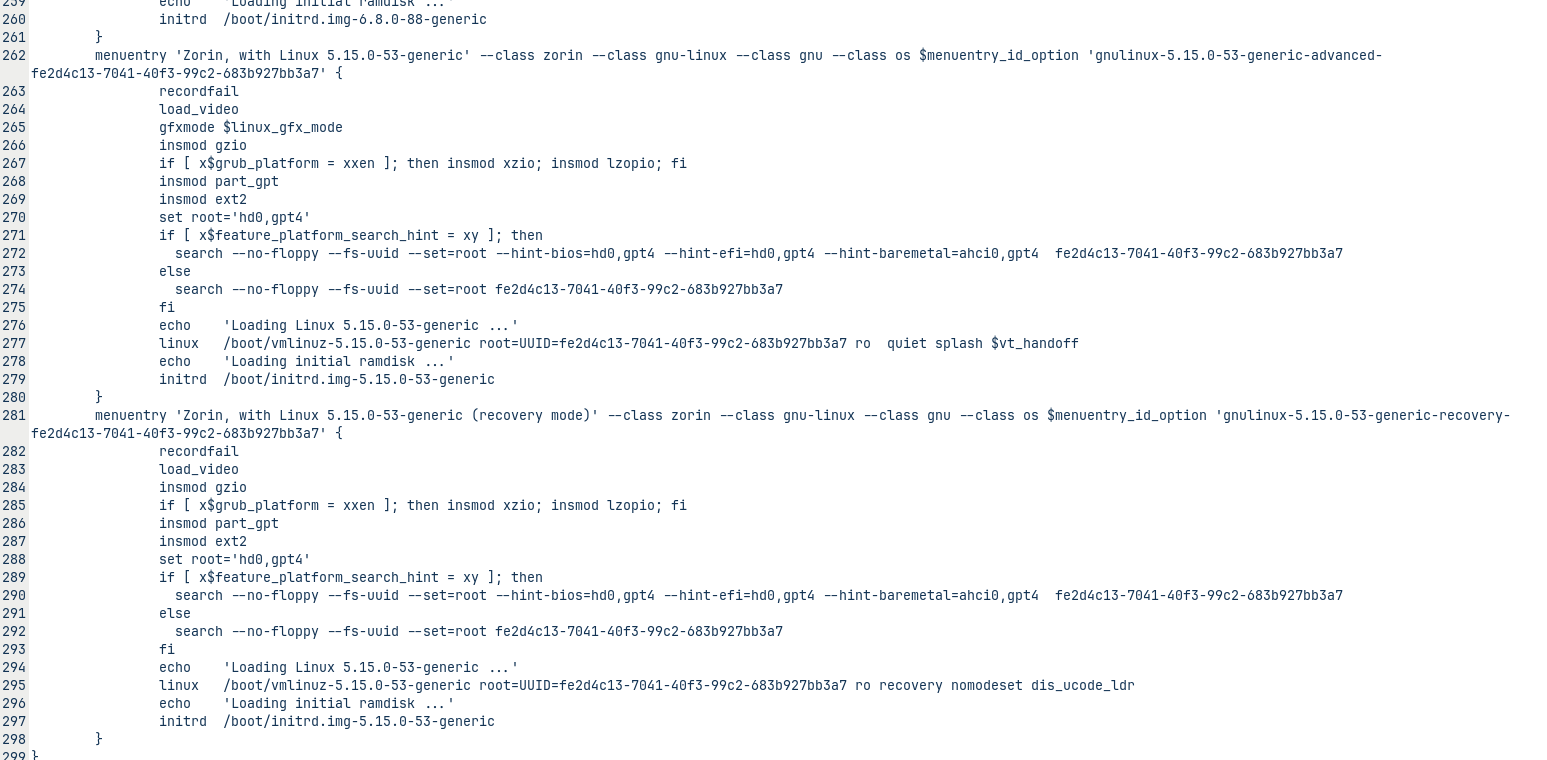
Okay, then we have to check a different File. Open the File /boot/grub/grub.cfg but for this new You use the Text Edior, You will have to type in Your Password to get it shown.

1 Like

this is it: /boot/grub/grub.cfg with gedit
The file is too long to copy the entire thing. Should I just include part of line 286?

1 Like

Are You on Zorin 17 and have You installed the 5.15 Kernel?

Thanks for the info! :grin:

1 Like

I don't know objectively. It's probably something very old that I've been carrying around.
But I don't actually see it in the package manager.

1 Like