Interesting, so Hyprland turns out to be the best platform for hardcore users in combination with Cachy OS and even Zorin can run hard on the edge with your settings.....
But true, Zorin definitely needs a newer Kernel!
When I'm through with my PC an the Smartphones so they don't need any contact to Microsoft anymore, I will try Nobara 44 on our ThinkPad W520 with Core i5 and GPU.... should work out of the box.
It's amazing what Linux is able to work on since the last 10 years.
I've had an SUSE Linux Administration lesson back in 2006! That was a mess! That time I swear I would never get Linux on a computer! 
Fascinating how it is these days where you can completely get rid of the old systems and get more out of your hardware!
1 Like
Zorin needs to keep what it has stable for its core users and use cases.
Interestingly enough, I'm finding my game now runs better under native Wayland on ZorinOS Gnome Ubuntu than CachyOS KDE Plasma ArchLinux. It's crazy. 
What can I say - I like to fiddle with things.
To keep my laptop cool, I throttle the CPU to 3.4Mhz max rather than using its full 5.6Mhz capabilities, as running in boost mode generates too much heat.
I've found my magic formula for that particular game running under Wayland on my hardware. The graphics are turned down, but it still looks great and plays smoothly enough that I can lose myself in the game. 
There is not particular "Linux Power User" setup/platform to rule them all, although I hear that I must build ArchLinux from scratch without the use of an installer to truly take myself to the next level of Linux geekery. The guide to install manually from barebones is here: Installation guide - ArchWiki
Watch this space.
What I love about Linux is that I can go as far down the rabbithole as I want by going straight to the Github sourcecode for applications, utilities, desktops, etc.
In the past day, I've been going through the Hyprland configuration code provided by JaKooLit at LinuxBeginnings (Linux Beginnings · GitHub).
Digging through the code and documentation I've figured out how to get the Waybar weather and cpu temperature modules to report the correct information by tracing through the scripts and modifying where needed to fit my hardware.
Today I hope to get the display brighteness widget working for my external monitor!
I've determined that the underlying Linux utilities used to manipulate the brightness of the built-in display and the external display are different, so it is a matter of pointing the display brightness Waybar module to the correct utility for the external display.
Also, I mentioned in my previous post about a NVIDIA power service/daemon creating heat on my laptop under CachyOS.
Booting into ZorinOS, the service does not exist and therefore there was nothing to disable. Also, I found myself able to update to NVIDIA driver 590 from 580 in ZorinOS without it creating issues with my game - possibly because of my performance tweaks.
Anyway, all is good.
I love booting into ZorinOS for a curated and clean desktop experience.
But then there is CachyOS running Hyprland or KDE Plasma.
A completely different experience, but something that requires a bit of work if you want to make it your own.
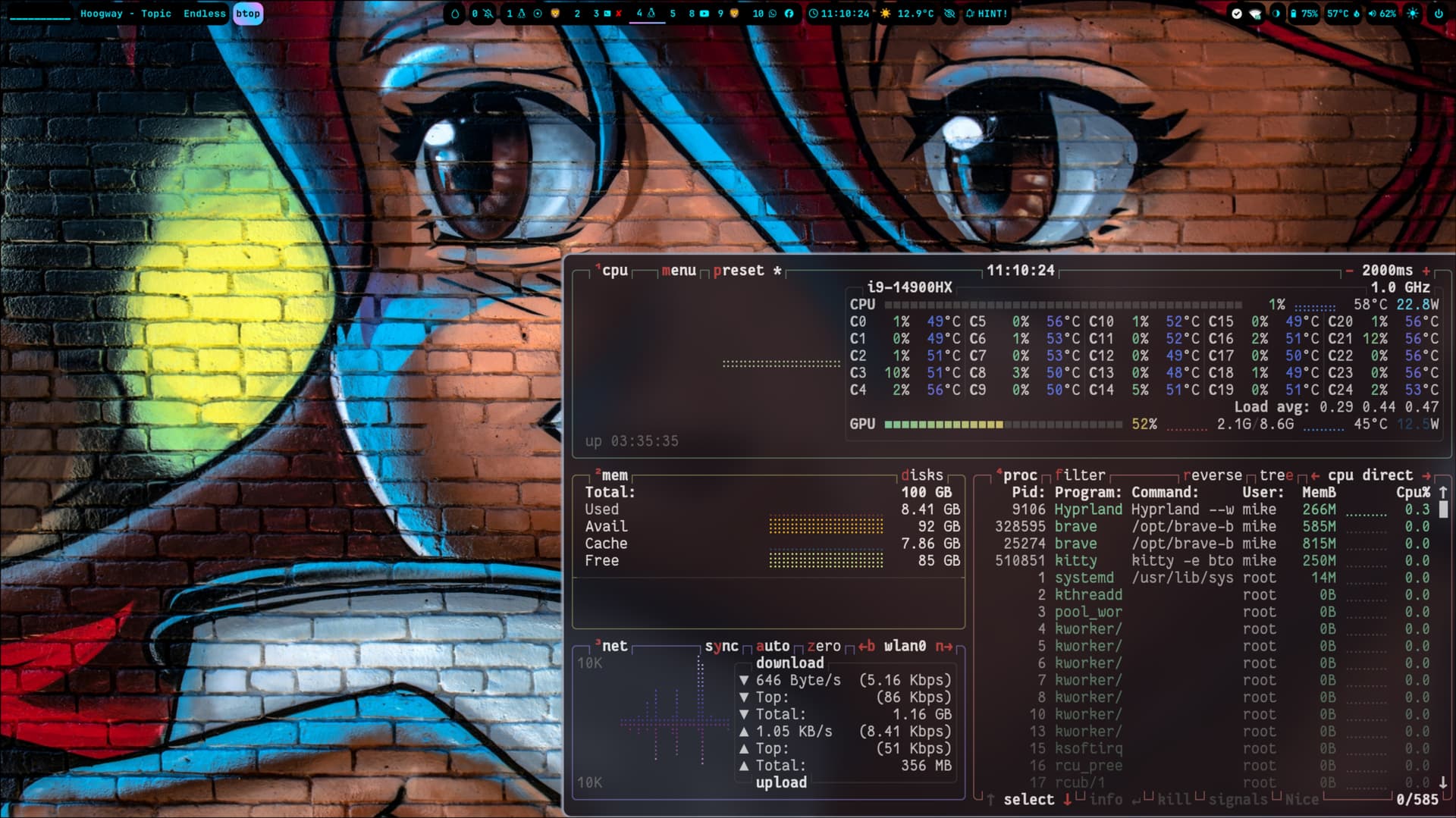
And yes, from the screenshot, my name is Mike.
Let me introduce myself.

3 Likes
Hey Joe,
I just noticed a couple days ago that ZorinOS 18.1 has released with the kernel updated to the 6.17 kernel from September last year.
Possibly cognitive bias on my part, but I'm finding ZorinOS 18.1 subjectively very, VERY snappy and responsive.
If you find yourself sitting around, twiddling your thumbs, I'd be interested in knowing whether the update resolves your previous stuttering issue. 
I appreciate that not everyone has the time and pain tolerance to tinker to the degree that I do.
Speaking of which, I'm now running CachyOS's stable release of Linux Kernel 7.01 featuring fully supported NTSync.
After all gaming performance testing I went through, I'm having mixed feelings about whether I prefer my game with NTSync on or off. I need to test the trade offs.
But like I said, I like to tinker.
I think Zorin consciously keeps a year behind kernel releases to assure stability and time for community kernel modules and drivers to fully integrate kernel changes.
If you still have ZorinOS 18 installed, I highly recommend trying out the 18.1 update. It's delightfully snappy and refined.
In other news, the Zorin community has started playing with the latest version of Gnome.
Hat tip to the forum moderators for actively keeping this community alive and interesting.
1 Like
And Gnome 50 reports display performance improvements which could be useful for those suffering stuttering on NVIDIA within Gnome.
" Display Handling Improvements
GNOME's display technologies have received a massive set of stability and performance updates in GNOME 50.
- Improved Variable Refresh Rate (VRR) and Fractional Scaling Support: VRR and fractional scaling have both been improved for GNOME 50, with bug fixes, stability, and user experience improvements. Some distributions enabled these features in previous releases, so many users will have used them already. However, for other distros, these features are now enabled by default in GNOME 50.
- For users with compatible monitors, VRR provides a tear-free experience where the display’s refresh rate matches the application's frame rate, resulting in significantly smoother motion.
- Fractional scaling allows what is displayed on screen to be scaled in increments, to better suit a range of display densities. When it is enabled, users can natively select scales like 125% or 150% in the display settings.
- Low-Latency Cursor in VRR: The mouse cursor now operates independently of the application's frame rate while VRR is active. This ensures the cursor remains fluid and responsive at the monitor’s maximum refresh rate (e.g., 144Hz) even if a game or professional app is running at a lower frame rate.
- NVIDIA Performance Boosts: Workarounds for NVIDIA driver quirks have been implemented, targeting stuttering and frame-timing issues. The result is noticeably smoother window animations and general desktop fluidity for users with NVIDIA GPUs.
- Next-Gen Color Management: Support for version 2 of the Wayland color management protocol has landed. This provides the technical foundation for creative professionals to achieve higher color accuracy across different apps and hardware.
- HDR Screen Sharing: Building on GNOME's modern color pipeline, it's now possible to screen share monitors displaying High Dynamic range (HDR) content. This allows screen recording software to record the screen content with the same vivid colors as displayed on the physical screen."
1 Like
Here something to the Kernel Thing: The Kernels come from Ubuntu. They support it and update it. Yes, when You look to kernel.org the Kernel is EOL. But Ubuntu goes a bit different Way with this and uses them as Kernels for their LTS Versions and support them.
2 Likes
Thanks, @Ponce-De-Leon, for the clarification. That makes sense. 
There are layers and different levels of support and development involved when working with downstream distros.
(Hopefully, I got that right. )
2 Likes
I think that now as I configured Nobara 43 complete to my usage I won't step back to 18.1 and begin at 0 again.
I have 4 Windows users who had to work with Linux now cause I decided to get rid of the Tech-Bros and Palantir. And they really don't know how to use a Terminal etc pp.
And since I already have German server in use with Nextcloud and my users learned to use Nobara with Dolphin, it will be non-productive to switch a second time even when we are saying it's almost the same between Nobara and Zorin when configured Windows like.
But I understand that the new (old) Kernel in 18.1 could be the game changer for Nvidia users with newer hardware then 2022.
So I appreciate the help and insights I got from this forum and learned a lot how to fit my machines in Linux.
Also I would like to say that a lot of people reading this thread gets help of it.
Thanks to all! 
2 Likes
Sure, I think late 2026 / early 2027 we will find Linux distributions being a lot better than Windows or Mac and can use about any hardware from the start without using the terminal!
Already now there are about 50 millions of Windows users switching to Linux, this year!
1 Like
I think I'll partition off some space on my laptop to give Nobara a try -- eventually.
Really happy it is working out for you.
1 Like
When Nobara is fine for You, that is what matters.
2 Likes
Thanks a lot. Yeah, my machine is running great with it now. Even the VMs are faster in Nobara 43 than in Zorin 18.
of cause you can try Nobara as well, but I think you already have a good solution with cachy and zorin .... 
1 Like
Yess thanks. It works perfekt and way more faster than Windows.
If you have special hardware components as I have with a difficult combination, the gamer distributions are the better option.
On our Thinkpad W540 I will Install Zorin 18.1 first. Zhink on this old machine it's no problem. 
1 Like
agreed. i just like to play and learn.
i’m one of those people who use their computer to mess about than get things done.
just finished migrating my NextCloud home installation from a Proxmox container to running the all-in-one docker image(s) version.
it was a multi-day journey due to inexperience with docker containers, but so, so much faster now.
i’m currently putting Zorin on a 5 year old Dell laptop donated to a local charity. i got the charity founder linux curious and i think zorin will be perfect for them.
hoping to show them that linux is the better alternative to the uncertainy of windows feature updates.
The professional grade dell runs like brand new with Zorin. Amazing for laptops being thrown out.
sorry about the caps. typing from my phone as we head to a weekend parkrun.
1 Like
Without sharing too much detail,
At the beginning of all this, I was running my game at lower graphical settings (Ultra Performance DLSS) operating at a higher temperature (78C to 84C).
I'm now running the same game at Quality DLSS at a consistent 70C which is a massive temperature drop combined with improved graphics.
I'm running in CachyOS on the latest stable version 7 of the Linux kernel, and enabled CPU and CPU Cache underclocking in my laptop's BIOS and Linux.
I still need to test these gains under ZorinOS so I can ascertain how much of this temp drop is due to the new kernel as I can pretty much implement all my changes under ZorinOS as well.
My perception is that something in the new version 7 kernel is allowing the transfer of workload from the CPU to the GPU as kernel 7 now officially supports NTSync within the kernel, which might means that Proton needs to work less hard and therefore exercise the CPU less.
Anyway, the temperature drop whilst keeping game play is magic and unexpected.
Must be said that I'm playing under xWayland, because it is the first troubleshooting step when gaming on Linux running Hyprland.
I'll try native Wayland later, but I think I've already proven the point that Wayland gaming can work.
I'm just focused on thermals at the moment.
1 Like
Cool! the temperature is definitely a huge problem often in Windows! Got the very old game "no one lives forever" with "Cate Archer" and got on my performance setup GPU temperature of 85C and CPU 80C!
Using Nobara 43 and VB Windows it's only 65C GPU and 70C CPU!
So getting the last peak of performance for gaming is Linux the best laboratory. The community needs persons like you to get ahead and find best stable configurations! 
So shout out to you!
So what I'm wondering about now is if Zorin 18.1 is running on the old Thinkpad W540!?! But think it had to!
Nobara would be oversized for that old Laptop I think. What are your thoughts?
1 Like
I have ZorinOS 18.1 running well on a consumer-grade all-in-one Lenovo C20 desktop from 2014. Given the Thinkpad W540 is a business-grade laptop from the same year, I think it should be fine.
Ubuntu (upon which Zorin is based) has traditionally supported business laptops very well.
Does your W540 have an Nvidia Card? If yes, which one?
1 Like
Hi Joe,
A warning from those of us on the bleeding edge.
If Nobara offers you an update to Linux kernel 7.0.5-1, it might be worth holding off.
The combination of kernel 7.0.5-1 and the compiler module LLVM22.1.5 will stop your system from booting as the LLVM fails to compile the NVIDIA driver correctly.
I got caught out last night, but the fix was easy. Reverting to an earlier system snapshot using Time Shift / BTRFS Assistant.
Here's the CachyOS forum page covering the problem and the work-around.
The problem appears to be with the LLVM module that was released a few days ago. It's failing to compile kernel modules correctly under kernel 7.0.5-1.
- 7.0.5-1-cachyos, nvidia-open-dkms 595.71.05 fails to build - Issues & Assistance - CachyOS Forum
And this is the culprit...
LLVM 22.1.5 Released! - Announcements - LLVM Discussion Forums
In other news, when gaming I'm finding that I have a better subjective experience if I configure my system to run my game where the CPU and the Nvidia GPU stay around 80% utilisation.
I judged the experience of the game by the frame time graph in MangoHud. If the graph runs smooth without blips then things are good.
The funny thing is that although I can increase the graphic and object quality of my game to further load my CPU and GPU whilst maintaining a smooth graph in MangoHud, for some reason it just doesn't feel as nice.
I also tend to win and play better running the game at 80% CPU/GPU load.
I thought you might find that interesting.
I conclude that the best measure of gaming performance is finding the configuration that allows me to lose myself in the game. There's a point where the additional eye candy is not worth it and becomes an intellectual experiment.
Hope you are doing well.
2 Likes
I was having troubles with the liquorix 7.0.5-1 so i returned to 6.19.14-2. problem i was having is with the clamui app stopped updating the virus signatures with an error and this kernel works fine for me. so i removed the damentz repo to stay right here......for now
2 Likes
Thanks for the reminder!
Ok, I have to look for the kernel update to 7.05 and try not to install it!
so I have to wait for the trouble shooting!
Until now Nobara works excellent and My Windows Users are happy with it because of the near look and feel of Windows now.
Teh only thing I could't find out is how to use a network printer in the virtualbox machine with windows 11. USB is no problem in any case, only the network printer is missing.
And yesssss I'm doing well and hope the same to you!
See you.
2 Likes