Just installed Pinta with Flatpak, using the software app from my desktop on Lenovo Thinkpad T540p... and Pinta won't open. Help?
I have it installed, to and it works. Open the Terminal and type in flatpak list and check if Pinta is installed. If it is type:
flatpak run com.github.PintaProject.Pinta
to start it from Terminal so see if it starts.
1 Like
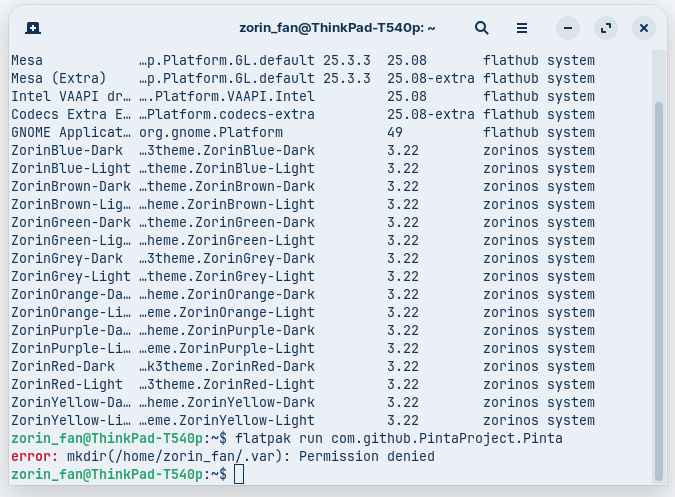
Hmm ... Permission denied. The .var Folder should already exist. Okay, I have the following Ideas:
- Uninstall Pinta and then install it again. But use this Terminal Command to uninstall it:
flatpak uninstall --delete-data com.github.PintaProject.Pintaand then install it again in Gnome Software. - Open Nautilus, press ctrl+h and check if a .var Folder exists.
- Open the Program ''Main Menu'' (is preinstalled), look for the Pinta Entry. click on the Entry and then on the right Side on Properties. then a Window will open. Look in the Command Field and check if it is the same like this:
/usr/bin/flatpak run --branch=stable --arch=x86_64 --command=pinta --file-forwarding com.github.PintaProject.Pinta @@ %F @@
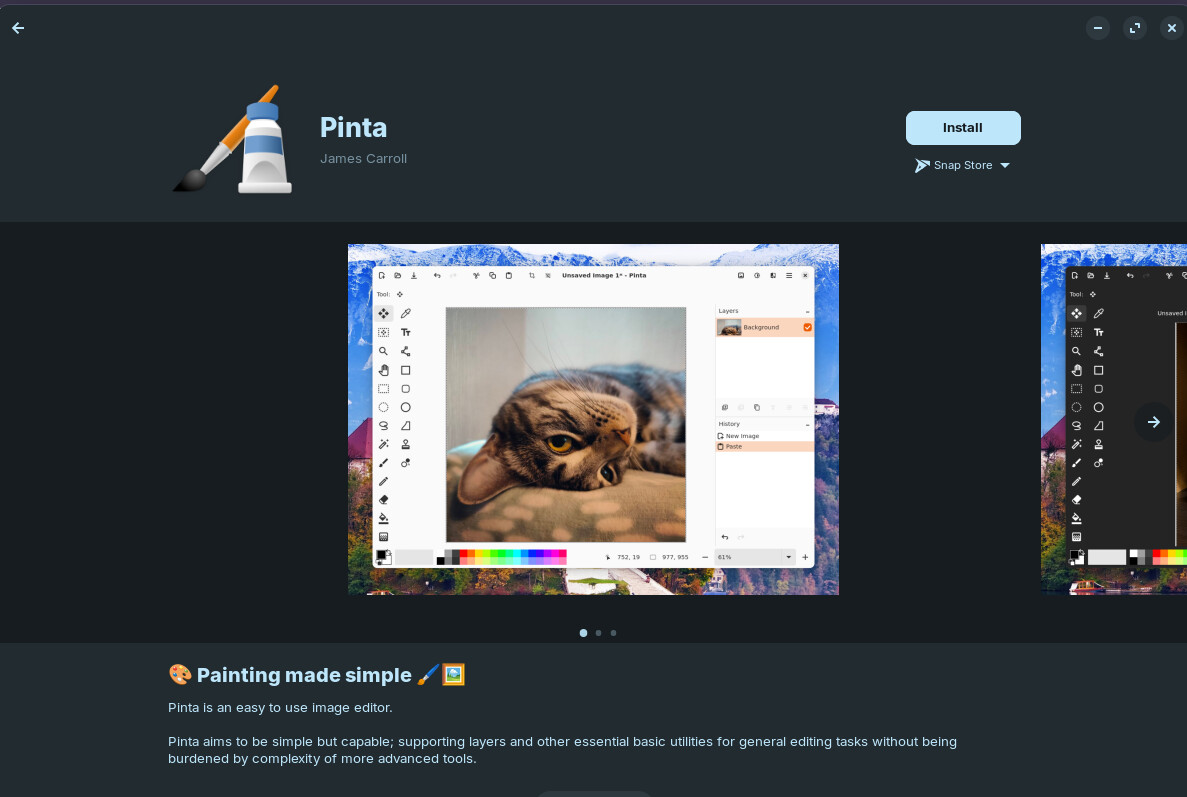
On software app you can also download the Snap store version. I change the source when I get errors on default version.
You can also use alternative such as KolourPaint:
sudo apt install breeze-icon-theme kolourpaint
1 Like
I can suggest you to install via apt:
sudo apt install pinta
1 Like
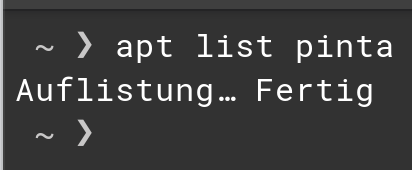
sorry, my bad, maybe I have a repo with it
1 Like
Is it available for You?
I was thinking it was but :
No version of the pinta package is available, but it exists in the database.
This generally means that the package is missing, has become obsolete,
or is only available from another source
Pinta used to be available in Repos and had a .deb package.
The Pinta developers made the decision to Only Offer Pinta in Flatpak.
This ended my use of Pinta entirely. I liked Pinta as a quick and easy photo editor... But it does not offer anything special to make it worthwhile to get Utterly Limited by its package format, so I dropped it when the devs got controlling and exclusive.
5 Likes
I downloaded the flatpak and it started (Zorin 17). But after a while the pen or text stops working.
And I don't quite understand how the selection works. 
I use the program I wrote (Drawish on appimageHub or github), which is more similar to kolourpaint with the missing features 
Ah, interesting. Did they communicate that? Never heard about that.

I'm not going to grace this...
1 Like
Thanks everyone for all the replies... so what's the bottom line then? Forget Pinta & go for KolourPaint? Or something else? Sorry but my lil pea brain is in dire need of a simple "install and run with it" option...
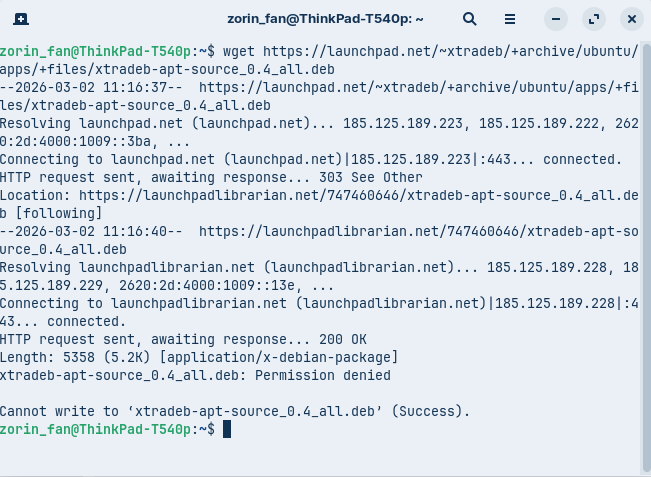
If you need the .deb, package, Xtradeb supplies one:
wget https://launchpad.net/~xtradeb/+archive/ubuntu/apps/+files/xtradeb-apt-source_0.4_all.deb
Double click it in your home folder to install or
sudo apt install ./xtradeb-apt-source_0.4_all.deb
Then
sudo apt install pinta
2 Likes
Thought I would do a quick search for alternatives:
" GIMP , Krita , and MyPaint are the top alternatives to Pinta on Linux, offering powerful digital painting and image editing capabilities.
- GIMP is the most popular open-source alternative, providing extensive tools for photo retouching, compositing, and format conversion. It supports layers, masks, filters, and scripting, making it suitable for both beginners and advanced users, though it has a steeper learning curve.
- Krita is ideal for digital artists, featuring customizable brushes, tablet pressure support, non-destructive editing, and color management. It closely resembles Paint.NET in workflow and is highly regarded for its artist-focused design.
- MyPaint is a lightweight, distraction-free painting tool optimized for digital artists using graphics tablets. It offers a vast brush library and full screen mode, though it lacks advanced photo editing features."
Brave A.I. search used.
1 Like
Thx, swarfendor... not really in need of anything with artistic features, just need something simple & user friendly for editing, cropping & resizing photos... any suggestion?
I have uninstalled per your terminal command, but don't know how to reinstall in Gnome?
Nautilus wasn't already installed - I installed it, but it won't open  ...
...