In Windows, I usually reduce the processor power in the advanced power settings at processor power management to keep my laptop cooler (at the expense of performance) and thus reduce fan noise.
Is there also an in-built function in Zorin that allows you to simply enter a percentage to set the processor performance (I don't know anything about undervolting, so this is too difficult for me)? Or is there a tool with which this can be set as easily as possible for beginners?
Probably TLP is too complicated, or not? In Windows I tried different tools like fan control/speed fan but they were overwhelming me.
I think you need to use a variety of resources. Using A.I. results in:
Reduce Processor Power Linux
To reduce processor power in Linux, you can implement several strategies that focus on optimizing system settings and managing processes. Here are some effective methods:
Enable Dynamic Frequency Technologies : Modern CPUs come with built-in technologies like Intel Speed Shift (EIST) and Dynamic Voltage and Frequency Scaling (DVFS), which automatically adjust the processor's speed and power consumption based on workload. Ensure these features are enabled in your BIOS settings and operating system's power configuration.
Adjust CPU Frequency Scaling Governor : Linux provides different CPU frequency scaling governors that control how the CPU adjusts its frequency. You can switch to a more power-efficient governor like "powersave" or "ondemand" using tools like cpufrequtils or by modifying the /sys/devices/system/cpu/cpu0/cpufreq/scaling_governor file.
Optimize Background Processes : Use tools like top , htop , or ps to identify and manage processes that consume excessive CPU resources. You can also use nice and renice to adjust the priority of processes, ensuring that critical tasks receive more CPU time while less important ones are deprioritized.
Use CPU Affinity : Assign specific processes to particular CPU cores using taskset or cpuset . This can help balance the load and reduce power consumption by preventing unnecessary core activation.
Implement Undervolting : Undervolting involves reducing the voltage supplied to the CPU while maintaining its performance. This can be done through BIOS settings or using tools like cpufrequtils and undervolt for more granular control. Undervolting reduces power consumption and heat generation without significantly impacting performance.
Monitor and Adjust Fan Curves : Use tools like lm-sensors and fancontrol to monitor CPU temperatures and adjust fan curves accordingly. This helps maintain optimal temperatures while minimizing power consumption.
Limit CPU Usage for Specific Applications : Use cgroups (Control Groups) to limit the CPU resources available to specific applications or processes. This ensures that no single application consumes excessive CPU power, helping to reduce overall power consumption.
By implementing these strategies, you can effectively reduce processor power consumption in Linux while maintaining system performance.
If you have an Intel processor with Turboboost (which is solely responsible for ridiculous temperatures and fan activity for doing something as simple as ye olden Skyrim or browsing too many images on steam, in my unexaggerated experience), you can turn that off.
I think rc.local is technically deprecated, but hell if I know a different way to do it, and it works for now.
Create a file: '/etc/rc.local' sudo nano /etc/rc.local
Give it: #!/bin/sh echo 1 > /sys/devices/system/cpu/intel_pstate/no_turbo
Save the file.
Change the permissions for at least read/execute. (This is rwx:)
sudo chmod 700 /etc/rc.local
Make root the owner and group. sudo chown root:root /etc/rc.local
Reboot.
I don't know what the performance difference is, and I don't care. It's negligible. The temperature difference on the other hand, is insane.
I didn't buy a hot plate, I bought a computer, and turning it off takes the temperature down by 30-40 degrees C, and makes the fan a non problem.
Thanks for all replies! I really appreciate your help. My old laptop doesn't have turbo boost, but I've also experienced this on newer devices with Windows, that just lowering the CPU by a few % is enough to switch off the turbo boost and reduce fan noise this way.
I will have a look at the tools and try them out.
I also don't like computers that auto throttle to ungodly amounts of speed, just to look at a picture, or to load up a internet browser. When I'm doing basic tasks, my CPU base clock of 2.2GHZ, is more then fast enough.
Only when I'm gaming, or doing production work, do I ever input a faster CPU frequency. If I'm running off the battery, (which is never) I can even underclock my CPU to 1.2GHZ, which uses less power still, but computer will run quite sluggish like a year 2000 computer lol.
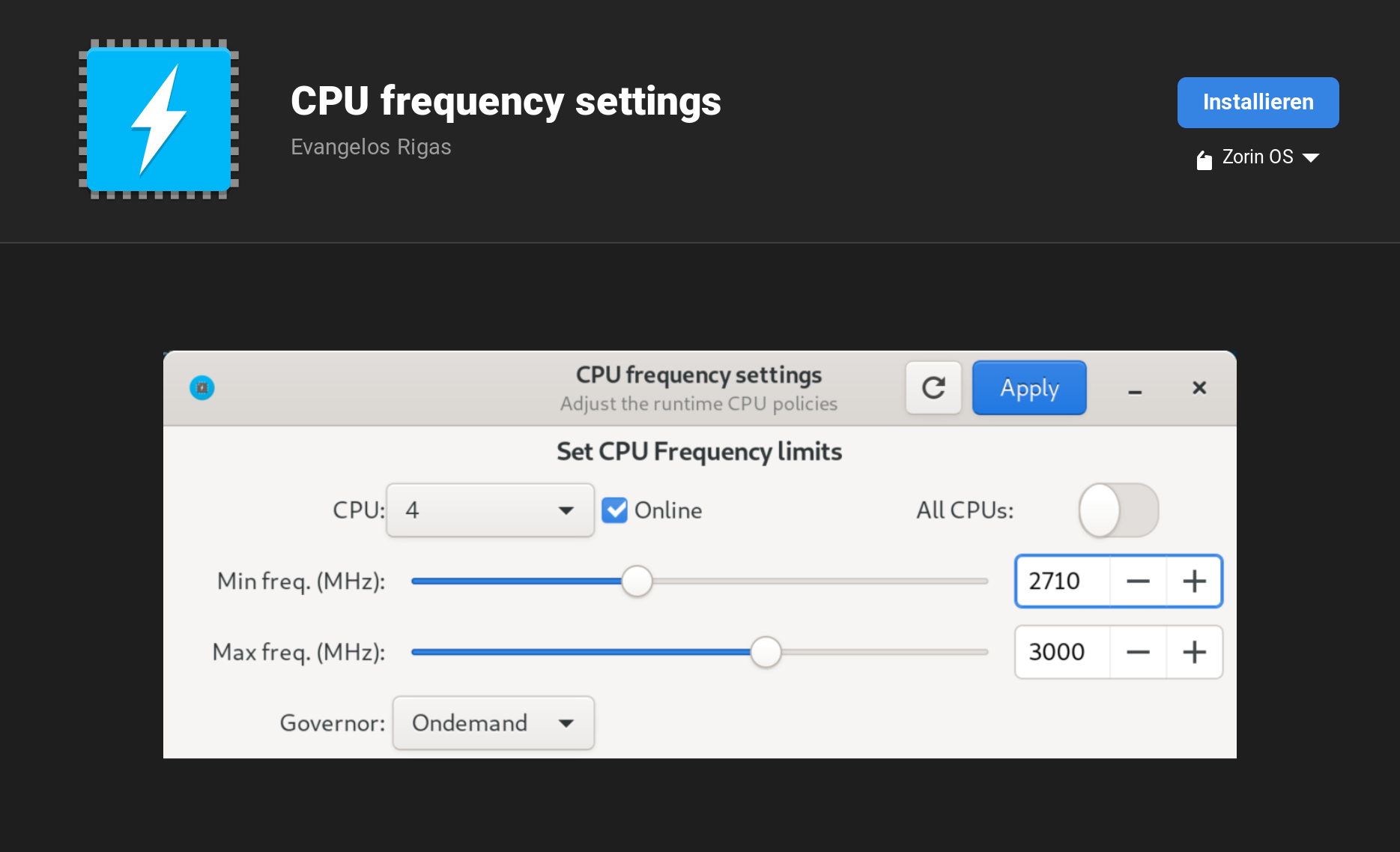
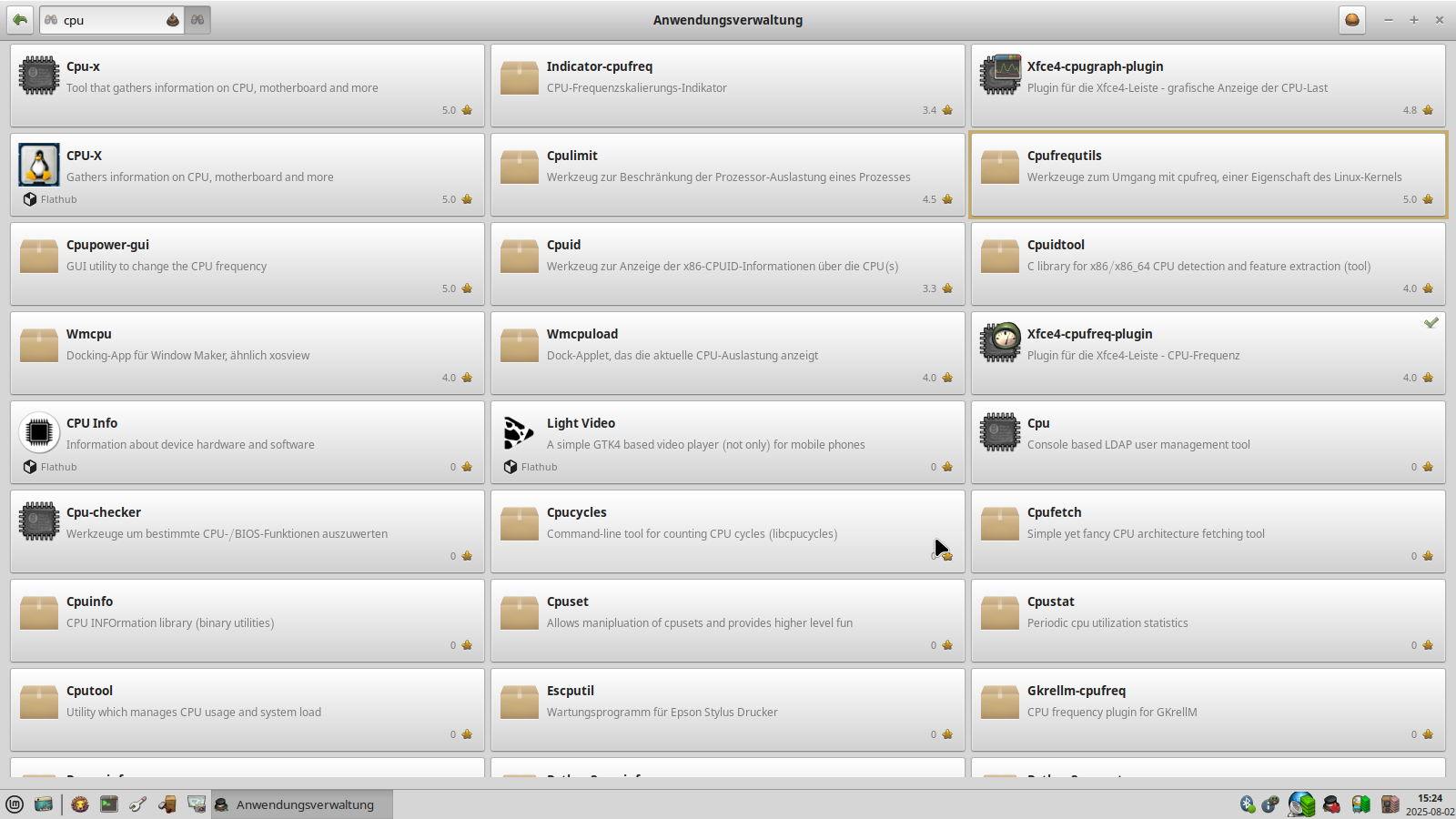
In Linux Mint XFCE I found the "cpupower-gui" app in the software store.
Which one of the packages is the app "cpu frequency settings"? Or is there a similar one?
Is it required to mask the power profiles daemon before installing such a program? I am not sure if TLP or a app with cpufrequ is better. My laptop battery is bad so I can use it only with AC.
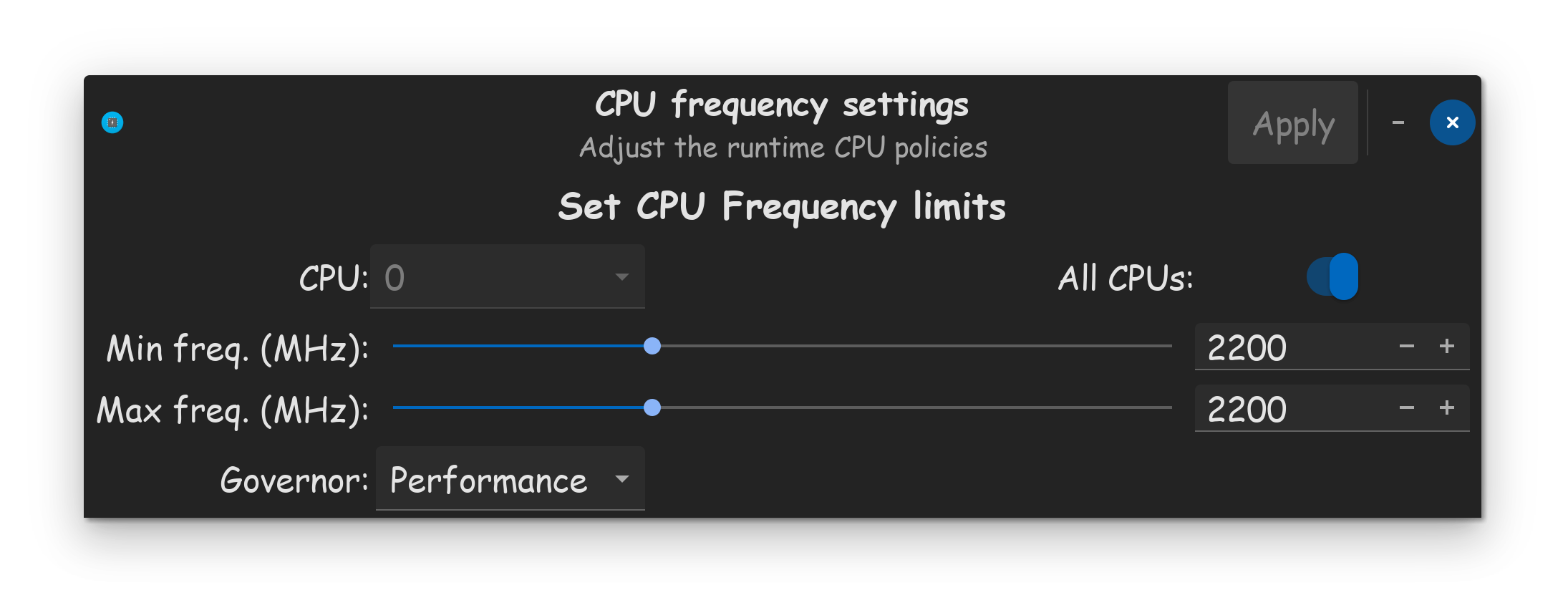
Whats your CPU model @Forpli ? Look up the base clock, whatever that is, lock it down. Like I said, my base clock for my Intel 10870H is 2.2GHZ, so I usually keep it locked down at 2200MHZ AKA 2.2GHZ.
Make sure to set it for all CPU cores, using the All CPU's toggle. Set the governor to what you need. I personally require performance at times, so I have it set to performance.
If 2500MHZ is the max the slider goes, (which is weird BTW) Try downclocking to 1800MHZ, that will reduce CPU performance, without going too crazy. If your computer doesn't crash, you know its good.
You could also set your CPU to 1200MHZ if your CPU allows it, but that frequency runs mighty sluggish on my machine. As long as your computer doesn't crash, and remains usable, then you know the downclock is working ok.
I entered "sudo cpupower" at the moment and then there are listed supported commands frequency-info, frequency-set...
Do you mean to start the gui with sudo? What is the command for it?
There is nothing like described here
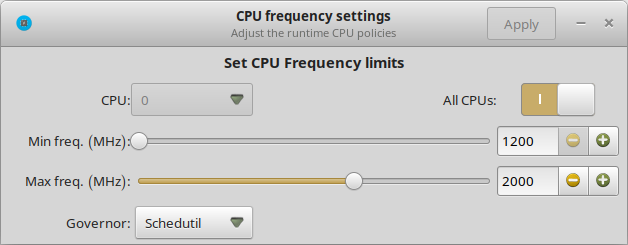
I think this one isn't installed on my system. Or something is making conflicts. There is only the one setting shown on the screenshot.
Nobody answered me if it is required to mask or uninstall the power profiles daemon. So I am not sure if everything is working.
Edit: Just read in the ubuntuhandbook link that version 1.0.0 doesn't work in ubuntu 22.04. My fresh installed version from LM software store is 0.7.2 so perhaps it is too old?
I opened the gui with sudo rights but no changes. After reboot everything is gone.
When I enter "systemctl status cpupower-gui" in terminal the output is "unit cpupower-gui.service could not be found."