CONTEXT AND HISTORY
Model: Acer Aspire GX-781 (Desktop)
OS: Zorin OS 18.1 (Ubuntu 24.04 LTS)
BIOS: R02-A4 (10/12/2017)
Issue: "Invalid Signature" / "Invalid Key" when enabling Secure Boot (even with Microsoft 2011 and 2023 certificates in DB and valid shim).
Timeline:
- Kernel 6.17:
 Works with Secure Boot (but EOL, no updates).
 - **Kernel 7.x+:
 "Invalid Key" (failure began after 2026-09-07; kernel 7.0.0-31 itself booted successfully with Secure Boot enabled from 2026-09-04 to at least 2026-09-07, per journalctl logs — so direct causation with the kernel update is not confirmed).
 - DB 2023: Microsoft 2023 certificates present (verified via
mokutil --db). - shimx64.efi: Valid signature (Ubuntu 15.8-0ubuntu1, with SBAT).
Supporting logs:
$ grep "Start-Date" /var/log/apt/history.log | tail -5
Start-Date: 2026-09-04 19:27:25 <- linux-image-7.0.0-31-generic installed here
$ journalctl | grep "Secure boot enabled"
set 04 19:24:31 ... kernel: secureboot: Secure boot enabled
set 07 13:37:58 ... kernel: secureboot: Secure boot enabled
Core Question:
Why does Secure Boot reject Zorin's shim with kernel 7.x+ if 2023 certificates are present and the shim has a valid signature? Are there solutions beyond kernel downgrade or BIOS flash?
DETAILED TECHNICAL ANALYSIS
 Current Environment
bash
Copiar
BIOS
$ sudo dmidecode -t bios | grep -E "Vendor|Version|Release"
Vendor: American Megatrends Inc. (AMI)
Version: R02-A4
Release Date: 10/12/2017
Secure Boot
$ sudo mokutil --sb-state
SecureBoot disabled # (disabled to bypass the error)
DB Certificates (UEFI)
$ sudo mokutil --db | grep -E "Microsoft|2023"
Microsoft UEFI CA 2023 (valid until 2038)
Microsoft Option ROM UEFI CA 2023 (valid until 2038)
Microsoft Windows Production PCA 2011 (valid until 2026-10-19)
Microsoft UEFI CA 2011 (valid until 2026-06-27)
Shim
$ sudo sbverify --list /boot/efi/EFI/Zorin/shimx64.efi
SBAT: shim.ubuntu,1,Ubuntu,shim,15.8-0ubuntu1
 Acer Official BIOS Comparison
  Version
  Date
  Size
  Official Changes
  Protected Range 2 Hash
  ME Version


  R02-A4
  10/12/2017
  '-
  Original
  97F7DD5561BCF0CE...
  ?


  R02-B0
  23/01/2018
  6.86 MB
  Fix: Systems hangs up during BIOS POST
  8EA0CDDE7C9BC35E...
  ?


  R02-B1
  07/05/2018
  6.73 MB
  Fix: Intel security-side channel + ME 11.8.50.3460
  F3C92AA91159B4BF...
  11.8.50.3460


  R02-B2
  12/07/2018
  6.73 MB
  Fix: System can't auto detect ODD status
  FD03E67FC19BD0EA...
  11.8.x.x
 Key Findings:
AMI v2 Protected Range 2 hash changed in every version transition (A4→B0→B1→B2); its size stayed the same A4→B0, then grew B0→B1 and B1→B2.
Intel ME updated in R02-B1 (to 11.8.50.3460).
SecureBootDXE module itself (the actual Secure Boot validation code) is byte-for-byte identical (SHA-256 match) between A4 and B2 — ruling out a firmware-level fix in this specific module.
Boot Guard is present in all versions, but unchanged (same ACM, Key Manifest, Boot Policy).
QUESTIONS FOR THE COMMUNITY
- Has anyone with an Acer Aspire GX-781 (or similar Acer model) solved this issue without flashing the BIOS or downgrading the kernel?
- What was the solution?
- Did you use any specific configuration?
- Has anyone tested kernel 6.8 LTS with BIOS R02-A4 for an extended period?
- Did it work with Secure Boot enabled?
- Did you receive security updates without issues?
- Does anyone know how to "force" Secure Boot to accept Zorin's shim with kernel 7.x+?
- Specific BIOS settings?
- Tools like
mokutilorefi-updatevar?
- Has anyone removed the Microsoft CA 2023 certificates from
dbto bypass the issue?
- How did you do it?
- Were there security consequences?
- Did the system continue to work normally?
- Has anyone used Canonical's shim (
shim-signed) instead of Zorin's?
- Did it solve the problem?
- How to install without conflicts?
- Does anyone have experience with Intel Boot Guard on Acer boards?
- Is Boot Guard active on the GX-781?
- How to check or disable it (if possible)?
- Does anyone know if Acer has a systemic issue with Secure Boot on Linux?
- Is there official documentation?
- Is there a known bug reported to Acer or Canonical?
- Has anyone tried contacting Acer or Canonical support about this issue?
- What was the response?
HOW TO REPRODUCE THE ISSUE
- Enable Secure Boot in BIOS (Acer GX-781, R02-A4).
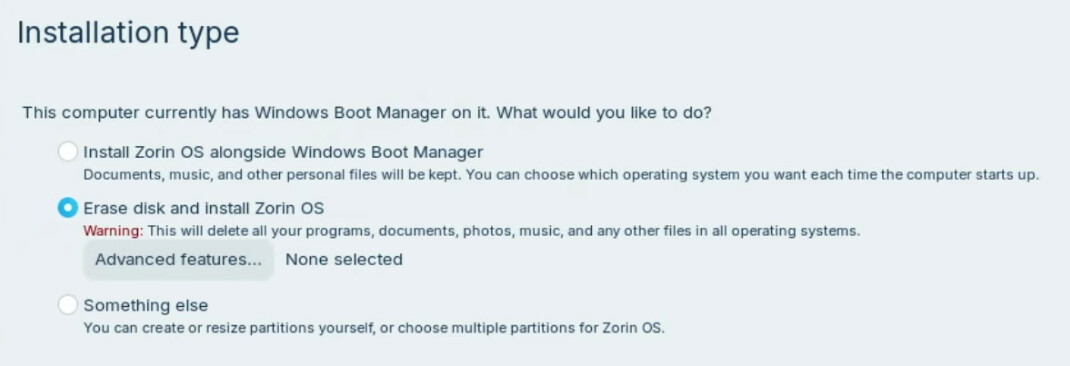
- Install Zorin OS 18.1 (or upgrade to kernel 7.x+).
- Try to boot → Error: "Invalid Signature" or "Invalid Key".
- Check certificates:
bash
Copiar
sudo mokutil --db
sudo efi-readvar -v db | grep -E "Microsoft|2023"
sudo sbverify --list /boot/efi/EFI/Zorin/shimx64.efi
Look for non-obvious solutions to the Secure Boot issue on Zorin OS 18.1 with Acer Aspire GX-781, beyond kernel downgrade or BIOS flash.
Already ruled out (tested directly, not assumed):
- MOK: Zorin's MOK already existed before any third-party tool was used;
MOK validation happens after firmware signature check, so it cannot
cause this specific error. - Shim file integrity: replaced with a byte-for-byte verified copy
(SHA-256 + cmp match against the shim-signed package) — still rejected. - GRUB signature: valid (Canonical Ltd. Secure Boot Signing 2022 v1).
- db structure: verified with efi-readvar -v db — 6 well-formed
signature lists, correct official GUIDs, no corruption. - Standard EFI boot entry: created a plain HD()/File() entry pointing
directly to shimx64.efi (instead of the odd VenHw() entry) — same
rejection. - TPM/PCR: not involved in this failure path.
- Key reconstruction attempts (in order): "Custom → Standard" (failed),
"Install Default Secure Boot Keys" (failed), "Clear Secure Boot Keys"
(only this restored boot, but left firmware in Setup Mode with
PK/KEK/db/dbx all empty — not a real fix). - dbx (revocation list): updated by fwupd from 20230501 to 20260402
(2026-07-07). No revocation entry found matching the reference shim
hash. The dbx content prior to the first "Clear Secure Boot Keys"
was never captured, so a hash-based revocation of the original shim
cannot be fully ruled out — this remains an open question.
Note: The Aspire GX-781 does not appear on Acer's official supported
models list for the June 2026 Secure Boot certificate update
(community.acer.com/en/kb/articles/18840). Acer's own FAQ states that
firmware "cannot automatically handle or write the larger certificate
files" is a known limitation category for older/EOL systems outside
this program's scope.
- I appreciate any feedback or similar experiences!
- If anyone has solved this issue, please share the solution!
- This thread may help other users with the same problem.
Sorry my English.