I miss the bark sound from 17.x. I thought I had it backed up, but no. I'm hoping that there's a repository somewhere that I might find the v17 sound files there that weren't included in v18.
Thanks, all.
Have you checked the link in this post?
That is for the 15/16 era; I am not sure when the sound you are looking for was introduced. I am not even sure which sound is the "bark".
1 Like
You could create a boot stick with zorin 17 and then boot from it in "Try Zorin" mode and copy the file from /usr/share/sounds/gnome/default/alerts/bark.ogg
If you want to download it without creating a Zorin bootstick, download the package "gnome-control-center-data" from Jammy.
I have never done such a download from Jammy into Noble before, so I'm not sure what is the best way to do this. With the live boot stick there is no risk when you just copy the bark.ogg file and save it on your drive.
I did it so (with help from A.I.):
wget http://archive.ubuntu.com/ubuntu/pool/main/g/gnome-control-center/gnome-control-center-data_41.4-1ubuntu12_all.deb
This command downloads the .deb package to your home directory, but doesn't install it (that's important!).
dpkg-deb -x ~/gnome-control-center-data_41.4-1ubuntu12_all.deb ./bark-sound
This command extracts some of the contents of the .deb package (it doesn't extract the metadata files and scripts of the package which are part of the DEBIAN folder because you don't need them for your purpose) in a new folder named "bark-sound" in your home directory.
Open that folder ~/bark-sound and go from bark-sound to usr > share > sounds > gnome > default > alerts > bark.ogg
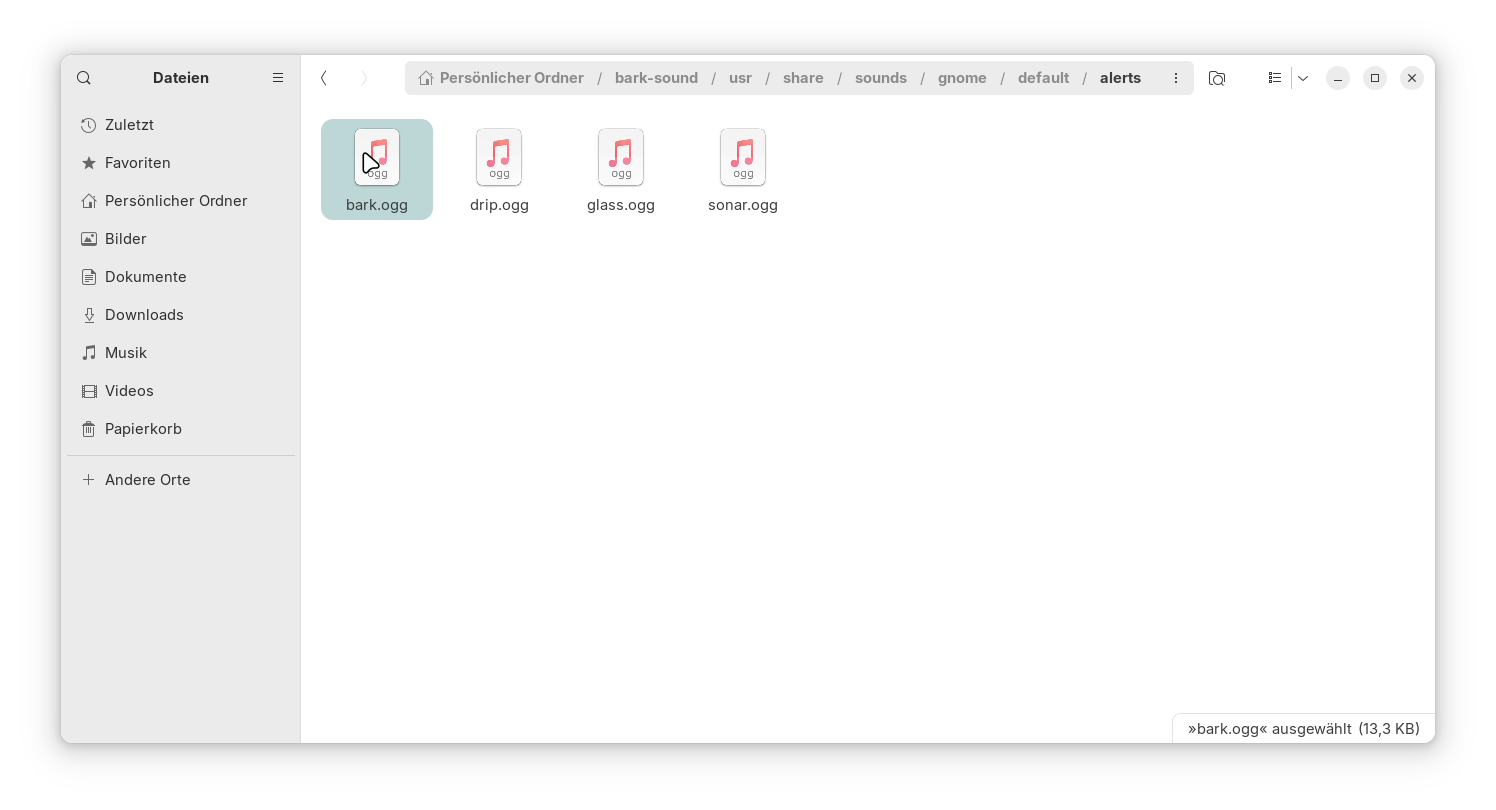
Then you can copy that bark.ogg file to a place you like and delete the new created folder bark-sound.
In Zorin 17, the bark.ogg sound file is not a part of the Zorin sound theme, but part of the package gnome-control-center-data and saved at /usr/share/sounds/gnome/default/alerts.
If you want to replace one of the default alert sounds of Zorin 18 with the bark sound, rename the .ogg file you want to replace, e.g. the click.ogg file at /usr/share/sounds/gnome/default/alertsby adding .bak to e.g. click.ogg.bak, and then copy the bark.ogg file into that folder and rename it to click.ogg (you need root rights to do this).
Then set as alert sound in the settings app click. Now you will hear barking as alert sound.
1 Like
No need for all that  :
:
https://discourse.gnome.org/t/restore-dog-bark-sound-effect-in-gnome/1146
The reason why it was removed:
" The dog bark sound effect was a default alert sound option in Ubuntu and GNOME desktop environments, often triggered by system errors or terminal bells. In Ubuntu 20.04 , users could select "Bark" from the Sound Settings menu alongside other options like "Drip" and "Glass".
The sound effect was officially removed in GNOME 43 (released in 2022 ) after users reported confusion and distress, particularly those who had recently adopted real dogs. Prior to its removal, users could change or disable the sound by modifying PulseAudio configurations or replacing the bark.ogg file in /usr/share/sounds/gnome/default/alerts/ .
AI-generated answer. Please verify critical facts."
[GNOME Devs Help User Solve "Barking Laptop" Problem - OMG! Ubuntu]
If you wanted to add some other "dog" sounds (growl, whine) to make a theme for different alerts you could extract sounds from the game "Battle for Wesnoth":
This has just reminded me that KDE used to have extensive sound options, not sure if still present in current Plasma settings. Wouldn't it be fun to have the fax/modem connection noise sound when a Browser launches?
1 Like
I think, this would be the easiest Solution.
@Mudshark: I would agree to the above. You can still download a Zorin 17 ISO from one of the Mirror Servers:
You might want to keep an eye on this extension if you're interested in adding custom alert sounds without replacing the original ones. Unfortunately, the extension didn't meet the requirements of extensions.gnome.org and was removed from their site.
I compiled it from the source, but it didn’t work properly. Although I was able to play the custom sounds via Quick Settings as a test and set a custom sound there (bark), the custom sound was not played as alert tone on the system but another one. In the extension manager the extension was shown as enabled, but in the quick settings not.
Perhaps the extension will be improved in the near future and added back to the gnome extensions site, so that it can then be installed more easily again using the Extension Manager.