You can use Rufus on Windows OS - what you need to do is Burn the .iso as a Bootable image.
Launching Rufus, you will see the listed options to do this.
Once you have created a Bootable Media - you can then insert the USB stick into the powered off computer you want to install Zorin OS on, then power it on and tapping the appropriate key for that manufacturer, select the Boot Option menu to select that USB stick to boot up from.
Once booted, you can see the GRUB menu, which offers to Try Zorin before you install.
This will give a Demo of Zorin OS, run from the .iso on the USB stick.
Keep in mind, no changes will be save on next boot of the stick (Since it is a Try Zorin Demo) and it will be bottlenecked through the USB port.
If satisfied with the demo, you can double click the icon on the Desktop to launch the installer.
Or you can select a straight install from booting the USB stick.
I looked at those 2, less clear as to what is needed, etc...
I got the ISO onto a win 10 machine. I got Rufus no problem. It complained about something with efi - something I never heard of. My mainboards have BIOS. had to look for a couple files, but seemed to be ok. Made the file on my memory stick. I put it in the computer I am using to set up with Linux. It is set to boot from removable device 1st. But it skips right to the win xp that is on the HD. There are a lot more files on the memory stick this time around..
Older computers will use MBR. That is Master Boot Record. Now, it is often labeled as Legacy (MBR) or just "Legacy."
MBR allows up to Four Bootable partitions. It is rugged and simple.
BIOS is Basic Input OutPut.
EFI is Extensible Firmware Interface and is a part of the Whole BIOS.
While EFI superceds BIOS; most of us still refer to the EFI as "BIOS" in vernacular, though you are right... EFI is not actually BIOS and they are very different. This is because manufacturers still call it that... It is a word users recognize.
You can look into the Computer You are Installing To - in the BIOS Settings, check if you are set to MBR (Legacy) or to EFI.
You can then make a choice on burning the .iso based on that selection.
In the Installer window, where you select the drive, in the Upper Right Side, you should see a drop down arrow that allows you to select which drive to install to.
Just to add to what @Aravisian has already pointed out. Your XP machine is likely to be legacy, using mbr, which limits the number of partitions a system can access to a maximum of 4 Primary partitions. You have not told us of your intentions or specifications of your XP machine, specifically Processor, Graphics, RAM, HDD capacity and how it is partitioned, and whether you are attempting to dual-boot.
I tried running Rufus again, the error / warning is that the ISO file I have has the UEFI .... This might be the problem. I need a BIOS type, or whatever it is called.
When this warning is shown during the Zorin installation you can ignore this warning. It is shown because the installer tool has found no efi partition.
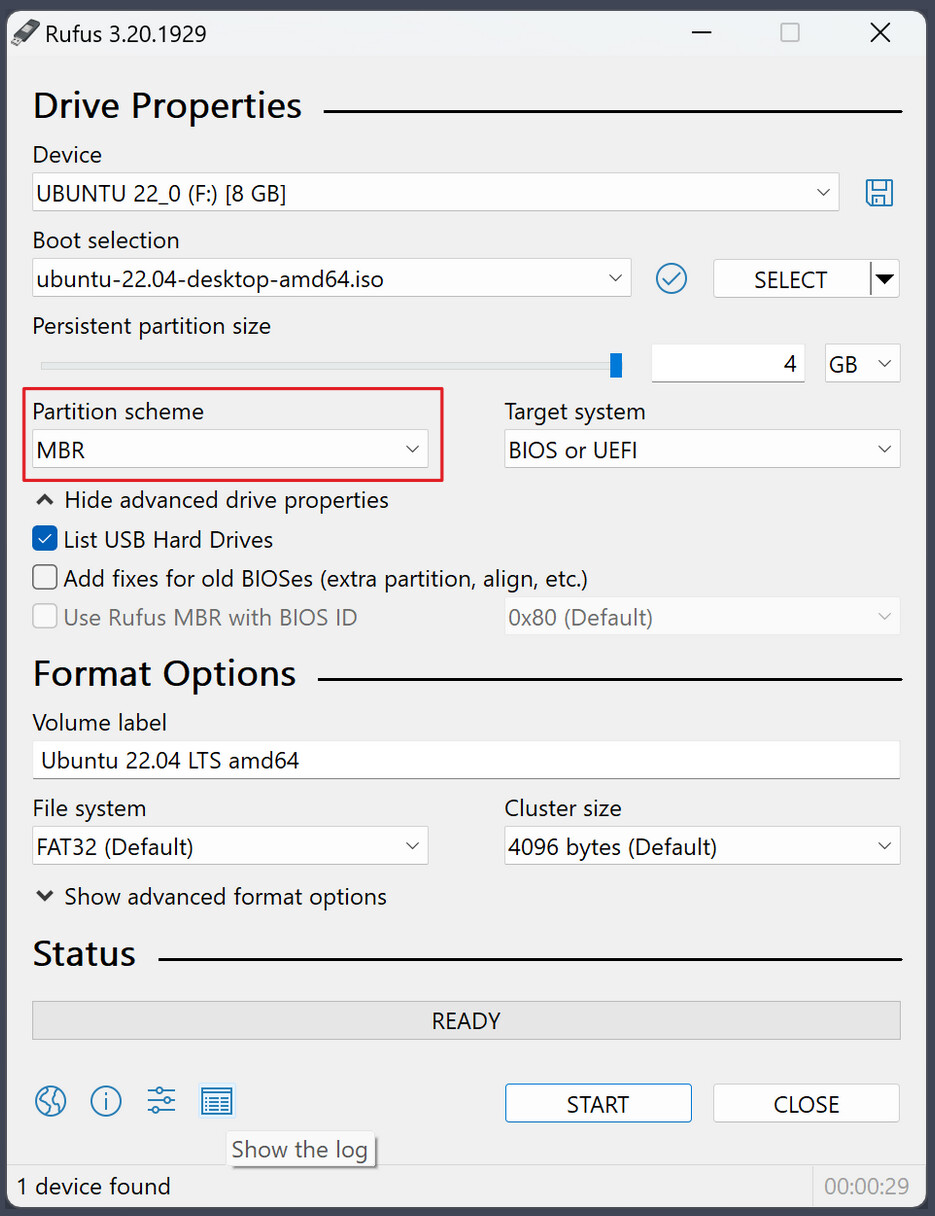
Important is that you have set MBR as partition scheme in Rufus.
Does it say something like that it is an Hybrid IOS? Maybe make a Picture of it and post it here. When it is the Message that I think it is, this isn only an Information that You can create the Stick in 2 different Ways.
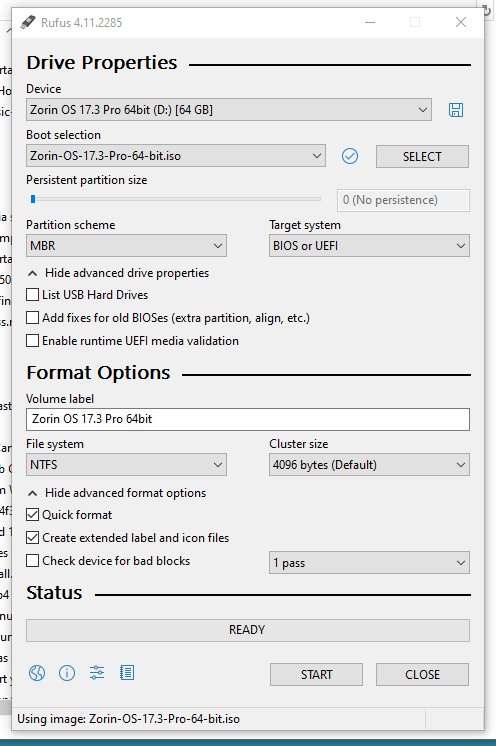
This is the Rufus screen I get. I only have NTFS as an option for the file system. When I start it, it gives that warning, but seems to make the image. But the computer I am trying to set up with linux doesn't see it as a boot drive, it just goes to the HD that has windows on it. I checked the BIOS, and it is supposed to check remo0vable device as the first boot source.
When I see that right, You use a 64GB USB Stick, right? Do You have another Stick what You could use? 32GB or less? If yes, try it with this. And don't forget the ''Partition Sheme'' Option. When You have an UEFI BIOS use GPT and when You have a Legacy BIOS use MBR.
I just tried again with my new 16GB stick... Same thing happens. No option to change the file system. Made the image, put the stick in the win xp machine I want to change to Linux, and it doesn't boot off the USB. It just starts boot windows. I checked the BIOS again, and it has removable device set as the first bootable device.