Coming from Zorin OS 17.3 Gnome, is it worth the try? I mainly wanna explore and gain knowledge. Gnome is good but i haven't tried any other Desktop Environment, and maybe just maybe XFCE could satisfy me.
How hard is it to learn XFCE?
Will i still run apps the same like when i was on Gnome?
Also is there a noticeable difference when using XFCE and Gnome is one faster than the other?
Does XFCE look good?
Is it hard changing to another DE? Is there a possibility of data loss?
XFCE is a little bit faster. It depends on your system. On older computers it makes a large difference.
XFCE does not look so good as gnome (my opinion), but you can more easily install other themes and the desktop is much more flexible, you don't need extensions to customize.
I would make a backup before. The installation is not so difficult, but some DE are difficult to remove afterwards.
You can simply add Zorin Lite's XFCE desktop to your system:
sudo apt install zorin-os-lite-desktop
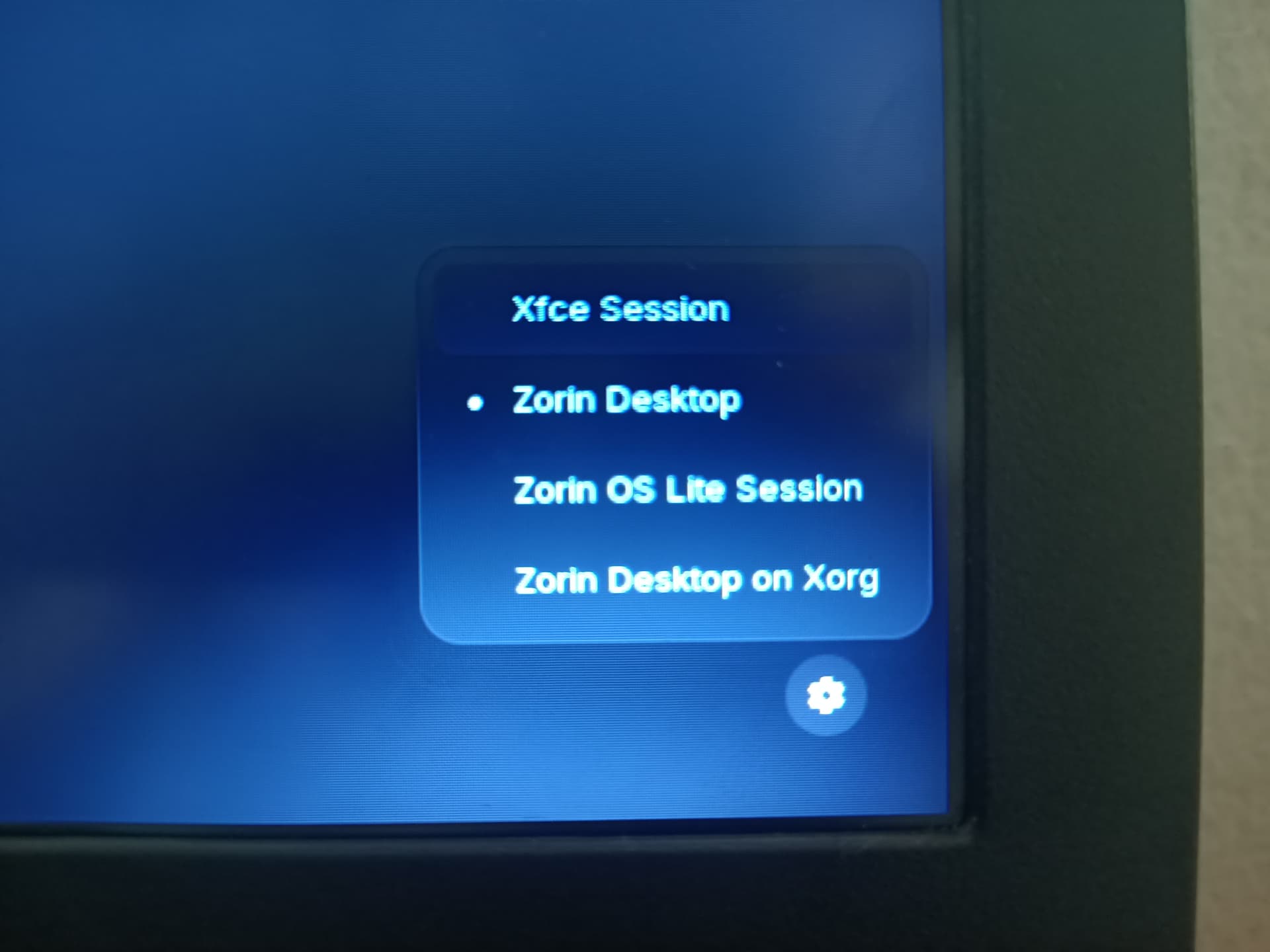
Logout and at login click on your profile, then a cog wheal appears. There you choose Zorin lite desktop (it uses XOrg by default).
It is not hard. Keep gnome during you have xfce installed, so you can switch between both as you want and compare both desktops. If you don't want xfce anymore, you can remove it with
"sudo apt remove zorin-os-lite-desktop"
To make sure that no files of gnome desktop are removed you can also run
"sudo apt remove zorin-os-lite-desktop && sudo apt install --reinstall zorin-os-desktop"
(I'm not sure if that is needed)
You could put Zorin Lite first on an USB Stick and start it and test it in Live Mode. When You don't like what You see, I think it isn't neccessary to install it. But when You like it install it like @Forpli already explained.
Because Zorin Lite is based on xfce, I think, it would be good to add something to the Uninstallation:
To say something to that: lightdm and gdm(3) are the Login Managers. The Login Screen what You will see for login. gdm3 is the Gnome one and lightdm the xfce one.
When You want uninstall Zorin Lite, You have to change the Login Manager first. Type in the Terminal sudo dpkg-reconfigure gdm3 and follow the Prompt.
Zorin Lite has a heavily modified xfce desktop (e.g. Zorin appearance, Zorin menu...).
The default xfce4 desktop uses a start menu named whisker menu. It is more customizable than Zorin menu.
You can install it with
sudo apt install xfce4-whiskermenu-plugin
and then add it to the taskbar and move it from the far right side to the left.
With distrosea you can take a look into different distributions and DE without installing them. There are not all versions offered but you can fastly see how they look:
I have Zorin OS 16 Lite on my 2nd NVME drive. It is indeed faster running, but it does operate differently then Gnome, be aware of that going in, you'll have to learn some new things. I will say that Zorin team did a great job of customizing XFCE, for Zorin OS.
The good news is, there will be one last version of Zorin OS Lite coming up, version 18, and that will be the last. After 18 Lite, they will be getting away from it, cause its double the work for them to put out 2 different OS's, when the vast majority, use Gnome, not XFCE.
PS: I've avoided having dual boot issues, by not installing both OS's, on a single drive. I got Zorin OS Gnome on 1 NVME drive, and I got Zorin OS Lite, on a 2nd NVME drive.
When I had Zorin lite installed few months ago I used XSCT and I also use it on Linux Mint XFCE on my system (that is based on ubuntu noble), but now I see that the package is no more listed for ubuntu jammy Zorin 17.3 is based on.
You can use it in Zorin 18 or try if it will work by entering
sudo apt install xsct
It is a very simple terminal program but the color temperature is always reset when you reboot (or you have to add a script or commands to autostart) and is not automatically adapted to the day/night cycle.
When you want a warm temperature simply enter e.g.
xsct 3500
for a cool temperature
xsct 6500
A program that is more configurable is redshift / redshift-gtk
This can set the screen temperature depending on your geolocation, but there were problems reported with the geolocation service and it is not maintained so that it is recommended to set the geolocation manually. I haven't tried it yet (I tried but at my first days with Linux it was too difficult for me).
You can install it with
sudo apt install redshift redshift-gtk
It is also a terminal program so you can't start it via a GUI. To make the settings you would have to use the terminal or edit a .config file.
Unfortunately there is no nightlight function as in gnome.
jann@pcnijan:~$ xsct 3500
Command 'xsct' not found, did you mean:
  command 'xoct' from deb xpuzzles (7.7.1-1.1)
  command 'sct' from deb sct (1.3-1)
  command 'xset' from deb x11-xserver-utils (7.7+9build1)
  command 'xstc' from deb xmlbeans (3.0.2-1)
Try: sudo apt install <deb name>