I really like Zorin OS 18 Pro's Mac Theme.
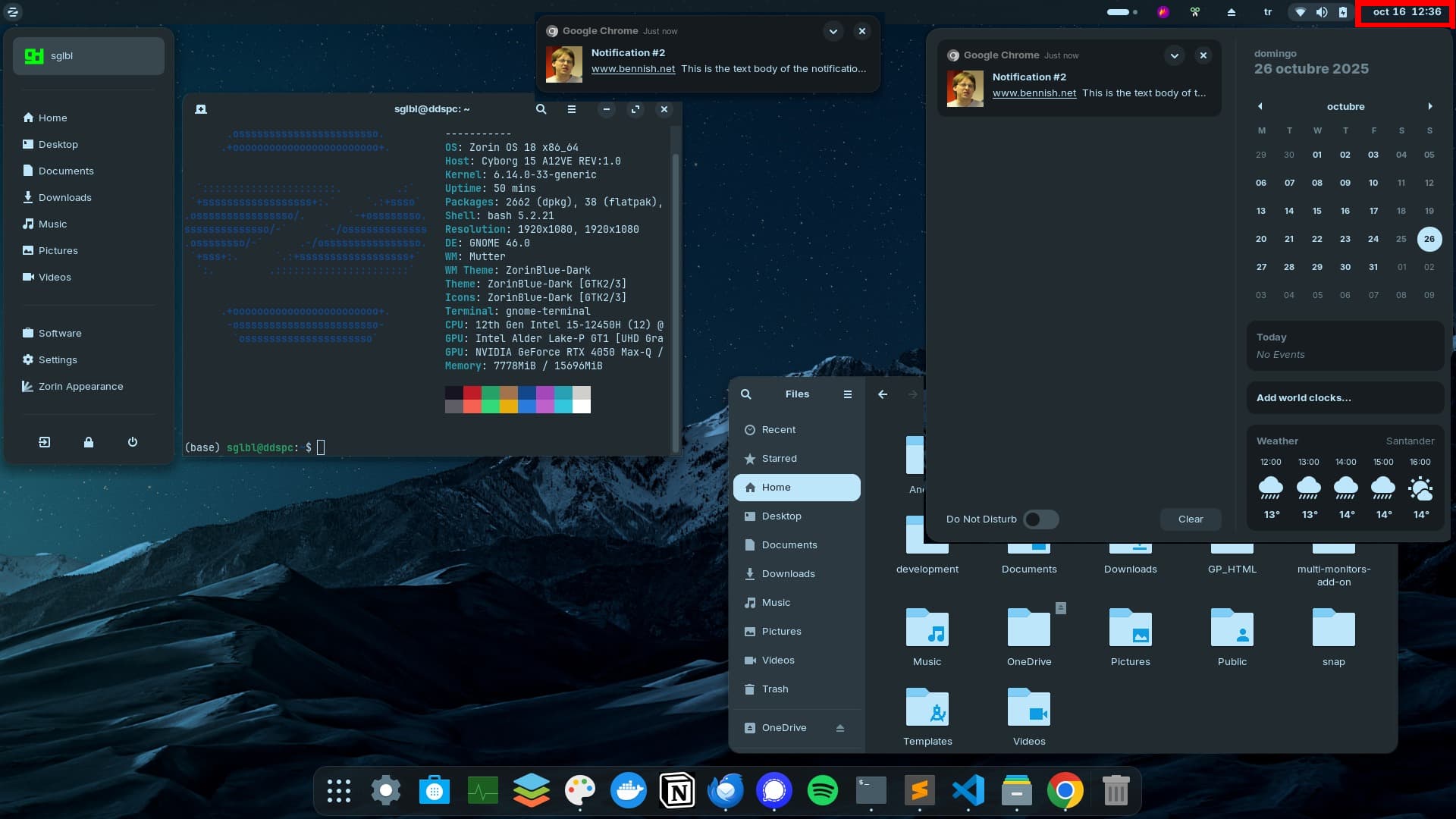
What I actually prefer is to center the Date & Time & Notifications on the panel but since this issue was already created more than 3 years ago (How do I center Date and Time in the taskbar in the mac layout?) but there was no update, what I prefer is at least to show the notifications on the side of notification panel.
Let's say I got a notification (centered) and 2 seconds later it dissapeared. To find this notification I have to open the right side which is confusing for newbies.
Almost on every OS you get notification on the side of notification panel.
Note: Since GNOME or Zorin don't even have the option to show panel (taskbar) on the second screen, I use Multi Monitors Add-On - GNOME Shell Extensions and this extension is successfully shows Date & Time & Notifications centered. But it only works for second screen unfortunately.