ok do that
systemctl --user start pipewire.socket wireplumber.service
ok do that
systemctl --user start pipewire.socket wireplumber.service
Okay the beloved sound bar is back  No sound unfortunately.
and after that
sudo apt install linux-image-6.14.0-35-generic linux-modules-6.14.0-35-generic linux-headers-6.14.0-35-generic
sudo grep -E "submenu '|menuentry '" /boot/grub/grub.cfg | cut -d"'" -f2
sudo grub-reboot "Advanced options for Zorin>Zorin, with Linux 6.14.0-35-generic"
sudo reboot
Still nothing.
What do you think? Should we call it a day?
give me
uname -r
6.17.0-35-generic
so it doesn't boot to 6.14, ok let's try again and I let you go for today
sudo grub-reboot "Advanced options for Zorin>Zorin, with Linux 6.14.0-35-generic"
sudo reboot
and
uname -r
after reboot, if it's 6.14 test sound
Still this: 6.17.0-35-generic
give me the output of
sudo grep -E "submenu '|menuentry '" /boot/grub/grub.cfg | cut -d"'" -f2
Zorin OS
Advanced options for Zorin OS
Zorin OS, with Linux 6.17.0-35-generic
Zorin OS, with Linux 6.17.0-35-generic (recovery mode)
Zorin OS, with Linux 6.17.0-29-generic
Zorin OS, with Linux 6.17.0-29-generic (recovery mode)
Zorin OS, with Linux 6.14.0-35-generic
Zorin OS, with Linux 6.14.0-35-generic (recovery mode)
UEFI Firmware Settings
this
sudo grub-reboot "Advanced options for Zorin OS>Zorin OS, with Linux 6.14.0-35-generic"
sudo reboot
Still nothing. At this point im thinking the hardware is broken. Let me reinstall Windows tomorrow and see if it works again. If it doesnt ill call it a day and get me some other speakers.
So far id like to express my gratitude for your help and undying patience. You are amazing
show me uname -r
6.17.0-35-generic
try to go to grub menu and boot with 6.14 and test, i'm sure it will work
What this shows me is that this is not a driver issue and no, the hardware is not likely broken.
Zorin OS is recognizing the hardware and believes the sound is playing.
So have you checked your outputs?
This thread is quite long, so I am sorry if I missed seeing it while skimming. But I would load up pavucontrol and look at the outputs and make sure it is not piping through HDMI or something.
Okay im now in:
6.17.0-29-generic
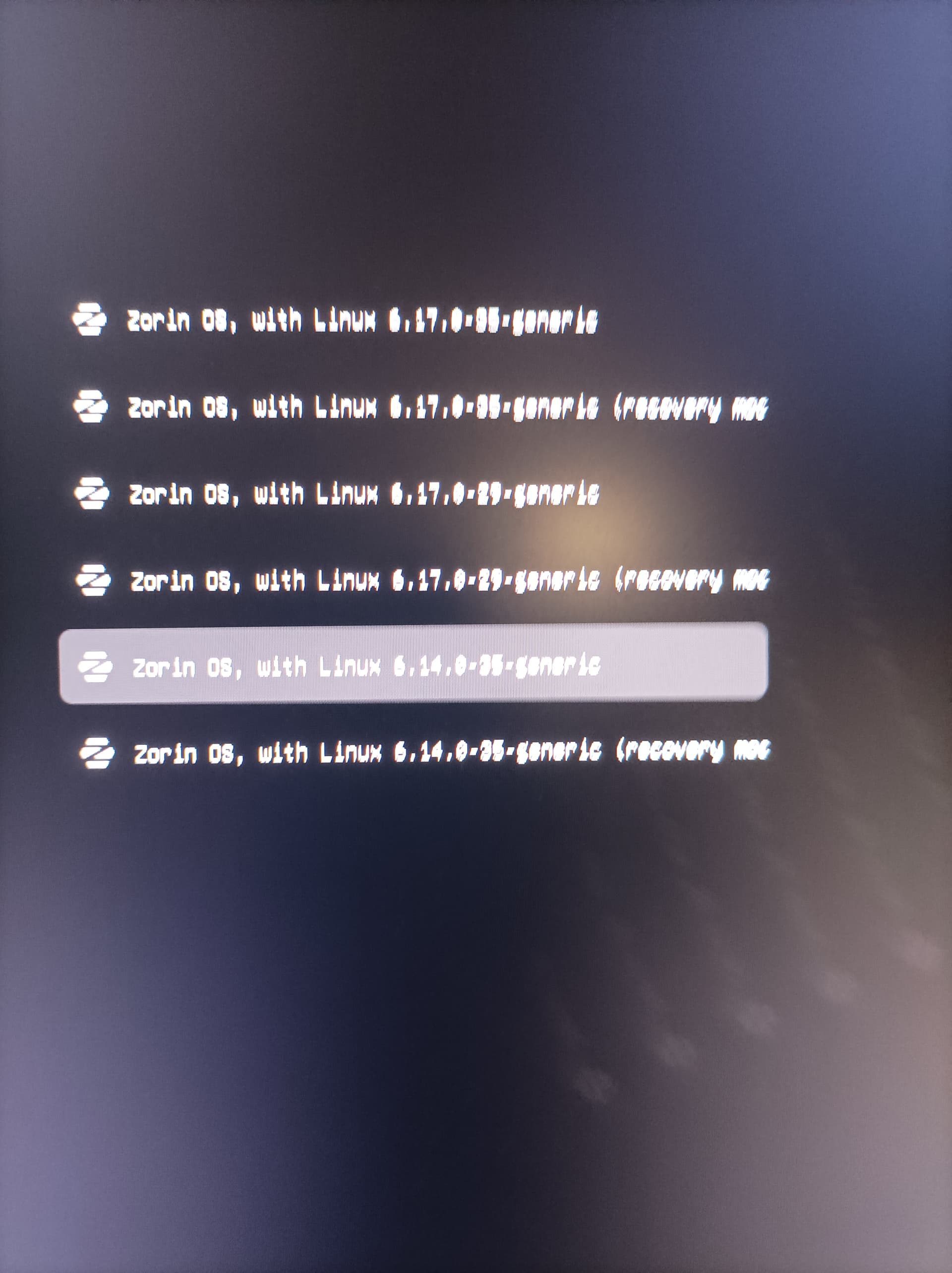
Edit: Couldnt chose 6.14. Ill attach a screenshot, just have to switch PCs, just a sec.
@ Aravisian:
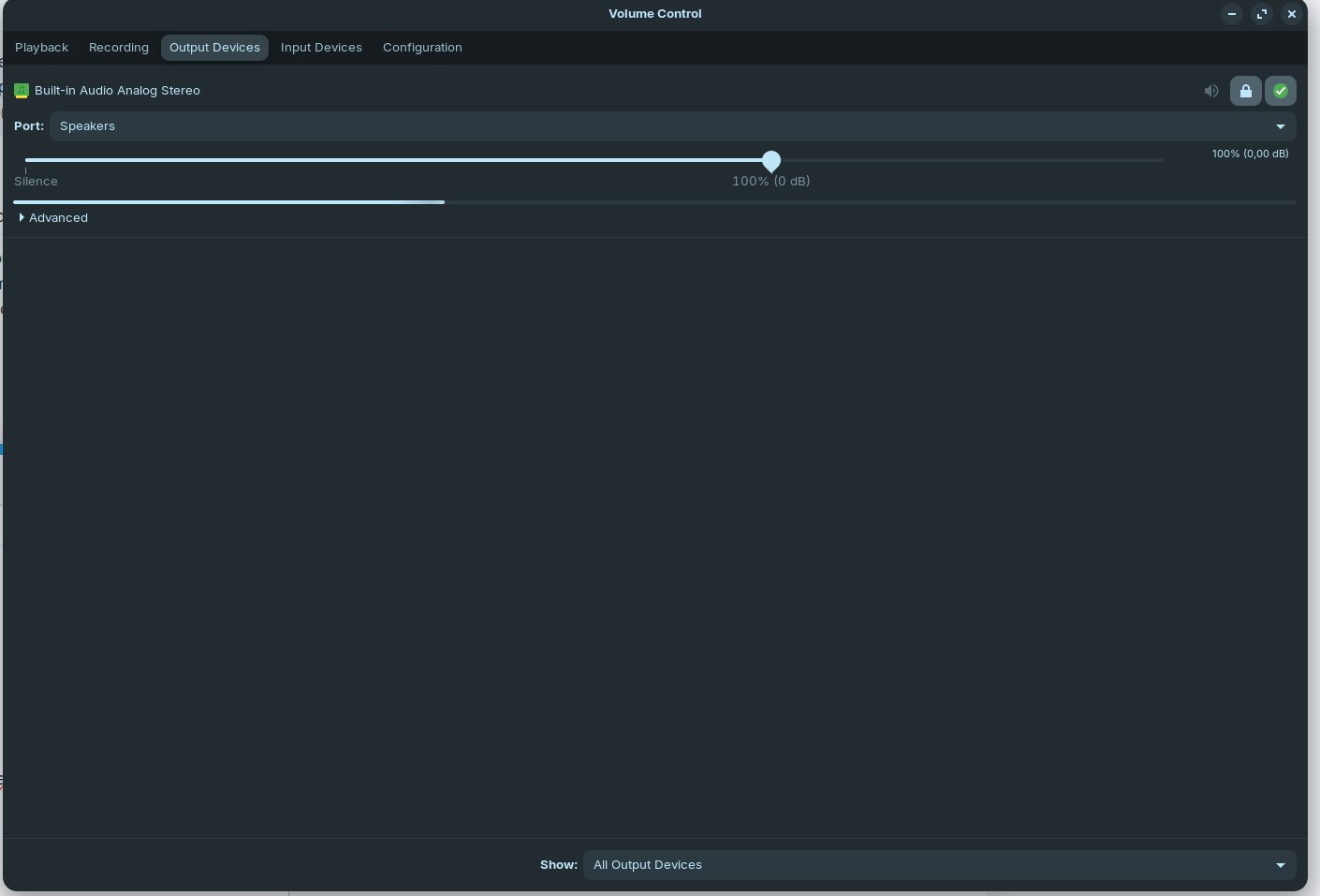
Pavucontrol is the Pulse Audio program, yes?
It looks like this on my PC (im running a youtube video in the background):
Do you have attached analog speakers? Or digital ones?
Or speakers built into the monitor? (I see that shows as unavailable)...
The computer has 2x5w speakers and they worked for the 5 minutes when I was testing them after unpacking the PC. Its a Lenovo M90 Pro gen4 that I got for cheap brand new (well at least not used yet its an old model). Then I installed Zorin and tried the VirtualBox VM with Win 11 (but didnt check sound) and left if for some weeks. And now that I wanted to use it for work I realized the speakers aint working.
Additionally I was using my old bathroom bluetooth speaker which works fine. No idea if they are analog but I doubt it. They are these small portable ones. Tomorrow ill try to see if the headphone jack works, cause if it does, il just get me some cheap speakers and call it quits. I just need speakers for my calls with clients thats all. No fancy pants.
By the way: This was the selection. I chose .29 cause its the oldest version. Sry for the quality didnt realize at the moment.
Edit: Oh dang, there is a 6.14 option I didnt see, my bad.
so you tried ?