[ 4.239155] snd_hda_codec_alc269 hdaudioC0D0: ALC256: picked fixup for PCI SSID 17aa:0000
[ 4.239630] snd_hda_codec_alc269 hdaudioC0D0: autoconfig for ALC256: line_outs=1 (0x1b/0x0/0x0/0x0/0x0) type:speaker
[ 4.239632] snd_hda_codec_alc269 hdaudioC0D0: speaker_outs=0 (0x0/0x0/0x0/0x0/0x0)
[ 4.239634] snd_hda_codec_alc269 hdaudioC0D0: hp_outs=1 (0x21/0x0/0x0/0x0/0x0)
Node 0x14 [Pin Complex] wcaps 0x40058d: Stereo Amp-Out
Amp-Out caps: ofs=0x00, nsteps=0x00, stepsize=0x00, mute=1
Amp-Out vals: [0x80 0x80]
Pincap 0x00010014: OUT EAPD Detect
EAPD 0x2: EAPD
Pin Default 0x411111f0: [N/A] Speaker at Ext Rear
Conn = 1/8, Color = Black
DefAssociation = 0xf, Sequence = 0x0
Misc = NO_PRESENCE
Pin-ctls: 0x00:
Unsolicited: tag=00, enabled=0
Power states: D0 D1 D2 D3 EPSS
Power: setting=D0, actual=D0
little silly question, does the sound ever worked before you update ?
Yes it did.
ok let's try this, we will try to use Older kernel
- Restart the PC and hold Escape during boot to access the GRUB menu (may also be accessed with Shift)
- Select "Advanced options for Zorin OS"
- Here, you can see the available kernels to boot into. Choose the older one (without recovery option)
I think im doing it wrong. I shut down, press either esc or shift and hold it. Some text runs on the screen, the loginscreen appears. But i cant find any kernel selector. Just some gear symbol on the bottom right with different zorin versions.
you need to press esc just when you see Lenovo logo, it's not easy I know but you will succeed
OK if you don't succeed we will try another way
give me the output of
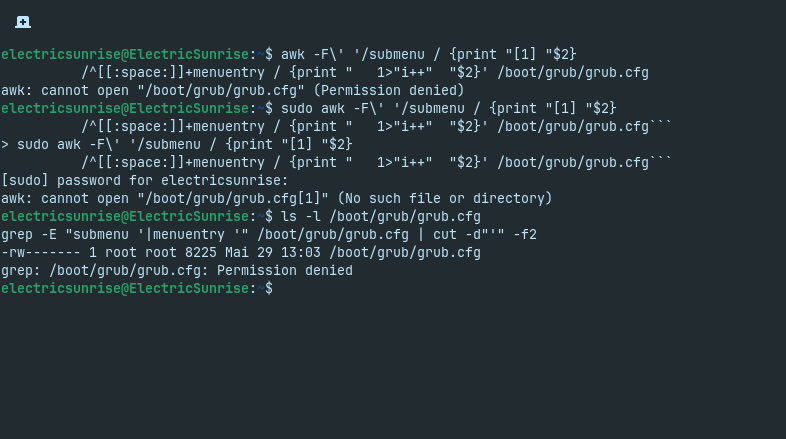
awk -F\' '/submenu / {print "[1] "$2}
          /^[[:space:]]+menuentry / {print "   1>"i++"  "$2}' /boot/grub/grub.cfg
I finally managed and am talking to you from Zorin XXX.25 or something :). No sound unfortunately.
The terminal gave me this:
awk: cannot open "/boot/grub/grub.cfg" (Permission denied)
try with sudo
sudo awk -F\' '/submenu / {print "[1] "$2}
          /^[[:space:]]+menuentry / {print "   1>"i++"  "$2}' /boot/grub/grub.cfg
awk: cannot open "/boot/grub/grub.cfg[1]" (No such file or directory)
give me this please
ls -l /boot/grub/grub.cfg
grep -E "submenu '|menuentry '" /boot/grub/grub.cfg | cut -d"'" -f2
-rw------- 1 root root 8225 Mai 29 13:03 /boot/grub/grub.cfg
grep: /boot/grub/grub.cfg: Permission denied
try with sudo
sudo grep -E "submenu '|menuentry '" /boot/grub/grub.cfg | cut -d"'" -f2
Zorin OS
Advanced options for Zorin OS
Zorin OS, with Linux 6.17.0-35-generic
Zorin OS, with Linux 6.17.0-35-generic (recovery mode)
Zorin OS, with Linux 6.17.0-29-generic
Zorin OS, with Linux 6.17.0-29-generic (recovery mode)
UEFI Firmware Settings
I chose the 6.17.0-29 generic. Not the one on recovery 
ok reboot and it will boot to the actual kernel -35, we will try other thing
uname -r
sudo dmesg | grep -iE "ALC256|autoconfig|speaker_out|hp_out|picked fixup"
cat /proc/asound/card0/codec#0 | grep -A12 "Node 0x14"
ls /dev/snd/hw*
6.17.0-35-generic
[sudo] password for electricsunrise:
[    4.205402] snd_hda_codec_alc269 hdaudioC0D0: ALC256: picked fixup  for PCI SSID 17aa:0000
[    4.205879] snd_hda_codec_alc269 hdaudioC0D0: autoconfig for ALC256: line_outs=1 (0x1b/0x0/0x0/0x0/0x0) type:speaker
[    4.205882] snd_hda_codec_alc269 hdaudioC0D0:    speaker_outs=0 (0x0/0x0/0x0/0x0/0x0)
[    4.205883] snd_hda_codec_alc269 hdaudioC0D0:    hp_outs=1 (0x21/0x0/0x0/0x0/0x0)
Node 0x14 [Pin Complex] wcaps 0x40058d: Stereo Amp-Out
  Amp-Out caps: ofs=0x00, nsteps=0x00, stepsize=0x00, mute=1
  Amp-Out vals:  [0x80 0x80]
  Pincap 0x00010014: OUT EAPD Detect
  EAPD 0x2: EAPD
  Pin Default 0x411111f0: [N/A] Speaker at Ext Rear
    Conn = 1/8, Color = Black
    DefAssociation = 0xf, Sequence = 0x0
    Misc = NO_PRESENCE
  Pin-ctls: 0x00:
  Unsolicited: tag=00, enabled=0
  Power states:  D0 D1 D2 D3 EPSS
  Power: setting=D0, actual=D0
/dev/snd/hwC0D0  /dev/snd/hwC0D2
ok now this and tell me if you have a sound
sudo apt install alsa-tools
systemctl --user stop pipewire.socket wireplumber.service pipewire.service
sudo hda-verb /dev/snd/hwC0D0 0x14 SET_EAPD_BTLENABLE 0x2
sudo hda-verb /dev/snd/hwC0D0 0x14 SET_PIN_WIDGET_CONTROL 0x40
speaker-test -D plughw:0,0 -c2 -twav
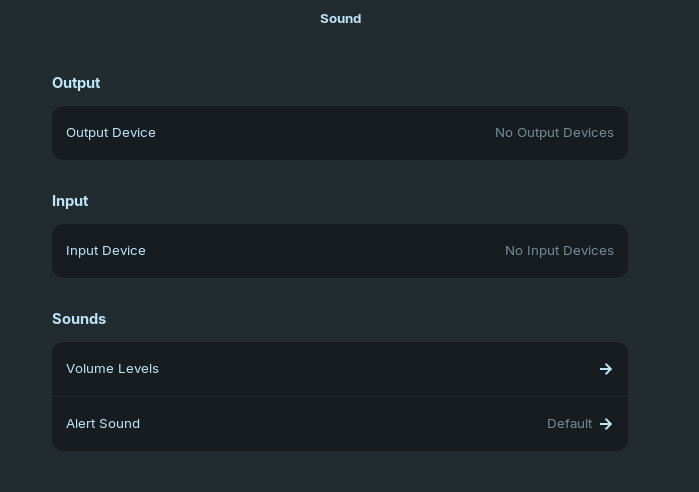
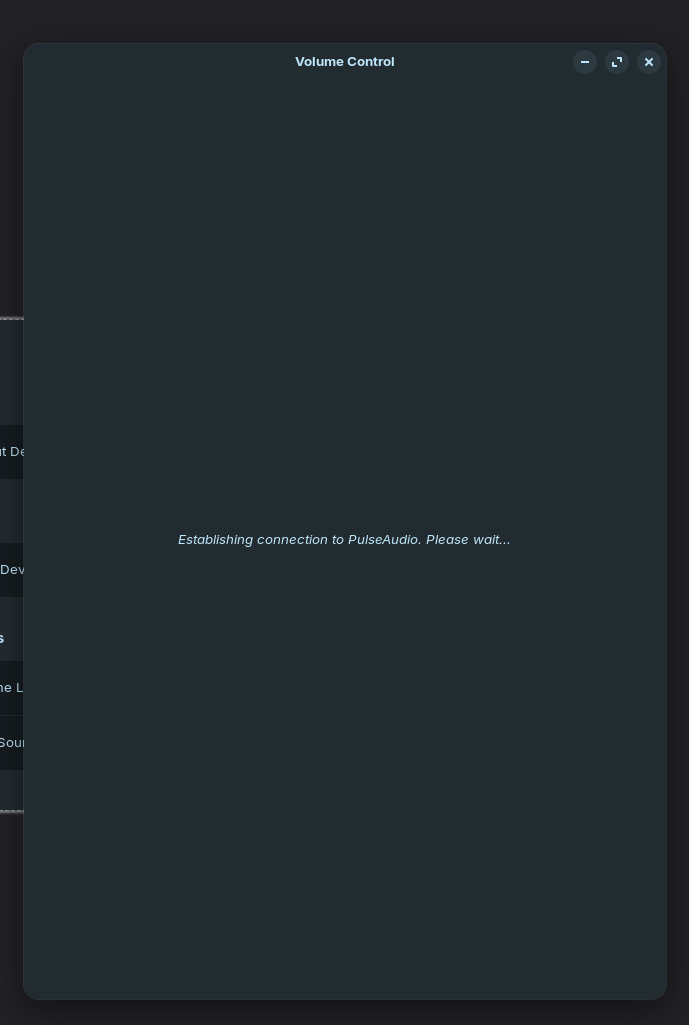
Something happened. The sound bar in the bottom right disappeared, but i didnt catch at what step.
Pulse audio cant connect. Somehow the sound disappeared.
Reading package lists... Done
Building dependency tree... Done
Reading state information... Done
alsa-tools is already the newest version (1.2.11-1build2).
The following package was automatically installed and is no longer required:
  libwoff1
Use 'sudo apt autoremove' to remove it.
0 upgraded, 0 newly installed, 0 to remove and 0 not upgraded.
nid = 0x14, verb = 0x70c, param = 0x2
value = 0x0
nid = 0x14, verb = 0x707, param = 0x40
value = 0x0

speaker-test 1.2.9

Playback device is plughw:0,0
Stream parameters are 48000Hz, S16_LE, 2 channels
WAV file(s)
Rate set to 48000Hz (requested 48000Hz)
Buffer size range from 64 to 1048576
Period size range from 32 to 524288
Using max buffer size 1048576
Periods = 4
was set period_size = 262144
was set buffer_size = 1048576
 0 - Front Left
 1 - Front Right
yeah I stopped services don't worry, did you had sound with the test ?
Unfortunately no.