I've just started using Zorin 18 yesterday and I have a few issues with accessibility (I'm legally blind). I don't know the terms of what I'm asking so I'll try to be descriptive.
The shortcut icons on the taskbar are very small, even when I change the Height of the taskbar. How can I make them bigger?
The Indicator Light that an app is running is also very small. How might I make it bigger?
That is unfortunately not so easy to handle. You would hate to take a Look in the index.theme File from the Icon Set and/or the used Theme to try set up a bigger Size. But I don't know the right Values for this. Maybe a different User can assist You with that.
The Zorin Taskbar doesn't offer Settings to change that. But You could replace it with the Gnome Extension Dash to Panel - GNOME Shell Extensions and there You have more Options to customize it - including the Marker.
I installed Dash to Panel and I have some interesting quirks I can't figure out.
Both the default Zorin taskbar and the new one show up, one over the other. And I can't figure out how to hide the default Zorin panel and show the new one. Also there is a weird bottom dark margin that shows up under the bar. I think there's just some strange conflicts happening.
Yes, Sorry. My Mistake. I forgot that to mention. Open Gnome Software (the blue Shopping Bag with the white Dot). Look there for ''Extension Manager'':
Install it (doesn't matter if Flatpak or APT Version). When installed, open it and go to the ''Installed'' Tab, scroll down to ''Zorin Taskbar'' and disable it with the Toggle:
If you like a dock, you can try the gnome extension "Dash2Dock Animated".
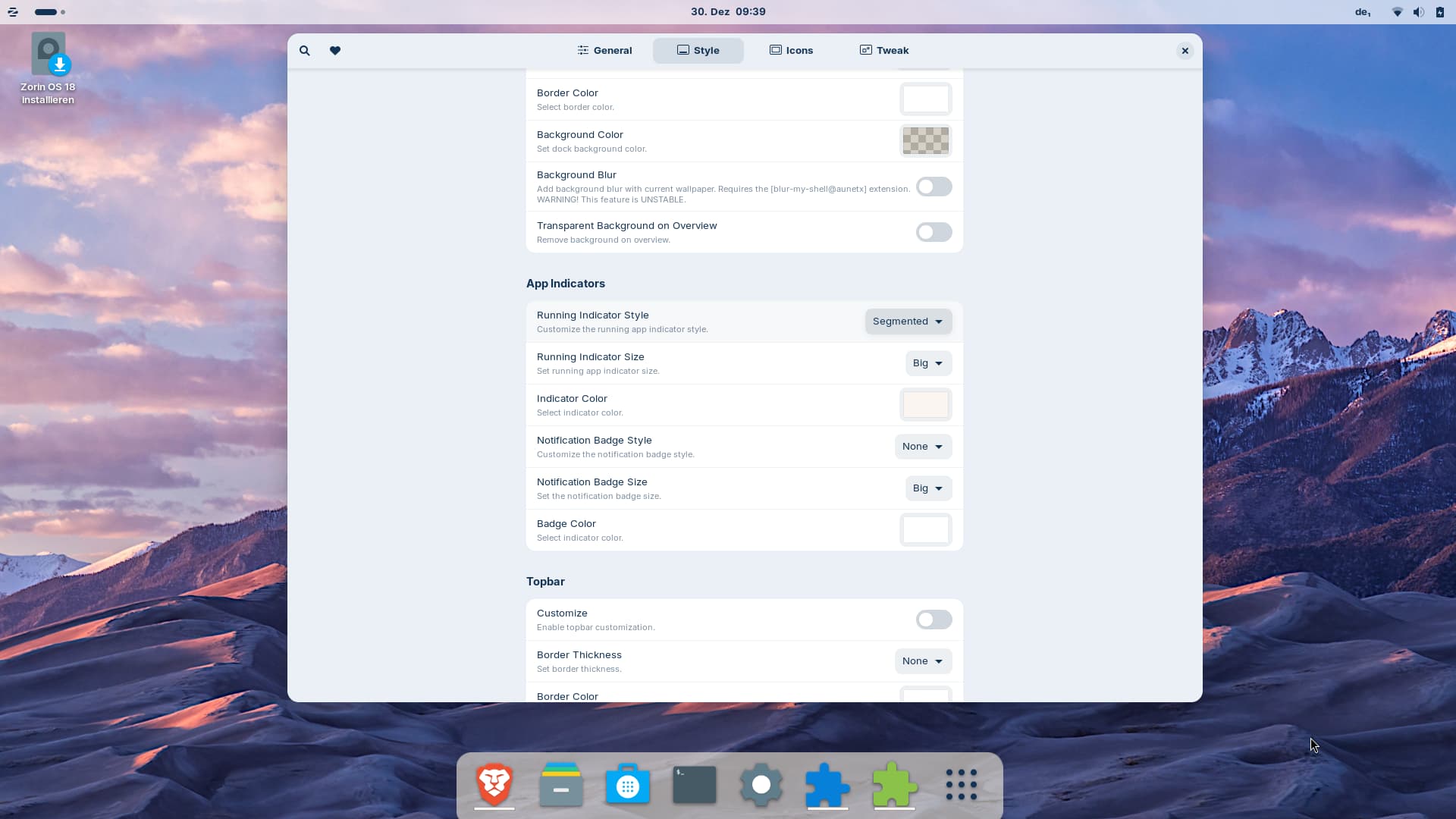
If offers many settings and you can choose a style for the appindicators. With style "segmented" at "Running Indicator Style" you get a line for all opened apps, not only dots (unfortunately you can't differ in the app indicators between focused and non focused windows), and you can choose a custom color for the line and set it to "big" at "Running Indicator Size".
It also helps to increase the "Edge Distance" for dash, Icon Size and Icons Spacing for better visibility.