The cursor in Flatpak apps is larger and has a different theme

Hey guys, I've tried a bunch of different methods, but nothing works for me. I'm using Zorin OS 18.


What I have tried:

https://forums.linuxmint.com/viewtopic.php?t=380469
https://www.reddit.com/r/linux/comments/ihsyf7/if_you_have_problems_with_mouse_pointer_size_in/
The cursor is in the /usr/share/icons directory, I also tried copying it to the ~/.icons and ~/.local/share/icons directories

I don't know how to fix that anymore

You can try it with this guide:

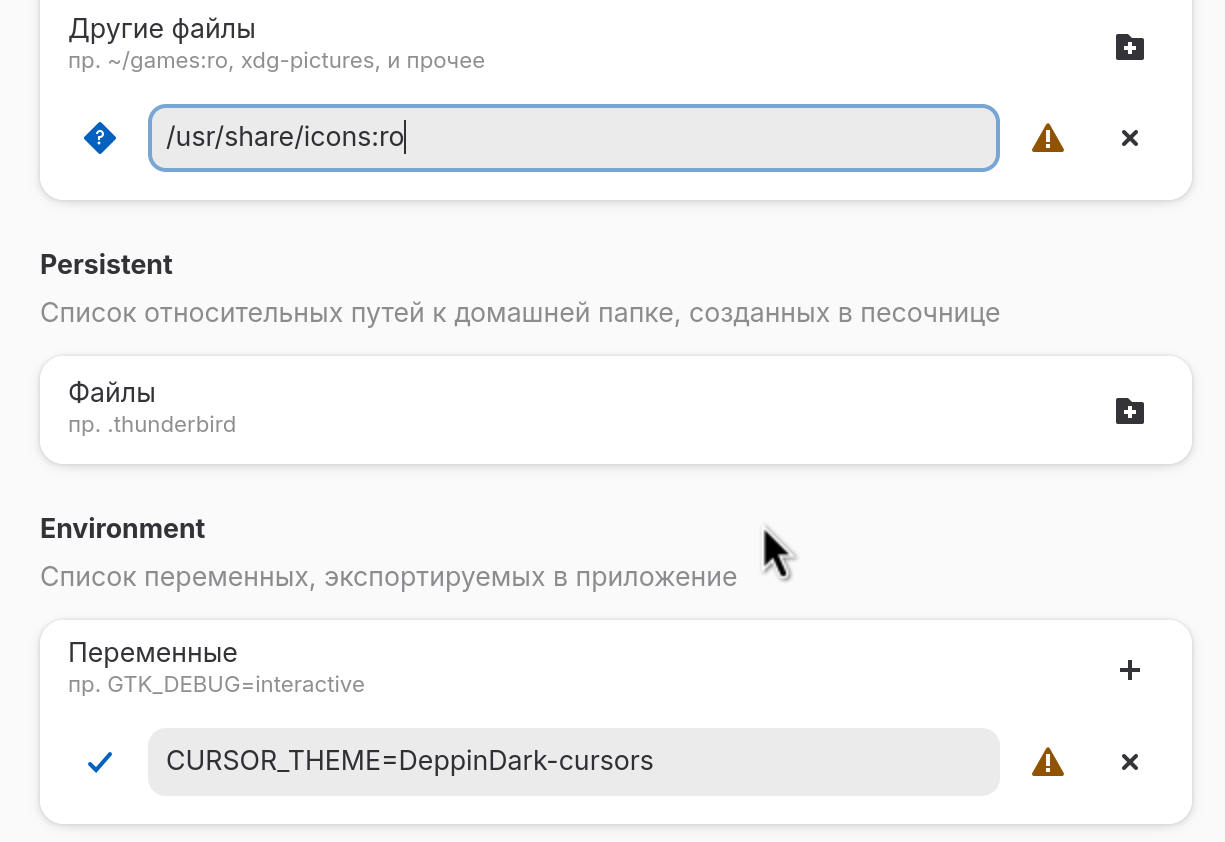
If it doesn't work with ICON_THEME in flatseal, try it with CURSOR_THEME.

Unfortunately, this solution also does not provide any changes.

Did you try it with flatseal?

Yes, I can change GTK themes, but for some reason the cursor doesn't change

Does it not work in all flatpaks? I ask because it may be an qt flatpak app.

Another idea, you could try to set the permissions in flatseal to grant access to your /usr/share/icons folder.

It doesn't work in all flatpaks. I use Bottles, Resources, Flatseal.

I tried, but nothing changes

Please try without :ro at the path.

Nothing changes :frowning:

I just installed Ignition and I don't have this problem.

My cursor displays normally when running problematic applications in an X11. But Ignition works in a Wayland with normal cursor

I have the same issue, but since i use the default Zorin cursor it just looks like the cursor gets bigger which is less annoying than the cursor changing completely.
Still a bit annoying, though.

Hello. I'm a Zorin OS user and new to the forum. I'm not a linux expert, so I do check into the forum from time to time when I have a problem, and I usually find the answer. What I like about this forum is how helpful and friendly everyone is. No question is 'stupid'. I did try Zorin 18, but have gone back to Zorin 17.3 Core as I found too many little glitches. I think I will stay with 17.3 until 18 matures a little. Regarding the cursor problem. I had this problem. Things I tried:
sudo flatpak override --filesystem=/home/(your name)/.icons
flatpak --user override --env=XCURSOR_THEME="YourCursorThemeName"
flatpak --user override --filesystem=/usr/share/icons/:ro
sudo flatpak override --env=ICON_THEME=my-icon-theme
sudo flatpak override --filesystem=$HOME/.icons
None of these worked for me.
So, I logged out. Before logging back in there is a cogwheel at bottom right corner of the screen. Click on that and there are 2 options. I changed it to Zorin Desktop on Xorg and logged back in, and my cursor (breeze) also worked on the flatpak apps. This worked for me. I hope it will help for you.
2 Likes