Try it once again, Select the flash drive from the boot menu and if it boot into your Ubuntu then open terminal and enter sudo dmesg
From the output look for these 2 error lines:
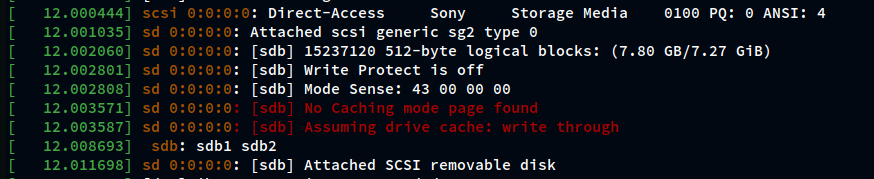
-
If these 2 errors show in your output then here is the solution:
Can't boot into live USB, Error: No caching mode page found - #11 by littlekun -
If not present then look for error related to your flash usb and share it with us, It will give us an idea what might be causing the issue.
This thing happened to me recently, after selecting the flash usb from boot menu it boots into my current installation. From your problem description I'm guessing it the same issue.
Few other things to check:
- Integrity of the iso
- USB drive's working condition