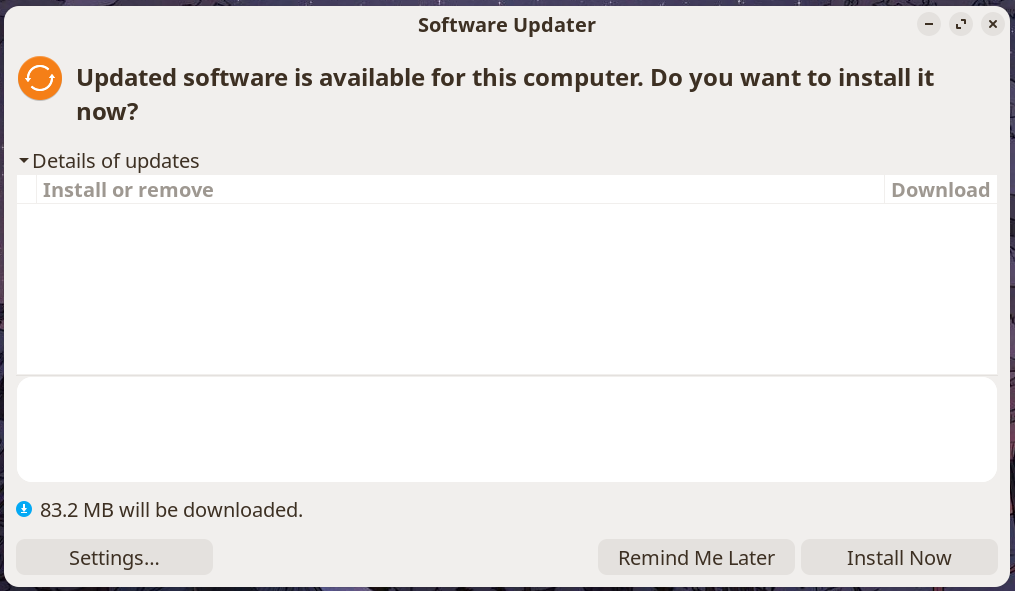
I'm experiencing the same thing that was happening in this thread but it doesn't look like it was ever resolved. I'm way too new to this to go through trying all the things that were suggested since the clearly more experienced OP tried them all with no success.
But in any case, my Software Updater keeps saying there is updated software available (same "83.2 MB will be downloaded" displayed each time), but when I click "Install Now" the progress bar gets to "Running task", then grays out at "Updating snaps" and takes me back to the same updated software is available message.
When I click "Details of updates" there's nothing listed.
Not from what I can tell.
After 1st command it prompted me for my password and looks like it went through without any issues.
After 2nd command it displayed: "ALL snaps are up to date."
Alrighty, I entered 'n' for that last prompt, then entered sudo apt autoremove and this was the output:
Reading package lists... Done
Building dependency tree... Done
Reading state information... Done
The following packages will be REMOVED:
apparmor-profiles folder-color
0 upgraded, 0 newly installed, 2 to remove and 0 not upgraded.
After this operation, 5,880 kB disk space will be freed.
Do you want to continue? [Y/n]
Cool beans, went forward with the clutter clear and this was the output:
(Reading database ... 292478 files and directories currently installed.)
Removing apparmor-profiles (4.0.1really4.0.1-0ubuntu0.24.04.5) ...
Removing folder-color (0.4.1+zorin1) ...
Processing triggers for hicolor-icon-theme (0.17-2) ...
Seems like an odd place to end, but after that it's just the usual ~$ waiting for a command.
Software Updater is still saying there is updated software available, but I guess it's safe to assume that's not true based on the terminal commands we just went through?
It drives me a little nuts that this is a metaphorical check box that can't be checked, but at the end of the day I really just want to make sure that whatever is causing this isn't going to prevent/interfere with actual updates in the future.
Earlier this evening it reported a higher number than the usual 83.2 MB and after I installed and restarted, it went back down to 83.2 MB, so I think at least for now it's still able to install actual updates when they're available.
I'm still a paranoid about update checks after Windows
That makes sense... and it makes sense Gnome can cause it, too.
We know that your system is up to date.
We also know that for reasons... It is suggesting a change to the Firefox package.
And we know that Snap packages and Snapd have a variety of discrepancies in regards to updates that do get reported by the Software Management processes.
Yeah that Firefox part caught my eye cause I uninstalled it but realized later that uninstalling something doesn't fully remove it from the system. Seemed odd, but I wasn't able to find a way to more thoroughly delete/remove it.
Here's the output after running snap list (apologies the format is kinda hard to read, it appears more like a table in the terminal):
This is neither a snap package, nor is it Firefox.
It is a Dummy Package that Canonical puts into the Ubuntu repositories that redirects the user installing from APT to the Snap Package for Firefox.
So, you still have that transitional dummy package installed - and I think that is the cause of all the confusion.
Try:
AAAA oh my god it worked, thank you SO MUCH!
This has been driving me nuts for weeks!
Also I can't tell you how much I appreciate you taking time to explain the logic behind a lot of the steps as well!
Sometimes troubleshooting feels like a game of Simon Says until something gets fixed, but I've been trying to be more mindful about learning new stuff when I can.