All are off as far as I can tell. How do I confirm this please?
Are the errors still shown? If you have a VPN enabled please turn it off for testing if it works then.
At the last command where was shown permission denied you need to add sudo
(sudo apt-get update)
1 Like
i resolved this by setting up VPN to uk, this workaround is doing fine till today, all requests are resolved properly. Dont ask why uk, i figured this out by try and error.
(canonical lives there). No idea what canonical has changed.
When using my regular VPN the process smashes like yours, even the softwareupdater is sometimes dying and has to be killed.
hoping this helps out for the moment
regards
Thanks I will give that a try.
Changed to UK Server in the Midlands and this is what I get
E: Could not get lock /var/lib/apt/lists/lock. It is held by process 1794 (packagekitd)
N: Be aware that removing the lock file is not a solution and may break your system.
E: Unable to lock directory /var/lib/apt/lists/
ghost@ghost:~$ apt clean
E: Could not open lock file /var/cache/apt/archives/lock - open (13: Permission denied)
E: Unable to lock directory /var/cache/apt/archives/
E: Could not open lock file /var/lib/apt/lists/lock - open (13: Permission denied)
E: Unable to lock directory /var/lib/apt/lists/
W: Problem unlinking the file /var/cache/apt/pkgcache.bin - RemoveCaches (13: Permission denied)
W: Problem unlinking the file /var/cache/apt/srcpkgcache.bin - RemoveCaches (13: Permission denied)
What should I do Thanks
This is what my nano file looks like
APT::Periodic::Update-Package-Lists "0";
APT::Periodic::Unattended-Upgrade "0";
APT::Periodic::AutocleanInterval "0";
APT::Periodic::Unattended-Upgrade "0";
I also seem to have no firewall rules. Could this be the problem but I can access the internet.
Are the updates in gnome software center turned off at tab preferences?
if your machine was doing fine beforehand and you didnot change some configuration on the firewall, i dont think this is the rootcause.
can you reach the dropped launchpad and ubuntu domains via ping ? For me it looks like a connection issue.
regards
of course "Permission denied", use sudo
sudo apt clean
E: Could not get lock /var/lib/apt/lists/lock. It is held by process 1794 (packagekitd)
try to see if synaptic is not open because it lock update
How do I open?
I opened gnome software
[Desktop Entry]
Name=Software Install
Comment=Install selected software on the system
Categories=System;
Exec=gnome-software --local-filename %f
Terminal=false
Type=Application
Icon=system-software-install
StartupNotify=true
NoDisplay=true
MimeType=application/vnd.ms-cab-compressed;
X-Ubuntu-Gettext-Domain=gnome-software
ghost@ghost:~$ ping ubuntu.com
ping: ubuntu.com: Temporary failure in name resolution
ghost@ghost:~$ ping launchpad.com
PING launchpad.com (162.240.197.107) 56(84) bytes of data.
No results
ghost@ghost:~$ sudo apt clean
[sudo] password for ghost:
ghost@ghost:~$ sudo apt update
Ign:1 Index of /ubuntu noble-security InRelease
Ign:2 Index of /ubuntu noble InRelease
Does not resolve no joy
In the top bar of the software center click on the Hamburger menu and then select preferences and disable the automatic updates and enable the manual updates to test if it helps. Then reboot.
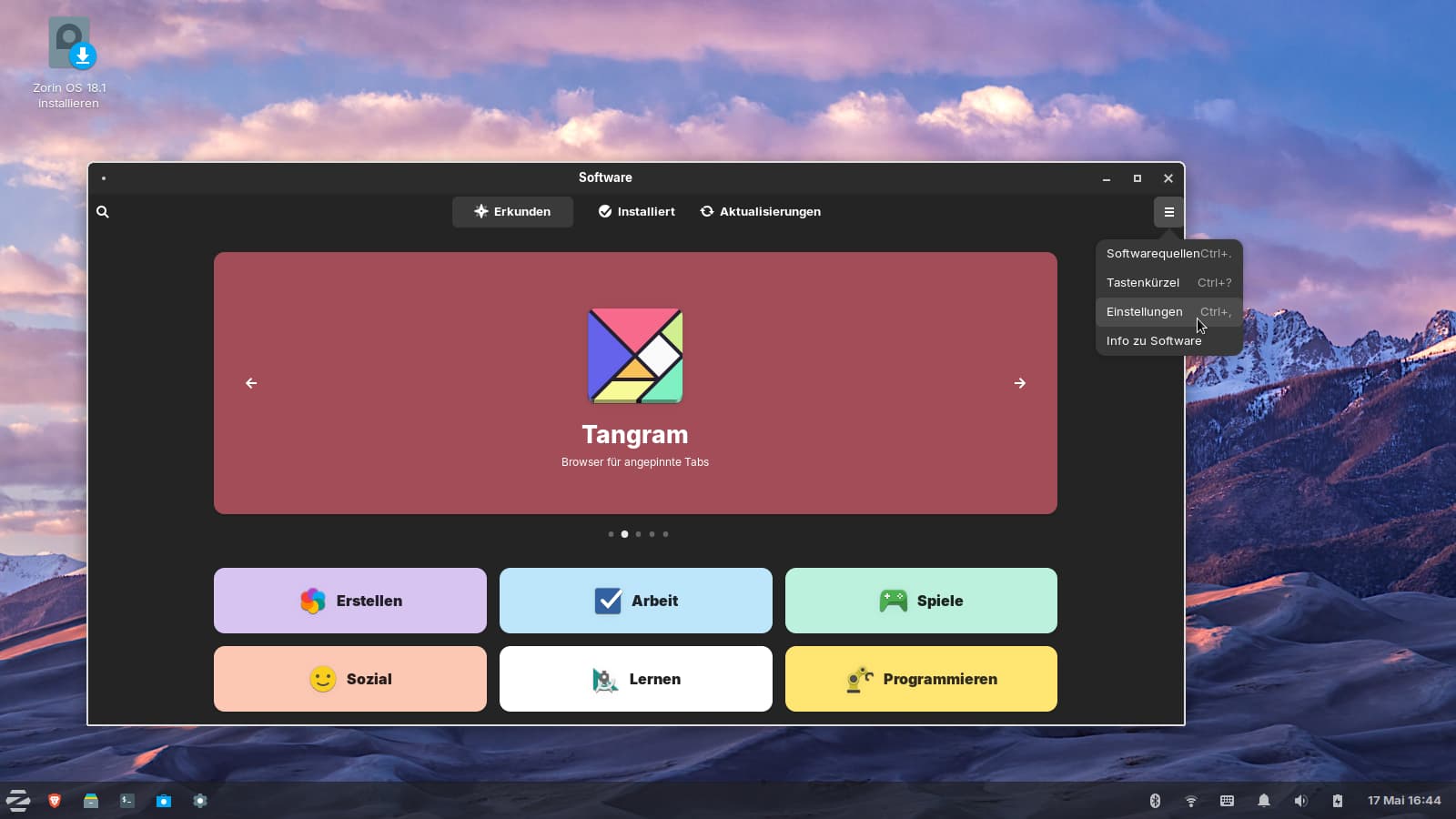
Don´t wonder, I'm in Zorin lite at the moment, but it is the same as in Zorin Core.
When I have simmilar situacion I shut down my computer(if you don't it)and try restart your router-maybe this help
Sometimes make a help
For some reason having my VPN connected caused this problem. This has never happened before.
any idea why? Could it be the most recent EU actions against free speech?
No, it could be related to the Hacker Attack to Ubuntu. They could have implemented more restrict Security Rules which would affect VPN Usage.
No, but dirty frag and fragnesia workarounds affect libraries associated with VPN's.
1 Like