This is certainly upstream of Zorin, but I imagine the Zorin brothers know who to contact far better than I do. For ~1 hour at least, attempting to update, whether by the Software Updater or APT has failed. The software updater returns a poorly advised instruction to check Internet connection. APT returns that us.archive.ubuntu.com/ubuntu is returning HTTP 500 (internal server error, and why "check your Internet connection" is poorly advised).
I have run apt update (several times), and the issue persists. @AZorin
Edit: One last attempt as I clicked to submit the post MIGHT be working--this one too had four failures, but the fifth automatic repeat is downloading, albeit impossibly slowly. Nope, died.
Ign:1 http://us.archive.ubuntu.com/ubuntu jammy-updates/main amd64 linux-firmware all 20220329.git681281e4-0ubuntu3.39
Ign:1 http://us.archive.ubuntu.com/ubuntu jammy-updates/main amd64 linux-firmware all 20220329.git681281e4-0ubuntu3.39
Ign:1 http://us.archive.ubuntu.com/ubuntu jammy-updates/main amd64 linux-firmware all 20220329.git681281e4-0ubuntu3.39
Ign:1 http://us.archive.ubuntu.com/ubuntu jammy-updates/main amd64 linux-firmware all 20220329.git681281e4-0ubuntu3.39
Ign:1 http://us.archive.ubuntu.com/ubuntu jammy-updates/main amd64 linux-firmware all 20220329.git681281e4-0ubuntu3.39
Ign:1 http://security.ubuntu.com/ubuntu jammy-updates/main amd64 linux-firmware all 20220329.git681281e4-0ubuntu3.39
Err:1 http://security.ubuntu.com/ubuntu jammy-updates/main amd64 linux-firmware all 20220329.git681281e4-0ubuntu3.39
  500  Internal Server Error [IP: 91.189.91.83 80]
E: Failed to fetch http://security.ubuntu.com/ubuntu/pool/main/l/linux-firmware/linux-firmware_20220329.git681281e4-0ubuntu3.39_all.deb  500  Internal Server Error [IP: 91.189.91.83 80]
It looks to me like yours worked because you had nothing to update. That doesn't count; you're not downloading anything but the package lists!
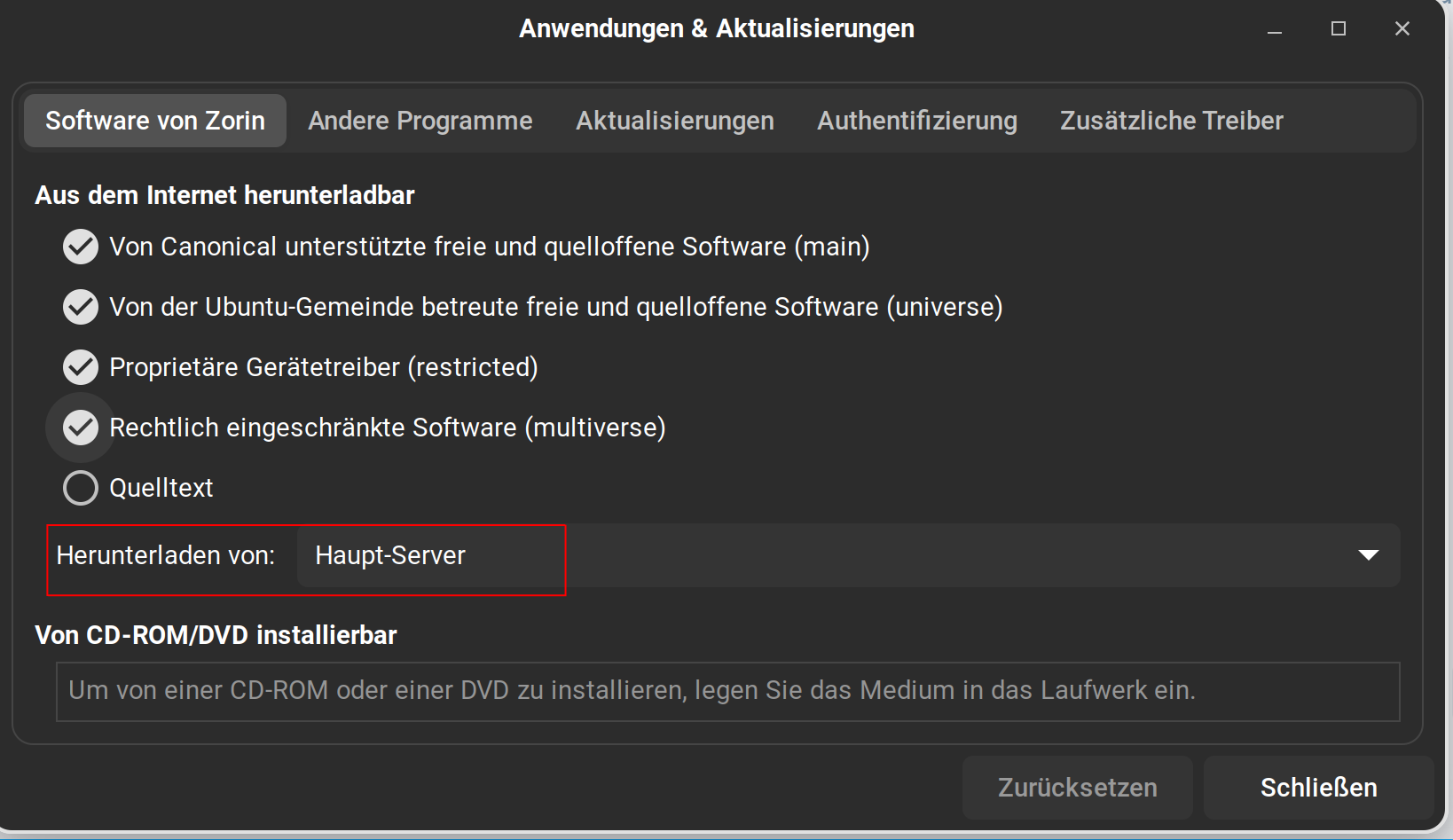
That said, I took your advice and tried switching to main server. Main also fails with server error 500.
Reading package lists... Done
Building dependency tree... Done
Reading state information... Done
Calculating upgrade... Done
The following packages were automatically installed and are no longer required:
  linux-headers-6.15.11-x64v3-xanmod1 linux-image-6.15.11-x64v3-xanmod1
Use 'sudo apt autoremove' to remove them.
The following NEW packages will be installed:
  linux-headers-6.16.5-x64v3-xanmod1 linux-image-6.16.5-x64v3-xanmod1
The following packages will be upgraded:
  linux-firmware linux-xanmod-x64v3
2 upgraded, 2 newly installed, 0 to remove and 0 not upgraded.
Need to get 316 MB/429 MB of archives.
After this operation, 735 MB of additional disk space will be used.
Do you want to continue? [Y/n] Y
Ign:1 http://archive.ubuntu.com/ubuntu jammy-updates/main amd64 linux-firmware all 20220329.git681281e4-0ubuntu3.39
Ign:1 http://archive.ubuntu.com/ubuntu jammy-updates/main amd64 linux-firmware all 20220329.git681281e4-0ubuntu3.39
Ign:1 http://archive.ubuntu.com/ubuntu jammy-updates/main amd64 linux-firmware all 20220329.git681281e4-0ubuntu3.39
Ign:1 http://archive.ubuntu.com/ubuntu jammy-updates/main amd64 linux-firmware all 20220329.git681281e4-0ubuntu3.39
Ign:1 http://archive.ubuntu.com/ubuntu jammy-updates/main amd64 linux-firmware all 20220329.git681281e4-0ubuntu3.39
Ign:1 http://archive.ubuntu.com/ubuntu jammy-updates/main amd64 linux-firmware all 20220329.git681281e4-0ubuntu3.39
Err:1 http://archive.ubuntu.com/ubuntu jammy-updates/main amd64 linux-firmware all 20220329.git681281e4-0ubuntu3.39
  500  Internal Server Error [IP: 185.125.190.36 80]
E: Failed to fetch http://archive.ubuntu.com/ubuntu/pool/main/l/linux-firmware/linux-firmware_20220329.git681281e4-0ubuntu3.39_all.deb  500  Internal Server Error [IP: 185.125.190.36 80]
E: Unable to fetch some archives, maybe run apt-get update or try with --fix-missing?
Edit: Updated my output to show the whole thing, so it's clear that it's failing on package download, not package lists.
Yes, that is true. So, it have a Problem when You want update.
I see, that it is this linux-firmware Update. I have done it today, too without a Problem. You could try a sudo apt install linux-firmware and try to install it that Way.
Another Point is this xanmod Linux Kernel. I wouldn't think that this is a Problem, but could You uncomment the Source and try the Update again?
And there would be the Try to simply reboot Your PC and then try it again.
Oh, and the Thing from the last Row of Your Output could be worth a Try, too.
EDIT: I had the Idea to go to the Server and manually download the linux-firmware Package. The interesting Part here is: I can visit Index of /ubuntu/pool/main/l without a Problem, but when I go in the linux-firmware Folder, it gives an Error. So, it seems to be a Server Issue. So, I would suggest to wait, maybe to tomorrow and then try it again.
Yeah, that's been my point all along. When you get HTTP/500 Internal Server Error, that's not a user-side problem. That's the server actually returning, "Something's broken over here." Because it's happening on both US and main, it's something that needs addressing by Canonical, which is why I pinged AZorin, whom I presume has some level of contact with them, though I could be mistaken.
Because it's a server error, not really. APT seems not to interpret HTTP returns, only report them and then provide default error messages.
That would get the error resolved for me, probably, but given that it's been hit on both US and main by me, one of those by Applecheeks even on another Ubuntu based distro, and Ponce-de-Leon (indirectly, when trying to access the directory via a browser), I'd rather stay in this state for now so I can report when it's resolved.
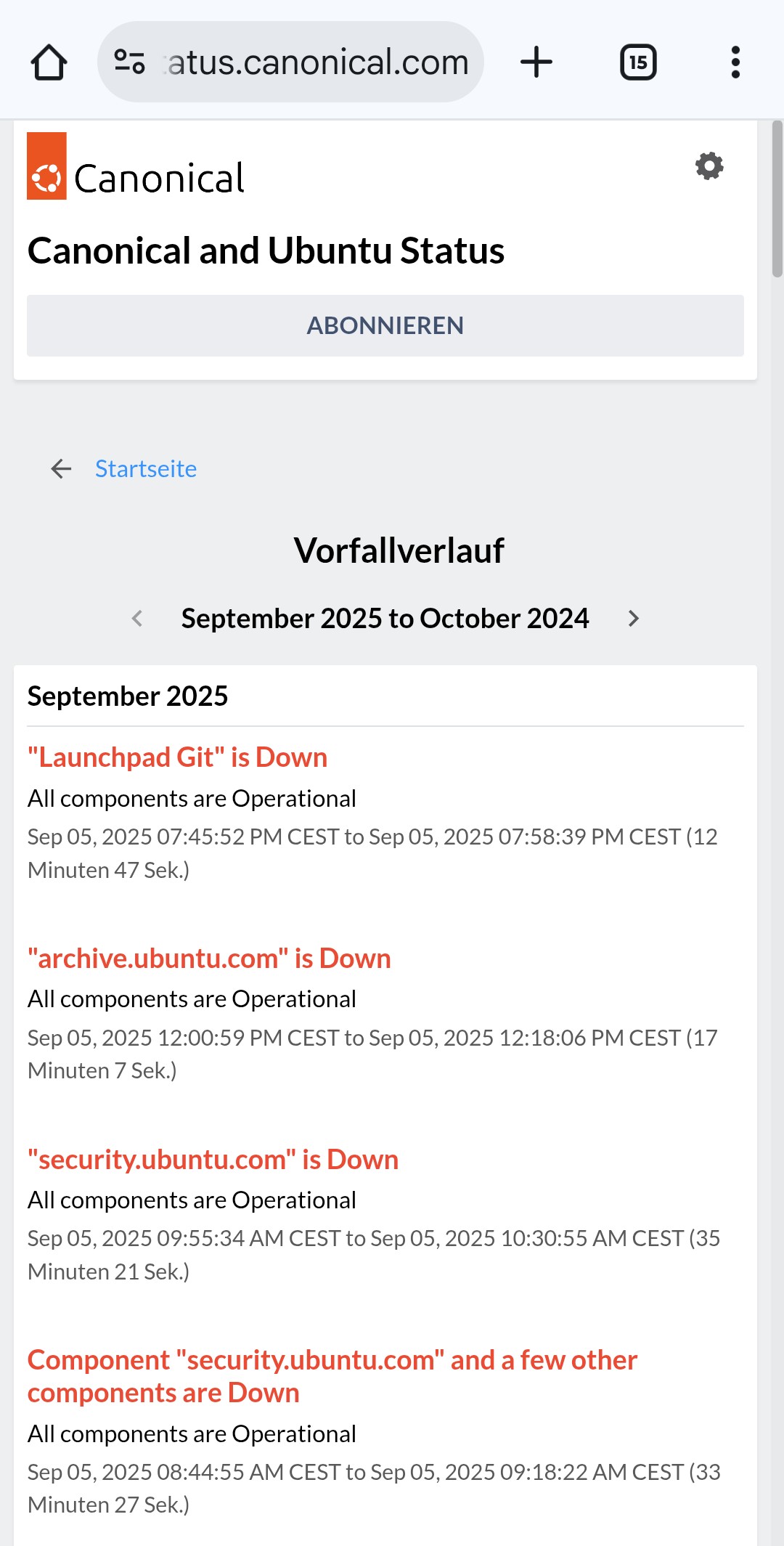
However, it is known that the backlog caused by the outage is causing the mirrors and security updates to be 'broken' at this time due to the backlog in the queue for processing. This queue is currently very large and there is likely to be issues with mirrors at this time during the update process. As such, you need to be patient and try again several hours from now (up to 24 hours from now as well if you want, just to make sure stuff stabilizes first).
I guess I posted in the wrong thread, as just found this one that is more applicable.
I had difficulty (extreme slow download) from Main Server yesterday and continuing same this morning. Also tried a local mirror and no different. So wondered if it was my wifi or internet connection, but they test OK.
Now see it is an upstream server issue, so Im relieved, but unhappy. I hope "normal service will be is resumed as soon as possible", as they say. For today at least, not worth trying to do any Software Update, just let the servers sort themselves out.
Exact same problem here too - 9/6/2025, and sorry, but it is still not "solved." Internet connection is perfectly fine. I did everything Locklear93 did and am still receiving same errors.
Yeah, I've marked it solved because our solution is in the post I marked: wait. The problem was on Canonical's end, and there's nothing we can do but wait for the repercussions to shake out.