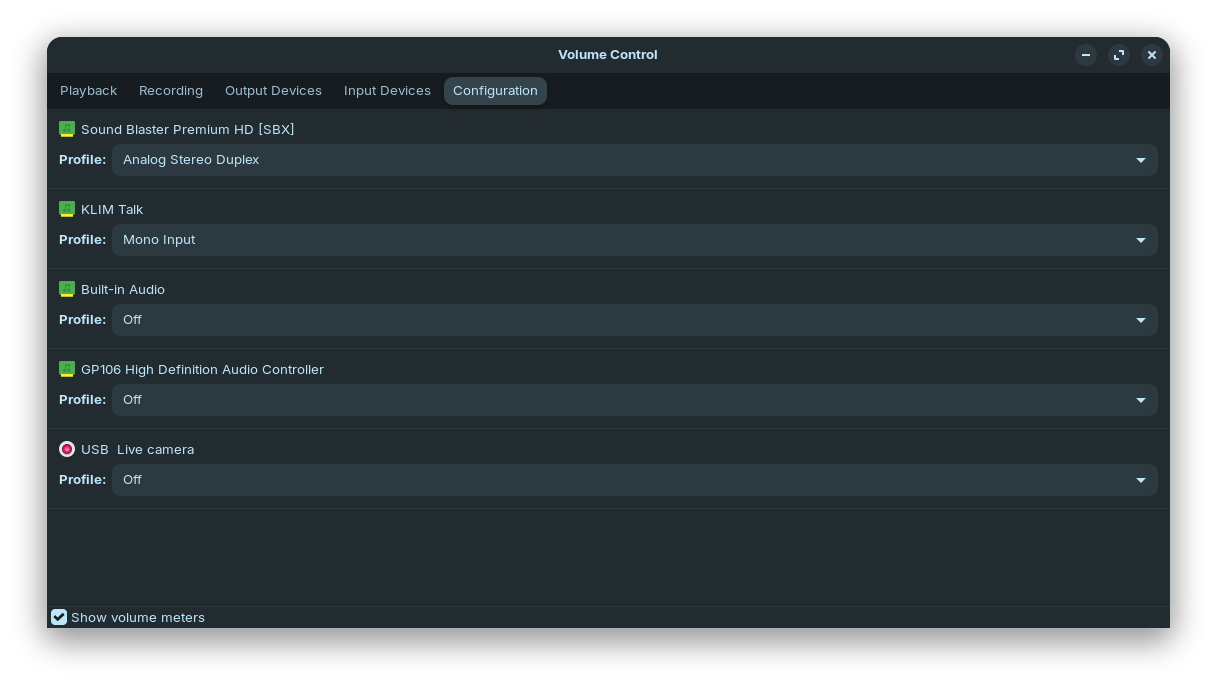
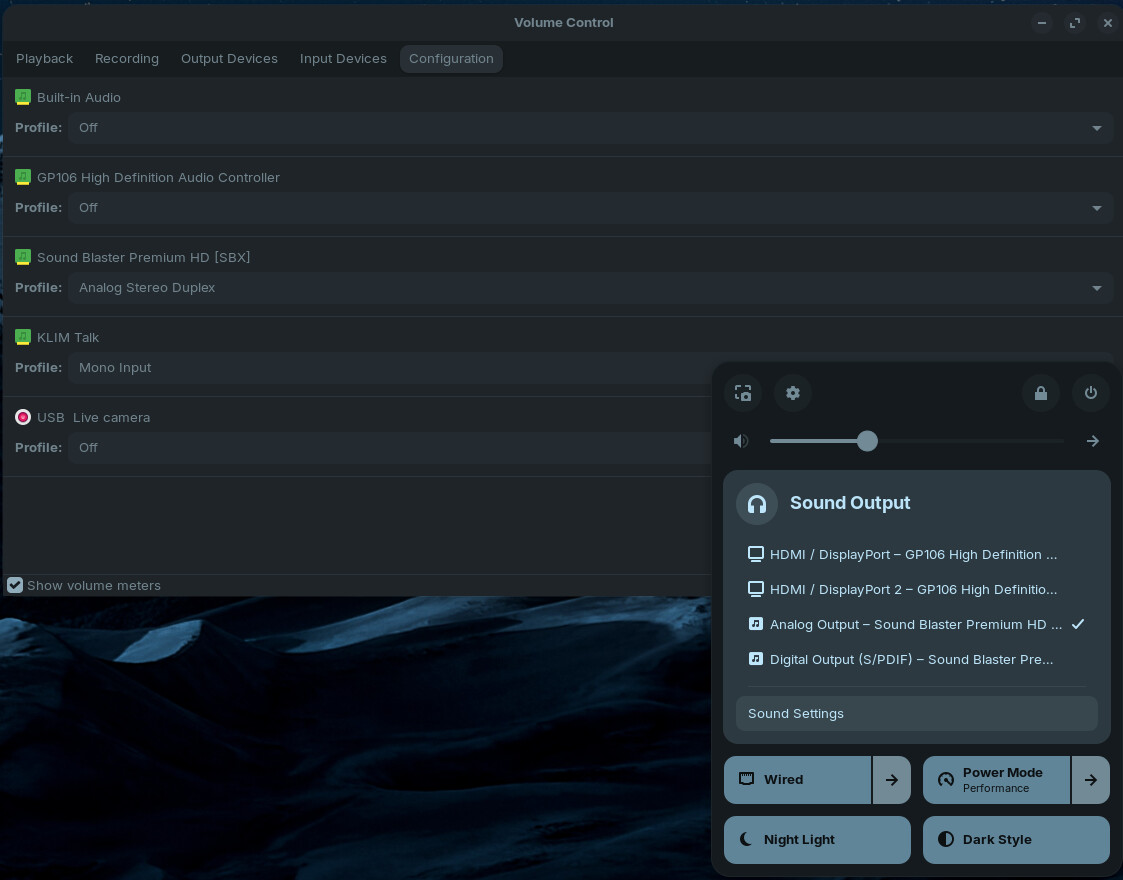
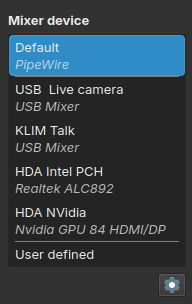
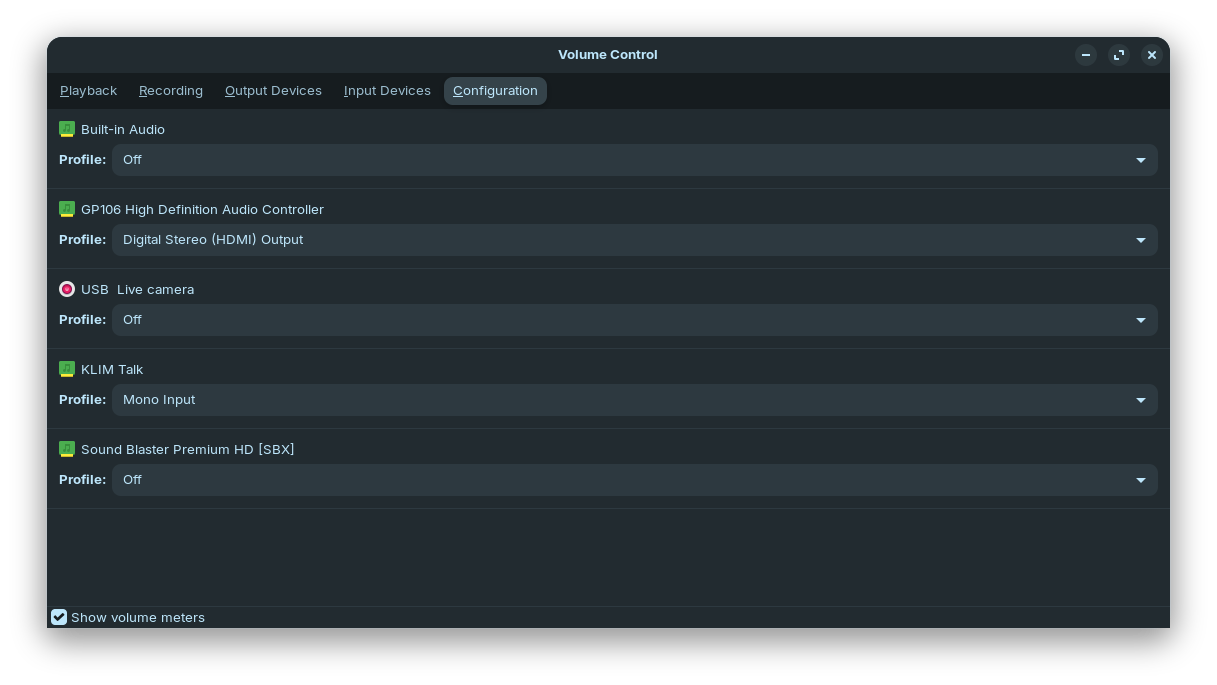
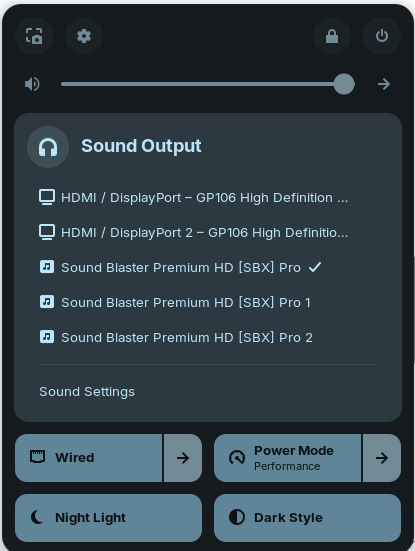
Hey, I have troubles getting my USB soundcard to get recognized on every boot. I'm on Zorin OS 18.2 with X11 and PipeWire and it's a Sound Blaster SBX HD Model No. SB1240. I have some experience with Linux, Debian, Ubuntu and Linux Mint in particular, but I'm mostly just copy pasting commands, which was not enough to find a solution for this.
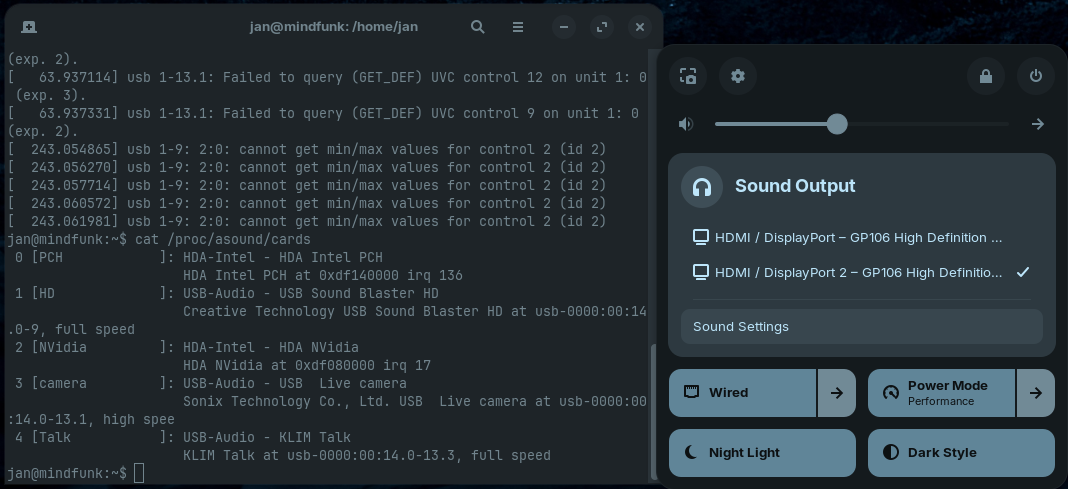
It usually works fine, but every now and then, like every 3-5 reboots, it's not used or listed as a output device. Unplugging and replugging it resolves the issue most of the time, sometimes I need to restart, which ist getting pretty annoying. I have searched for solutions but most are for different issues and aren't using PipeWire. I want to stay on PipeWire if possible, but I if nothing else works, I'm willing to switch to Pulseaudio in the hopes that that works.
Here are some more infos and what I tried to resolve this:
jan@mindfunk:~$ cat /proc/asound/cards
 0 [PCH            ]: HDA-Intel - HDA Intel PCH
                      HDA Intel PCH at 0xdf140000 irq 136
 1 [HD             ]: USB-Audio - USB Sound Blaster HD
                      Creative Technology USB Sound Blaster HD at usb-0000:00:14.0-9, full speed
 2 [NVidia         ]: HDA-Intel - HDA NVidia
                      HDA NVidia at 0xdf080000 irq 17
 3 [camera         ]: USB-Audio - USB  Live camera
                      Sonix Technology Co., Ltd. USB  Live camera at usb-0000:00:14.0-13.1, high spee
 4 [Talk           ]: USB-Audio - KLIM Talk
                      KLIM Talk at usb-0000:00:14.0-13.3, full speed
jan@mindfunk:~$ lsusb
Bus 001 Device 001: ID 1d6b:0002 Linux Foundation 2.0 root hub
Bus 001 Device 002: ID 1038:1720 SteelSeries ApS Mouse
Bus 001 Device 003: ID 046a:0023 CHERRY Keyboard
Bus 001 Device 004: ID 041e:3232 Creative Technology, Ltd Sound Blaster Premium HD [SBX]
Bus 001 Device 005: ID 05e3:0610 Genesys Logic, Inc. Hub
Bus 001 Device 006: ID 0c45:636b Microdia USB  Live camera
Bus 001 Device 007: ID 0c76:1468 JMTek, LLC. KLIM Talk
Bus 002 Device 001: ID 1d6b:0003 Linux Foundation 3.0 root hub
Bus 002 Device 002: ID 05e3:0626 Genesys Logic, Inc. Hub
jan@mindfunk:~$ lsmod | grep usb
snd_usb_audio         573440  3
snd_usbmidi_lib        57344  1 snd_usb_audio
snd_ump                45056  1 snd_usb_audio
snd_hwdep              24576  2 snd_usb_audio,snd_hda_codec
snd_rawmidi            57344  3 snd_seq_midi,snd_usbmidi_lib,snd_ump
snd_pcm               200704  11 snd_soc_avs,snd_hda_codec_hdmi,snd_hda_intel,snd_usb_audio,snd_hda_codec,snd_compress,snd_soc_core,snd_hda_core,snd_pcm_dmaengine
snd                   143360  30 snd_hda_codec_generic,snd_seq,snd_seq_device,snd_hda_codec_hdmi,snd_hwdep,snd_hda_intel,snd_usb_audio,snd_usbmidi_lib,snd_hda_codec,snd_timer,snd_hda_codec_realtek_lib,snd_compress,snd_soc_core,snd_ump,snd_pcm,snd_rawmidi
mc                     81920  5 videodev,snd_usb_audio,videobuf2_v4l2,uvcvideo,videobuf2_common
usbhid                 77824  0
hid                   262144  3 usbhid,hid_generic,hid_cherry
jan@mindfunk:~$ aplay -l
**** List of PLAYBACK Hardware Devices ****
card 0: PCH [HDA Intel PCH], device 0: ALC892 Analog [ALC892 Analog]
  Subdevices: 1/1
  Subdevice #0: subdevice #0
card 1: HD [USB Sound Blaster HD], device 0: USB Audio [USB Audio]
  Subdevices: 1/1
  Subdevice #0: subdevice #0
card 1: HD [USB Sound Blaster HD], device 1: USB Audio [USB Audio #1]
  Subdevices: 1/1
  Subdevice #0: subdevice #0
card 1: HD [USB Sound Blaster HD], device 2: USB Audio [USB Audio #2]
  Subdevices: 1/1
  Subdevice #0: subdevice #0
card 2: NVidia [HDA NVidia], device 3: HDMI 0 [ED273UR]
  Subdevices: 1/1
  Subdevice #0: subdevice #0
card 2: NVidia [HDA NVidia], device 7: HDMI 1 [ED270U P]
  Subdevices: 0/1
  Subdevice #0: subdevice #0
card 2: NVidia [HDA NVidia], device 8: HDMI 2 [HDMI 2]
  Subdevices: 1/1
  Subdevice #0: subdevice #0
card 2: NVidia [HDA NVidia], device 9: HDMI 3 [HDMI 3]
  Subdevices: 1/1
  Subdevice #0: subdevice #0
Checking for errors after boot with no sound:
jan@mindfunk:~$ sudo dmesg | grep -C1 -E 'ALSA|HDA|HDMI|snd[_-]|sound|hda.codec|hda.intel'
[    3.671843] usbcore: registered new interface driver uvcvideo
[    3.850602] snd_hda_intel 0000:01:00.1: Disabling MSI
[    3.850609] snd_hda_intel 0000:01:00.1: Handle vga_switcheroo audio client
[    3.867519] snd_hda_codec_alc662 hdaudioC0D0: ALC892: picked fixup  for PCI SSID 1849:5892
[    3.867852] snd_hda_codec_alc662 hdaudioC0D0: autoconfig for ALC892: line_outs=1 (0x14/0x0/0x0/0x0/0x0) type:line
[    3.867854] snd_hda_codec_alc662 hdaudioC0D0:    speaker_outs=0 (0x0/0x0/0x0/0x0/0x0)
[    3.867856] snd_hda_codec_alc662 hdaudioC0D0:    hp_outs=1 (0x1b/0x0/0x0/0x0/0x0)
[    3.867858] snd_hda_codec_alc662 hdaudioC0D0:    mono: mono_out=0x0
[    3.867859] snd_hda_codec_alc662 hdaudioC0D0:    inputs:
[    3.867860] snd_hda_codec_alc662 hdaudioC0D0:      Rear Mic=0x18
[    3.867862] snd_hda_codec_alc662 hdaudioC0D0:      Front Mic=0x19
[    3.867863] snd_hda_codec_alc662 hdaudioC0D0:      Line=0x1a
[    3.876649] input: HDA NVidia HDMI/DP,pcm=3 as /devices/pci0000:00/0000:00:01.0/0000:01:00.1/sound/card2/input10
[    3.876749] input: HDA NVidia HDMI/DP,pcm=7 as /devices/pci0000:00/0000:00:01.0/0000:01:00.1/sound/card2/input11
[    3.876829] input: HDA NVidia HDMI/DP,pcm=8 as /devices/pci0000:00/0000:00:01.0/0000:01:00.1/sound/card2/input12
[    3.876880] input: HDA NVidia HDMI/DP,pcm=9 as /devices/pci0000:00/0000:00:01.0/0000:01:00.1/sound/card2/input13
[    3.882304] input: HDA Intel PCH Rear Mic as /devices/pci0000:00/0000:00:1f.3/sound/card0/input14
[    3.882370] input: HDA Intel PCH Front Mic as /devices/pci0000:00/0000:00:1f.3/sound/card0/input15
[    3.882901] input: HDA Intel PCH Line as /devices/pci0000:00/0000:00:1f.3/sound/card0/input16
[    3.882954] input: HDA Intel PCH Line Out as /devices/pci0000:00/0000:00:1f.3/sound/card0/input17
[    3.883002] input: HDA Intel PCH Front Headphone as /devices/pci0000:00/0000:00:1f.3/sound/card0/input18
[    4.021364] nvidia: loading out-of-tree module taints kernel.
--
[    8.985766] usb 1-13.3: [50] FU [Mic Capture Volume] ch = 1, val = 0/7936/16
[    8.985959] usbcore: registered new interface driver snd-usb-audio
[    8.995665] usb 1-9: 2:0: cannot get min/max values for control 2 (id 2)
And after unplugging and plugging it back in, so it got recognized:
jan@mindfunk:~$ sudo dmesg | grep -C1 -E 'ALSA|HDA|HDMI|snd[_-]|sound|hda.codec|hda.intel'
[    3.671843] usbcore: registered new interface driver uvcvideo
[    3.850602] snd_hda_intel 0000:01:00.1: Disabling MSI
[    3.850609] snd_hda_intel 0000:01:00.1: Handle vga_switcheroo audio client
[    3.867519] snd_hda_codec_alc662 hdaudioC0D0: ALC892: picked fixup  for PCI SSID 1849:5892
[    3.867852] snd_hda_codec_alc662 hdaudioC0D0: autoconfig for ALC892: line_outs=1 (0x14/0x0/0x0/0x0/0x0) type:line
[    3.867854] snd_hda_codec_alc662 hdaudioC0D0:    speaker_outs=0 (0x0/0x0/0x0/0x0/0x0)
[    3.867856] snd_hda_codec_alc662 hdaudioC0D0:    hp_outs=1 (0x1b/0x0/0x0/0x0/0x0)
[    3.867858] snd_hda_codec_alc662 hdaudioC0D0:    mono: mono_out=0x0
[    3.867859] snd_hda_codec_alc662 hdaudioC0D0:    inputs:
[    3.867860] snd_hda_codec_alc662 hdaudioC0D0:      Rear Mic=0x18
[    3.867862] snd_hda_codec_alc662 hdaudioC0D0:      Front Mic=0x19
[    3.867863] snd_hda_codec_alc662 hdaudioC0D0:      Line=0x1a
[    3.876649] input: HDA NVidia HDMI/DP,pcm=3 as /devices/pci0000:00/0000:00:01.0/0000:01:00.1/sound/card2/input10
[    3.876749] input: HDA NVidia HDMI/DP,pcm=7 as /devices/pci0000:00/0000:00:01.0/0000:01:00.1/sound/card2/input11
[    3.876829] input: HDA NVidia HDMI/DP,pcm=8 as /devices/pci0000:00/0000:00:01.0/0000:01:00.1/sound/card2/input12
[    3.876880] input: HDA NVidia HDMI/DP,pcm=9 as /devices/pci0000:00/0000:00:01.0/0000:01:00.1/sound/card2/input13
[    3.882304] input: HDA Intel PCH Rear Mic as /devices/pci0000:00/0000:00:1f.3/sound/card0/input14
[    3.882370] input: HDA Intel PCH Front Mic as /devices/pci0000:00/0000:00:1f.3/sound/card0/input15
[    3.882901] input: HDA Intel PCH Line as /devices/pci0000:00/0000:00:1f.3/sound/card0/input16
[    3.882954] input: HDA Intel PCH Line Out as /devices/pci0000:00/0000:00:1f.3/sound/card0/input17
[    3.883002] input: HDA Intel PCH Front Headphone as /devices/pci0000:00/0000:00:1f.3/sound/card0/input18
[    4.021364] nvidia: loading out-of-tree module taints kernel.
--
[    8.985766] usb 1-13.3: [50] FU [Mic Capture Volume] ch = 1, val = 0/7936/16
[    8.985959] usbcore: registered new interface driver snd-usb-audio
[    8.995665] usb 1-9: 2:0: cannot get min/max values for control 2 (id 2)
I can't really see any issues here...
I also tried running
sudo udevadm trigger
instead of unplugging und plugging the soundcard, which didn't help.
And I tried modprobe which supposedly will throw an initialization error if the module was already loaded, which didn't happen no matter how often I ran it. Also didn't solve the issue, though. Trying to remove snd_usb_audio on the other hand did throw an error.
jan@mindfunk:~$ sudo modprobe snd_usb_audio
jan@mindfunk:~$ sudo modprobe snd_usb_audio
jan@mindfunk:~$ sudo rmmod snd_usb_audio
rmmod: ERROR: Module snd_usb_audio is in use
Any ideas what else to do?