So far I tried sudo logrotate -d /etc/logrotate.conf
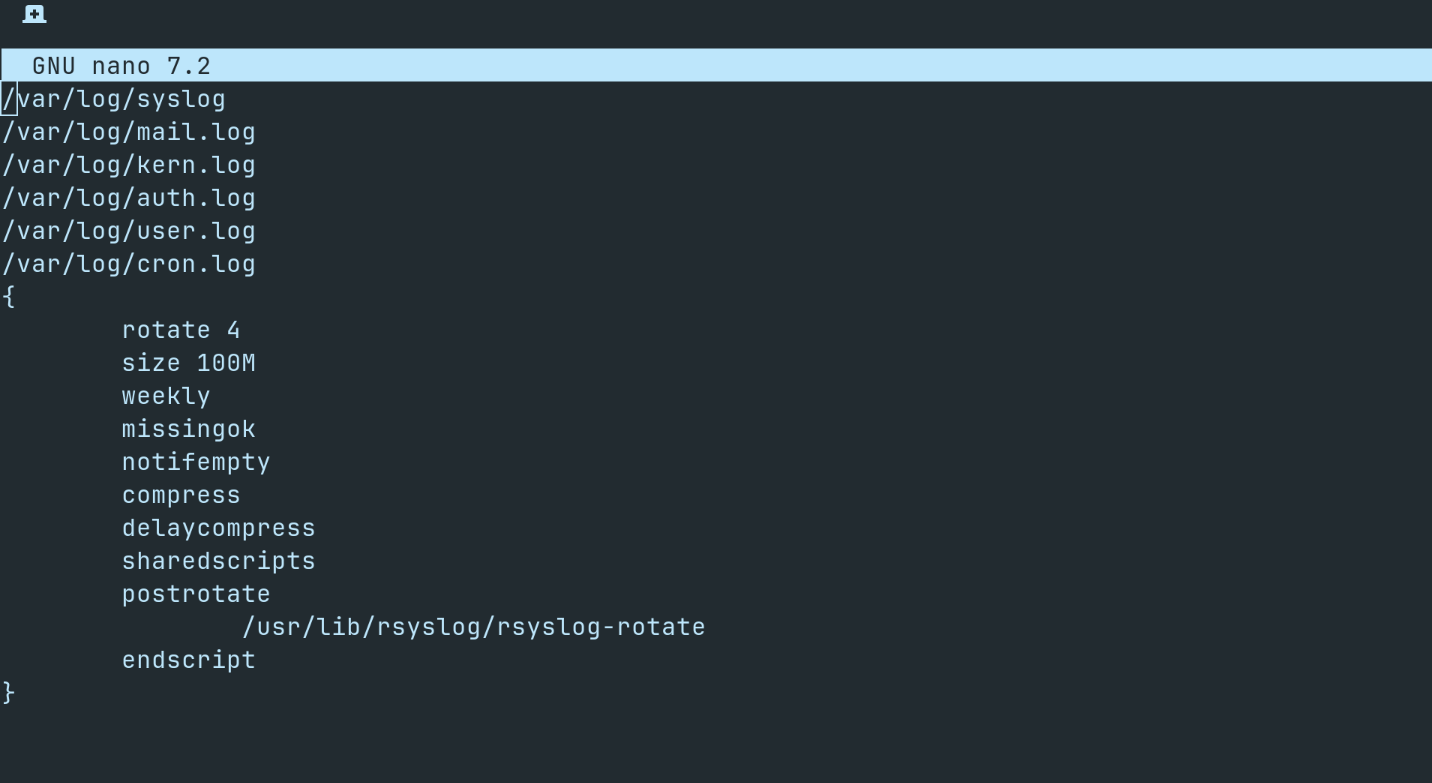
and also added in sudo nano /etc/logrotate.d/rsyslog
With these values:
rotate 4
size 100M
compress
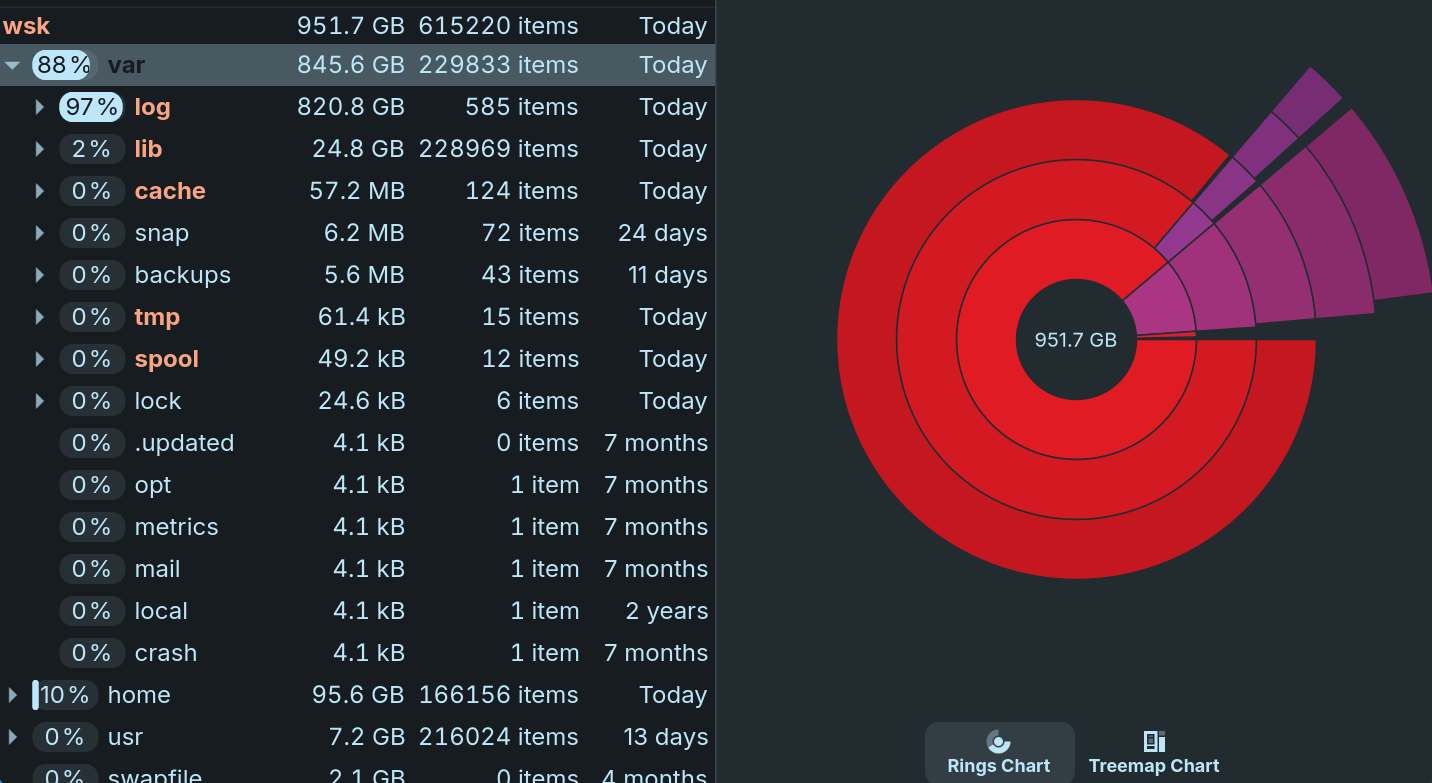
But the issue still persists. What should I do? I am a noob at linux and the terminal and its mind boggling how 820GB can be taken up by logging ?
yeah logrotate -d is only a dry run so it never actually rotates anything. force it once with sudo logrotate -f /etc/logrotate.conf (or sudo logrotate -f /etc/logrotate.d/rsyslog if thats the file you edited). to free space right now you can sudo truncate -s 0 /var/log/syslog.1 or move that file aside and restart rsyslog. peek at the end first with sudo tail -n 100 /var/log/syslog.1 so you know whats spamming, usually one service looping errors. also run du -sh /var/log/* | sort -h in case journal is the fat one too (sudo journalctl --vacuum-size=200M helps there).
2 Likes
I would take a look at highest ranked post here:
https://askubuntu.com/questions/746535/var-log-syslog-growing-indefinitely-in-size
I link you a thread of another user which had a problem with huge logs to show which files you can edit to limit the log size:
Thanks this worked. But what is the purpose of syslog.1 what is it supposed to be logging ?
If you look at the link I posted it states you should run a command to see what is causing these errors then take remedial action. 
syslog is the general system log. syslog.1 is just the previous rotated copy, kept so you can look back after the current syslog rolls over. rsyslog puts kernel, service, auth and network messages in there depending on the config.
it should not normally grow to hundreds of gigabytes. that usually means one service is spamming the same error. sudo tail -n 100 /var/log/syslog.1 will show what filled it.